Gadget Wisdom

Author: David Shanske

Registration time

2011-09-25 06:23:49

Website

https://david.shanske.com/

Email

david@shanske.com

All posts by David Shanske

0 Responses

Back to the Toilet Technology – Part 3

Nearly two years ago, we took a special trip to the Gadget Wisdom bathroom to discuss dual flush conversion. We came back a few months later to review the MJSI Dual Flush Converter.

At the time we commented, “The nice thing about this design is that it does not require removal of the toilet tank to install. If you have to go as far as to remove the toilet tank, you might as well buy a new toilet with integrated dual flush, which we recommend if you have a really old toilet.

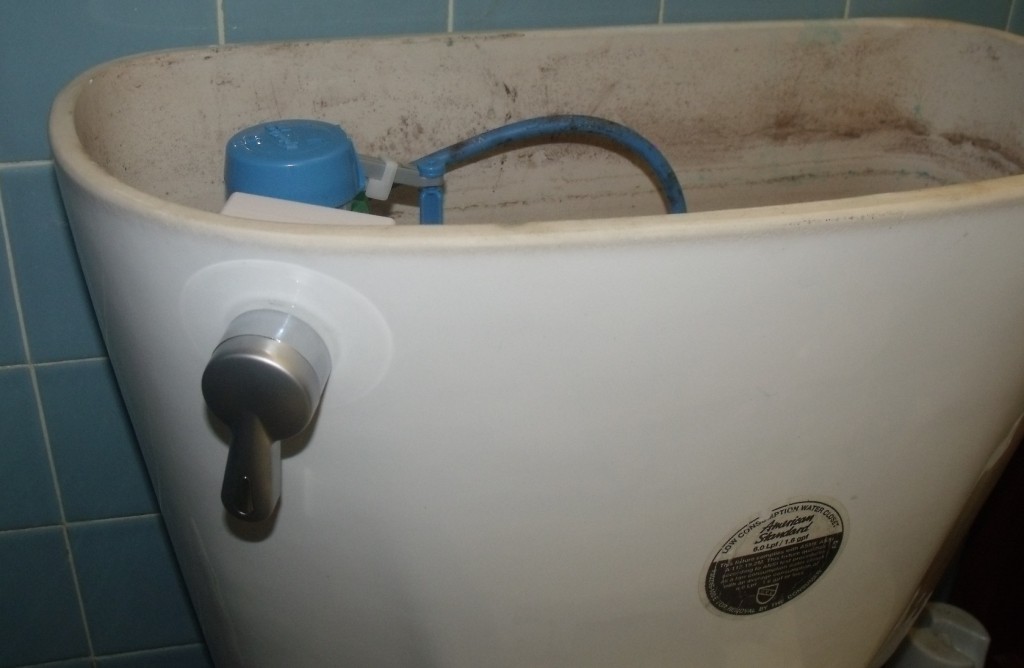
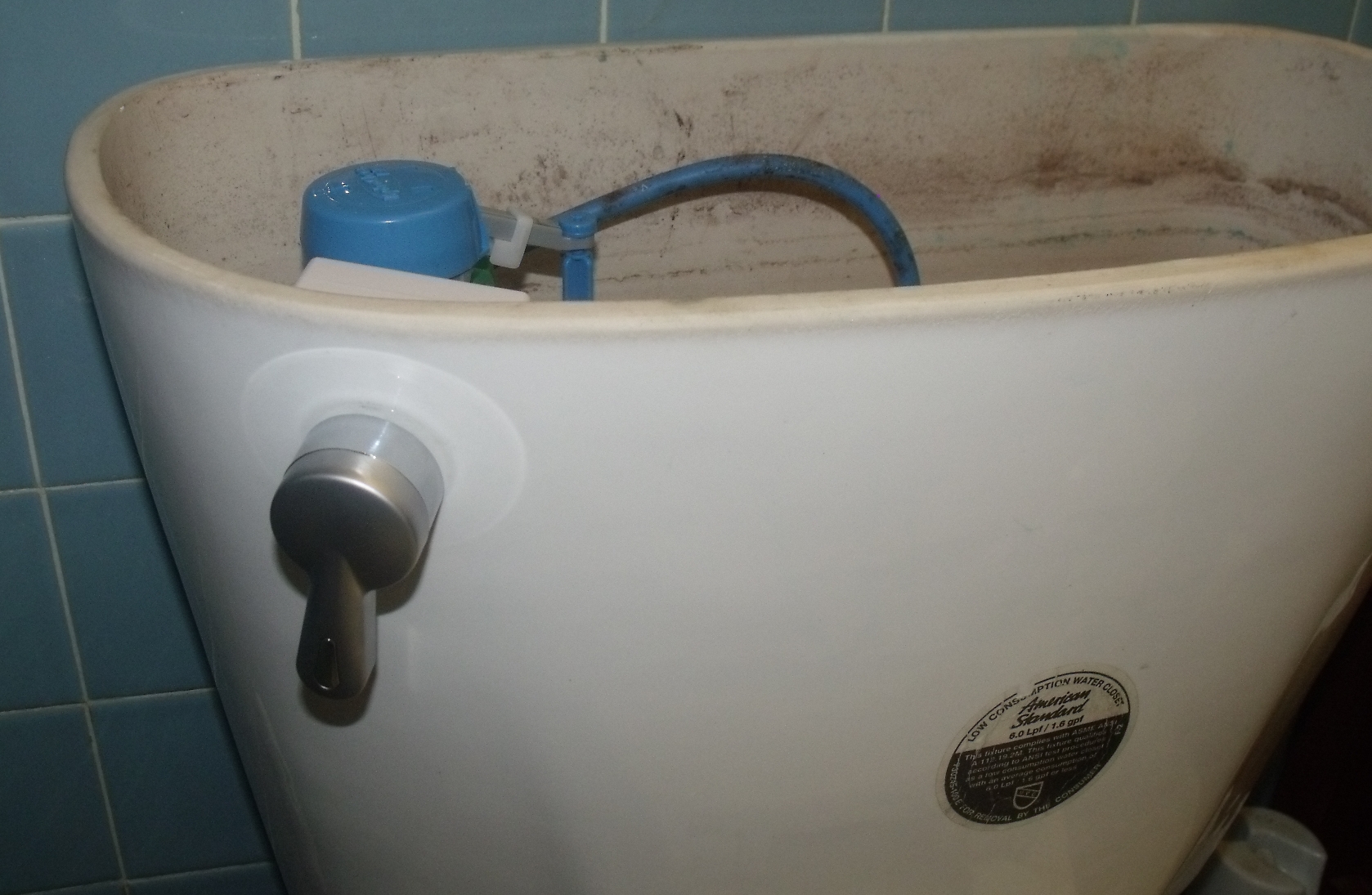
Flush with our previous successes, despite not being professional plumbers, when our toilet tank started dripping, we decided it was time to dive in again. While there are one piece toilets, most toilets are two piece, the bowl and the tank. The tank is attached to the bowl using bolts and rubber washers that secure the two together, along with a gasket. When these start to fail, they can be replaced.

The replacement parts cost us seven dollars at the local hardware store. But as we had to dismantle the toilet tank anyway, we decided it was time to replace the MJSI Hydroright Drop-In Dual Flush converter.

[asa]B002NKRR7Y[/asa]

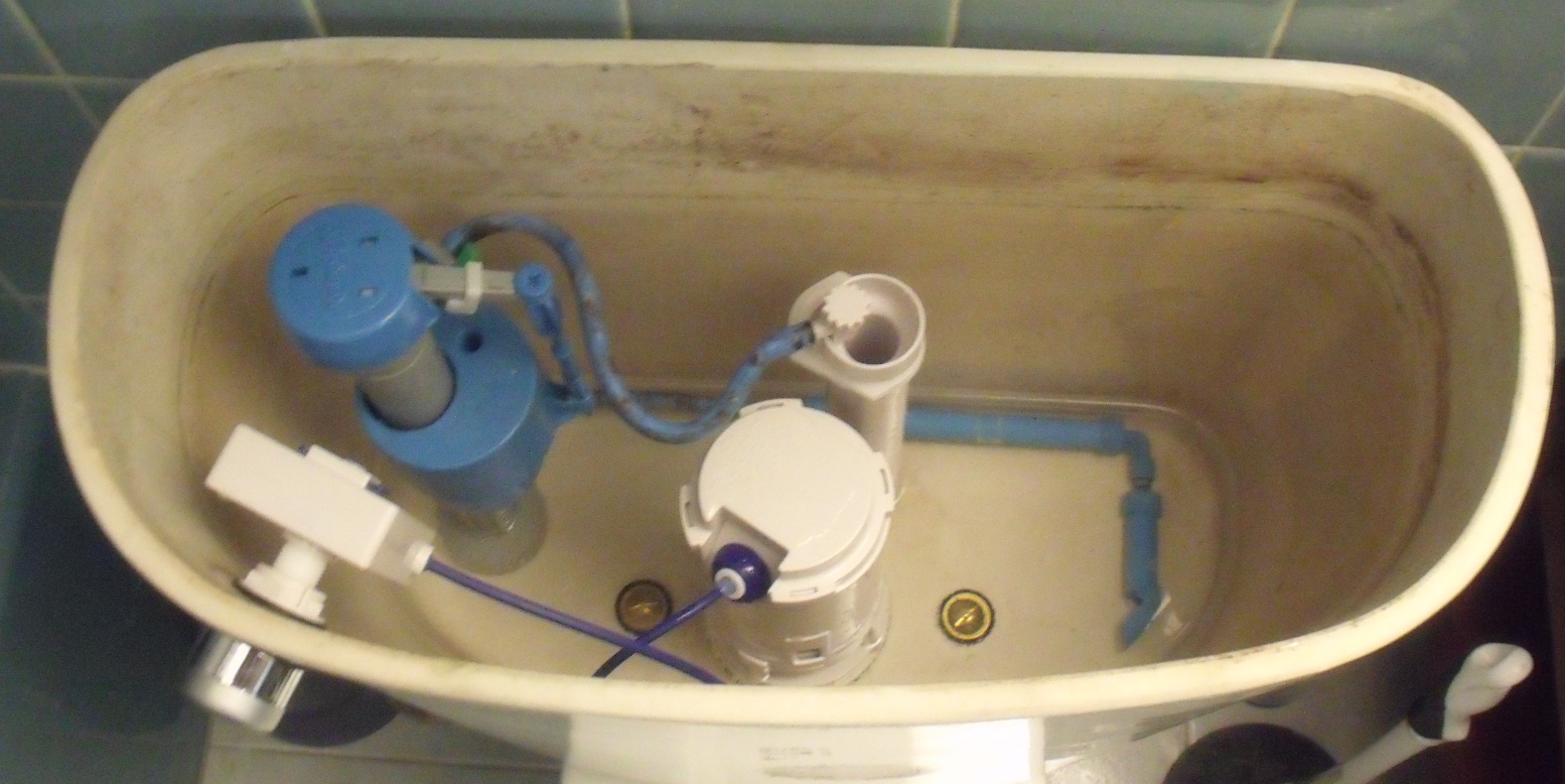
The product served us well for two years, but did have two design flaws we knew from the beginning. One, the item attaches around the overflow tube with a plastic zip tie. This did not stay on, and that created problems. There were common complaints about the quality of the gasket. We also had issues with the toilet running, forcing us to press the button a few times, similar to jiggling the handle of a conventional toilet.

So, because of these two design issues, the item’s usefulness degraded over time, to the point it started to waste water, defeating the purpose. So we opened up our browser to look for a new item.

We looked at several items, and decided to give the products at Being Water a chance. Being Water is a small plumbing company based on California. They do make a drop-in converter, similar to the HydroRight. However, it contains several design improvements. Instead of zip tie, it uses a removable base that attaches to the overflow tube with a wing nut. then the unit twists and locks into the base.

[asa]B006N35R8S[/asa]

The older your toilet is, the more likely it is in need of new internals. We had discussed another MJSI product, the HydroClean fill water saving valve. This allows better adjustment of the amount of water your tank fills up with initially, as well as offering a sprayer that sits at the bottom of the tank and keeps dirt and debris from accumulating. We’ve had no issue with this product since we installed it.

[asa]B000L87RKC[/asa]

Back to Being Water, if, in our case, you have to remove your toilet tank anyway, you might as well go for the tank removal style dual flush kit. This replaces your flush valve and overflow tube. The new flush valve has the locking mechanism built in to accommodate the Being Water dual flush converter. Toilet bowl cleaners may, over time, degrade the plastic of these valves, so you may be better off with manual cleaning and the HydroClean valve we installed. Your toilet won’t have blue water though, if that is something you like.

The tank removal style is thus better in the long term. Being Water provides videos demonstrating the step by step installation, and detailed PDFs explaining the procedure. When you purchase the item, in the interest of not wasting material, there is a minimum in the box.

[asa]B002IYNBH0[/asa]

The company sells a complete kit that includes their dual flush converter, a replacement water saving fill valve, and a set of replacement bolts and gasket..everything you need. We just ordered the converter, but it included a bowl fill adjustment which allows you to adjust the water usage even more. We got our bolts at the local hardware store. Their kit includes a handle. Left for full flush, right for half flush, which is an improvement over the button of the HydroRight. you can get a button style from Being Water if you wish.

In the end, we’re very happy with the Being Water unit. We did have to call in someone to help, but that was due to an issue with the way our toilet bolts were originally installed. the installation process was very easy.


Published on February 25, 2012
Full Post
0 Responses

Review: Home Water Filtration

3 Baskets of Bottled Water - Starbucks
3 Baskets of Bottled Water - Starbucks (Photo credit: djwaldow)

Time after time, we start research all sorts of gadgets, from technology to productivity tools to…well, home tech.

This week, we are talking about water filtration filters. Many people buy bottled water. We’re not sure why they do this. Some bottled water is actually tap water. Tap water is actually more regulated than bottled water.

Bottled water isn’t a good value. The cost per bottle is significantly higher than a that of tap water. Bottled water actually has a higher per gallon markup than gasoline, and takes substantially fewer resources to produce. And it must be stored in bottles. which are estimated to total 1.5 million tons of plastic waste each year.

If you don’t like the taste of the local water supply, that is what filtering is for. If you are concerned about contaminants, that is what water filtration is for. Assuming you get water from your municipal water service, this water is already treated to a degree, but filtering in the house can give you a better experience.

Home water filtration began to become popular with the pitcher filter. The quality levels of these can vary, but a single pitcher is usually not enough water for a whole family. We migrated from this to the faucet filter. In edition to not being aesthetically pleasing, these filters can slow water flow significantly.

We chose to go with the under-sink filtration option. The first problem with these filters is that they require, if not a plumber, someone who feels comfortable with plumbing. You can either filter the cold water running through your faucet, or add a dedicated spigot, which may require drilling a hole. Our sink already had a cutout, so we went for the spigot option.

In reading review after review of these types of systems, the most common issues stem from installation. The systems leak, sometimes because of improper installation and because many manufacturers include cheaper plastic parts instead of heavier duty fittings and piping. For this reason, we brought in a plumber to do the job, and empowered and encouraged him to replace all parts in the box with more secure fittings, and to add an extra shutoff valve in the event there was a leak. This may be overkill, but the last time we had a leak under our sink, it turned into a mold issue.

This is probably the best lesson we can give about these filters. Go to your local hardware store and buy better quality fittings than any of these filters supply. The price shouldn’t add much to the bottom line. And add an extra shutoff valve, which will assist when you replace your filters, if nothing else. The cost of a valve is minimal.

There are two other types of filters we didn’t mention. A whole-house filter can remove some basic contaminants, such as sediment and rust, and are probably better if you have a more serious issue with these contaminants. Reverse osmosis filters use a tank under the sink as well as filters, and are the only type that can remove arsenic. However, they are slow, take up a lot of space and waste a lot of water.

We opted for a lesser known brand, but well thought of brand, based on a combination of reviews and research.

[asa]B002XISS2Y[/asa]

The above is a three-stage filter. The price was reasonable compared to most two-stage filters, and the mail-order price for a years supply of filters was reasonable. It contains no electronic filter change reminder, so we added a recurring reminder to Google Calendar.

The same company does offer a 1 and 2 stage filter as well, but with the installation effort being equal, we opted for the best decision long-term. You will probably be served reasonably well by filters from a variety of different companies, but do your research.

[asa]B0018MXH04[/asa]

[asa]B0018MVZJE[/asa]


Published on February 15, 2012
Full Post
0 Responses

The Asus Transformer as a Productivity Device

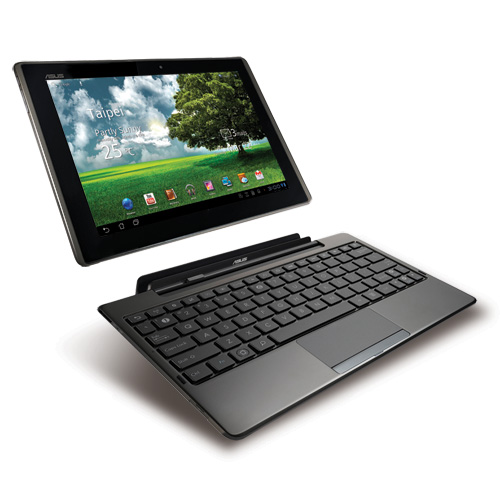
Asus_EeePAD_Transformer_TF101_49
Asus_EeePAD_Transformer_TF101_49 (Photo credit: blogeee.net)

Last time on Gadget Wisdom, we were asking the question of whether a tablet can be your primary computer.

After we wrote this, we headed off on a long weekend with only an Asus Transformer. This is the original Asus Transformer TF101, not the newer Transformer Prime, but the concept is basically the same. If you want the benefits of a tablet, with the option to produce longer form content as needed, this is a perfect choice.

The tablet is wonderful for consumption of content. There are not enough tablet apps for Android, but there are enough to make us optimistic for the future.

Let’s go over a few of the apps we’ve started to use…

 News Reading

  • Reader HD (Free Version, Ad Free Version) – The best Google Reader app for Android tablets, in our opinion. The developer is very responsive with bug and feature requestss

There are a variety of magazine style news readers that draw from a variety of sources. Even Reader HD offers a magazine mode. We hope the promised version of ReadItLater Pro for tablets arrives soon, but the current version is adequate.

Word Processing/Document Creation

We have yet to find the best document suite for Android tablets. The Transformer comes with Polaris Office, which is not offered in the market. We also have copies of QuickOffice HD and DocumentsToGO.

We’ve actually been using a simple text editor, DB Text Editor, which is built into the Dropbox Android client.

We blog, and use WordPress, and WordPress for Android (Market Link) was recently updated and now supports tablets. It is still, like many things, not perfect. Nor is using WordPress in the browsers, but these things continue to get better..

Browsers

There is a build-target for a full build of Chrome for Android, but so far, there isn’t a full browser for Android. But the choice of browsers is not bad. While there is a tablet version of the popular Dolphin Browser, it is still in beta and has not been updated in a while. The HD version works fine for now, as does the Android version of Firefox. We hope to see more in this category in the future.

Email

Gmail is an example of what a good tablet app can be. It works nicely, efficiently, and it is a reference for many other apps.

Finance

Mint’s Android app(Market Link) just updated this week to support tablets. It shows that any app can become an indispensable part of one’s productivity if properly designed.

In the end, the market for tablet apps on Android is expanding. There are many good apps so far, including many we haven’t mentioned. There will be more, and the ones we have will only continue to improve.  So, what is the conclusion?

An Android tablet is one of the best options out there for content consumption and simple productivity. For word processing, with the addition of the Transformer’s keyboard dock, it means you can handle your on-the-go and travel word processing. We wouldn’t use it as our primary computer, but having it around means you can use your primary computer less and be more mobile around your house.

[asa]B004U78J1G[/asa]

[asa]B004U78628[/asa]

[asa]B0067PLM5E[/asa]

[asa]B00685ZDB2[/asa]

Published on February 4, 2012
Full Post
5 Responses

Can a Tablet be your Primary Computer?

Asus TransformerHarry McCracken, who write the Technologizer blog, wrote a story in December entitled: “How the iPad 2 Became My Favorite Computer.” In it, he asked whether or not an iPad can replace a PC? Being as we’re Android people, we decided to look at that from a broader perspective.

The simple answer is no. The distinction between a tablet and a full-fledged personal computer is being blurred, but they are still very different animals.

The primary built-in input of tablets is the touch-screen, which is not conducive for creation of long form content. The occasional brief email, but even that can be a chore.

Having acquired an Asus Transformer, we know there are markets for tablets that offer an optional keyboard dock. For other tablets, there is the option of a variety of bluetooth keyboards, which is what Mr. McCracken uses for his iPad. These keyboards, dock and other tools add the typing ability needed to turn a limited device into a full device.

Once you have the keyboard, you can start long-form typing. As pointed out in our referenced article, “You’re typing into a radically different set of apps than are available on a notebook.” You have to find out how to perform everyday tasks you would use a computer for normally.

Tablets and their lower power processors allow for hours of battery life, and the manufacturers are always searching for better battery life..So, you pair a screen the same size as a common netbook with an optional keyboard, long battery life, and functionality equivalent to many computers…What is missing?

When you add a keyboard to a tablet, what you essentially get is a netbook. But a netbook that costs more and has limitations in comparison to an actual netbook sized computer. In the end, what is missing is the larger screen and increased flexibility. But, maybe it can’t be your primary computer, but could it be your primary travel computer? What about on the go?

We’d like to hear your opinion? Where is the line and what do you do?

Published on January 22, 2012
Full Post
1 Response

A Few Quick Thoughts on Thermostats

Energy StarWhen we started reading about the issue of thermostats, someone commented to us that programmable thermostats were impossible to use.We can’t seem to get this right ourselves. So, let’s check in with the experts.

We started with Energystar:

For heat, the presets are:

  • Wake and evening: less than or equal to 70 degrees
  • Day and Sleep: Setback at least 8 degrees

Keep your thermostat set at energy saving points for long periods of time(at least 8 hours). This should include during the day when no one is home, and throughout the night after bedtime. You use more energy if you constantly override the pre-programmed settings. Cranking your thermostats up or down will not heat or cool your house any faster.

Energysavers, also a government site, recommends setting your thermostat back 10-15 degrees, setting it to 68 when you are awake.

It is not an easy thing. We’ve covered what the government recommends for programmable thermostats, but what else is there? Do you want a touchscreen thermostat? Do you even need a programmable, despite what is recommended?

And let’s go the ultimate in control…a wi-fi enabled thermostat. You can control your thermostat from anywhere in the world. But, unless you are in frequent need to change your settings on the go, this seems unnecessary. The new NEST thermostat is actually a wi-fi enabled learning thermostat that learns from your habits and from weather forecasts to make adjustments.

But, as nice as NEST is, it doesn’t seem like something we’d get. We are upgrading our thermostat after this reading, for a different reason. Programmable thermostats come in a few varieties. 7-day programmable, 5-2, 5-1-1, etc, based on the complexity of the program. We are replacing ours to go from a 5-2 to a 5-1-1 with a special vacation mode for when we go away, to override the normal program. And that upgrade cost us less than $40.

What are your thoughts? Do you have trouble setting your thermostat? Did you give up on even trying?


Published on January 18, 2012
Full Post
2 Responses

Downstreamer’s Realization

TV Guide Network 

It’s been a while since we’ve updated our Downstreaming series. The concept of downstreaming was one of simplification, and how you can downgrade your paid cable


bill and look at internet based alternatives. Some people talk about cord cutting…but it is clear the alternatives aren’t quite there for everything.


The Wall Street Journal featured an article which was written as a tearful goodbye to the author’s cable service.


“Everyone’s getting their shows and movies through the Internet these days. I’m sorry. It’s just the reality of things… Yeah, I’ve changed, but you know what? You’ve changed more. I mean, come on. How many shows about housewives are there? I like chefs, but I don’t need to see them on television 24/7. Ghost hunters? Dancing celebrities? Talent shows? “Shark Week”? Celebrity ghost-hunting talent shows during “Shark Week”? It’s too much of too little. You’re full of a lot of inescapable crap.”


And we have to agree. Television is catering to someone, and it isn’t us. The Sci-Fi Channel is SyFy, and where’s the Science Fiction? The TV Guide channel no longer shows a tv guide. The Learning Channel….what the heck are we supposed to be learning on it now? There are so many channels, and how many of them do you actually want.


In a recent appearance on the MythTVCast, our editor was commenting on how hard it was to figure these things out. Too many channels, not enough package choices, and a resistance to changing with the time. And our own conception continues to involve. We continue to realize things about ourselves and our habits that we want to use to change what we do.

We’ll be back with more on this, including an analysis of how much cable we actually watch. Have you downstreamed? Cord Cut? What has your experience been? What realizations have you come to? Are you just emotionally hanging on to your cable?


Published on January 11, 2012
Full Post
3 Responses

The Responsive Developer

John "maddog" Hall - Linuxcon2011
Image by Beraldo Leal via Flickr

Twice in 2011 we had the pleasure of attending a speech by Jon Hall, who is the Executive Director of Linux International. In both cases, he told a story of the early days of software, about companies that were small enough that the service department was the programmer himself.

As these new small startups, and this 1-2 person software companies spring up to make mobile apps, or cloud apps, or what have you, you have the same situation. You can contact a developer of a mobile app, in many situations, and get them to work with you, or have them seriously consider feature requests.

The developer of Poweramp for Android, a popular music player, was recently on Twitter asking people for feature requests to consider, for example.

We recently have had a lot of luck in this regard. We emailed a developer, and they looked into an edge case issue to see if they could address it. We made another suggestion of another, and today they sent us a beta to test and give our opinion of. And these are mobile apps. Most mobile apps are less than five dollars, more are less than ten. That a developer is willing to take you seriously when their profit from you might be less than a fast food meal is also very inspiring.

Compare that to another medium sized company that took two days to explain the status of a shipped item, or the large company that took three days to arrive for a repair appointment. Some companies have grown to the point where the service staff are barely able to support their product.

Is smaller better? Can these small companies provide good service and make a decent profit? Either way, it is worth considering. At the least, before you leave a bad review, contact the developer and discuss the matter.

What do you think?

Published on January 11, 2012
Full Post
0 Responses

Choosing a Cloud Photo Service

How things change over the years is astonishing. A few short years ago, the idea of storing so much of your personal information on remote computers would be

Flickr buddies rememe 2.0worrisome. In fact, the ability to get all that information in the cloud would be limited, with slow internet connections.

Now, everything is Cloud Cloud Cloud. Now, as we mentioned before, never put all your eggs in one basket. always keep copies in multiple places. But backup services are a separate issue for another day.

What we were looking for in a photo service was not what everyone was looking for in such a system. Some people want their photos to be social.

Flickr,, for example, states that its mission statement is twofold…to help people make their photos available to the people who matter to them, and enable new ways of organizing photos and video. There are tons of great images on Flickr, and it has a great community if your goal is creating a community around photo sharing. There are a lot of serious photographers on Flickr who want to share with other serious photographers.

Flickr offers a free service, and a $25 a year Pro account. The Pro account gets you unlimited uploads, storage, and bandwidth, and ad-free browsing. But Flickr is run by Yahoo, and Yahoo’s performance of late has been less than stellar.

Google’s Picasa is also popular, and is transitioning to Google Photo, which is part of Google’s rebranding of their services with an eye toward social. As part of its integration with Google Plus, the service now allows unlimited photos, but the terms of service allow Google to use the uploaded photos to display, and for promoting services royalty free.

Facebook has become one of the most popular places to store photos. However, it suffers from the same pitfalls as other services. It is free, but the quality and organization is limited by Facebook’s desired function.

So, we went to Smugmug. It is the most expensive option, but with that comes reliability and control. Most serious photographers agree that it may not be a place for sharing, but it is a place for photographers.

Smugmug offers unlimited uploads, a variety of privacy and safety options, prints, customization, and is ad-free. You can use your own domain name(Power Account) and customize your gallery theme. All photos are backed up, and you can download your entire collection easily. They offer three levels…Basic($40/yr), Power($60/yr), Pro($150/yr).

The Basic account allows for most of the functionality you could want. The Power account adds the ability to use your own domain name and further customize the site, and it adds video support for clips of 20 minutes or less, and right click protection to prevent people from saving your images. The Pro account is for those who sell their photography.

And if you like to share your photos, Smugmug supports sharing to Twitter, Facebook, Tumblr, Posterous, and WordPress. If you don’t want people to share from your galleries, this can be turned off. You can also turn off external linking of all kinds. So, you keep control of your photos, but you have the power to do whatever you wish with them. It has given us a chance to take our photos out of an archive where they were never seen, and start getting them in presentation order.

What do you use for your photos?

Published on January 9, 2012
Full Post
3 Responses

30th Anniversary of the Commodore 64

Long life Commodore 64 !!! (1)
Image by JaulaDeArdilla via Flickr

The Commodore 64 is still a computer that has a special place in our hearts. The original 64 launched at CES thirty years ago this week in 1982 and was the successor to the VIC-20.

This was the machine we used to first play with programming, using BASIC and classic sprite graphics. It lasted until 1989, but there are still people who remember them fondly, and there is even a reproduction Commodore 64 being sold now with modern hardware.

So here’s to the C64, and days of playing Space Taxi, Mr. Do’s Castle and Tapper, and Reader Rabbit. here’s to 5 1/4 floppies…it will never come again.


Published on January 5, 2012
Full Post
4 Responses

Firefox vs Chrome

Chrome Needs Color Management
Image by wabisabi2015 via Flickr

We’ve just recently returned to Firefox after some time with Chromium, Chrome’s open-source brother.

In the time since we’ve left, Firefox has iterated so fast. In the last calendar year, it has gone from Version 4 to Version 9. It did so mostly by eliminating minor version numbers. Every version is now a major version.

Over the last year, there have been a lot of changes. Firefox 4 was the first to bundle Firefox Sync, which syncs browser settings. The speed of Firefox has increased sevenfold, and the memory usage, a common complaint about Firefox, is down 50%.

The Browser Wars are an arms race to see who can make their browser faster. Recently, Chrome overtook Firefox for the first time. But it has issues, despite its features.

Chrome creates a separate process for each tab, which protects against any single failure bringing down the whole browser. However, this can have pros and cons. Both Firefox and Chrome have reputations for memory issues, although Firefox is more famous for this, the two browsers use more or less memory at different times, because of this design. Firefox has made a good push to reduce its memory usage.

While our situation might not be typical, the new Firefox is definitely seeming more snappy than it once was. There are things in Chrome that are not currently available in Firefox. One of the nicer ones, although Chrome unfairly calls it an App, are the large bookmarks of commonly used programs on the Blank New Tab menu. We’ve been able to reproduce this in Firefox, however, using a plugin called Fast Dial, which creates the same sort of visual bookmarks.

We aren’t the only ones who enjoy Firefox, while looking for some, but not all, of the features of Chrome. We located a Firefox extension to enable the HTML5 desktop notifications according to the API Chrome implements. This allows an open Gmail window, for example, to pop up a notification.

So, in the end, Chrome and Firefox both offer compelling features, and we’ll keep them both installed, but we keep running back to Firefox. It just suits us. And it suits many others.

What do you use and why?

Published on January 1, 2012
Full Post

Get New Posts By Email