Gadget Wisdom

Author: David Shanske

Registration time

2011-09-25 06:23:49

Website

https://david.shanske.com/

Email

david@shanske.com

All posts by David Shanske

1 Response

Mandatory PSA: Secure Your Digital Life

The KeePass Password Safe icon.

Every tech pundit out there has been talking about the heartbreaking story of Mat Honan of Wired and how hackers used social engineering to gain access to one of his accounts, and the chain reaction results.

One of Honan’s problems stemmed from how his accounts were daisy-chained together. `The recovery email for one account led to another, account names on different networks were consistent, etc. Figuring out how to mitigate this requires some thought. We have multiple email accounts, and it will probably require some diagramming and planning to figure everything out there.

Then there are passwords. We admit to people all the time that we don’t even know half our passwords. We use a two-pronged attack on this. One is the open-source, multi-platform app KeePass. KeePass offers a password vault stored as a file, encrypted using a single Master Password. All of the passwords in it are generated by the program and impossible for most people to remember.

We also use Lastpass as a service. Lastpass has a plugin for every browser, offers one click login, form filling, and more. The basic service is free, but the premium version adds mobile support and additional features. We’re not using half of the options that it offers, even with the $12 a year we give them for premium.

But, as part of a redundant philosophy, you should have your most important passwords in multiple locations. Also, having passwords even you don’t know in vault means you can easily change your credentials regularly for individual sites, should you choose to. do so.

Two factor authentication, although it could be a bit more user friendly, is enabled for all Google accounts and Lastpass. This is not a challenge for hackers to hack. There’s nothing very interesting there anyway.

In security, the mantra is trust no one. Try to walk the line between paranoia and rationality very carefully.

The second issue is backup. This is an area where we could be better. We have a backup plan that needs to be upgraded. We have various cloud backup solutions, and a few local ones. They need to be unified. We’ll get back to this in a future post, once we create a checklist.

But, for those of you out there, let’s cover a few basics. Periodically, extract your online data and store a copy somewhere, both locally and remotely, in addition to your cloud storage. Try a relative’s house. The likelihood of you and your relative both suffering calamities is probably slim. Remember that sending your data to a remote drive and deleting your original copy is an archive, not a backup.

Make a plan, automate as much as possible, because manual action is so easy to get behind on.

So, backup, secure your accounts, do some planning…we’ll be back with more. Consider yourself warned.

Published on August 12, 2012
Full Post
2 Responses

Ripping Music Revisited

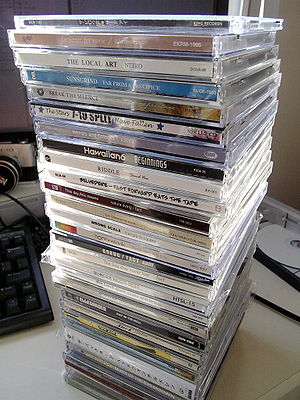
Bundle of CDs.

Amazon MP3 Tech Support is useless. Of course, as friendly as Amazon is, they have been consistent useless to us. From insisting our package would be delivered when UPS insisted it had been delayed to the latest, asking us to email log files repeatedly to an address that sent back it did not accept incoming emails…and it was apparently correct as we’re still waiting.

At the beginning of the month, we wrote about Amazon upgrading Cloud Player. It prompted us to break out our music collection and try uploading it. Now, we’ve gone back and forth about cloud based music, having tried the now defunct mp3tunes, Moozone, Google Music, and Amazon Cloud Player.

We’ve also bought a lot of DRM-free MP3 files from Amazon during sales. Amazon is great at sales.

So, it made sense to give Amazon a shot, as they’ll store anything you buy from them for free. Their new model is $25 a year for more song space than we can use, and a good amount of general file storage. If only they had full Linux support and/or an API. But we hope this will come soon, at least for the Cloud Drive.

So, we uploaded the entire collection overnight. However, it was several messed up in the metadata department. We spoke to Amazon, and they did not offer any suggestions. We’d had similar problems with Moozone and with Google Music.

Deciding the problem was likely with the decisions made during the initial ripping, we made the decision to rerip the entire collection. Armed with an old laptop and an external hard drive, we’ve been slowly making our way through the collection.

One of the issues came from the decision to originally rip into the Ogg Vorbis format. Now, this was a freedom based decision. We wanted to support open standards, and still do. But, the limitations of this have come to bite us many times. Most notably that Moozone is the only cloud storage that offers decent Ogg support without transcoding, and Moozone appears to be dead in terms of development.

That alone wouldn’t have caused us to go back and destroy all the old files. We’re not audiophile enough to try 320kbps or FLAC, but the original files did show some encoding glitches, and we will be encoding at 256kbps MP3 as opposed to the originally quality of roughly 192kbps, but the big issue was metadata. Our metadata was in horrible shape, and made it impossible to find things.

The hardest type of album to deal with, of which we have many, are ones with multiple artists. ID3 tags initially did not have support. The Album Artist tag came later. In fact, up until more recently, our audio file tagging program on Linux, Easytag, didn’t support the Album Artist tag. It now does, which is most helpful. The other helpful tool was the free MusicBrainz Picard, available for multiple platforms, which encodes files with metadata from the MusicBrainz database.

Even with this, being the musical mavericks we are, there are plenty of CDs we have that have nonexistent or incomplete entries in these databases, that we’ll be going through manually. Also, this has inspired us to fill some gaps in the collection. Some of the files were encoded from audio cassettes, and we’ve been using Amazon Marketplace to purchase selected used CDs of said content for cheap, allowing high quality copies to be made.

It may be time to finally throw away the tapes., however, and go completely digital. As we migrate further from analog media, it is odd we have no intention of chucking the vinyl. What makes vinyl so nostalgic and tapes..not?

So, the above chronicles the journey from freedom loving Ogg user in search of a cloud to freedom-hating individual seeking to be locked into one platform…or not. The truth is, no matter what, we’re committed to a local copy. Cloud services are wonderful for keeping a backup copy, and pulling music on the go when you have a hankering for something from your collection, but trusting any service 100% is foolish, and we all need to be more diligent about that.

Our ripping is being done with Linux based tools. Audex is currently handling the ripping, Easytag the tag editing, and Picard filling in extra metadata. Amazon is providing cover art and data for manual correction as needed from their vast library of pages. This is vastly different from last time. Although things have changed, and ripping music from CDs isn’t as popular as it once was in this digital age, would be curious to see what people think, which is the purpose for this post.

How do you build a perfect digital music collection, what tools(Linux-based preferably) do you use to build it, and what do you do with your collection?

For one, we’ve never created a single playlist. Playlists are the mix-tapes of the modern era. Perhaps it is time to find the mix tape we made in the 90s…Songs to Be Depressed By, and recreate it for the modern era. (Songs to Be Depressed By were actually uplifting songs)

Published on August 11, 2012
Full Post
1 Response

Amazon Cloud Player Updates – Matches Competitors

Amazon MP3 LogoWe’ve had a long road in cloud music. Back in December of last year, we compared the limitations of Google Music to that of Amazon MP3. At the time, Google won. The Amazon web player was not feature filled, the Google Music interface won, for ability to enter metadata, among other things.

But that has changed. Amazon announced a new revamped cloud offering. The most significant innovation is one that iTunes already offers, and that Amazon will now as well. Amazon will scan music libraries and match the songs on their computers to their catalog. All matched songs – even music purchased elsewhere or ripped from CDs will be made instantly available in Cloud Player as 256 Kbps audio.

Cloud Player now allows editing of metadata inside the player, a feature Google has had for some time.

Amazon Cloud Player is expanding to the Roku Box.

And, unlike previously, music purchased prior to the announcement of Amazon Cloud Player will now be available in your box. This was always a pet peeve, as Amazon knew the music was purchased…you bought it from them.

The new Cloud Player offers two options.

  • Cloud Player Free – Store all music purchased from Amazon, plus 250 songs.
  • Cloud Player Premium – Store up to 250,000 songs for $25 a year.

Amazon Cloud Player is now separate from Amazon Cloud Drive. Drive will now be used exclusively for file storage. 5GB is offered free, and 20GB is available for $10 per year.

In both cases, this is a compelling offer. However, there are some things missing. No Linux client for the desktop apps for either Drive or Player. No API for third-party development, which we’ve mentioned before.

How does this compare to Google Music? Google Music, since we last visited it, sells music itself…offers limited download functionality, and still has several limitations. Amazon is looking a lot more compelling.

Published on August 1, 2012
Full Post
0 Responses

Time to Update the Tagline

English: A standard USB connector.

Sometimes, it is time to make a change. We’ve been writing stories for nearly six years now, under the tagline Guide to a Tech Savvy Lifestyle without Emptying Your Wallet.

Today,  we’re changing things a bit. We’ll be changing the tagline to, Living a Tech-Filled Lifestyle without Emptying Your Wallet. This may just be rearranging the deck chairs on the Titanic. It represents what we’ve want this blog to be.

We’ve handled news in the past, Home Theater PCs, Linux, Mobile technologies, Security, Downstreaming(downscaling your cable services), and more. There is so much more we’d like to discuss.

Published on July 25, 2012
Full Post
0 Responses

Trying to Build a Better Web Server

We’ve been working hard here, behind the scenes, upgrading the Weneca Media servers. The Weneca Media Group is the umbrella term for all the sites we collectively host together.

The Weneca server works on what is called a LEMP stack. Linux, Nginx, MySQL, PHP. Nginx(pronounced Engine-X) is a lightweight web server which powers about 10% of the world’s web servers, including sites like WordPress.com and Netflix. Most of you have probably heard of Linux, the MySQL database server, and the PHP scripting language.

Nginx has just announced SPDY support in its development version, which should speed things up more. SPDY is a Google developed protocol to reduce web page load time, and is implemented in both Chrome and Firefox. It can work concurrently with HTTP, the common standard for web serving.

So, with this, we have a solid footing for implementing a lightweight framework to serve a lot of web pages. However, Nginx does not have built in PHP support. You have to pass PHP to be handled by another program. In this case, we are using PHP-FPM, which is now part of the official PHP package. PHP-FPM is a FastCGI manager creates a pool of processes to process PHP scripts and return the results to the server.

To reduce load on this, Nginx supports FastCGI caching, so the results of any dynamically built page, with some deliberate exceptions, are cached for a few minutes, and can be served as static files. The duration of the caching is variable. If you want basically fresh content, you can microcache, cache in seconds. So, only when your server got hammered would it be seeing static content. If you have a bit less dynamic content, you can increase that to minutes, or even hours.

Now, we continue to tweak and improve the services. In future, we’ll be covering a little of the Nginx and PHP-FPM configuration settings you may find interesting.


Published on June 29, 2012
Full Post
0 Responses

Mixing up the Workflow and Avoiding Overload

This is not the first time we’ve talked about our workflow. It has evolved over the years. Our workflow currently consists of a Read It Laterservice and a

If This Then That. com

long-term bookmark archiving service.

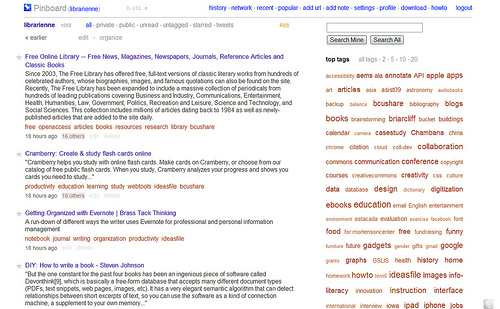
When we started, the Read it Later service was Instapaper. We adopted Pinboard as the long-term archiving service. It is nice to know all the reference material we might use is stored for later use.

We later moved to Read It Later, which has recently rebranded as Pocket. The problem is we have 11,000+ bookmarks in Pinboard, and near 3000 in Pocket. Just reading all the stuff we need to learn to keep informed is a challenge.

[asa]B006GRYADO[/asa]

Clay Johnson’s The Information Diet discusses this problem, and makes a large amount of suggestions on the subject. He refers to the idea as infoveganism. This is not to say we totally agree with Mr. Johnson, but we see the point that information overload is a problem.

Last year, Ars Technical posted an opinion piece titled, “Why keeping up with RSS is poisonous to productivity, sanity.” Perhaps RSS is but so is the alternative, social media. Twitter, Facebook, Google Plus, etc are all sources of often repeating information. Who can keep up with all that?

The secret to a good workflow is to wisely choose your information flows, keep your inbox empty, and try to schedule spring cleaning for your accounts the same as anything else.

As part of that, we’re trying out ifttt.com, which allows you to tie together parts of the Internet. Using If This Then That logic, you can tie things together. For example, since Pocket support in Pinboard doesn’t allow bookmarks to be added when read, ifttt.com can add this functionality. There are dozens of suggested tieups between sites that otherwise would not be possible.

It is time to liquidate the Pocket account, get up to date, prune the Reader accounts again, prune the Twitter followers…

What is your workflow?

Published on May 4, 2012
Full Post
1 Response

Thinking about Dual Band Routers

RADIO FREQUENCY ENVIRONMENT AREA
RADIO FREQUENCY ENVIRONMENT AREA (Photo credit: elycefeliz)

Wireless-G has been the established standard for the last few years. We remember when we started playing with Wireless-B. It was only recently we jumped to Wireless-N. We didn’t need the speed jump.

With the increasing crowding of wireless spectrum, gigabit wired networks, where possible, are probably a good move.

We jumped this past month to dual band Wireless-N because of of the 5GHz frequency it offered. Wi-fi usually operates at 2.4GHz, but N supports two different frequency ranges.

Very few devices take advantage of the 5GHz band, which means that there will be little interference. Living in a city, there are at least 16 2.4GHz wireless networks in range of our test device.

Dual Band routers offer antennas for both frequencies, which means that you can have the devices that do not support 5GHz still operate.

After much consideration, we overbuilt and purchased the WNDR4500 when it was on sale.

[asa]B005KG44V0[/asa]

The router offers speed and reliability for the price, as well as multiple simultaneous full speed connections, guest networking, file sharing, and more. We needed the extra speed after we upgraded to wideband. The router had to keep up with the increased throughput.

This isn’t a router review. It is the most expensive router we have ever purchased. But if house networking is important to you, your router should be too. And if you are concerned about interference from other access points, upgrading to the 5GHz band is a viable option.

[asa]B0036BJN12[/asa]

The cost of a new Intel wireless mini-pci card is not prohibitive either. Most of these cards are easily accessible on a laptop, making it a simple upgrade.

But what do you think? Is less interference worth it? Do you care about the possible 450mbps throughput? What would be your rationale for going with a high-end router?

Published on April 2, 2012
Full Post
0 Responses

Kodak Kills Slide Film – We Kill Our Slide Collection

An Old Family Ektachrome Slide of San Francisco

In December of 2010, we mourned the loss of Kodachrome, the iconic film. Now Kodak, amidst its financial woes, is discontinuing slide film. This leaves Fujifilm as the only provider in this area.

The remaining stock of Ektachrome E100G, E100VS, and Elite Chrome Extra Color should last six to nine months.

This comes at an interesting time for us. We just pulled out the old family Ektachrome slides back in December, boxed them up, and shipped them to Scancafe with the intention of having them scanned and subsequently disposed of. Of course, these scans hadn’t seen the light of day for years.

We had previously written about our efforts to do it ourselves, when we reviewed the Wolverine Slide Scanner. It wasn’t a reflection on the quality of that product, only our laziness. Stay tuned for a review of Scancafe. It takes weeks for Scancafe to scan slides. Despite getting them in early January, they have just started processing the 2260 slides sent.


Published on March 5, 2012
Full Post
0 Responses

Switching to Induction Cooking

Induction cooking
Induction cooking (Photo credit: Sandy Austin)

Induction cooking is the wave of the future. We say this jokingly. Patents on the idea date back a century, and demonstration models were shown to the public as early as 1950, however, the idea has never quite caught on.

In recent years, however, there has been a slight increase in interest in this technology. A traditional electric burner heats a coil, on which a cooking vessel is placed. An induction cooktop also uses electricity, but it runs current through an electric coil, creating a magnetic field. When the cookware is brought close to it, it induces an electric current in the pot, which dissipates as heat.

Like some newer electric stoves, the top of an  induction burner is a glass-ceramic top. Because of the design, they are often safer than other cooktops. There are no open flames or explosive substances, as in gas. And the surface can be touched shortly after the cookware is removed, as it is much more energy efficient than other cooking methos..

There are limitations though. As induction works on the cookware, you need compatible cookware…specifically magnetic. We checked our existing cookware using a refrigerator magnet. If it doesn’t stick, or does so weakly, it is not sufficient. Stainless steel and iron cookware is ideal, aluminum and copper will not work. Being as your results will vary, you can get cookware that is labelled as induction ready. For example, we found a lot at Ikea at a reasonable price.

Covering that, the cooking properties of induction are most similar to gas. When you change the temperature, it happens immediately. There isn’t a gradual rise as there is in traditional electric cooking. It is why many chefs and cooking enthusiasts love it.

Standing at an induction range, even great cooks must rethink their basic moves. The heat comes on so fast that anyone used to pouring oil in a pan and chopping the last of the onions while it heats is making a big mistake. Learning to control heat levels with numbered dials is like trying to master a new language.”

It makes it hard to make an omelette, and a learning curve. But we are slowly getting there.

If you are interested, a single plug-in burner can be had for between $50 and $100, like the one below.

[asa]B0045QEPY[/asa]


Published on February 25, 2012
Full Post
0 Responses

The Future is Brighter with LED Light Bulbs

We’ve been gradually, as the prices dropped, been converting our home to LED lightbulbs.

A few years ago, we jumped on the CFL bandwagon. It was one of our earliest stories on this blog, back in 2006. And we went hunting for dimmable CFLS.

We were convinced at the time, that CFLs would continue to improve, as would the dimmable type. However, dimmable CFLs burn out, and don’t quite have the dimming we’d like.

The common complaint about many CFLs is that they do not come up at full brightness, and the color output doesn’t quite match incandescents.

LEDs, however, have none of these shortcomings, although they can be highly directional light. They use less energy, they are typical dimmable, their color performance is more like an incandescent bulb and they last longer. The last longer part is relative, however.

Early models haven’t lived up to their longevity, by most reports. We haven’t had the decade to test them out, but Gadget Wisdom Headquarters is now 90% LED powered. The holdouts had been PAR20 and PAR30 bulbs, which were still $30 a piece. But the local Costco is selling 75 watt equivalent PAR30s for only $15. We got two to test, and will be expanding.

We also have a fixture that uses bulbs with a E12/candelabra base, and it is harder to find 40-60 watt equivalents with this base. They will come, we’re certain. They are hard to find in CFLs as well.

In several rooms, we’ve installed LED strip lighting from Ikea. They offer two models, the more economical Ledberg, and the more flexible Dioder. The Ledberg is one long strip, the Dioder can be installed as four separate strips, and other configurations. It is perfect for display areas, bias lighting, and undercabinet needs.

One of the biggest problems we’ve had was solved recently, trying to understand lumens to traditional watt ratings. The above diagram was shown to us, which has been very useful.

If you are reluctant to spend a lot, you may be able to justified a few strategically placed $10 LED bulbs in certain fixtures, which is the way we started. Either way, it is where we are all going eventually

Published on February 25, 2012
Full Post

Get New Posts By Email