
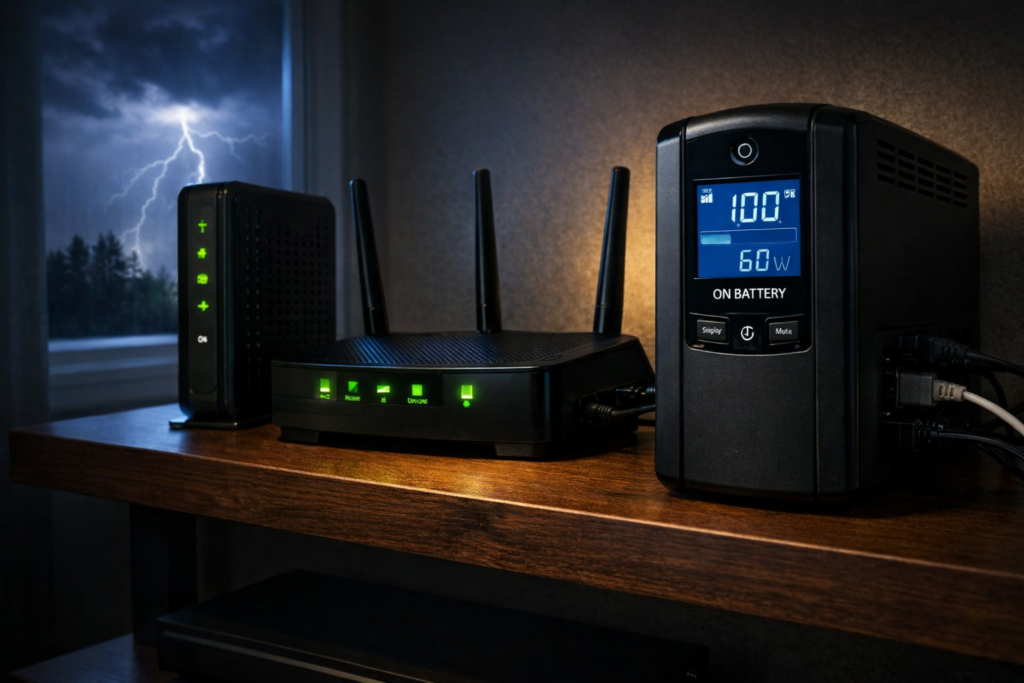
If your internet connection disappears the moment the power flickers, the problem usually isn’t your internet provider.
It’s your power.
Most home networks rely on several small devices that all require electricity: a modem, a router, sometimes Wi-Fi access points, switches, or security cameras. When power fails, every one of those devices shuts off instantly.
A UPS (Uninterruptible Power Supply) solves this problem by providing instant battery backup. When electricity fails, the UPS switches to battery power automatically and keeps your networking equipment running.
Because routers and modems draw very little power, even a modest UPS can often keep your internet working for an hour or more.
Quick pick: For a basic modem-and-router setup, start with a compact 650VA UPS such as the CyberPower EC650LCD. If you also power network switches, access points and other equipment, the CyberPower CP1000PFCLCD is a better-equipped step up with automatic voltage regulation and sine-wave output.
For a more substantial network closet with additional equipment, consider the APC BR1500MS2 or our guide to UPS systems for home network closets. Compare runtime at your actual power draw rather than assuming that a larger VA rating always delivers several hours of backup.
Do not plug in a laser printer, space heater, gaming PC, or anything high-draw unless the UPS is sized for it. For this guide, the goal is simple: keep the internet online when the power flickers or goes out.
Best UPS Battery Backup for Routers and Modems
If your goal is keeping your internet connection alive during a power outage, these are the UPS models I would consider first.
| UPS Model | Best For | Capacity | Why Pick It | Check Price |
|---|---|---|---|---|
| CyberPower CP1000PFCLCD | Best overall UPS | 1000VA / 600W | The best balance for most home networks: modem, router, switch, access point, and some room to grow. | Check price on Amazon |
| APC BR1500MS2 | Larger home networks | 1500VA / 900W | Better for network closets, multiple access points, switches, cameras, or a small rack. | Check price on Amazon |
| CyberPower EC650LCD | Best budget UPS | 650VA / 390W | A good low-cost pick if you mainly want to keep a modem and router online. | Check price on Amazon |
| APC BE650G1 | Small setups | 650VA / 390W | Compact, simple, and easy to tuck near a modem/router shelf. | Check price on Amazon |
Check the outlets before connecting your network. Some outlets on a UPS provide surge protection without battery backup. On the CyberPower EC650LCD, four of the eight outlets provide battery backup; the other four are surge-only, including three ECO-controlled outlets. Connect your modem, router and essential switches only to outlets labeled for battery backup. The ECO-controlled outlets are intended for peripherals that can be switched off, not networking equipment that must remain powered.
Can a UPS Keep Wi-Fi Working During a Power Outage?
Yes. A properly sized UPS can keep your modem, router, Wi-Fi access point, and small network switch running during short power outages. The runtime depends on the size of the battery backup and how much equipment is plugged into it.
For many home setups, the goal is not to run the entire house. It is to keep the internet connection alive long enough for brief outages, remote work, smart-home devices, security cameras, and alerts to keep functioning.
If your internet provider’s equipment outside the home still has power, a UPS can often keep your home network online. If the neighborhood equipment is also down, the UPS may keep your router running but not preserve the internet connection.
My buying rule: if you only have a modem and router, do not overthink it. A compact 600VA–650VA UPS is often enough. If you have a switch, access point, security camera base station, or smart-home hub, I would usually move up to a 1000VA unit.
That is why the CyberPower CP1000PFCLCD is the safest pick for most people. It is not the cheapest option, but it avoids the common mistake of buying the smallest UPS and then immediately running out of outlets or runtime.
Why Routers and Modems Benefit From a UPS
Networking equipment consumes surprisingly little electricity.
Typical power usage looks like this:
- Modem: 10–20 watts
- Router: 10–25 watts
- Wi-Fi access point: 10–20 watts
- Small network switch: 5–20 watts
Because the power draw is low, UPS batteries can keep networking equipment running far longer than desktop computers or gaming systems.
A UPS also protects networking hardware from:
- power outages
- voltage drops
- power surges
- short power interruptions
If you work from home, rely on internet-connected security cameras, or have smart home devices that stop working when the network goes down, a UPS can make a bigger difference than you might expect.
If those devices are part of a second-home or vacation-home monitoring setup, the router and modem are not just convenience devices. They are a vital part of your alert system. I cover the broader setup in my guide to vacation home remote monitoring.
Best UPS for an Expanded Home Network: CyberPower CP1000PFCLCD
The CyberPower CP1000PFCLCD is my step-up choice when a home network includes more than a modem and router.
It is more UPS than a bare modem-and-router setup strictly needs, but that is the point. Most home networks grow. A modem and router become a modem, router, switch, access point, smart-home hub, and maybe a camera bridge. A little extra capacity keeps the UPS useful after the next upgrade.
- 1000VA / 600W capacity
- Pure sine wave output
- Automatic Voltage Regulation
- LCD status display
- Enough headroom for many modem/router/switch/access-point setups
Buy this if: you want one UPS that should handle a normal home network without being huge.
Skip it if: you only need the cheapest possible backup for one modem and one router.
Check the latest price on Amazon
Best UPS for Larger Home Networks: APC BR1500MS2
The APC BR1500MS2 is the step-up pick for people whose “router setup” has turned into a small network closet.
If you have multiple access points, a switch, security-camera gear, a small NAS, or a rack shelf full of boxes, the extra capacity and outlets start to matter. This is probably overkill for a basic modem and router, but it makes sense once the network becomes something the household depends on.
- 1500VA / 900W capacity
- 10 outlets
- Strong voltage regulation
- USB charging ports
- More room for network closets and larger setups
Buy this if: you have more than just a modem and router, or you want longer runtime.
Skip it if: your internet setup lives on a small shelf and only has two devices.
Check the latest price on Amazon
Best Budget UPS for Routers and Modems: CyberPower EC650LCD
The CyberPower EC650LCD is the practical budget pick.
If your problem is simple — brief outages knock out the modem and router, then everything takes several minutes to reboot — this is the kind of UPS that solves it without turning the project into a home-lab upgrade.
- 650VA / 390W capacity
- Compact design
- LCD battery display
- Energy-saving outlets
Buy this if: you want an affordable UPS for a modem and router.
Skip it if: you also need to support multiple access points, a PoE switch, a NAS, or a network closet.
Check the latest price on Amazon
Best Compact UPS for Small Setups: APC BE650G1
The APC BE650G1 is a small UPS designed for simple networking setups.
- 650VA / 390W capacity
- compact footprint
- 8 outlets
- user-replaceable battery
If you only want to keep a modem and router running, this compact UPS can do the job without taking up much space. It is especially appealing if your equipment lives on a shelf, in a corner, or anywhere a larger UPS would be awkward.
How Long Can a UPS Keep Your Internet Running?
Runtime depends on the combined power consumption of your modem, router and other equipment, as well as the UPS battery’s usable capacity and efficiency at low loads. A 1000VA rating indicates the maximum electrical load the UPS is designed to support; it does not mean the battery can deliver 1,000 watts for an hour.
Start by estimating or measuring the combined wattage of everything that needs to stay online. Then compare that load with the manufacturer’s runtime chart for the exact UPS model. For perspective, CyberPower rates the CP1000PFCLCD for approximately six minutes at half its rated 600W load, but that figure cannot be extrapolated directly into a reliable runtime promise at 20 or 30 watts.
Finally, test your equipment with the UPS running on battery. Even if your modem and router remain powered, the internet connection may fail if your provider’s equipment elsewhere in the neighborhood loses electricity.
How Much UPS Capacity Do You Actually Need for a Router and Modem?
This is one of the biggest mistakes people make when shopping for a UPS. They assume they need a huge battery backup because that is what they would need for a gaming PC or home server.
For a modem and router, that usually is not true.
If your combined load is only 20 to 40 watts, even a modest UPS can provide meaningful runtime. The bigger units are useful if:
- you want much longer runtime
- you also want to power access points, switches, or cameras
- you want extra overhead and flexibility
For a simple setup, the budget and compact models are often enough. For more complicated home networks, the larger units become easier to justify.
Need Backup Power for More Than Your Internet?
A UPS is ideal for keeping a modem, router and other networking equipment alive through short outages. But if you also want to run a refrigerator, freezer, lights or other household equipment, you quickly move beyond normal UPS territory.
For longer outages, see our guide to portable power stations vs. generators. If a battery system makes more sense for you, we also compared the best 2kWh portable power stations for home backup.
UPS Features That Matter for Networking Equipment
When choosing a UPS for routers and modems, these features matter most:
- Automatic Voltage Regulation (AVR) to stabilize power fluctuations
- pure sine wave output for sensitive electronics
- surge protection for networking hardware
- sufficient outlets for your modem, router, and other equipment
You do not necessarily need the most expensive UPS on the market, but you do want one that handles brownouts and voltage fluctuations gracefully. Those are often more common than full outages.
If you want to understand these features in more detail, see this guide to choosing a UPS with the right features.
If you are deciding between UPS models for a router, NAS, home server, or monitoring setup, that broader UPS feature guide goes deeper on AVR, PFC compatibility, USB shutdown, and replaceable batteries.
When a UPS Makes the Biggest Difference for Home Internet
A UPS battery backup is especially useful if:
- power flickers frequently
- you work from home
- your security cameras rely on internet connectivity
- your smart home devices depend on cloud services
- your modem takes several minutes to come back online after a power outage
Even brief outages can lead to several minutes of downtime while a modem and router reboot. A UPS prevents that interruption entirely and can make your home internet feel much more reliable.
The same logic applies if your home network supports leak sensors, door and window sensors, smoke/CO alerts, or remote cameras. Those alerts are only useful if the network stays online long enough to send them. For more on that side of the setup, see my guides to Govee leak sensors, door and window sensors for a vacation home, and smoke and carbon monoxide detectors.
What I Would Buy
For most people, I would buy the CyberPower CP1000PFCLCD. It has enough capacity for a normal home network, gives you room to add a switch or access point, and avoids the regret of buying the smallest possible UPS.
For a very simple modem-and-router setup, I would save money with the CyberPower EC650LCD or APC BE650G1.
For a larger network closet, I would move up to the APC BR1500MS2.
The main thing is not to put your entire office on the UPS just because there are empty outlets. Use it for the networking gear that keeps the house online. That is where a UPS gives you the most value for the least battery drain.
