Gadget Wisdom

Tag: power outage

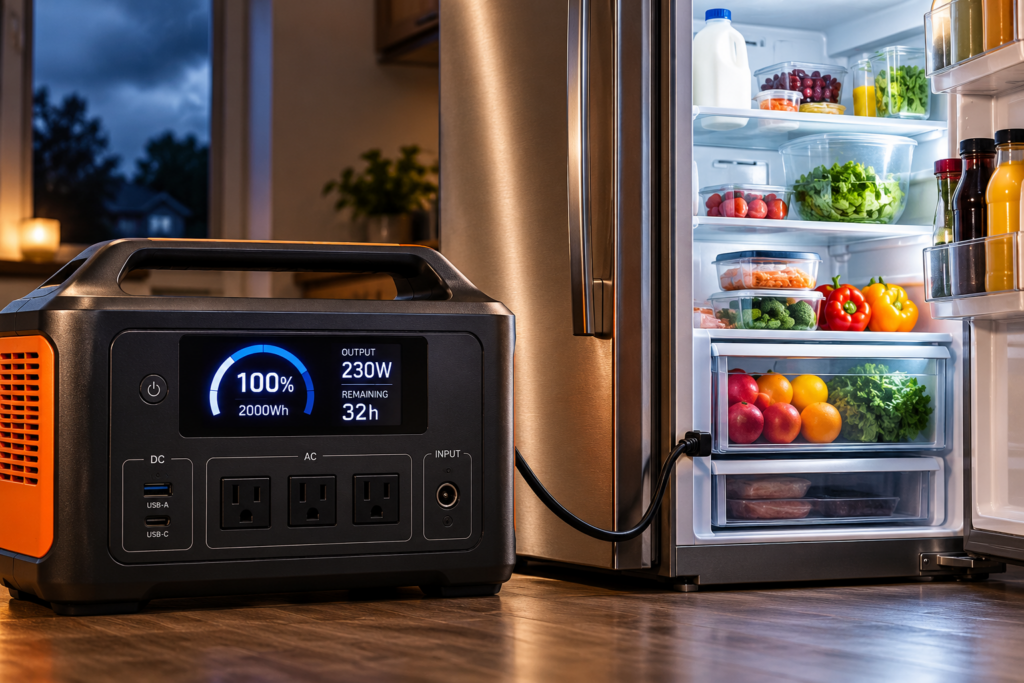
Portable 2000Wh power station running a refrigerator during a power outage, showing backup runtime and energy output.
0 Responses

What Size Portable Power Station Do You Need to Run a Refrigerator During an Outage?

If your main goal is keeping the refrigerator running during a power outage, you probably do not need the largest portable power station you can buy.

You do need enough battery capacity to last through the outage and an inverter capable of starting the refrigerator’s compressor. Those are two different specifications, and confusing them is one of the easiest ways to buy the wrong power station.

For many households, a 2kWh portable power station is the practical sweet spot. A 1kWh unit can make sense for shorter outages or an efficient refrigerator, while 4kWh becomes much more attractive if you want to run a refrigerator and separate freezer, expect outages to last well into a second day, or plan to power other household essentials at the same time.

The Quick Answer

Battery Size Best Fit My Take
~1kWh Short outages, efficient refrigerator, minimum cost and weight Useful, but limited margin
~2kWh Refrigerator through an overnight outage, plus small essential loads Best starting point for most homes
~4kWh Longer outages, refrigerator + freezer, or more household loads Much better endurance, but heavier and more expensive
More than 4kWh Multi-day backup or several substantial household loads Start comparing batteries with generators and home-backup systems

The right answer depends much more on your refrigerator’s energy consumption than on the wattage printed on its nameplate.

Start With kWh per Day, Not Refrigerator Wattage

A refrigerator might draw well over 100 watts while its compressor is operating, but the compressor does not normally run continuously. It cycles on and off as needed to maintain temperature.

That means seeing “180 watts” on a label and multiplying 180 × 24 will usually give you a terrible runtime estimate.

A better starting point is the refrigerator’s annual electricity consumption. The yellow EnergyGuide label required on refrigerators provides estimated annual energy use in kilowatt-hours. The FTC explains how EnergyGuide labels work here.

Divide the annual number by 365 to get a rough daily figure.

For example, suppose your refrigerator’s EnergyGuide label says:

400 kWh per year

Divide by 365:

400 ÷ 365 = about 1.10 kWh per day.

That is far more useful for battery sizing than the refrigerator’s instantaneous wattage.

Do Not Assume You Can Use Every Watt-Hour in the Battery

A power station advertised as 2,000Wh contains approximately 2kWh of nominal battery capacity. You should not assume all 2,000Wh will reach the refrigerator.

There are conversion losses in the inverter, power consumed by the power station itself and other real-world inefficiencies. Conditions also vary with temperature, load and the particular hardware.

For rough outage planning, I like using 80% of nominal capacity rather than pretending the specification on the box is completely usable AC energy.

Advertised Capacity Conservative Planning Capacity at 80%
1,000Wh 800Wh
2,000Wh 1,600Wh
4,000Wh 3,200Wh

That is deliberately a planning estimate rather than a claim that every power station operates at exactly 80% efficiency.

How Long Will 1kWh, 2kWh and 4kWh Run a Refrigerator?

Using that 80% planning factor gives us a useful comparison.

Refrigerator Energy Use 1kWh Station 2kWh Station 4kWh Station
0.8 kWh/day ~24 hours ~48 hours ~96 hours
1.2 kWh/day ~16 hours ~32 hours ~64 hours
1.6 kWh/day ~12 hours ~24 hours ~48 hours

These are estimates for the refrigerator alone. They assume no solar charging and no router, television, lights, laptop, freezer or coffee maker sharing the battery.

Your actual refrigerator can also consume more during hot weather, after the doors have been opened repeatedly or when it is trying to recover after warming up.

A Real Example With a 400 kWh/Year Refrigerator

Go back to our refrigerator rated at 400 kWh per year, or approximately 1.10 kWh per day.

A 1kWh station with an 800Wh planning budget gives:

0.8 ÷ 1.10 = 0.73 days, or about 17 hours.

A 2kWh station gives approximately 1.6kWh of planning capacity:

1.6 ÷ 1.10 = 1.45 days, or about 35 hours.

A 4kWh system gives approximately 3.2kWh:

3.2 ÷ 1.10 = 2.9 days, or about 70 hours.

That is why I think 2kWh is such a useful size for refrigerator backup. It gives you substantially more breathing room than a 1kWh battery without immediately moving into a much larger and heavier backup system.

Better Yet: Measure Your Refrigerator

The EnergyGuide label is a useful estimate, but your kitchen is not a government laboratory.

Refrigerator energy use changes with room temperature, door openings, thermostat settings, age, ice makers, defrost cycles and other factors. If you are buying an expensive battery specifically to keep one refrigerator alive, measuring the actual appliance is worth doing.

A plug-in electricity meter can tell you how many kilowatt-hours the refrigerator consumes over 24 or 48 hours. Measure for longer if possible so the test captures normal compressor and defrost cycles.

Once you have that number, the calculation becomes simple:

Estimated runtime in days = usable battery kWh ÷ refrigerator kWh per day.

That number will be more useful than almost any refrigerator-runtime claim printed in a power-station advertisement.

Battery Capacity Is Only Half the Problem: The Compressor Has to Start

A refrigerator uses relatively modest energy over an entire day, but the compressor can briefly demand substantially more power when it starts.

This is where the inverter specification matters.

A power station could theoretically contain enough energy to run your refrigerator for 20 hours and still fail if its AC inverter cannot handle the compressor’s startup demand. Check both the continuous AC output and the manufacturer’s surge or peak specification.

The current 2kWh units we compared recently provide between 2,200W and 3,000W of continuous AC output, which gives them substantial headroom for ordinary refrigerator duty. Our comparison of the current Jackery, Anker, EcoFlow and BLUETTI 2kWh power stations goes through those differences in detail.

Smaller power stations deserve more scrutiny. Do not assume a battery is suitable for a refrigerator merely because its capacity is listed as 1,000Wh.

1kWh: Enough for Shorter Outages

A roughly 1kWh portable power station can be a sensible refrigerator backup if your priorities are lower cost, lighter weight and getting through relatively short outages.

For an efficient refrigerator, it may cover much of a day. For a more power-hungry appliance, the useful window can be considerably shorter.

The limitation is margin. Once you begin charging phones, running networking equipment or adding lights, the battery that looked adequate for the refrigerator alone begins disappearing more quickly.

I would choose this size if I had measured the refrigerator, knew its consumption was low and primarily wanted protection against outages lasting several hours rather than multiple days.

2kWh: The Size I Would Start With

For general home-outage use, 2kWh is where portable power stations become much more comfortable.

You have enough stored energy to give a typical refrigerator meaningful overnight endurance while still having room for modest additional loads. Phones, LED lights, a modem, router and laptops consume relatively little compared with high-draw heating or cooking appliances.

It is also a mature product category. Current 2kWh stations combine roughly 2,000Wh of storage with AC inverters powerful enough for refrigerators and many other ordinary 120V household appliances.

If this calculation points you toward that size, see our Best 2kWh Portable Power Stations in 2026. That article compares the current Jackery Explorer 2000 v2, Anker SOLIX C2000 Gen 2, EcoFlow DELTA 3 Max Plus and BLUETTI Elite 200 V2 and includes current purchase links.

4kWh: Better for a Refrigerator Plus Freezer

A separate freezer changes the calculation because you now have two compressor-driven appliances drawing from the same battery.

Do not simply assume the freezer consumes the same amount as the refrigerator. Check its EnergyGuide figure or measure it separately, then add the two daily kWh numbers together.

If the refrigerator uses 1.1kWh per day and the freezer uses another 0.8kWh, your total is 1.9kWh per day before accounting for power-station losses.

A 2kWh battery becomes roughly a one-day solution in that scenario. A 4kWh system gives you much more useful endurance.

This is also where expandability becomes valuable. If your present needs fit within 2kWh but you think a second appliance or longer outage may eventually push you toward 4kWh, buying an expandable system can make more sense than replacing the original station later.

Do You Need to Run the Refrigerator Continuously?

The goal is to keep food at a safe temperature, not necessarily to have the compressor powered every second of an outage.

USDA says an unopened refrigerator will generally keep food safely cold for about four hours during a power outage. A full standalone freezer can maintain temperature for approximately 48 hours, or about 24 hours when half full, if the door stays closed. USDA’s current outage guidance is here.

That does not mean I would intentionally let a refrigerator warm up for four hours every time the power fails. It does mean the thermal mass inside the appliance gives you some flexibility.

Keep the doors closed, use an appliance thermometer and avoid wasting stored battery energy on loads that do not matter while the outage is still developing.

What About Your Router, Lights and Other Essentials?

A refrigerator rarely lives alone on an outage plan.

You may also want internet access, phone charging, some lighting and perhaps a television or computer. Those smaller loads may each look insignificant, but they reduce refrigerator runtime when they run for hours.

Suppose the refrigerator requires 1.1kWh per day and your networking gear averages another 40W. Forty watts running continuously adds almost another 1kWh per day.

That is enough to change the battery-size decision.

I still prefer a conventional UPS for keeping network equipment and a NAS running through brief outages and power interruptions. Our guide to choosing a UPS for a router and modem covers that role. A larger power station can then take over when an outage lasts long enough that UPS runtime becomes the limiting factor.

Do Not Waste a Battery on Electric Heat

One of the easiest ways to destroy your refrigerator-runtime calculation is to plug a high-wattage heating appliance into the same battery.

A 1,500W space heater, electric kettle or similar load can consume energy at a completely different rate from a refrigerator. A 2kWh battery that might support a refrigerator for a day can be drained by sustained high-power heating in roughly an hour or two.

The fact that a large inverter can operate an appliance does not mean using that appliance during an outage is sensible.

Reserve battery capacity for loads where electricity accomplishes a lot with relatively little energy: refrigeration, communications, electronics and efficient lighting.

Solar Changes the Question on Day Two

Battery capacity tells you how long you can operate without putting energy back into the system. Once an outage lasts several days, recharge capability becomes just as important.

A 2kWh battery that can harvest meaningful solar energy each day can be more useful during a long outage than a larger battery with no practical way to recharge it.

This is one of the important differences among current power stations. In our 2kWh comparison, maximum solar input ranges from 400W on the Jackery Explorer 2000 v2 to 800W on the Anker and 1,000W on the EcoFlow and BLUETTI.

Real solar production is lower than panel nameplate ratings much of the time because clouds, sun angle, shade and temperature all matter. Still, higher charging capability becomes increasingly valuable once you are trying to replenish yesterday’s refrigerator consumption rather than merely survive tonight.

When a Generator Starts Making More Sense

If your planning scenario requires 6kWh, 10kWh or more simply to survive a long outage, I would stop automatically assuming that another stack of batteries is the answer.

A portable power station is excellent for quiet indoor operation, overnight use and outages lasting hours rather than days. A generator can replenish its energy supply as long as you can safely operate it outdoors and continue obtaining fuel.

For some homes, the best system is both: use battery power quietly overnight and run a generator periodically to handle larger loads and recharge the battery.

Our portable power station vs. generator comparison goes deeper into where each approach makes sense.

My Sizing Recommendation

If I were buying a portable power station primarily for refrigerator backup, I would first find the refrigerator’s annual kWh figure or measure its actual daily consumption.

For a typical one-refrigerator outage plan, I would generally start around 2kWh. It gives useful endurance without immediately committing to the weight and cost of a much larger system, and today’s 2kWh models generally provide ample inverter output for ordinary refrigerators.

I would consider 1kWh if I had a particularly efficient refrigerator, wanted protection mainly from shorter outages or cared strongly about portability. I would move toward 4kWh if I were backing up both a refrigerator and freezer, wanted substantially more than a day of battery-only runtime or expected to add meaningful additional loads.

Beyond that, I would think less about buying the biggest battery available and more about how the system will be recharged during a multi-day outage.

The best portable power station for your refrigerator is therefore not the one with the largest number on the box. It is the smallest system that can handle the compressor, supply your measured daily energy requirement with useful margin and still fit the outage plan you actually expect to use.
Published on September 24, 2026
Full Post
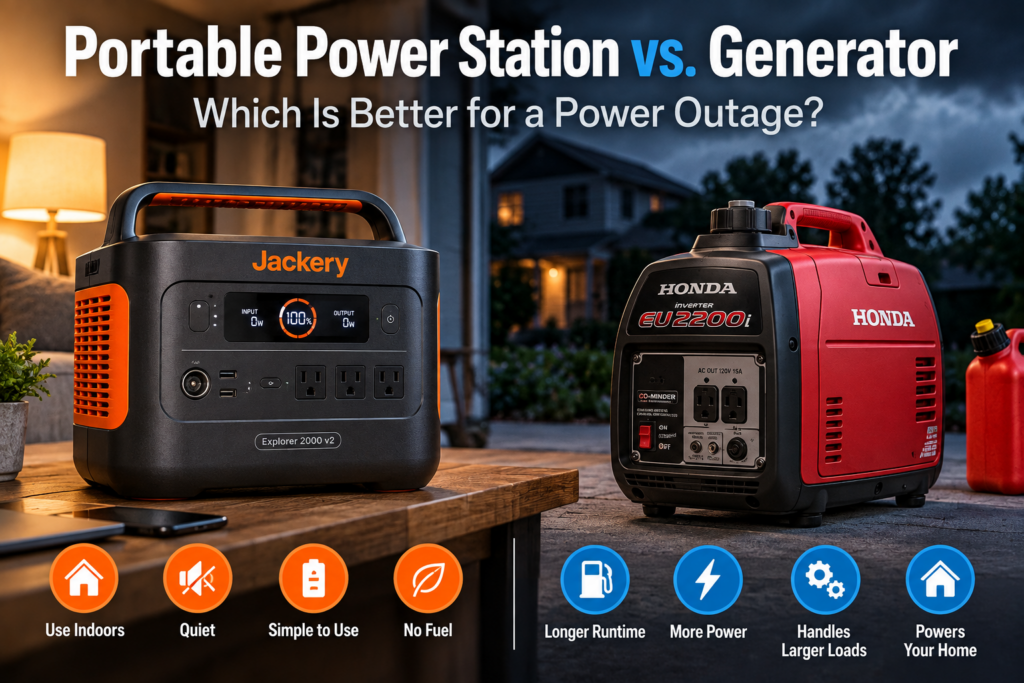
Portable power station and inverter generator compared for home backup power during an outage.
0 Responses

Portable Power Station vs. Generator for a Power Outage: Which Should You Buy?

Disclosure: As an Amazon Associate I earn from qualifying purchases. Product links may earn a commission at no extra cost to you.

If you are buying backup power for a home outage, the easiest mistake is to compare the biggest watt numbers on the boxes.

A 2,200-watt portable power station and a 2,200-watt generator sound as though they should do roughly the same job. They do not.

A portable power station stores a finite amount of electricity in a battery. A generator converts fuel into electricity while it is running. The battery is quiet, simple to use and produces no combustion exhaust. The generator requires fuel, maintenance and a safe outdoor operating location, but it can keep producing electricity long after a battery of similar price and size has been emptied.

That leads to the question that actually matters:

What do you need to keep running, for how long, and do you have a safe place to operate a generator?

For an apartment, a shorter outage or a refrigerator plus electronics overnight, I would often rather have a portable power station. For a multi-day outage, a well pump, substantial 240V loads or much more of the house, a generator becomes considerably harder to replace.

For some homeowners, the best answer is not battery or generator. It is both.

Portable Power Station vs. Generator: The Short Answer

Situation Usually the Better Choice
Apartment or condo Portable power station
Outage lasting a few hours Portable power station
Quiet overnight backup Portable power station
Refrigerator, lights, phones and internet equipment Usually portable power station
CPAP and modest overnight loads Usually portable power station
Multi-day outage Usually generator
No safe outdoor generator location Portable power station
Need to replenish power quickly during a long outage Generator
Large 120V or 240V household loads Larger generator or substantially larger battery system
Selected house circuits through transfer equipment Large generator or purpose-built home battery system
Want quiet power plus long-duration backup Battery + generator

Watts and Watt-Hours Are Not the Same Thing

This is the key to understanding the entire comparison.

Watts measure how much power a device is using or a power source can deliver at a particular moment.

Watt-hours measure energy over time. On a battery, watt-hours tell you roughly how much electricity is stored.

The Jackery Explorer 2000 v2, for example, stores 2,042Wh and can deliver up to 2,200W of continuous AC output.

The Honda EU2200i has a remarkably similar maximum output number: 2,200W, with 1,800W rated continuous output.

Yet the Jackery contains a little over 2kWh of stored electricity. Once that energy is gone, it must be recharged.

The Honda does not have a comparable fixed energy capacity. It produces electricity by burning gasoline. When its tank is empty, the engine can be shut down, allowed to cool and safely refueled. With additional fuel available, it can continue producing electricity.

So two products with “2200 watts” prominently attached to their names can behave very differently during the second or third day of an outage.

How Long Does a 2kWh Portable Power Station Last?

A useful first estimate is:

usable battery energy ÷ average load = approximate runtime

You should not simply divide the advertised battery capacity by the appliance wattage and assume every stored watt-hour reaches the appliance. The inverter, electronics and battery-management system consume some energy, and efficiency changes with the load.

For rough outage planning, suppose we use a conservative 85% usable-AC assumption for a 2,042Wh battery. That leaves about 1,736Wh available to the connected AC loads.

Average Load Approximate Runtime at 1,736Wh Usable
50W About 35 hours
100W About 17 hours
200W About 8.7 hours
500W About 3.5 hours
1,000W About 1.7 hours

Those are planning examples, not manufacturer runtime guarantees. Real appliances cycle on and off, inverter efficiency varies, batteries behave differently with temperature and load, and startup surges can matter even when average consumption is modest.

A refrigerator illustrates the problem nicely. Its compressor may draw substantially more power when running than the refrigerator averages over an entire day. If the compressor runs only part of the time, estimating runtime from its maximum running wattage can be far too pessimistic.

If an appliance matters enough that you are buying backup power specifically for it, measuring its actual consumption is much better than relying on a generic internet wattage chart.

Where a Portable Power Station Wins

It does not produce combustion exhaust

A battery power station does not burn gasoline or propane. That eliminates the carbon-monoxide problem created by an engine-driven generator.

Portable power stations can generally be used inside when operated according to the manufacturer’s instructions, including their temperature, moisture, clearance and ventilation requirements. They are still large lithium-battery systems and should be treated as electrical equipment, not as indestructible boxes you can leave anywhere.

But from an outage-planning perspective, being able to bring your backup power to the refrigerator, bedroom or network equipment without running a combustion engine is an enormous advantage.

It is much quieter

A portable power station may run cooling fans, particularly at higher loads or while charging, but it does not have an engine running outside all night.

That makes batteries particularly attractive for overnight refrigeration, internet equipment, lights, phones, laptops, CPAP machines and other moderate loads.

It starts instantly

If the battery is charged, there is very little outage-day setup. Plug in the equipment you need and turn on the appropriate output.

There is no gasoline to pour, oil level to check, engine to start or outdoor extension-cord route to establish after the lights have already gone out.

It may be the only realistic choice in an apartment

If you live in an apartment, condominium or dense urban setting without an appropriate outdoor location, a combustion generator may not be a practical option at all.

A power station gives renters and apartment owners access to a meaningful amount of backup electricity without needing a yard or generator installation.

Two 2kWh Portable Power Stations I Would Consider

For meaningful home-outage backup, I find the roughly 2kWh class much more interesting than the small camping batteries often marketed as emergency power.

Two current models illustrate different approaches particularly well.

Jackery Explorer 2000 v2: The Simpler, Lighter 2kWh Option

The Jackery Explorer 2000 v2 packs just over 2kWh into a surprisingly manageable package.

  • 2,042Wh LiFePO4 battery
  • 2,200W rated AC output
  • 4,400W instantaneous peak output
  • Three AC outlets
  • 39.5 lb
  • Up to 400W DC/solar input
  • 100W USB-C output plus additional USB outputs
  • Jackery rates the battery for 4,000 cycles to at least 70% remaining capacity

Its biggest advantage is portability for the capacity. At 39.5 pounds, it is not something I would want to carry casually all day, but it is still a one-person lift for many buyers.

Its biggest limitation is equally clear: the Explorer 2000 v2 does not support expansion batteries. The capacity you buy is the capacity you have.

That is not necessarily a problem. If the goal is a straightforward battery that can move between a refrigerator, electronics, camping trips and emergency use, the lack of a larger battery ecosystem may not matter.

I would choose the Jackery if: I wanted a relatively light, straightforward 2kWh unit and did not expect to expand it into a larger battery system later.

Check the current Jackery Explorer 2000 v2 price on Amazon

Anker SOLIX C2000 Gen 2: Better If You Might Expand

The Anker SOLIX C2000 Gen 2 begins with almost exactly the same battery capacity but takes a more expandable approach.

  • 2,048Wh LiFePO4 battery
  • 2,400W continuous AC output
  • 4,000W peak output
  • 41.7 lb
  • Up to 800W solar input
  • TT-30 outlet in addition to standard AC outlets
  • 10ms specified UPS transfer time
  • Expansion with one 2,048Wh BP2000 Gen 2 battery for roughly 4kWh total capacity
  • Anker rates the battery for 4,000 cycles

The solar input is especially interesting for the backup-power use case. An 800W input ceiling does not mean you will collect 800W from panels all day, but it gives you considerably more potential replenishment than a 400W input limit when sunlight and panel conditions cooperate.

The expansion port also changes the long-term decision. You can start with about 2kWh and later add another roughly 2kWh without replacing the original unit.

Expansion increases stored energy, not the inverter’s continuous output. A larger battery lets a given load run longer; it does not magically turn a 2,400W power station into a 5,000W power source.

I would choose the Anker if: I wanted a 2kWh unit now but cared about expansion, faster solar replenishment or RV-style connectivity later.

Check the current Anker SOLIX C2000 Gen 2 price on Amazon

Where a Generator Wins

The outage lasts longer than the battery

This is the central generator advantage.

A 2kWh battery may be excellent for an evening, overnight or carefully managed collection of critical loads. But if the grid is still down after the stored energy is gone, you need a way to put energy back into it.

That might be utility power, solar panels, a vehicle charging system or another battery.

Or it can be a generator.

With an adequate fuel supply, a generator can continue producing electricity through an outage that lasts for days. You still have to store fuel safely, maintain the engine and refuel according to the manufacturer’s instructions, but total energy is no longer limited to whatever was inside a battery when the outage began.

You have larger loads

A 2,200W or 2,400W battery power station can run considerably more than a phone charger and a lamp. But there is a large gap between “power several important appliances” and “power a significant portion of an electrically demanding house.”

Central air conditioning, large well pumps, electric water heaters, electric cooking equipment, electric dryers and combinations of major appliances can quickly overwhelm a small portable battery.

A larger generator can supply several times as much continuous power.

You need 240V

This is an important limit that is easy to miss when people shop only by wattage.

The Jackery Explorer 2000 v2 and Anker SOLIX C2000 Gen 2 discussed here are 120V portable power stations. Some household equipment requires 240V.

The Westinghouse generator farther down this article provides 120/240V output. That moves it into a very different home-backup class.

Honda EU2200i: What a Small Generator Does Better

The Honda EU2200i is useful in this comparison because its maximum watt rating is almost identical to the Jackery’s continuous output.

  • 1,800W rated output
  • 2,200W maximum output
  • 120V inverter generator
  • 0.95-gallon gasoline tank
  • Honda rates runtime at about 3.2 hours at rated load
  • Honda rates runtime at about 8.1 hours at one-quarter load
  • 47.4 lb dry weight
  • 48 to 57 dB(A), depending on load
  • CO-MINDER carbon-monoxide monitoring/shutoff system

Notice what is strange about that comparison.

The Jackery actually has a higher continuous output rating: 2,200W versus the Honda’s 1,800W.

But the Honda can produce far more total energy during a long outage because you can supply additional gasoline. A second gallon of fuel extends the useful life of the generator. There is no equivalent way to pour another kilowatt-hour into an empty non-expandable Jackery.

This is why watt ratings alone are such a poor way to decide between batteries and generators.

I would choose the Honda if: my loads were modest but the outage could last long enough that a 2kWh battery would clearly be insufficient.

Check the current Honda EU2200i price on Amazon

Westinghouse iGen12000DFc: A Completely Different Class of Backup Power

The Westinghouse iGen12000DFc is deliberately not a close competitor to the two 2kWh batteries above.

It shows what happens when the goal changes from powering a collection of essentials to supplying serious household backup power.

  • 9,000W running / 12,000W peak on gasoline
  • 8,100W running / 11,000W peak on propane
  • 120/240V output
  • Dual-fuel gasoline and propane operation
  • 7.9-gallon gasoline tank
  • Up to 19 hours at 25% load on gasoline, according to Westinghouse
  • About 11 hours at 50% load on gasoline
  • About 9 hours at 25% load on a 20 lb propane tank
  • About 5 hours at 50% load on a 20 lb propane tank
  • Less than or equal to 3% total harmonic distortion
  • 120/240V 50A and 30A outlets suitable for properly configured transfer equipment
  • CO sensor with automatic shutdown
  • Electric, remote and recoil starting
  • 189 lb dry weight

This is not something you casually carry to the refrigerator. At nearly 190 pounds before fuel, it is portable in the generator sense: it has wheels and can be moved into position. It is not portable in the same sense as a 40-pound battery.

What you gain is a radically larger power envelope.

At 9,000 running watts on gasoline, the iGen12000DFc can potentially support combinations of household loads that make little sense on a 2,000Wh portable battery. Its 240V capability also opens the door to equipment the Jackery and Anker examples here cannot directly power.

That does not mean every house can simply plug in and run normally. Whether a generator can support your home depends on the actual loads, their startup requirements, how circuits are connected and what is running simultaneously.

I would choose a generator in this class if: I wanted to move beyond extension-cord backup for a few appliances and toward substantial selected-circuit home backup, with the electrical connection designed correctly for the house.

Check the current Westinghouse iGen12000DFc price on Amazon

Portable Generator Safety Is a Major Part of the Buying Decision

A generator’s long runtime is extremely useful. The tradeoff is that you are operating a combustion engine during an emergency.

Carbon monoxide is the most important danger.

The U.S. Consumer Product Safety Commission’s current guidance says portable generators should be operated outside only, at least 20 feet from homes and buildings, with the exhaust directed away from windows, doors and vents.

Do not run a generator in a house, basement, shed, crawlspace or garage. An open garage door does not make an attached garage a safe generator location.

The CPSC also recommends working carbon-monoxide alarms on every level of the home and outside sleeping areas.

You can read the agency’s current guidance here: CPSC generator and carbon-monoxide safety guidance.

Both generators in this article have automatic CO-monitoring shutdown systems. Those are valuable safety features. They do not make it safe to operate a generator indoors or too close to a building.

Do Not Backfeed Your House Through a Wall Outlet

A large generator such as the Westinghouse becomes much more useful when it can supply selected household circuits, but this needs to be done correctly.

Do not try to energize your house by connecting a generator to an ordinary wall receptacle with a male-to-male cord. This practice, usually called backfeeding, can create electrocution and fire hazards and can energize utility-side wiring unexpectedly.

The CPSC specifically warned again about these cords in 2026.

If a generator will feed household wiring, use appropriate transfer equipment or an approved interlock arrangement installed for the application. Have a qualified electrician determine what is appropriate for your panel, generator and local code requirements.

That is an additional cost compared with carrying a battery to an appliance, but it also creates a much more useful home-backup system.

What About a Refrigerator?

A refrigerator is one of the most compelling uses for a 2kWh portable power station.

Food preservation matters during an outage, but refrigerators do not necessarily consume their full running wattage continuously. The compressor cycles.

A battery therefore may provide much more useful refrigerator time than you would guess from looking only at a compressor’s running wattage.

The catch is startup surge. Compressors can briefly demand substantially more power when they start.

Before assuming any battery will run your refrigerator, check the actual appliance and ideally measure its consumption. The same principle applies to freezers.

What About a Sump Pump?

Sump pumps are another attractive outage load, but they are more demanding than their normal running wattage can suggest.

The motor may require a sizable startup surge each time the pump starts. A pump that appears to fit comfortably within a power station’s continuous output can still exceed its surge capability.

Runtime also depends on something you cannot know from the pump’s wattage alone: how often it has to run. During a major storm, that may be much more often than during normal weather.

If a sump pump is the reason you are buying backup power, size around the actual pump and a reasonably bad water-inflow scenario rather than an average day.

What About a Well Pump?

Well pumps deserve extra scrutiny because many are 240V loads.

If your well pump requires 240V, neither the Jackery Explorer 2000 v2 nor the Anker SOLIX C2000 Gen 2 in this article can directly power it from their 120V AC outputs.

A 120/240V generator such as the Westinghouse may be a much more natural fit, assuming its capacity and the home’s electrical setup are appropriate for the pump.

Can a Portable Power Station Run an Air Conditioner?

Sometimes.

A small window air conditioner is a very different load from a large central-air system. Compressor startup demand matters, and even an air conditioner that a 2kWh battery can successfully start may drain that battery rapidly.

There are portable battery systems much larger than the two examples here, including expandable systems designed around 240V home backup. At that point, however, you are no longer comparing a $1,000-ish portable battery conceptually with a small generator. You are designing a substantially larger energy system.

Electric Space Heating Changes the Math Very Quickly

Resistance heat is one of the fastest ways to empty a portable battery.

A 1,500W space heater running continuously would theoretically consume 1.5kWh every hour before accounting for inverter losses. A 2kWh battery is therefore a poor long-duration substitute for ordinary electric heat.

If winter outage preparation is the goal, consider the power demands of the home’s actual heating system. A gas or oil furnace may need only enough electricity for controls, ignition and a blower, while electric resistance heating can require vastly more energy.

Solar Panels Help, but They Do Not Make a Battery Infinite

The phrase “solar generator” makes this part of the market sound more magical than it is.

A solar panel is a way to put energy back into the battery. Whether it replaces energy as quickly as you consume it depends on panel capacity, weather, season, shade, orientation and the power station’s input limit.

The Jackery Explorer 2000 v2 accepts up to 400W of DC solar input. The Anker SOLIX C2000 Gen 2 accepts up to 800W.

Neither number means you will receive that output continuously from sunrise to sunset.

Imagine your essential loads consume 3kWh per day and your panels produce only 1.5kWh that day. Solar has extended your outage runtime substantially, but the battery is still losing a net 1.5kWh per day.

On a clear day with an appropriately sized array, the equation may look much better. In miserable storm weather, it may look much worse.

This is why foldable solar deserves its own buying decision rather than being treated as a free infinite-fuel attachment to every power station.

Why Battery + Generator May Be the Best Home-Outage Combination

The more I think about backup power, the less I view batteries and generators as natural enemies.

They are good at almost opposite things.

A battery is excellent for:

  • quiet overnight power
  • internet and network equipment
  • refrigerators and freezers
  • lights
  • phones and laptops
  • short interruptions
  • indoor loads where an outdoor generator would be inconvenient
  • instant power without starting an engine

A generator is excellent for:

  • outages lasting days
  • larger loads
  • 240V equipment when the generator supports it
  • selected household circuits through properly installed transfer equipment
  • replenishing batteries when solar or grid charging is unavailable

That creates a surprisingly sensible hybrid system.

You can use the battery during quiet periods and overnight. Run the generator when larger loads need power or when the battery needs to be replenished. Then shut the engine down again instead of listening to it run for hours merely to support a refrigerator, router and a few lights.

This arrangement does cost more because you are buying two forms of backup power. But it also reduces the need to force either one to do a job it is poorly suited to do.

Where a UPS Still Fits

A portable power station does not replace a UPS.

A UPS solves a different problem: maintaining power automatically when electricity disappears for a moment, protecting equipment from interruption and giving electronics time to ride through an outage or shut down properly.

If your concern is keeping a router and modem alive through short outages, see my guide to the best UPS for a router and modem.

For larger home networks, NAS devices, PoE cameras and switches, I have a separate guide to the best UPS for a network closet, NAS and PoE equipment.

A portable power station becomes interesting when the problem has moved beyond “don’t let this reboot” and toward “I want meaningful stored electricity for hours.”

There is one more wrinkle for internet backup: supplying electricity to your modem and router does not guarantee that your ISP’s equipment upstream from your house still has power. I cover that in Will Your Internet Work During a Power Outage?

What I Would Buy for Different Outage Scenarios

Apartment or condo

I would buy a portable power station.

Unless you have an unusually suitable outdoor setup and building rules that permit it, the generator’s exhaust and placement requirements make it a poor fit.

House, mostly worried about short outages

I would start with a roughly 2kWh power station.

For a refrigerator, network equipment, phones, lights and other modest loads, it provides useful backup without turning every outage into a small-engine project.

The Jackery Explorer 2000 v2 would be my simpler choice. The Anker SOLIX C2000 Gen 2 becomes more appealing if expansion or higher solar input matters.

House, modest loads but realistic multi-day outages

I would want a generator.

The Honda EU2200i is compelling if 1,800W of continuous output is enough for the equipment you actually intend to run.

Its advantage is not that it produces more watts than a 2kWh battery. It does not. Its advantage is that additional gasoline provides additional energy.

House, substantial backup through the electrical panel

I would look at a much larger generator or a much larger home-battery system.

The Westinghouse iGen12000DFc is an example of the generator route: 120/240V output, 9,000 running watts on gasoline and connections intended to work with properly designed home transfer equipment.

Before buying something this large, I would identify the circuits and loads I actually expect it to support and have the house connection planned correctly. Buying 12,000 peak watts first and figuring out the electrical system afterward is backwards.

House where outages are both frequent and potentially long

I would seriously consider both battery and generator.

The battery makes the outage much nicer to live through. The generator prevents stored energy from becoming the limiting factor.

My Bottom Line

Do not decide between a portable power station and a generator by comparing the biggest watt number in the product name.

Start by making a list of what actually needs power. Determine whether any of it requires 240V. Pay attention to motor and compressor startup loads. Decide whether you are preparing for two hours, twelve hours or four days.

Then ask where the next unit of energy comes from.

If you need a finite amount of quiet, convenient electricity, a portable power station is often the more pleasant solution.

If you need to keep producing electricity for as long as the utility remains down, a generator retains an enormous advantage.

And if outages matter enough that you want both convenience and endurance, battery plus generator may be the most capable answer of all.

Published on September 10, 2026
Full Post
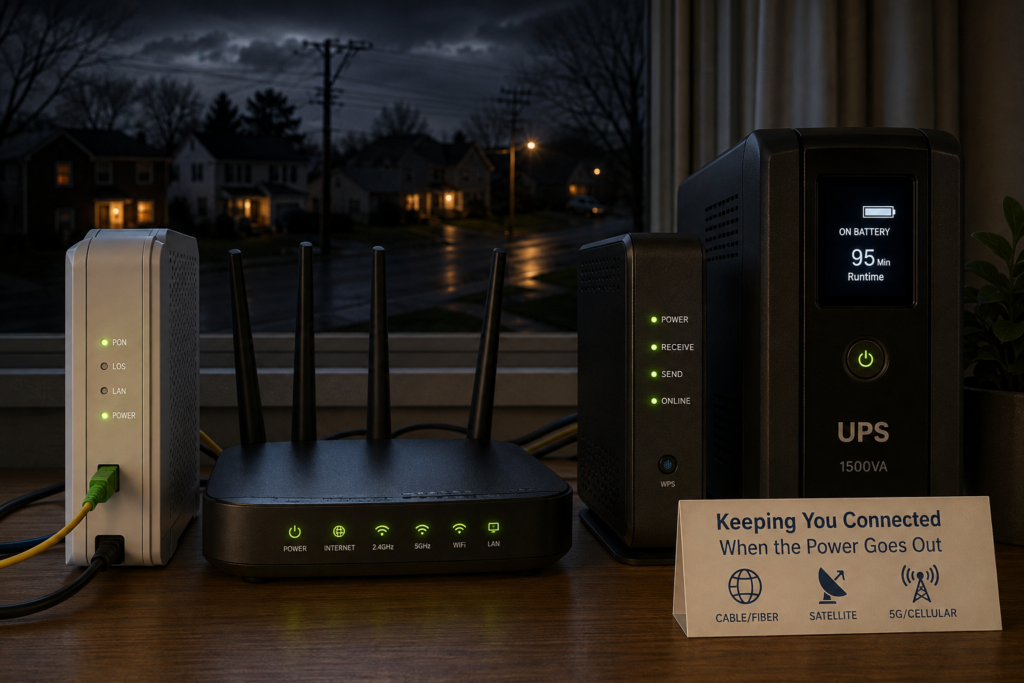
Home internet router and networking equipment running on battery backup during a power outage
0 Responses

Will Your Internet Work During a Power Outage? Cable, Fiber, Satellite & 5G Explained

Your home internet may keep working during a power outage, but only if your own networking equipment has backup power and your internet provider’s network is still operating.

The first part is relatively easy to solve. Put the right equipment on a UPS and your modem, router, fiber terminal, satellite equipment or cellular gateway can stay powered when the lights go out.

The second part is outside your control. Your internet connection depends on infrastructure beyond your house, and some of that infrastructure may also depend on commercial power. That is why a UPS can keep one home’s internet working perfectly during an outage while another home’s connection disappears even though all of the networking equipment inside the house is still running.

The answer also varies depending on whether you have cable, fiber, satellite or cellular internet.

Does Wi-Fi Work During a Power Outage?

Without backup power, usually not. Your Wi-Fi router needs electricity. When it shuts off, your wireless network disappears with it.

A UPS solves that part of the problem. Keep the router powered and it can continue broadcasting Wi-Fi.

But Wi-Fi and internet access are not the same thing. Wi-Fi is the network connecting devices inside your home. Unlike an old copper telephone that could receive its operating power directly from the phone line, modern internet equipment generally needs local electricity. For your devices to reach the internet, every essential piece of equipment between them and your internet provider also needs to remain powered.

In a typical home that might mean:

  • Cable internet: cable modem or gateway + Wi-Fi router
  • Fiber internet: optical network terminal (ONT) + router or gateway
  • Satellite internet: satellite dish or terminal + router or gateway
  • Cellular or 5G home internet: cellular gateway or hotspot + any separate router or Wi-Fi equipment
  • Mesh Wi-Fi: internet equipment + main mesh router + any satellite nodes you actually need
  • Larger home network: internet equipment + router/firewall + Ethernet or PoE switches + Wi-Fi access points

If one essential device loses power, the connection can stop there.

Why Old Landline Phones Often Worked During a Power Outage

If you grew up with a traditional Bell System-style copper telephone line, you may remember that the phone often continued working even when the electricity in the house went out.

That was possible because traditional analog telephone service, usually called POTS (Plain Old Telephone Service), did not normally depend on power from an outlet in your house. The telephone company supplied low-voltage DC power over the same pair of copper wires that carried the voice signal.

A traditional telephone line was typically powered at roughly 48 volts DC from equipment at the telephone company’s central office. The central office itself was designed with large battery banks and often generators, allowing telephone service to continue through utility outages.

As long as the telephone company’s network remained operating, a simple corded telephone could therefore keep working even if the rest of your house was completely dark.

There was an important exception: cordless phones still required electricity for their base station. During an outage, the phone line might still be working while the cordless phone was useless. This is one reason many households kept a basic corded telephone around for emergencies.

Modern home internet is very different. Cable modems, fiber ONTs, Wi-Fi routers, switches and VoIP phone equipment all contain powered electronics at the customer’s home. If those devices lose electricity, the service usually stops unless you provide battery backup.

In a sense, a UPS for your modem, ONT and router recreates part of what the old telephone network provided automatically: keeping the communications equipment powered even when utility electricity disappears.

Will Cable Internet Work During a Power Outage?

It can, particularly during a short outage.

If you put your cable modem and router on a UPS, they can continue operating after your house loses power. Whether they can still reach the internet depends on the cable company’s network.

Cable networks can have powered equipment outside your home, including nodes, amplifiers and network power supplies. Providers use batteries and generators to keep that infrastructure operating during outages, but backup power is finite and equipment can also be damaged by the storm or other event that caused the blackout.

That leaves several possibilities:

  • A short outage occurs and your UPS keeps the internet working without interruption.
  • Your equipment stays powered, but something in the cable network loses power and your connection stops.
  • The connection works initially and fails later when upstream backup power is exhausted.
  • The outage also damages the network itself, making backup power irrelevant.

This is why installing a whole-house generator does not necessarily guarantee working cable internet. The generator can power everything inside your house. It cannot power the cable company’s equipment down the street.

Will Fiber Internet Work During a Power Outage?

Fiber can be particularly well suited to staying online during a blackout, but your equipment at home still needs electricity.

Many fiber-to-the-home systems use a Passive Optical Network, or PON. Passive optical splitters can distribute the signal through much of the path between the provider and your house without requiring the chain of powered amplifiers found in some other broadband networks.

That does not make fiber independent of electricity. Your provider still needs its network equipment operating, and your end of the connection needs power too.

The important device in many homes is the Optical Network Terminal, or ONT. It terminates the fiber connection at your house and provides the connection used by your home network.

If the ONT loses power, your fiber internet stops even if the Wi-Fi router is still running.

So if you have fiber, find the ONT and its power supply before deciding what belongs on your UPS.

AT&, for example, says customers with an external ONT need backup power for that equipment as well as their gateway. See AT&’s battery-backup guidance.

Will Satellite Internet Work During a Power Outage?

Satellite internet can continue working during a local power outage if you can keep the equipment at your house powered and the satellite network itself remains available.

This gives satellite an interesting advantage during some emergencies. Your connection is not dependent on a cable running through the neighborhood or the same chain of terrestrial equipment used by a local cable network.

If a storm knocks out neighborhood cable infrastructure while your satellite terminal still has a clear view of the sky, satellite service may remain available.

But the equipment at your house still needs electricity.

For a system such as Starlink, that means the satellite terminal and whatever router or networking equipment you use with it. Traditional satellite systems have the same basic requirement.

This makes backup power especially important for someone who relies on satellite internet at a rural property, vacation home or other location where outages may last longer than they do in a dense urban area.

Satellite Internet Can Require More Battery Capacity

There is one important consideration when comparing satellite with cable or fiber: a satellite terminal may consume more electricity than a simple cable modem or fiber ONT.

That affects runtime.

A UPS that can keep a low-power modem and router operating for a long time may run down considerably faster when powering satellite equipment.

If satellite internet is important during a long outage, I would pay close attention to the actual wattage of the equipment and the battery capacity available. A conventional UPS may still be useful for short interruptions, while a larger battery or generator becomes more attractive when outages routinely last for hours.

Will Cellular or 5G Home Internet Work During a Power Outage?

Often, yes, provided both your cellular gateway and the carrier’s network remain operating.

If you use T-Mobile, Verizon or another fixed-wireless home internet service, your gateway still needs electricity. Put it on a UPS or another battery source and it may continue providing internet even though utility power to your house has failed.

Cellular internet can also be useful during an outage because it provides a completely different path to the internet than your cable or fiber connection.

But cell towers and the networks behind them need power too. Carriers use batteries and generators at many sites, but backup power can eventually run out and physical damage can still take equipment offline.

There is another problem during widespread outages: congestion.

If cable and fiber connections fail across a neighborhood, large numbers of people suddenly move onto cellular networks. A cellular connection that is normally fast can become much slower just when everyone needs it.

Cellular Home Internet Can Be Easy to Back Up

One advantage of cellular home internet is that the equipment can be quite simple. A 5G gateway may combine the cellular modem, router and Wi-Fi access point in a single device.

In that case, you may only need to keep one device powered.

If you use a separate router, mesh system, Ethernet switch or access point, those devices also need backup power if you want to continue using them.

Your Phone Is Already a Battery-Powered Internet Connection

A smartphone has its own battery, which makes it one of the easiest emergency internet connections available.

If the cellular network is still operating, a phone may continue working even when every piece of networking equipment in your house is off.

You can also use the phone as a hotspot for a laptop or another device.

The limitations are battery life, signal strength, data-plan restrictions and network congestion. For occasional emergencies, that may be enough. If internet access is critical, a dedicated cellular connection or automatic cellular failover system is more robust.

A Fios Backup Battery May Not Back Up Your Internet

There is another easy mistake to make: seeing a battery installed by your internet provider and assuming it keeps everything running.

That is not necessarily what it was designed to do.

Verizon’s documentation for its traditional Fios Digital Voice battery backup says that backup power is intended for voice service rather than internet or television service.

See Verizon’s Fios battery-backup documentation.

If you want internet access during an outage, verify exactly what an existing provider-installed battery powers. You may still need your own UPS for the ONT, router and other network equipment.

What Internet Equipment Should You Put on a UPS?

Start at the internet connection coming into your house and follow the path to the devices you actually need.

For a simple cable setup, that usually means:

  • cable modem or gateway
  • Wi-Fi router, if it is separate

For fiber:

  • ONT and its power supply
  • router or ISP gateway

For satellite:

  • satellite terminal or dish power supply
  • router or gateway

For cellular home internet:

  • cellular gateway
  • any separate router, switch or Wi-Fi equipment you need

A larger home network may also require:

  • Ethernet switch
  • PoE switch
  • Wi-Fi access points
  • mesh Wi-Fi nodes
  • firewall or router appliance

You probably do not need every piece of network equipment running during a blackout. Every additional device consumes battery capacity.

For a simple network, see my guide to the best UPS battery backups for routers and modems.

If your network has grown into a rack or closet full of switches, access points, cameras and storage, I have a separate guide to choosing a UPS for a network closet, NAS, PoE switches and cameras.

Do You Need to Keep Your NAS Running?

Not necessarily.

I run both networking equipment and a NAS on backup power, but their priorities are different during a long outage.

The UPS gives a NAS time to ride through a brief interruption or shut down safely. If the outage is going to last for hours, keeping storage running may consume battery capacity that would be more useful keeping the router, ONT and Wi-Fi alive.

Ideally, a larger home network can shut down nonessential equipment while leaving the low-power networking devices running. With systems like a NAS, it is best to let them shut down gracefully than to abruptly stop.

That can turn a relatively modest UPS into a surprisingly useful source of internet runtime.

How Long Can a UPS Keep Your Internet Running?

Networking equipment is a good candidate for battery backup because its power consumption can be relatively low.

A modem, router and fiber ONT may together consume only a few dozen watts. Start adding switches, multiple access points, PoE cameras, a NAS or satellite equipment and the load can rise quickly.

This is why the VA number printed on a UPS does not tell you how long your internet will run. Runtime depends heavily on the actual wattage of the devices connected to it and the battery capacity of the UPS.

A UPS that provides only a short runtime for a desktop PC may be able to run a modem and router much longer.

If runtime matters, measure or estimate the equipment you actually intend to keep running rather than sizing the UPS around everything that happens to be plugged in nearby.

A UPS Helps Even If Your Outages Are Short

There is another benefit that has nothing to do with surviving an all-day blackout.

A very short power interruption can reboot your modem, router, switches and access points. Power may return almost immediately while you spend the next several minutes waiting for the network to reconnect.

A UPS prevents that.

For homes with reasonably reliable utility service, this may be the most common benefit. The UPS quietly handles flickers and short outages without the network going down at all.

The worse the power reliability at the equipment’s location, the more runtime becomes important. A house that sees an occasional five-minute outage has very different backup-power needs from a remote property that can lose power for several hours.

What Happens During a Long Power Outage?

Eventually a conventional UPS reaches its limit.

During a long outage, several things can end your connection:

  • your UPS battery runs out
  • your ISP’s backup power runs out
  • outside network equipment fails
  • storm damage interrupts the physical connection
  • cellular networks become congested

If outages where you live are regularly measured in hours rather than minutes, the next step is larger-scale backup power.

That might mean a portable power station, whole-house battery or generator.

These systems can keep your equipment operating far longer than a normal UPS. They still cannot guarantee that your internet provider remains online, but they solve the problem of running out of power inside the house.

Using Cellular as a Backup Internet Connection

Even if cellular is not your primary internet service, it can provide a valuable second path when cable, fiber or satellite service fails.

The simplest backup is the hotspot built into your phone.

More sophisticated home networks can automatically switch to a dedicated cellular connection when the primary ISP goes down.

Some providers also sell cellular failover services. These can protect against an ISP outage as well as a power outage, provided the cellular network remains available and the backup equipment itself has power.

I would treat cellular as another layer of resilience rather than a guarantee. During a widespread outage, cellular networks can become congested as thousands of people shift traffic onto them at the same time.

How to Test Whether Your Internet Will Work During an Outage

You do not have to wait for the next storm to test half of the system.

If your network is already connected to a UPS, safely disconnect the UPS from wall power and confirm that everything required for internet access stays online.

Check the modem, ONT, satellite terminal or cellular gateway as appropriate, along with the router and any switch or access point you need.

If the internet continues working, you have verified that your equipment and UPS are configured correctly.

The next real neighborhood outage tests the other half: your provider.

If all of your equipment remains powered and the internet still works, you know the provider’s local infrastructure survived that outage.

If your network stays powered but the internet connection disappears, check the ISP’s outage information. The failure may be upstream from your house.

This is worth learning before spending thousands of dollars on larger backup-power equipment under the assumption that powering the house automatically keeps the internet online.

What I Would Do If Internet During an Outage Matters

I would build backup connectivity in layers:

  1. Put the modem, ONT, satellite terminal or cellular gateway and router on backup power.
  2. Back up any switch or Wi-Fi access point you actually need.
  3. Leave unnecessary high-draw equipment off the battery during a long outage.
  4. Measure how long your network actually runs from the UPS.
  5. See how your ISP behaves during a real local outage.
  6. Keep a phone hotspot or other cellular option available.
  7. If long outages are common, consider a larger battery system or generator.

This is particularly useful at a second home or other property you monitor remotely. Keeping the internet connection alive may also keep security cameras, leak sensors, thermostats and other connected devices reachable when the property loses utility power.

So, Will Your Internet Work When the Power Goes Out?

It may, and relatively inexpensive backup power can dramatically improve the odds during a short outage.

You need to keep every essential piece of networking equipment powered. For cable, that generally means the modem and router. For fiber, remember the ONT. Satellite users need to power the satellite equipment, while cellular users need to keep their gateway running.

After that, the provider’s network becomes the limiting factor.

If the network outside your house remains online, your own backup power may keep you connected long after everything else in the house goes dark. If the provider loses upstream infrastructure, no UPS inside your house can restore that connection.

For most homes, I would start with the inexpensive part of the problem: keep the essential networking equipment on battery backup. It prevents nuisance reboots during short outages and gives you a good chance of staying online during longer ones when your provider remains available.

To choose the right size, start with my guide to UPS battery backups for routers and modems.

Published on August 18, 2026
Full Post
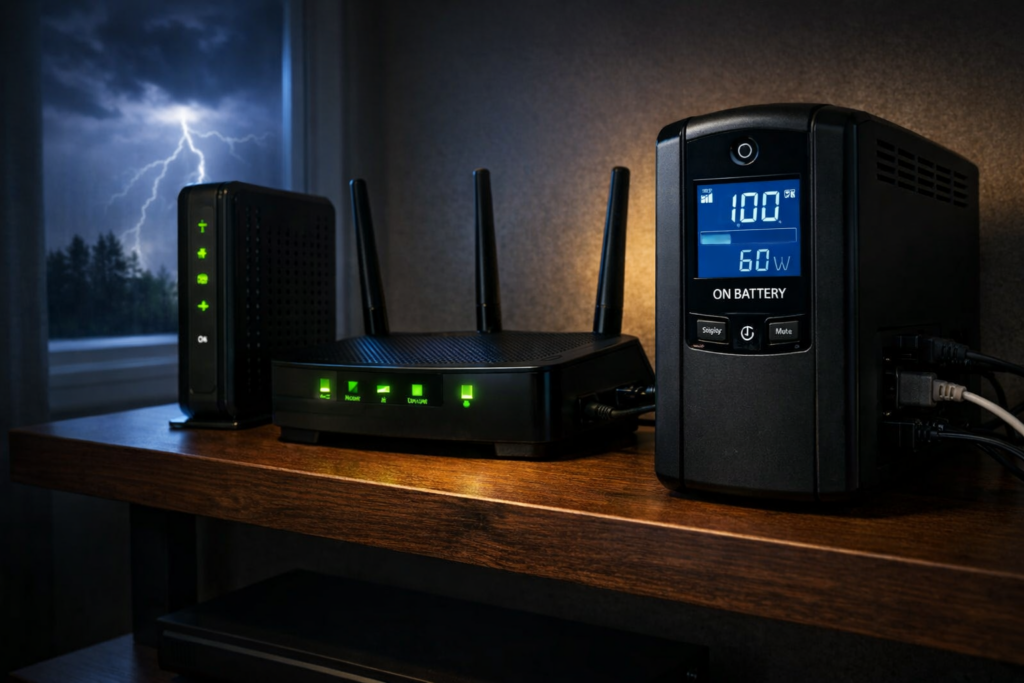
UPS battery backup powering a modem and Wi-Fi router during a power outage
0 Responses

Best UPS Battery Backup for Routers and Modems (Keep Your Internet Running During Power Outages)

If your internet connection disappears the moment the power flickers, the problem usually isn’t your internet provider.

It’s your power.

Most home networks rely on several small devices that all require electricity: a modem, a router, sometimes Wi-Fi access points, switches, or security cameras. When power fails, every one of those devices shuts off instantly.

A UPS (Uninterruptible Power Supply) solves this problem by providing instant battery backup. When electricity fails, the UPS switches to battery power automatically and keeps your networking equipment running.

Because routers and modems draw very little power, even a modest UPS can often keep your internet working for an hour or more.

Quick pick: For most homes, I would start with the CyberPower CP1000PFCLCD. It has enough capacity for a modem, router, switch, access point, and a little room to grow without jumping to a giant UPS.

Do not plug in a laser printer, space heater, gaming PC, or anything high-draw unless the UPS is sized for it. For this guide, the goal is simple: keep the internet online when the power flickers or goes out.

Best UPS Battery Backup for Routers and Modems

If your goal is keeping your internet connection alive during a power outage, these are the UPS models I would consider first.


UPS Model Best For Capacity Why Pick It Check Price
CyberPower CP1000PFCLCD Best overall UPS 1000VA / 600W The best balance for most home networks: modem, router, switch, access point, and some room to grow. Check price on Amazon
APC BR1500MS2 Larger home networks 1500VA / 900W Better for network closets, multiple access points, switches, cameras, or a small rack. Check price on Amazon
CyberPower EC650LCD Best budget UPS 650VA / 390W A good low-cost pick if you mainly want to keep a modem and router online. Check price on Amazon
APC BE650G1 Small setups 650VA / 390W Compact, simple, and easy to tuck near a modem/router shelf. Check price on Amazon

Can a UPS Keep Wi-Fi Working During a Power Outage?

Yes. A properly sized UPS can keep your modem, router, Wi-Fi access point, and small network switch running during short power outages. The runtime depends on the size of the battery backup and how much equipment is plugged into it.

For many home setups, the goal is not to run the entire house. It is to keep the internet connection alive long enough for brief outages, remote work, smart-home devices, security cameras, and alerts to keep functioning.

If your internet provider’s equipment outside the home still has power, a UPS can often keep your home network online. If the neighborhood equipment is also down, the UPS may keep your router running but not preserve the internet connection.

My buying rule: if you only have a modem and router, do not overthink it. A compact 600VA–650VA UPS is often enough. If you have a switch, access point, security camera base station, or smart-home hub, I would usually move up to a 1000VA unit.

That is why the CyberPower CP1000PFCLCD is the safest pick for most people. It is not the cheapest option, but it avoids the common mistake of buying the smallest UPS and then immediately running out of outlets or runtime.

Why Routers and Modems Benefit From a UPS

Networking equipment consumes surprisingly little electricity.

Typical power usage looks like this:

  • Modem: 10–20 watts
  • Router: 10–25 watts
  • Wi-Fi access point: 10–20 watts
  • Small network switch: 5–20 watts

Because the power draw is low, UPS batteries can keep networking equipment running far longer than desktop computers or gaming systems.

A UPS also protects networking hardware from:

  • power outages
  • voltage drops
  • power surges
  • short power interruptions

If you work from home, rely on internet-connected security cameras, or have smart home devices that stop working when the network goes down, a UPS can make a bigger difference than you might expect.

If those devices are part of a second-home or vacation-home monitoring setup, the router and modem are not just convenience devices. They are a vital part of your alert system. I cover the broader setup in my guide to vacation home remote monitoring.

Best Overall UPS for Routers and Modems: CyberPower CP1000PFCLCD

The CyberPower CP1000PFCLCD is the one I would buy first for a typical home network.

It is more UPS than a bare modem-and-router setup strictly needs, but that is the point. Most home networks grow. A modem and router become a modem, router, switch, access point, smart-home hub, and maybe a camera bridge. A little extra capacity keeps the UPS useful after the next upgrade.

  • 1000VA / 600W capacity
  • Pure sine wave output
  • Automatic Voltage Regulation
  • LCD status display
  • Enough headroom for many modem/router/switch/access-point setups

Buy this if: you want one UPS that should handle a normal home network without being huge.

Skip it if: you only need the cheapest possible backup for one modem and one router.

Check the latest price on Amazon

Best UPS for Larger Home Networks: APC BR1500MS2

The APC BR1500MS2 is the step-up pick for people whose “router setup” has turned into a small network closet.

If you have multiple access points, a switch, security-camera gear, a small NAS, or a rack shelf full of boxes, the extra capacity and outlets start to matter. This is probably overkill for a basic modem and router, but it makes sense once the network becomes something the household depends on.

  • 1500VA / 900W capacity
  • 10 outlets
  • Strong voltage regulation
  • USB charging ports
  • More room for network closets and larger setups

Buy this if: you have more than just a modem and router, or you want longer runtime.

Skip it if: your internet setup lives on a small shelf and only has two devices.

Check the latest price on Amazon

Best Budget UPS for Routers and Modems: CyberPower EC650LCD

The CyberPower EC650LCD is the practical budget pick.

If your problem is simple — brief outages knock out the modem and router, then everything takes several minutes to reboot — this is the kind of UPS that solves it without turning the project into a home-lab upgrade.

  • 650VA / 390W capacity
  • Compact design
  • LCD battery display
  • Energy-saving outlets

Buy this if: you want an affordable UPS for a modem and router.

Skip it if: you also need to support multiple access points, a PoE switch, a NAS, or a network closet.

Check the latest price on Amazon

Best Compact UPS for Small Setups: APC BE650G1

The APC BE650G1 is a small UPS designed for simple networking setups.

  • 650VA / 390W capacity
  • compact footprint
  • 8 outlets
  • user-replaceable battery

If you only want to keep a modem and router running, this compact UPS can do the job without taking up much space. It is especially appealing if your equipment lives on a shelf, in a corner, or anywhere a larger UPS would be awkward.

Check the latest price

How Long a UPS Can Keep Your Internet Running

UPS runtime depends on how much electricity your devices use.

Because routers and modems consume very little power, runtime can be surprisingly long:

  • small UPS: 30–60 minutes
  • mid-size UPS: 1–2 hours
  • larger UPS: several hours depending on load

If your ISP’s neighborhood equipment stays online during an outage, that can mean your internet keeps working long after the lights go out. Of course, if the provider’s own local infrastructure loses power, your UPS cannot fix that. But for many brief outages and localized electrical issues inside your home, it absolutely helps.

How Much UPS Capacity Do You Actually Need for a Router and Modem?

This is one of the biggest mistakes people make when shopping for a UPS. They assume they need a huge battery backup because that is what they would need for a gaming PC or home server.

For a modem and router, that usually is not true.

If your combined load is only 20 to 40 watts, even a modest UPS can provide meaningful runtime. The bigger units are useful if:

  • you want much longer runtime
  • you also want to power access points, switches, or cameras
  • you want extra overhead and flexibility

For a simple setup, the budget and compact models are often enough. For more complicated home networks, the larger units become easier to justify.

Need Backup Power for More Than Your Internet?

A UPS is ideal for keeping a modem, router and other networking equipment alive through short outages. But if you also want to run a refrigerator, freezer, lights or other household equipment, you quickly move beyond normal UPS territory.

For longer outages, see our guide to portable power stations vs. generators. If a battery system makes more sense for you, we also compared the best 2kWh portable power stations for home backup.

UPS Features That Matter for Networking Equipment

When choosing a UPS for routers and modems, these features matter most:

  • Automatic Voltage Regulation (AVR) to stabilize power fluctuations
  • pure sine wave output for sensitive electronics
  • surge protection for networking hardware
  • sufficient outlets for your modem, router, and other equipment

You do not necessarily need the most expensive UPS on the market, but you do want one that handles brownouts and voltage fluctuations gracefully. Those are often more common than full outages.

If you want to understand these features in more detail, see this guide to choosing a UPS with the right features.

If you are deciding between UPS models for a router, NAS, home server, or monitoring setup, that broader UPS feature guide goes deeper on AVR, PFC compatibility, USB shutdown, and replaceable batteries.

When a UPS Makes the Biggest Difference for Home Internet

A UPS battery backup is especially useful if:

  • power flickers frequently
  • you work from home
  • your security cameras rely on internet connectivity
  • your smart home devices depend on cloud services
  • your modem takes several minutes to come back online after a power outage

Even brief outages can lead to several minutes of downtime while a modem and router reboot. A UPS prevents that interruption entirely and can make your home internet feel much more reliable.

The same logic applies if your home network supports leak sensors, door and window sensors, smoke/CO alerts, or remote cameras. Those alerts are only useful if the network stays online long enough to send them. For more on that side of the setup, see my guides to Govee leak sensors, door and window sensors for a vacation home, and smoke and carbon monoxide detectors.

What I Would Buy

For most people, I would buy the CyberPower CP1000PFCLCD. It has enough capacity for a normal home network, gives you room to add a switch or access point, and avoids the regret of buying the smallest possible UPS.

For a very simple modem-and-router setup, I would save money with the CyberPower EC650LCD or APC BE650G1.

For a larger network closet, I would move up to the APC BR1500MS2.

The main thing is not to put your entire office on the UPS just because there are empty outlets. Use it for the networking gear that keeps the house online. That is where a UPS gives you the most value for the least battery drain.

Which UPS Is Best for Your Router and Modem?

If you want the best balance of price, features, and runtime, the CyberPower CP1000PFCLCD is the strongest overall choice for most people.

If you have a larger home network or want more runtime, the APC BR1500MS2 is a strong upgrade.

If you want a lower-cost solution, the CyberPower EC650LCD and APC BE650G1 are both sensible picks for simple setups.

For something as simple as keeping your router and modem online during a power outage, a UPS is one of the most practical upgrades you can make. Once you have one, it is hard to go back to watching your internet disappear every time the power blinks.

Published on March 29, 2026
Full Post

Get New Posts By Email