
One of my solutions is free…in a way. I back up to Amazon Photos, as it is included with Amazon Prime. However, so was Prime Video until they added ads, so it is not a guarantee this will continue and I never use it to retrieve photos, just as an extra location. The most popular photo sharing and storage site is probably Google Photos right now, though there are plenty of alternatives. I have stuff there as well.
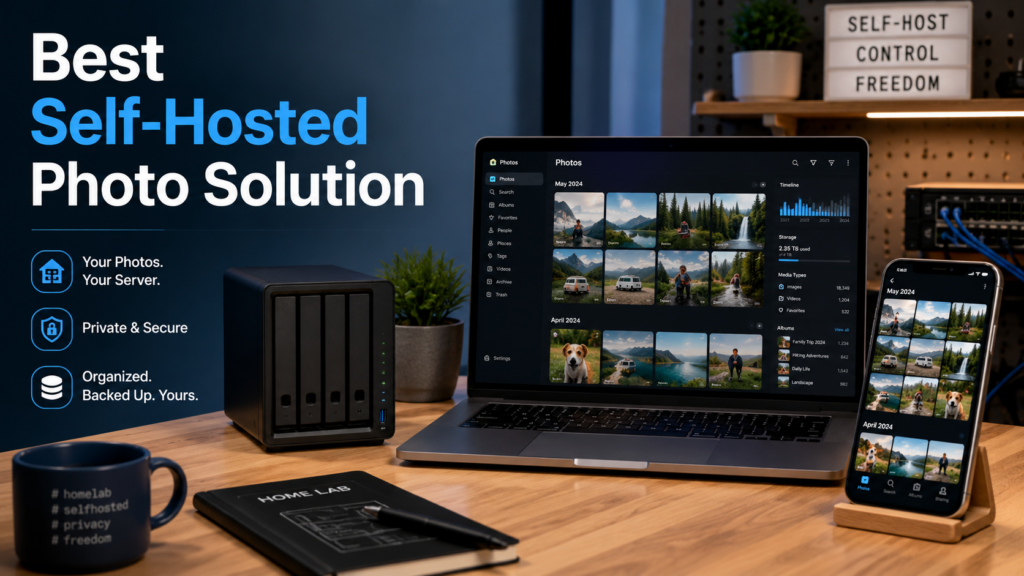
I needed a place under my control to organize and share my photos, not just a disorganized archive. It was time to migrate to a less expensive self hosted solution, backed by my NAS for storage. Then I could incorporate my existing multi location backup system to keep the files safe.
Quick Answer: Is Immich the Best Self-Hosted Photo Solution?
For my needs, Immich is the best self-hosted photo solution because it feels closer to a modern Google Photos replacement than a simple file browser. It offers mobile app uploads, photo organization, map views, face and object recognition, sharing links, and a familiar interface while letting me keep the storage under my own control.
But Immich should not be treated as your only backup. It is a photo-management system, not a complete backup strategy by itself. If you self-host your photos, you still need multiple copies of the original files, ideally in more than one location.
| Option | Best For | Big Caveat |
|---|---|---|
| Immich | A modern self-hosted Google Photos-style experience | Still requires a separate backup strategy |
| PhotoPrism | Self-hosted photo browsing and organization | Different feel and workflow than Google Photos |
| Google Photos | Convenience, sharing, and cloud access | Storage costs, privacy tradeoffs, and less control |
| Amazon Photos | Extra photo storage for Prime members | Useful as another copy, but not the system I want to depend on |
| NAS folder structure | Long-term file control and backups | Not a polished photo-browsing experience by itself |
Immich
I had heard a lot about different self hosted solutions, but the most popular one I keep hearing about of late is Immich. Immich is in beta, but it is meant to reach stable this year. It already seems to be extremely stable, but it warns that you should have a backup strategy outside of it, as it is not meant to be a backup strategy by itself. I already have one, once I include this in the pipeline.
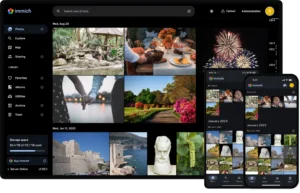 Immich is a full fledged system for photo sharing and organization. It supports showing photos on a map, face and object recognition, and more. I can easily share photos with expiring links or ones that will last forever. There is an API I can use to integrate with other systems.
While there are alternatives, such as Photoprism, Immich has a familiar design language, modern features, and offers a mobile app which can automatically backup your photos into Immich.
Immich Is Not a Backup Strategy By Itself
This is the part that matters most. Immich can organize, display, and sync photos, but that does not mean the photos are safe if Immich is the only place they exist.
For me, Immich makes sense because it fits into a broader system. The photos live on storage I control, and that storage can then be backed up to multiple other locations. That is very different from uploading everything to one service and deleting the originals.
A good photo setup should survive:
- a failed hard drive
- a mistaken deletion
- a bad software update
- a server migration
- a cloud account problem
- the slow realization that a “free” storage plan is not guaranteed forever
If you are self-hosting photos, the goal should not be fewer backups. It should be better control over how those backups happen.
Please remember, if you simply upload to Immich, or any service, and purge all other copies, that isn’t a backup.




![Reblog this post [with Zemanta]](http://img.zemanta.com/reblog_e.png?x-id=df3599fa-593b-4e60-8bb5-aa0749e4f333)