Gadget Wisdom

Author: David Shanske

Registration time

2011-09-25 06:23:49

Website

https://david.shanske.com/

Email

david@shanske.com

All posts by David Shanske

2 Responses

Should You Still Wait to Buy a Kindle?

Image representing Amazon as depicted in Crunc...
Image via CrunchBase

Amazon is cutting the price of its Kindle 2 to $259, the second drop in the last few months. It is also offering an ‘international’ Kindle for $279, with shipping to begin on October 19th. Books downloaded internationally will cost an extra $1.99. This does free up a gap in the service, namely overseas, and connects Amazon to AT&T over Sprint.

Amazon has said  that Kindle books now represent 48% of total book sales when both Kindle and paper versions are available, up from 35% in May and 13% in February, but no statistics have been revealed on how many units have been sold, but Kindle owners seem to buy a lot of books.

So, with the latest price drop, is it finally time to buy a Kindle? Maybe. But we’d prefer it to hit around $200 before it becomes too tempting to resist, especially with the bulk of new e-book readers coming and Google’s E-Book initiative.

Competition produces innovation. Amazon has said it would not mind selling Kindle books to people with other E-book readers, which would be a smart move for the company. But either way, in another few months, the price will likely be where we want it to be. What do you think?

Published on October 8, 2009
Full Post
1 Response

Wakeup for HTPCs and Servers

A remote control's infrared seen as near-infra...
Image via Wikipedia

Tonight, we upgraded an old computer we use as a secondary MythTV combined backend and a frontend. It is currently the only computer we use ACPI Wakeup on, so we spent some time resetting this feature.

There are three basic Wakeup Types that are useful for computers nowadays.

  • Wake on LAN – Wake the computer up in response to a signal over the network.
  • Wake on USB – Wake the computer up in response to a USB signal
  • Wake on Alarm – Set a time for the computer to wake up

So, how can we leverage this into power-savings and efficiency? By having the computer turn itself off when it isn’t in use. We’ve been using it in cooperation with our TV recording schedule. Computer starts up, records, sets a wakeup for the next time, then shuts down.

But after that, what can we do with this? Wake on LAN allows the computer to be tripped into an active state over a network. Wake on USB would allow us to activate the computer with a USB remote control or other USB communications device, such as a sensor.

The feature is built into every current computer. So, why around we using it? We didn’t even get to the discussion of Suspend to RAM and Hibernate, two features that either save the system state to the hard drive or keep the system on minimal power to keep data in the RAM, which offer additional options.

So, why aren’t you using the power-saving functions of your computer?

Published on September 27, 2009
Full Post
4 Responses

The Problem with Verizon Wireless Apps

Cellco Partnership D/B/A Verizon Wireless
Image via Wikipedia

On Friday morning, we were sitting around with our Verizon phone and discovered a new Twitter app had appeared as available. Called Tweet-Tweet, it costs $1.49 a month or $3.99 for unlimited.

Get It Now/Media Center is Verizon Wireless‘ implementation of Qualcomm’s Brew technology, and the basis for applications on most of their phones. The program locks content rigidly and prevent unapproved data to be loaded onto the phone. This is to ensure the usage of their data plan, the ala carte version of costs $1.99/MB. Verizon is known for crippling features of its firmware, such as Bluetooth file transfer and unrestricted GPS access to ensure these services must use their applications.

We have a regular Verizon phone, but have considered upgrading to an organizer phone because portable data seems to be the way things are going. The problem is phones that are not phones. Phones are now cameras, music players, internet devices…everything in your hand. Having a Swiss Army Device is not always the answer. It can’t do everything well.

The most popular phone out there is the iPhone, which has mixed, even sometimes negative reviews as a phone. It is more a multimedia and networking device. Verizon doesn’t have an iPhone killer. Part of this is the Application problem. Verizon is too locked down, and its application store is limited.

The worst part is for the phones we use. You have to subscribe to an application? And pay data charges on top of that? For all we find Apple just as limiting as Verizon, they’ve approved thousands of apps you can download, and the creation process is extremely open. We don’t mind an approval process, but Verizon is shooting itself in the foot.There are rumors this may change, but innovation is slow.

Tweet-Tweet is useful for us. It is a simple, uncomplicated Twitter application that adds some functionality to our phone. We won’t be using it all the time, as the cost would be prohibitive without a data plan. But it allows us to check up on current status while away from our homebase. But it is not enough for everyone.

Published on September 22, 2009
Full Post
0 Responses

Fedora 11 for Servers

It is time to talk about our Fedora 11 server migration. Why, do you ask, are we discussing this three months after Fedora 11 was released, halfway to the release of Fedora 12?

We finally upgraded our server to Fedora 11 this morning, after a weekend of work. In previous generations, we’d offloaded all of the data, formatted all the drives, and installed the new OS. And we, to keep up, would have to do this every 6-9 months, every time a new Fedora release came out. And our data kept growing. When you are storing many gigabytes of information, trying to slowly offload to a 4.3GB DVD is a slow process.

This weekend, we threw in the metaphorical towel, and got a 1.5TB drive and installed it in the computer. This allowed us to empty our older drives one by one and reformat them to EXT4 format. We had previously been using the more established XFS format. EXT4 is an update of the established EXT3 with improved handling for large files, among other things.

Improved large file handling is very important to us, because we use our server as a storage base for our MythTV DVR. Large file handling is required when an hour of over-the-air broadcast HD can be more than 8GB.

After reformatting all the drive to EXT4, we discovered another feature we’d never noticed before. The Reserved Block Percentage for the Superuser. A default setting, it holds back 5% of the reported available drive space for superuser privileged processes, ensuring that even if the hard drive fills up, the running processes can still do their work. Which is all well and good on an OS partition. But on a data partition, 5% of  a TB drive is almost 50GB being held in reserve. Ultimately, now that we know it is there, we left it turned it. You can override it as needed.

While we kept all the data on the data drives, although we did move around what was stored where, we did wipe and redo the OS partition completely. This is always a learning experience because as we rebuild parts of it, we add and fiddle with features, some of which are new to the upgraded OS. For example, we added an hourly run of status information which is ported to Linux’s MOTD(Message of the Day) feature so that anyone logging in receives a notification of them.

We also tried running tuned. Tuned isn’t enabled by default under Fedora 11, and it is merely an early version of a project that should be fully realized in Fedora 12. For several versions, Fedora has been auditing programs to look for redundancy or inefficiency. One of the most solid examples of that was a goal of a 20-second boot time.  There is an apparent lack of good discourse on tuned that we found, but the service will allow cpu, disk, and net devices to adapt dynamically to usage, reducing power, according to profiles set.

Tuned, unfortunately, kept bringing down our network link, causing hiccups. For now, we’ve turned it off. Power Management is a goal we aspire to. We want constant availability with low power usage, which means a service that turns things off when not in use. We look forward to the next generation of this program, when it may be enabled by default.

Since our server does not run a graphical environment by default, nor does it have a monitor attached normally, the experience of using it is different than most using a Linux machine. We’re always looking for things to cut from it to improve its efficiency. During this latest iteration, we cut a partition, no longer creating a separate home partition for the system. We never store anything in the home directories anyway.

You will be hearing more about our server. Our systems are the testbed for practical experiments in spinning down hard drives and other techniques to try and reduce waste. The drives are even 5400rpm ‘green’ drives, as the data doesn’t require anything faster. If you are interested in more specific details about the system, comment. We’d love to hear your feedback.

Published on September 15, 2009
Full Post
3 Responses

Skype Updates its Linux Offering

Image representing Skype as depicted in CrunchBase
Image via CrunchBase

Skype, long lagging in its Linux support, after nearly two years of nothing, released version 2.1 in Beta, bringing with it a multitude of new offerings. It shows that Skype is renewing its commitment to cross-platform support.

One of the most important and significant fixes is Pulseaudio support. Most distributions of Linux now use Pulseaudio, so having Skype not cause a conniption when it is use is a major improvement. Improvements in audio and video handling also improve the overall experience.

The reason it took so long was a complete rewrite of some sections of the code, and likely the lower priority placed on Linux support, which got renewed interest now that so many embedded devices and netbooks had been running it. They are working on providing a native 64-bit version, but they currently have a helper application to set up the 32-bit libraries on a 64-bit system so it will work.

They say there is more to come soon. We’ll be testing this new version soon.

Reblog this post [with Zemanta]
Published on September 8, 2009
Full Post
0 Responses

Eee-book on Its Way

Image representing Asus as depicted in CrunchBase
Image via CrunchBase

Asus, the creator of the EeePC, which launched the netbook craze, wants to break into the E-Book market with a product that could be at least $100 less expensive than current offerings. A proposed model would have two screens, more closely resembling a regular book, as well as many more features than the current offerings, including Skype and such.

This isn’t really outside of the realm of possibility. Take the EeePC versus the proposed Eee-book a step further. Picture a device the size of the original netbook at 7 inches, or even the 10 inch size, turn it on its side, replace the keyboard with a second screen, add in an orientation sensor, a few buttons, possibly a touchscreen, and the ability to plug in a USB keyboard, and it would become a small system that could double as a nettop device. Give it a Linux-based OS, with SD expansion, and 3G or Wi-FI options, and it can do anything.

Technology continues to advance. We’ll see what happens.

Reblog this post [with Zemanta]
Published on September 7, 2009
Full Post
2 Responses

Sansa Clip+: Is slotMusic such a bad idea?

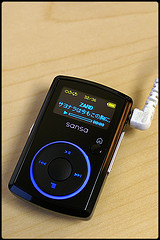
Sansa Clip
Image by barron via Flickr

For the record, we’ve never tried slotMusic. But the idea Sandisk tried to push was the selling of microSD cards preloaded with music. These cards, aside from being preloaded, had nothing special about them. The idea of purchasing quick-load music in a pinch at retail outlets had potential. Of course, it would be better if that could be customized at a kiosk, rather than sold in bundle packaging.

Engadget is a bit unfair to claim that the adding of a microSDHC in the new Sansa Clip+ is merely an attempt to get rid of old inventory. We love the original Clip(pictured right). The size is small…small enough we’ve had trouble finding it. It plays OGG, FLAC, etc. Which allows us a better range of playback options. And it is great for quick on the go music enjoyment.

The addition of an expansion slot makes it even more useful. Aside from that, it incorporates a few stylistic changes. A square instead of round control pad, etc.

The Clip, + or not, is superior to the iPod shuffle in every way. It offers a good screen, configurable options, a built-in radio, etc. The one complaint some people have is the 15 hour battery life. But it is rechargeable, and how long do you need or expect for a player this size?

Reblog this post [with Zemanta]
Published on September 1, 2009
Full Post
2 Responses

Books as Tech: A Tribute to Reading Rainbow

http://www.youtube.com/watch?v=c6j8EiWIVZs

Books, with the exception of our critiquing issues with the Kindle and E-Book readers, don’t usually appear on Gadget Wisdom. They aren’t gadgets, and while we are a tech blog, the book isn’t usually thought of as tech.

But think about it…aren’t they? Johannes Gutenberg, in the 15th century, invented the first viable printing press(which was first used in the moneymaking enterprise of printing indulgences for the Church, but that is another story). The history of printing, as a man demonstrating a printing press at a Historical Village showed us, is full of technology. Remember that before printing, books would have to be copied by hand.

More recently, we’ve talked about On-Demand book printing machines, which we believe is the future of bookstores.

But today, August 28th, Reading Rainbow comes to the end of its 26-year run on television. The show, started in 1983, was hosted by Levar Burton(best known to most of you as that blind guy from Star Trek, or that Roots thing). During the show, kids gave their own reviews of books, and Burton featured a real-life adventure inspired by a book. No one will put up the money to renew the show’s broadcast rights, thus dooming it.

The fallacy, according to the people at PBS, is that the show was designed to teach children a love of reading, and they want to put their money into teaching kids basic reading skills. Unlike many children’s shows…Reading Rainbow was not torture. Many children’s programs make us cringe. Anyone over the age of ten who watches them with youngsters wants to claw his or her eyes out pretty early on. We can thank Levar Burton, who spearheaded the show, for speaking simply, so that children could understand, but keeping quality high.We can count Reading Rainbow on the list of children’s programs we would still watch today.

It brings up the larger question of the future of books entirely. Without fostering a lifelong love of learning and of books, children in an increasingly technological world will let them go by the wayside. Already children are demanding multimedia education over reading, so a world in which the written word because less and less prominent is a horrible possibility.

From a technical standpoint, nothing digital replaces the feeling and ease of a real book, even the minute we spent looking at the Kindle. We continue to add bookshelves to our home, and reading on a computer screen is something we do, it doesn’t have the same relaxing appeal. It is the relative inexpensive nature and ease of use of books that has made reading and education accessible to all of us. Technology surrounding them may continue to improve, but books are here to stay for the long-term…if only we get a new generation interested in reading. But, as Levar Burton said, “you don’t have to take our word for it.

Reblog this post [with Zemanta]
Published on August 28, 2009
Full Post
0 Responses

Urgent: Change your Wireless Security Settings

Linksys WAP54G 802.
Image via Wikipedia

Crunchgear reports today that researchers have developed an attack against WPA Encryption when using the TKIP protocol.

If you haven’t already, change your wireless access point security settings to the AES Protocol, or switch to WPA2 to stay one step ahead of them. Or, if you are out and about, and cannot do so, consider using SSH Tunneling or  VPN to encrypt your connection a second time.

Reblog this post [with Zemanta]
Published on August 27, 2009
Full Post
2 Responses

Western Digital Unveils Two New Media Options

The WD Media Player is a great device in both price and features. It plays almost any file off of a USB-connected flash or hard drive.

Details have been leaked of the next generation WD-TV-2, which adds a network connection for streaming video from a network connected drive. This device could replace the old computers we currently have connected to some televisions for easy media playback from our network server, although we may hold out for an Ion computer. Either way, it looks like a good update. More to come as details are available.

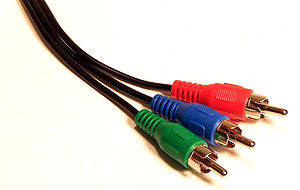
Western Digital has also added a discount option. The WD TV Mini. It is smaller than the current box and loses HDMI and full 1080p in favor of analog HD and SD outputs only.

Reblog this post [with Zemanta]
Published on August 19, 2009
Full Post

Get New Posts By Email