Gadget Wisdom

Author: David Shanske

Registration time

2011-09-25 06:23:49

Website

https://david.shanske.com/

Email

david@shanske.com

All posts by David Shanske

1 Response

MiroBridge – A Link Between Miro and MythTV

Image representing Miro as depicted in CrunchBase
Image via CrunchBase

The MythTV wiki defines MiroBridge as a script which “enables Miro to emulate a MythTV recording device.” However, we feel this is rather inaccurate.

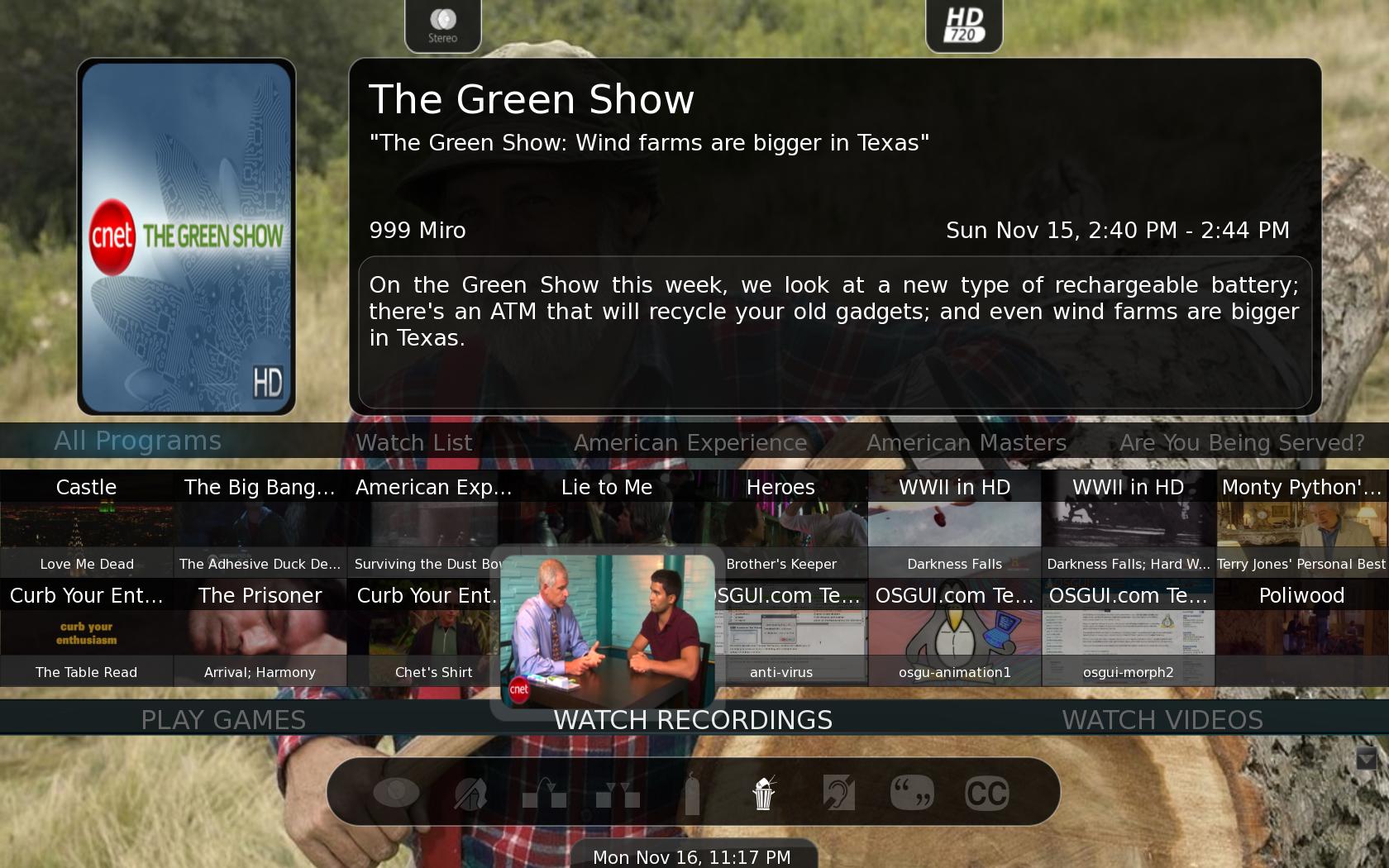
MiroBridge doesn’t appear as a recording device. It does create a channel, defaultly assigned to 999, to assign the Miro recordings to, but it is more an importer of Miro downloaded programs. You configure Miro with your desired online programs, and then set up a cron job to have MiroBridge run.

Miro is an Internet television application that downloads videos from RSS-based channels, manages them, and plays them. It does incorporate a Bittorrent client, but torrent features are disabled in MiroBridge for legal reasons.

MiroBridge in Action

MiroBridge will let Miro download new episodes, then it will symlink the downloaded episodes into the MythTV recordings directory and import the details of the program as a Recording. It can also move the episodes to MythVideo.

This is an amazing addition to MythTV. Scripts to do this have existed before. We used MythNetTV, which takes RSS feeds for Podcasts and imports them into MythTV. It has never been an official part of MythTV though. MiroBridge is now becoming official, and relies on Miro, which is a popular piece of software in its own right, and well maintained.

If you think about it, with cable becoming more expensive, a MythTV box with a broadcast based system, adding in internet produced programming. If you don’t have cable, at the very least, in the news department, the websites of various cable networks offer limited versions of their programming as RSS feeds you can incorporate in.

Youtube can be distributed as an MP4-based RSS feed as well, using some secondary sites, and thus incorporated in as well. Essentially, there is nothing you can’t do if you can find RSS-distributed video.

Published on November 6, 2009
Full Post
2 Responses

MythTV on Design

We’ve spent a lot of time, of late, talking about the excitement of the latest version of MythTV. But it is an exciting topic. Video under MythTV is especially important. On the DVR side of things, MythTV has significant attraction. But as a media center application for the playback of video files, the competing software packages change, to software like XBMC and Boxee.

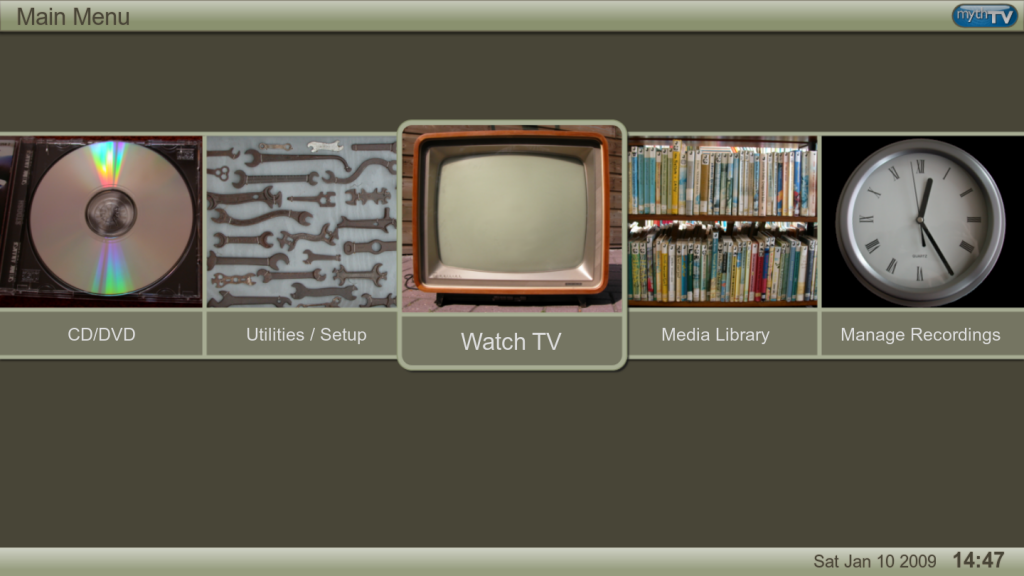
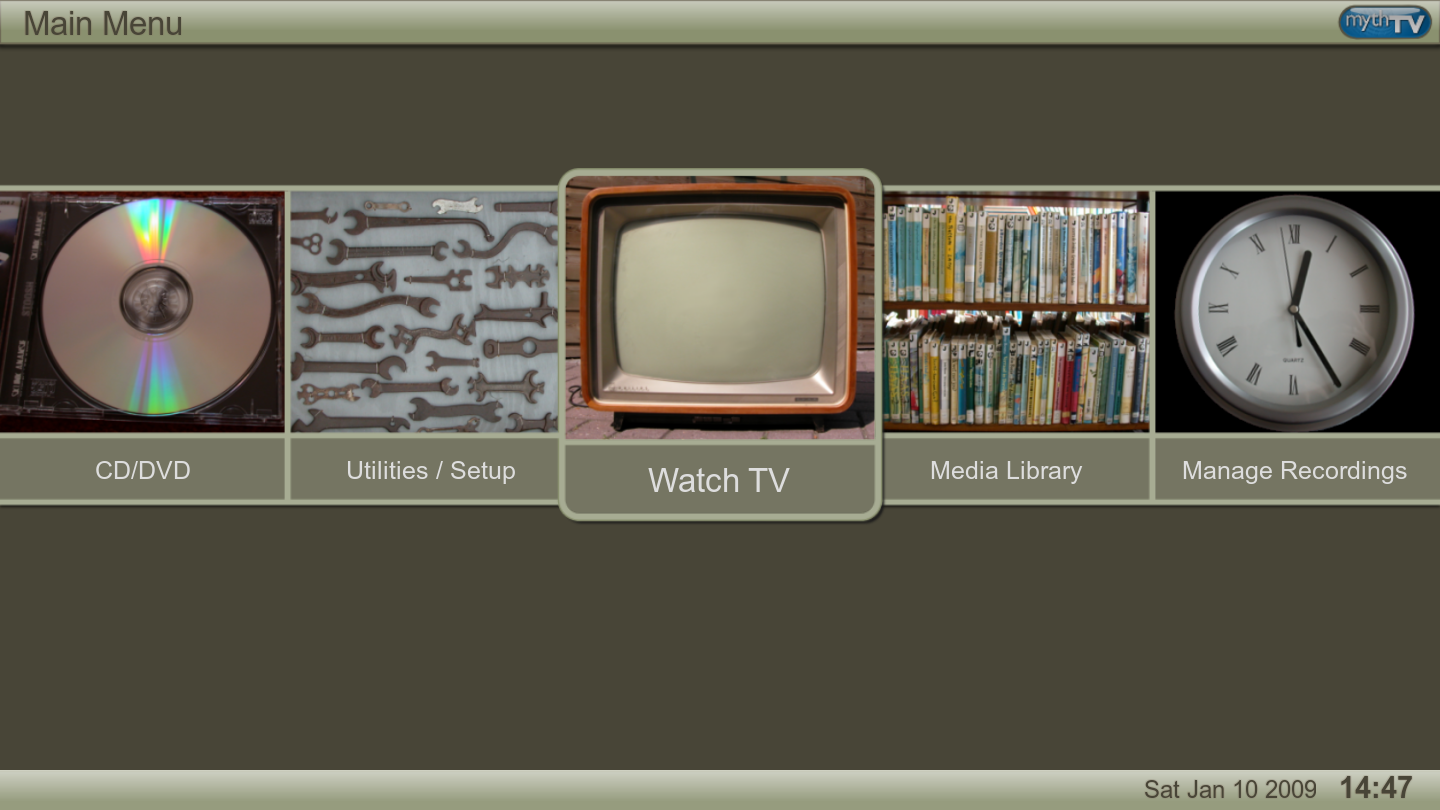
In version 0.22, MythTV unveiled MythUI, which is a complete rewrite of the Myth user interface. New themes were released and several old ones modified. Last night, we did a series of screenshots to show off some of the theme magic available.

Terra(The New Default Theme)

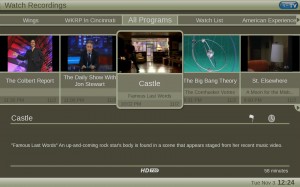
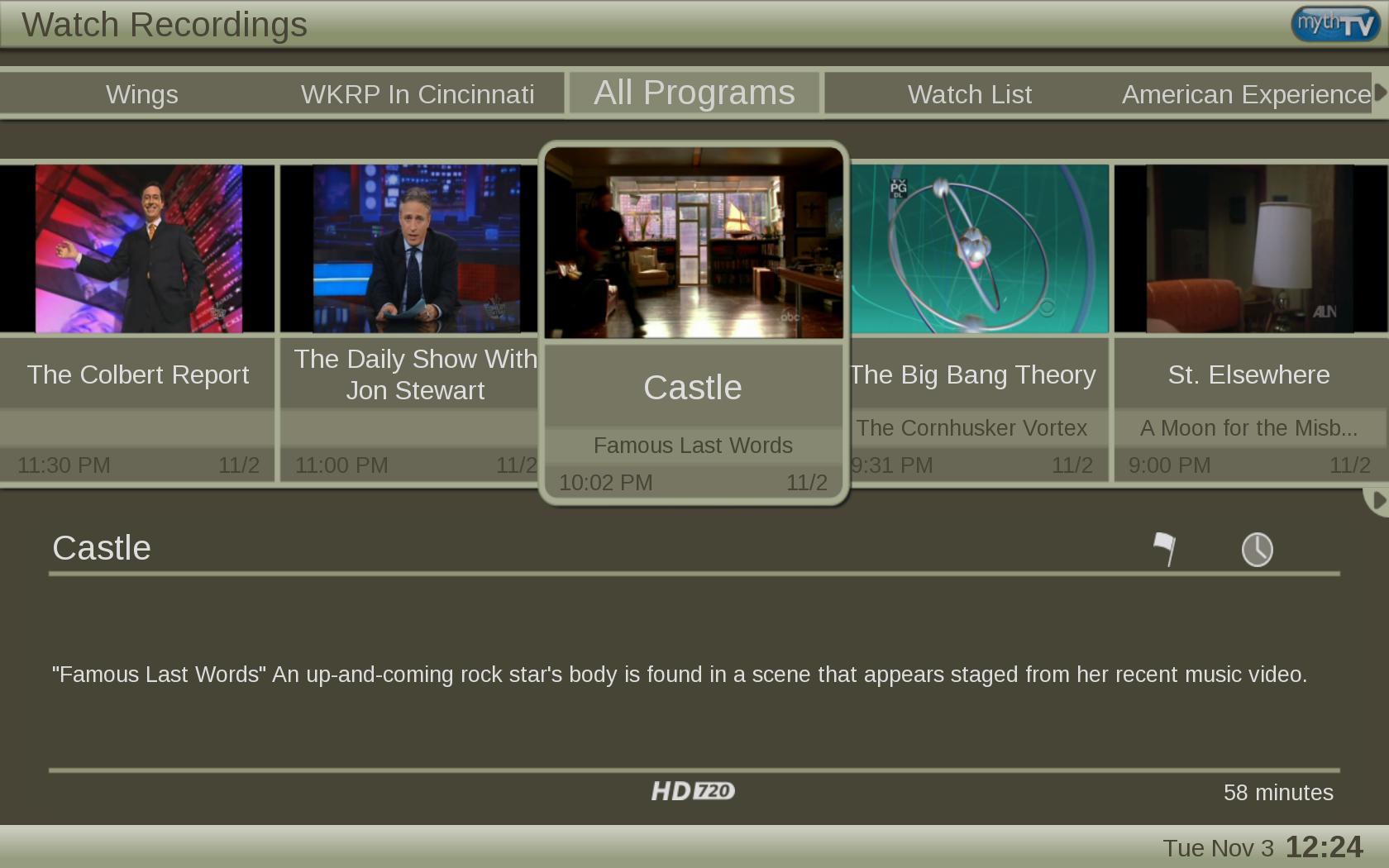
Watch Recordings Screen Under Terra Theme

Now, Terra shows off the options for a Watch Recordings menu displayed in a manner other than traditional list style, using a horizontal scrolling menu for each program on the DVR side.

But what about for watching videos? As we mentioned in our previous post, JAMU offers an automated method of getting metadata on video files based on their names. There was metadata support in MythTV before, but the inclusion of this new script and other frontend features greatly simplify it out of the ‘box’. A script already exists, but will likely be incorporated as part of version 0.23, that allows for recordings to be exported with metadata information to MythVideo.

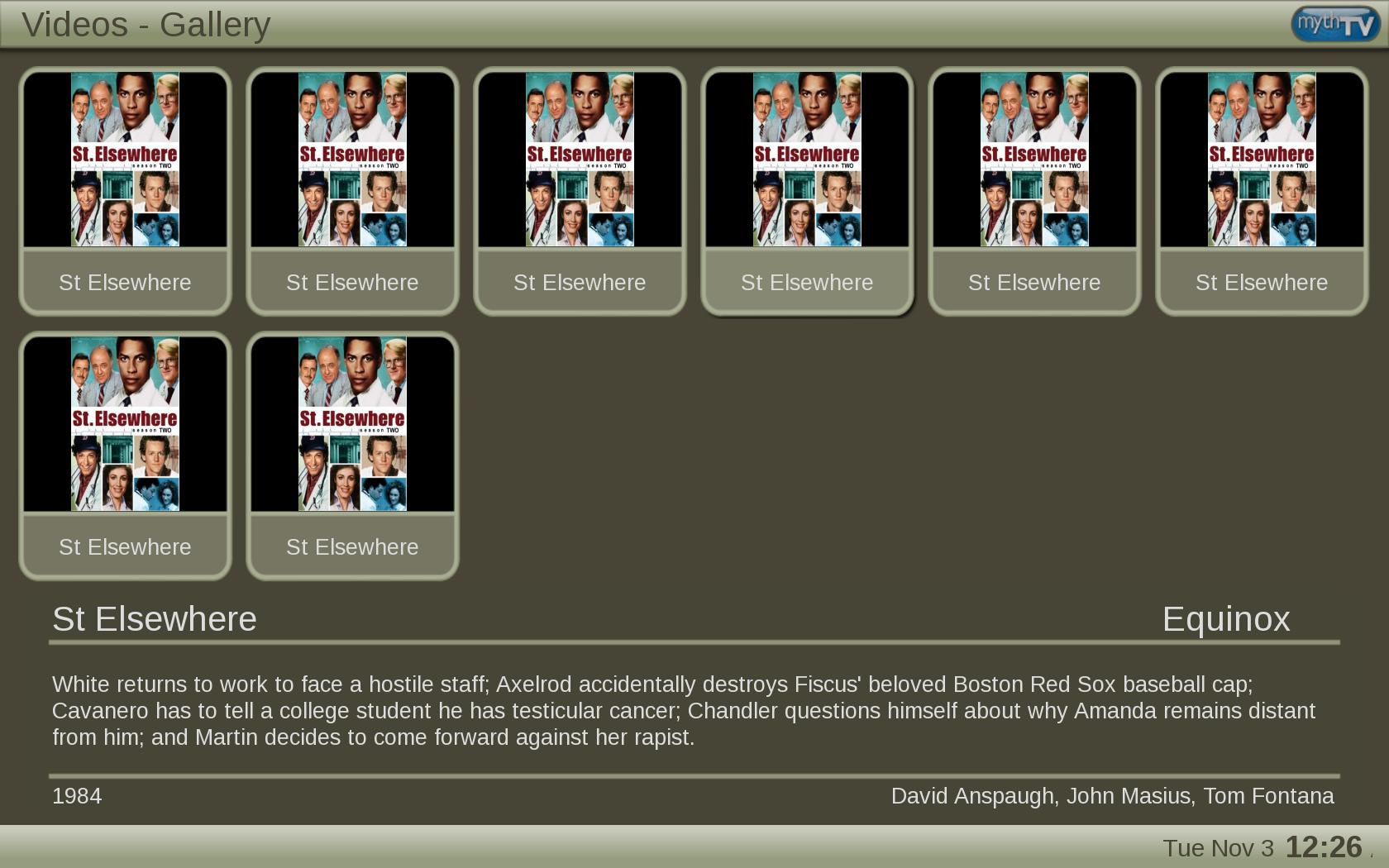
A directory of TV show episodes with metadata under Terra Theme

If you enlarge the image, you will notice that JAMU has added the episode metadata, including description, to these episodes of St. Elsewhere. There is discussion of adding additional options for screenshots for MythVideo(the feature is there for Recordings). If you look at the above image, every episode is using a stock poster.


Graphite

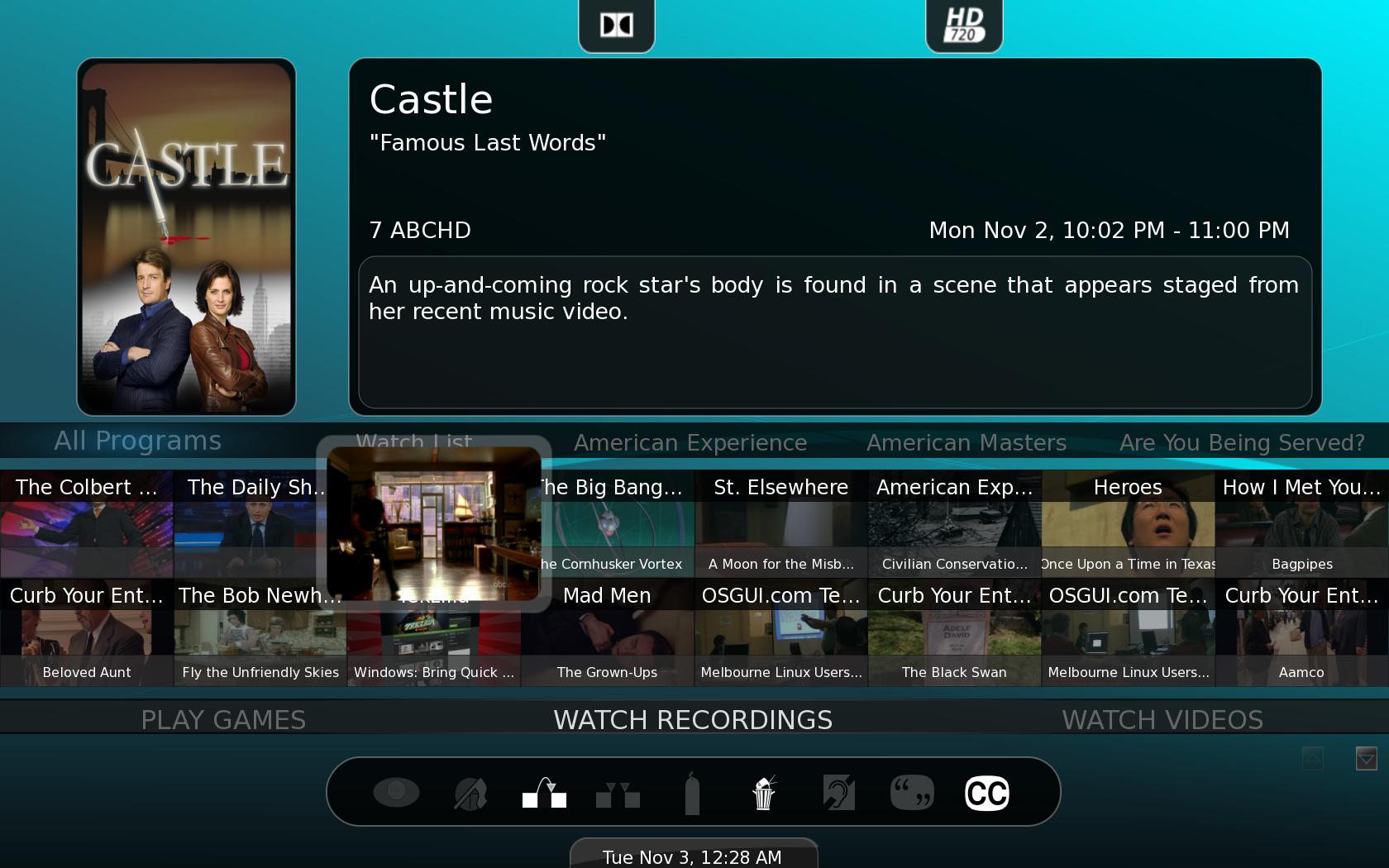
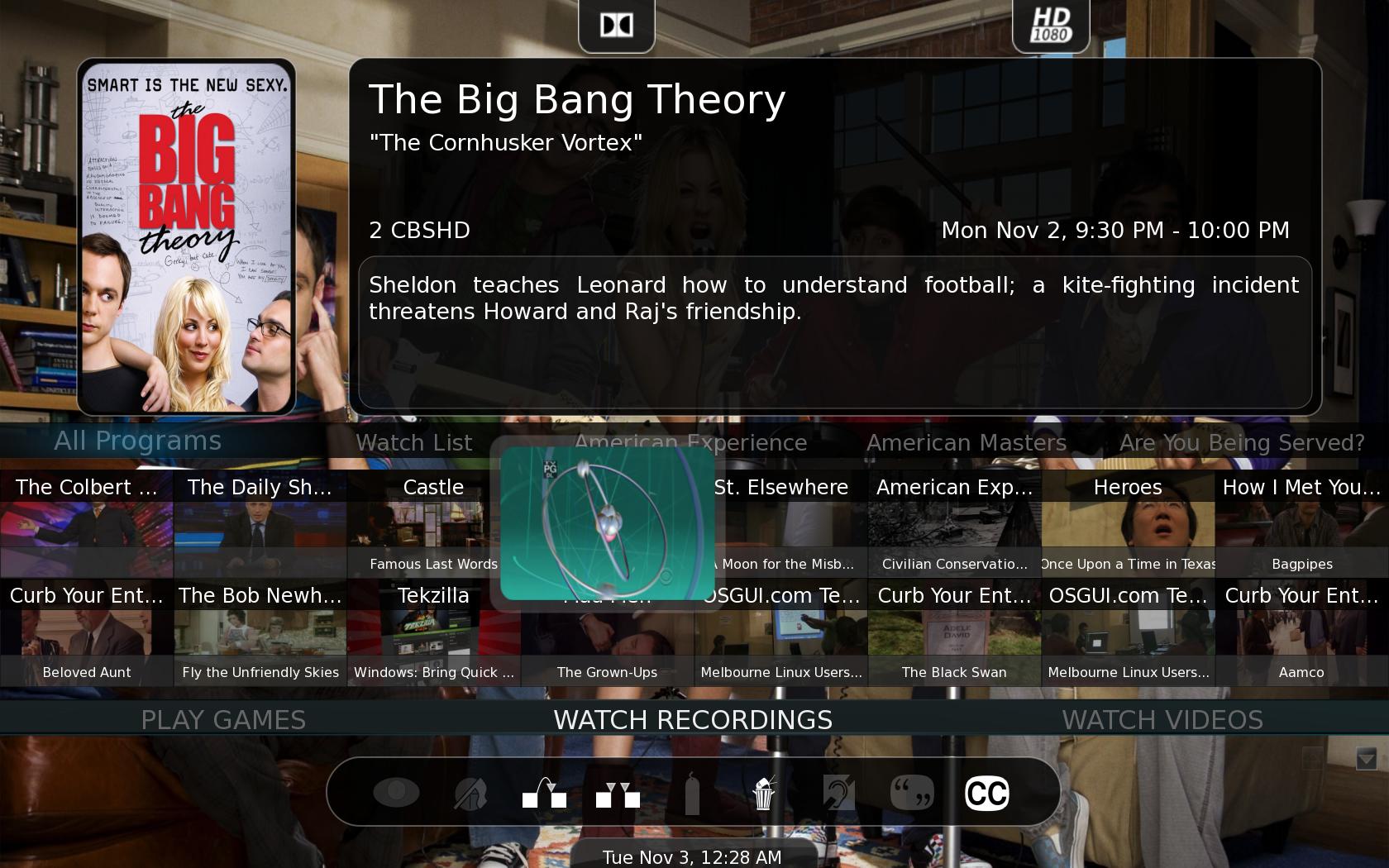
Graphite is being shown off as another new theme for MythTV 0.22 which shows off several of the new features you can enjoy, namely posters and fanart in the Watch Recordings menus. If you note the picture below, you’ll see the ABC show Castle, has a poster, and each episode has an autogenerated screenshot.

Watch Recordings Menu under Graphite theme

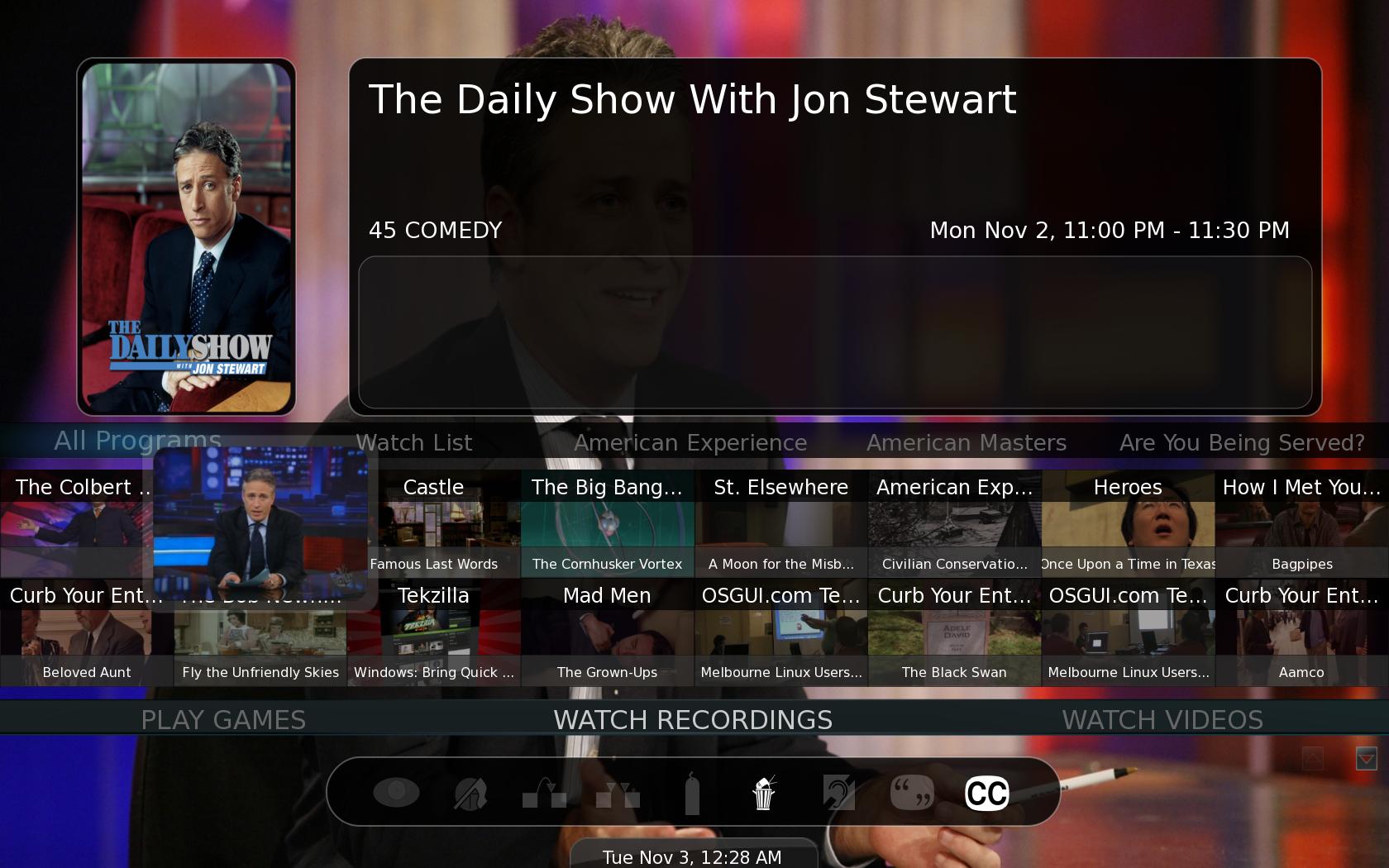
The next two images show the background art available in this theme for shows. All of the art shown was imported by the JAMU script.

Daily Show Art Under Graphite Theme
The Big Bang Theory Art under Graphite Theme

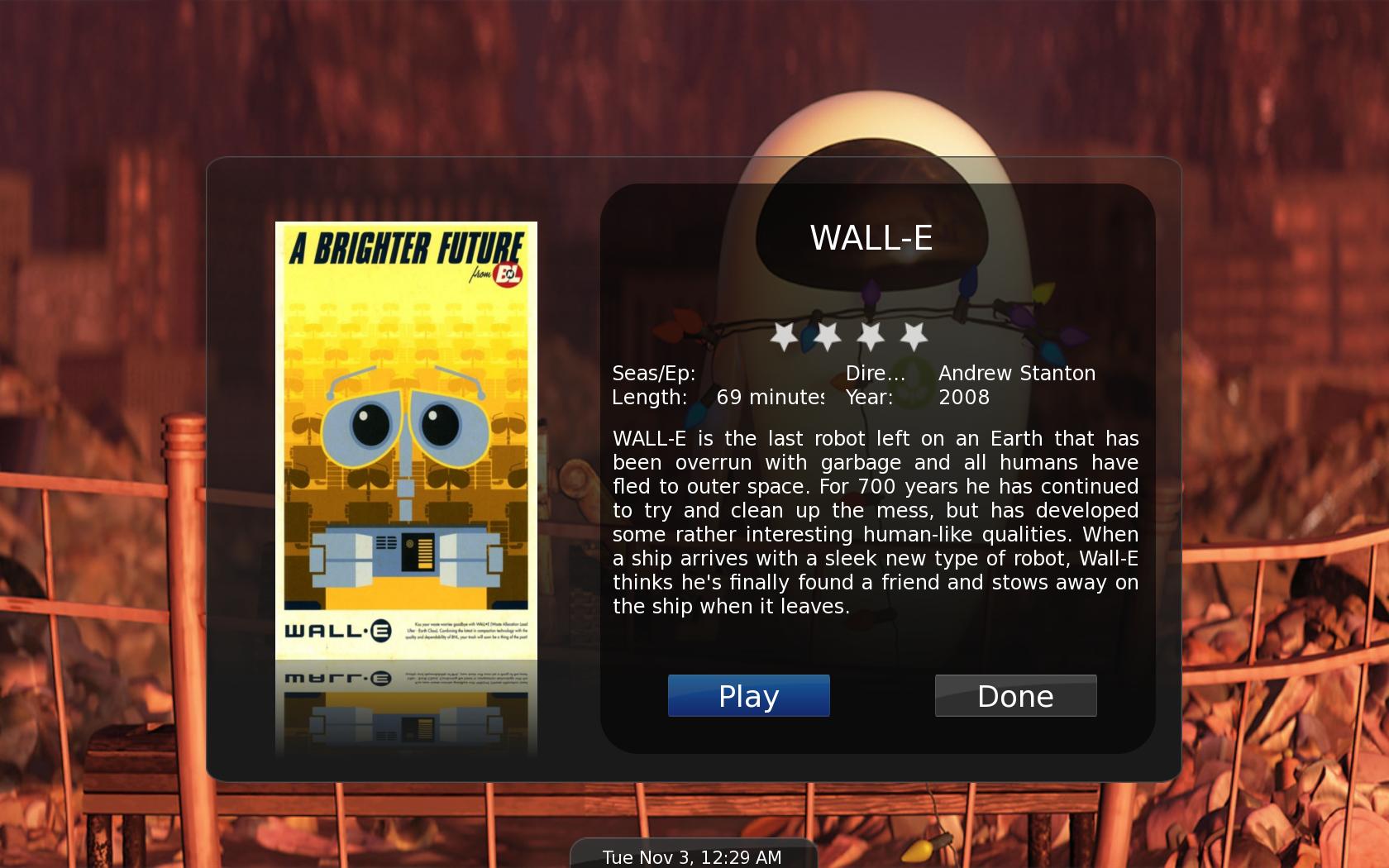
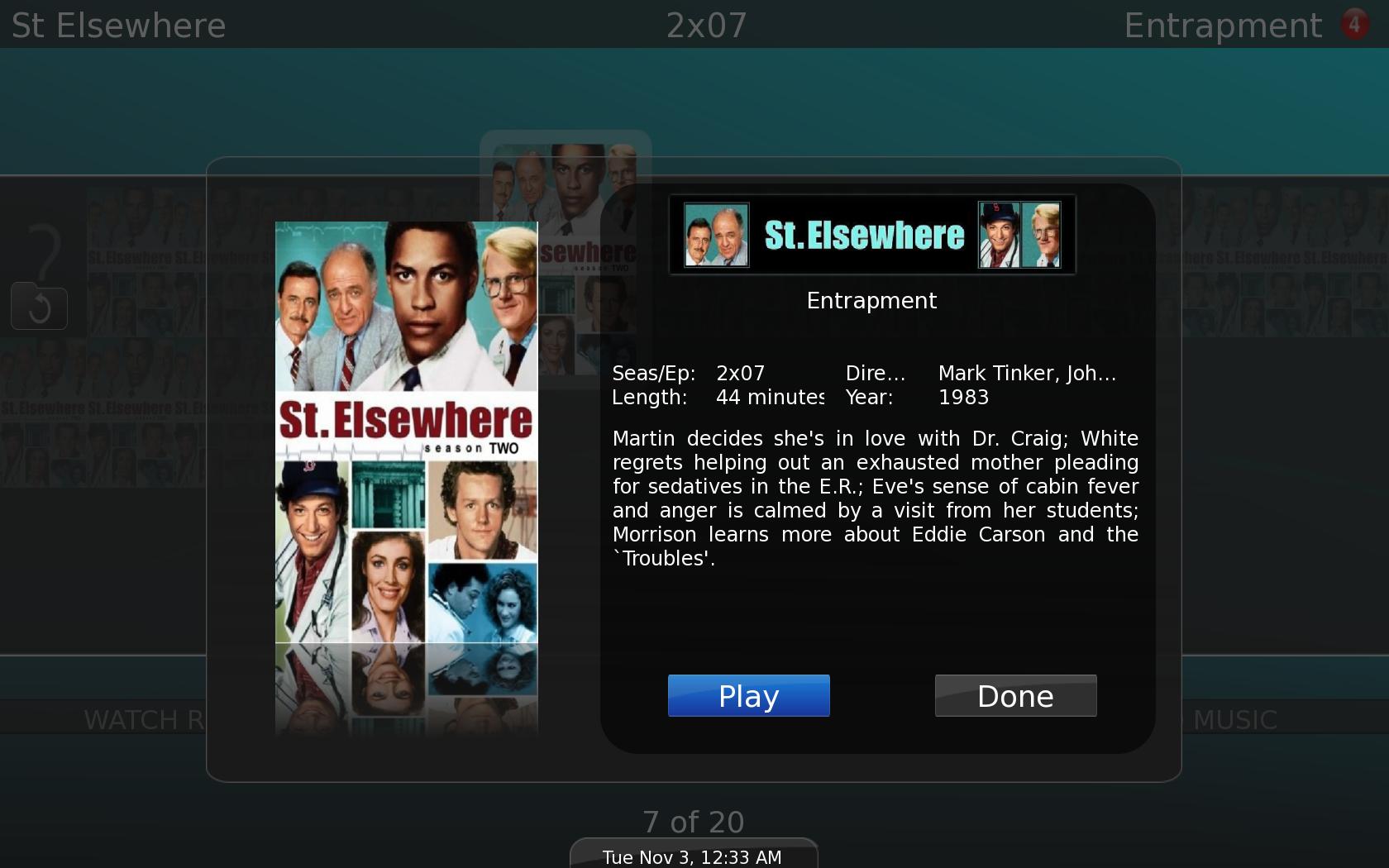
Here is the popup, with the extra art and metadata, for a movie we brought in, and a TV episode. It offers a lot of information, which can be used to sort videos by year, genre, season(if TV show), etc.

Single Video View in MythVideo
Single Video/Movie View in MythVideo
Single Video/TV Episode

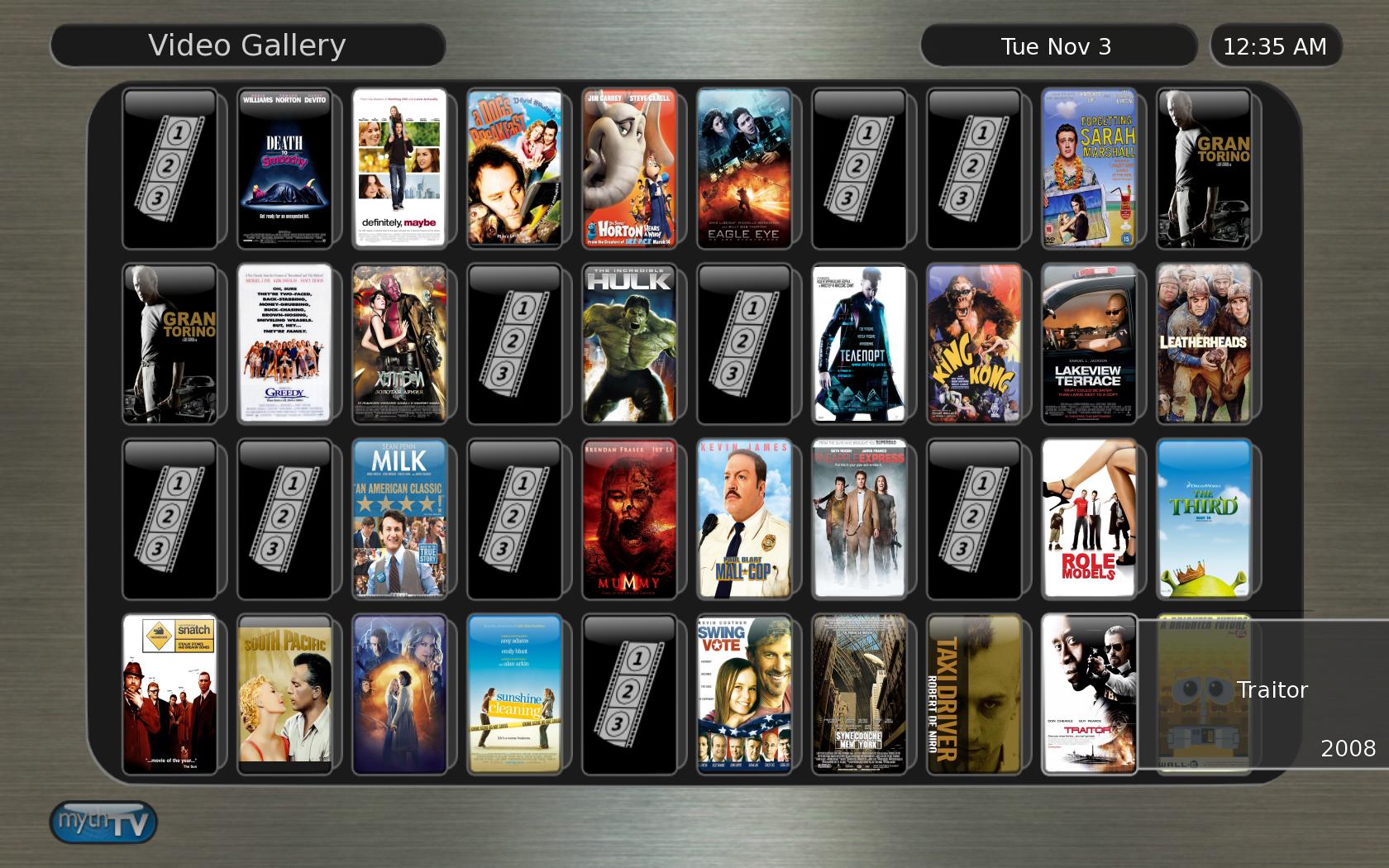
Here is an alternate display of a directory of movies under the Metallurgy theme, also a theme newly included into MythTV 0.22. As you can see, the automated process didn’t bring in posters for everything. This can be corrected manually, by entering in additional information to better identify the item.

MythVideo Gallery of Movies

All in all, MythTV offers an exciting new and themeable interface that brings it on par with XBMC and Boxee, products that are not in the same category as MythTV, but perform some of the same functions. MythTV still has a ways to go in some areas, however, but it has come a long way.

Published on November 3, 2009
Full Post
1 Response

We’re Going to be Trying Epix HD

Image representing Epix as depicted in CrunchBase
Image via CrunchBase

Over the weekend, Epix HD launched. The network is a joint project of MGM, Paramount, and Lionsgate and offers some of their not-yet-on-DVD movies. One of the nice things is their website will offer on-demand 720p streaming to all subscribers.

Of course, Verizon FIOS is the only network offering the channel, which will cost $9.99 a month. Epix had hoped the channel would be on the standard tier. Meanwhile, to try to find out how many people are interested, Epix is offering 72-hour passes to anyone.

We don’t have FIOS. It would be a serious consideration if we could, considering our issues with our current provider. However, we can try out the service, as can you. We’ll be giving it a shot this week and will keep you posted.

Published on November 2, 2009
Full Post
2 Responses

MythTV 0.22 Final to Be Released Next Week

Terra Theme
Terra Theme

As you may know, MythTV 0.22 has gotten to  release candidates, but now, the team has announced the final version, barring any new critical issues, will be released next week.

Since the initial release candidate two weeks ago, more than 50 updates were submitted.

We’re not sure whether we like the new default theme in actual use, but it doesn’t show of the possibilities the new MythUI offers, and is visually appealing. Our biggest issue was that highlighted items on the new theme have a light box around them which does not contrast significantly.

We’ll be continuing to cover MythTV and the 0.22 release, discussing some of the tricks, tips, and issues we’ve come across.

Published on October 31, 2009
Full Post
3 Responses

Review: Wolverine F2D100 35mm Film and Slide Scanner

[asa]B002TKMG92[/asa]

Update: The below review was of the F2D100, since discontinued. The link above is to the Wolverine F2D, a newer version of same. Wolverine offers several less expensive models as well.

Recently, a relative of ours discovered a box of old slides in his garage that had been sitting, untouched, for many years. The logical thing to do with untouched media is to digitize it. then, not only will it last forever, but it is suddenly accessible. New prints can be made at any drug store without problem, it can be added to digital photo frames, displayed online, shared with relatives, etc.

As a side note, we love the idea of loading decades of photos onto a digital photo frame. It allows your entire album to be visible to you, as opposed to just a select group of pictures using conventional means.

The cheapest professional slide scanning we could find was 27 cents a slide. With several thousand, that would turn out to over $500. Even though it would require work on our part, a slide scanner seemed a more economical option. We never expected professional quality results, but we aren’t blowing up our slides to poster size. For digital photo frames and prints 8×10 or less, it seemed good enough. And sometimes, good enough just is.

We read the reviews of many different slides scanners and decided on the Wolverine Data F2D100 scanner for many reasons. One, it does not require a computer, which allowed it to be set up on a table very easily. Slides are viewed on a tiny screen, then saved to a Secure Digital Card.

Specifications

  • 6(H) x 3(W) x 3(D) dimensions in inches
  • 5 megapixel CMOS sensor
  • Scan Quality: 1,800 DPI – 2520×1680 pixels
  • USB powered

Now, we have a simple system for the cleaning of slides prior to scanning. The scanner includes a small brush to clean dust off the backlight in between scans, and you can get slide cleaning supplies. We went with a homebrew solution. A bottle of canned air to blow the dust off the slide and a cheap brush used to clean LCD monitors without scratching them to wipe it off. It isn’t perfect, but both were sitting around our office already.

Below, you can see a sample slide, taken in San Francisco nearly 40 years ago. Click to see full-sized images. You can spot a little dirt still left over, but that could be fixed with a more thorough cleaning of the slides. The first image is exactly as it was when loaded from the scanner. The second is with the picture crapped, and an automatic white balance and color enhance function run on it(as opposed to manual fiddling, which might produce even better results).

Ultimately, the hardest part of the process is the insertion of slides into the slide tray so they can be slid into the scanner. However, Wolverine has replaced the existing tray with one that makes this easier, with a new magnetic lock, as of last month. Unfortunately, we got the old one. We may purchase extra trays anyway, as this would speed the loading process.

Otherwise, this is the perfect item for someone who wants a reasonably decent quality slide scanner.

Slide exactly as Uploaded from Scanner
Slide Cropped and Color Balanced
Published on October 25, 2009
Full Post
1 Response

The Future of Internet Video

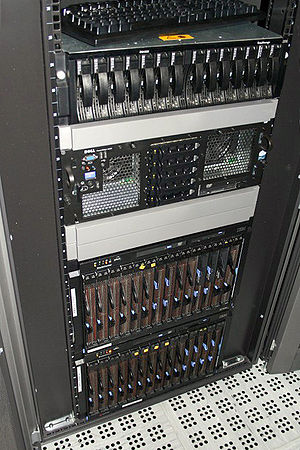
A server used for the My Home
Image via Wikipedia

We like Hulu. We think it is a great service, and like any services that offer good content at the wonderfully low-low price of free. However, Hulu is considering adding a premium product…where they could offer things they don’t offer now at a premium.

Some people, despite its free nature, don’t like Hulu. And it hasn’t exactly made a great deal of profit. Mark Cuban wrote today on the subject of Internet Video vs the Cable Company DVR. As the owner of HDNet, a television channel offered on cable, he may be biased though. But the fact that content providers, cable companies, and the other organizations involved just don’t get the possibilities is not one we can argue with.

Cuban makes the case for better cable hardware with better improved features and remote access so you can enjoy your programs on the go. Beyond that, there is also the network DVR, where the videos are stored on a cable company server, instead of in the house. The library of On-Demand programming offered by all carriers continues to increase.

Cuban makes the point that with the current limitations of Internet based video, cable may be the more popular option for the foreseeable future. At least, in that regard, we agree.  If you are paying for something, you should receive good quality service at a good price.

Published on October 24, 2009
Full Post
1 Response

Roku Video Player to Add Revision3

The Roku Video Player(formerly Roku Netflix Player) will soon be adding the popular and free Revision 3 line of shows to its devices.
Currently, the player supports Netflix Streaming, Amazon Video-On-Demand, and MLB.TV, all subscription or pay-per-view services. The Revision3 functionality will be the first free service for the inexpensive little box that could.

The Revision 3 stable of shows, with their newest as an exception, are all non-fiction shows, geared at various interest groups, and will be offered in HD-quality(or as high as your connection supports).

Updated with links to latest Roku boxes.

[asa_collection]Roku Collection[/asa_collection]

Published on October 15, 2009
Full Post
6 Responses

MythTV 0.22 Release Candidate 1

Component video cable with RCA connections.
Image via Wikipedia

Yesterday, MythTV unveiled its version 0.22 Release Candidate 1. It has been almost two years since version 0.21 was released, and the change brings a great deal of welcome changes.

  • Support for the HD-PVR 1212 – The Hauppauge HD-PVR captures analog HD video and digital audio from component video inputs and outputs them over USB using the H264 codec. Since cable companies are encrypting almost all of their content, this device ensures the analog loophole can be exploited. We’ve been using the development version of 0.22 for this reason ever since our cable company shut off our other alternative.
  • VDPAU Support – VDPAU is a feature of certain Nvidia graphics cards that permits offload of processor intensive video decoding, include the H264 codec the HD-PVR uses, from the system processor to the graphics card. Thus a slow system can play back HD content without problem.
  • The User Interface has been ported to a new standard, MythUI. It allows for inheritance and menu animation, and takes layout and behavior away from the program and puts it under the control of the theme. And surprisingly, that simplifies things.
  • Automatic Prioritization, which keeps track of what you watch and uses it to increase the priority of shows watched closer to their recording times over shows that are not.
  • A New Channel Scanner – This is a big one, as instead of adding channels when found, it allows you to decide which channels to select, dividing them into New channels, Old Channels, and several different channel types. For example, every time we scan we find a variety of foreign-language channels. Since we don’t speak those languages, it is pointless to add them. This allows us to tell the system to ignore them on scan.
  • HDHomeRun Multi-Rec Support – Multi-Rec has been supported under MythTV for DVB devices for a while. This extends it to the popular HDHomeRun, which we also happen to have. Digital TV, both cable and broadcast, allows for multiple subchannels to be embedded on the same channel frequency. Multirec allows two subchannels from the same channel to be recorded at once, instead of discarding all but the one you are watching. It means that if your cable system puts the local NBC and CBS affiliate on the same channel, you can record them simultaneously on the same tuner.
  • A score of bug fixes and general handling improvements too numerous to list, but can be checked in the Release Notes.
  • MythBrowser now has support for flash and javascript, which means it could be used for Hulu and other Streaming sites(We have yet to test this feature).
  • MythNews, the RSS reader, now has podcast support(We have yet to test this feature).
  • MythVideo now supports videos stored on the backend. Previously, this required adding the videos as NFS shares. New video metadata grabber scripts are now part of the package, and several other features. The networked option is still in its infancy, and is considered beta till the next version.

There are some additional features that you can review, but essentially, MythTV 0.22 is everything we hoped for after all these months. It can only get better from here. And for US residents, the only possible way this software would not be a great addition to your tech offerings is if the cable company locks down their system so much as to prevent you from using it.

Published on October 15, 2009
Full Post
4 Responses

Hulu unveils Desktop for Linux – Another Shot at Boxee?

Image representing hulu as depicted in CrunchBase
Image via CrunchBase

Hulu, the online movie streaming site, released a version of its Desktop software for linux.

Now, we’re Linux people, so we love that a company has released Linux software. But we can’t help but think back to how this affects Boxee. Hulu asked them to remove support, then unveiled their desktop app, and have now extended it to every OS Boxee supports, even going a step further, because they offer both Fedora and Ubuntu options in both 32 and 64 bit, where Boxee offers only Ubuntu 32.

Since we use Fedora 64, we’re pleased by this and will be testing the product and have a review soon. The lack of stability under Fedora and/or 64-bit has limited our use of Boxee, which is the point. We want to use Boxee regularly, but we can’t.

Published on October 8, 2009
Full Post

Get New Posts By Email