Gadget Wisdom

Author: David Shanske

Registration time

2011-09-25 06:23:49

Website

https://david.shanske.com/

Email

david@shanske.com

All posts by David Shanske

0 Responses

Lightweight Server Monitoring

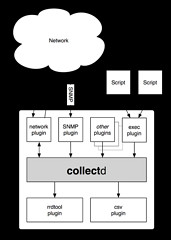
Collectd Architecture Schematic

I recently began a move of the Gadget Wisdom and related sites to a new server. The purpose of this was laying the infrastructure for a major upgrade.

One of the major pushes was upgrading monitoring features. Some of the software being used was no longer being maintained, and replacements had to be found.

Nagios and Munin are two of the most popular tools used by IT specialists for infrastructure monitoring. There are good reasons that I opted for something more lightweight though. There are dozens of monitoring tools, and it is quite overwhelming to choose one. These are two that I have been happy with so far.

One of the first ones I installed is collectd. Collectd is a tool that stores performance data. It is plugin based, which means it can be used to pipe into a variety of different pieces of software. So, it is incredibly extensible, which leaves room for future data gathering and future output. It is also incredibly lightweight, which has its advantages.

To output the data into graphs, I’m using a simple front-end called Jarmon for now. Jarmon downloads the files generated by collectd, and renders them on the client side.

The second is a monitoring tool called monit. Monit monitors various services to ensure they are up, and can take action if they go down, such as sending an alert, restarting a service, executing a script, etc. One of the most fun things about having alerts is reading them…and in many cases, knowing I don’t have to do anything, because I told monit to do it for me.

There will be more to come on this, but what do you use in similar situations?

Published on June 26, 2013
Full Post
0 Responses

Trimming Your SSD

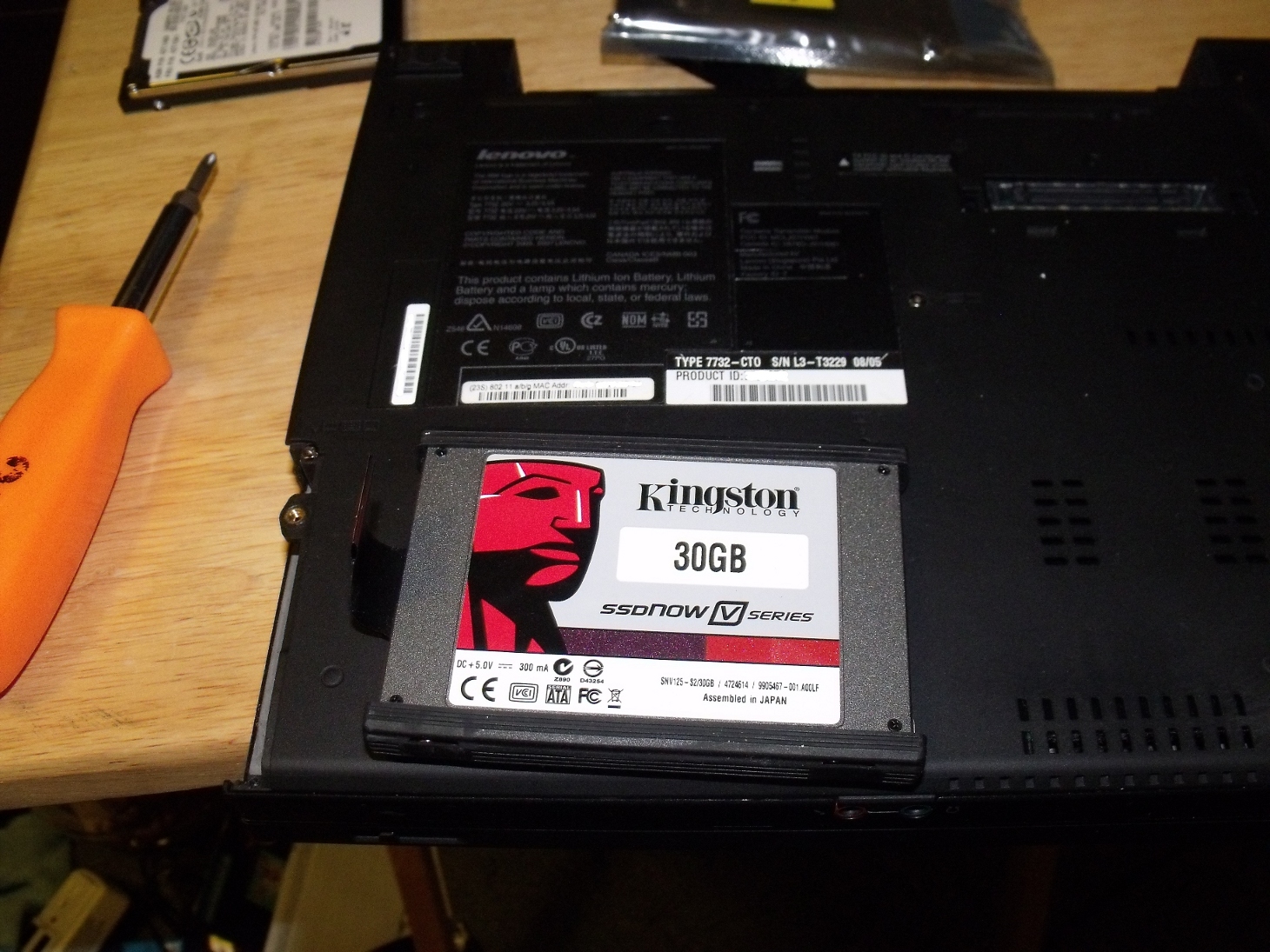
Kingston SSD Ready for InstallationNearly three years ago, I wrote an article on optimizing for SSDs under Linux. Recently, I decided to revisit the issue after reading a recent blog post.

The recommendation at the time was to enable TRIM support, using the discard option to mount the drive. The first question is, if this is such a good idea, why isn’t it enabled by default? Why do you have to add it to your options, like below?

/dev/sda1 / ext4 discard,defaults

It turns out that enabling the discard option does have a performance hit on deletes. So, how do you keep your SSD Trimmed and avoid a costly performance penalty?

It turns out you can trim manually using the fstrim command, and set up a cron job to run this command once a day. The command takes only one argument by default, the mountpoint of the partition.

Seems like something worth thinking about. However, with the majority of the systems I run SSDs on, the solid state acts an an OS drive. Therefore, the number of deletes are minimal compared to writes.

In the end, enabling TRIM on your drive ensures that the drive will have the best wear-leveling and performance, but there is a cost. For some systems, it is just easier to mount with the discard option, others to run fstrim.

Published on May 13, 2013
Full Post
5 Responses

Thinking about RAID vs Backup

Six hard disk drives with cases opened showing...

The cost of storage hit a low the last time it was time for a storage upgrade. Then prices shot through the roof after a flood in Thailand closed factories.

This shut down all of my hard drives purchases for over two years. When I emerged from my cocoon, Samsung was gone as a Hard Drive manufacturer…and I had bought many Samsung OEM hard drives.

The purpose of RAID in a redundant system is to protect against hardware failure. You have different levels of RAID for this, RAID 1 for just a straight mirror, and RAID 5 and 6, which involve a minimum of 3-4 drives to accomplish.

RAID is important if you care about uptime. If you can afford to be down for a bit, backups are a better choice.

What is being stored, in this case, consists of several categories: Video, Music, Documents, Configuration Files. There is no point in storing complete drive images. The OS can be reinstalled, and it probably will be better off and cleaner running after it is. The OS drive on all of the systems I’ve built or refurbed in the last two years is an SSD, which is a common practice nowadays.

I had been mulling this after reading an article on another hardware refresh by Adam Williamson. He hadn’t refreshed in seven and a half years and used a separate NAS and server. So, why refresh after only two and a half years? Partly it was due to mistakes.

I’d been using WD Green drives. These had several limitations. They park the head after only 8 seconds of inactivity, which increased the load cycle count. The WD Red Drive is designed for 24/7 operation in network attached storage, with a longer warranty, and I now have two 3TB drives. The only other alternative in WD’s stable was a Black drive, their performance drive. It might be time to consider a Seagate, the main competitor, as well.

The warranty situation in hard drives now continues to drop. Five years, down to thee, and down to two years. So there is less protection from the manufacturer and less inclination to create quality products. That was why we were buying OEM over Consumer Drives over the last few years.

Back to the subject at hand…why not a RAID? It is simply a matter of cost vs. benefit. This is terabytes of video data, mostly a DVD archive I intend to create by backing up my DVD collection to MKV. If it were lost, the original copies aren’t going anywhere. But, more importantly, cloud backup is impractical.

Using Amazon S3, for example, at a rate of 9.5 cents a GB, that is just under $100 a month per TB. Amazon Glacier, which is their long-term backup option, is 1 cent a GB, or roughly $10 a TB. But once you take video out of the equation, or sharply reduce it, budgeting $5 a month for important data is a reasonable amount, and still gets you a lot of storage options to work with.

So, to ensure redundancy, there is a second drive in the system, and backups will be done to it. From there, the backups of everything but the video store will be sent up to the cloud. As I’ve mostly given up buying DVDs(due to Blu-Ray), the collection should be fairly static.

Back to Adam Williamson, he had a great idea of having the other computers on the network back up their data to the server, independently isolated by each machine having a separate user account on the server. Not quite there yet, but sounds good. I have other plans to download data from my cloud service providers(Google, Dropbox, etc., and maintain a local backup, but that is a longer-term project. I’m reasonably certain in the interim, Google has a better backup system then I do.

What about off-site then? I still have the old 1TB Green Drives. They can be run through diagnostics, loaded up as a backup, and sent off to a relative’s house…I’ve added a hard drive dock through an E-SATA port to support this.

So in the end, RAID wasn’t necessary for me, but some redundancy was. It may be for you. Comments?

More to come…

Published on April 22, 2013
Full Post
0 Responses

Chrome OS without Google

English: Main logo and icon for the open sourc...

I have spent a good deal of time with Chrome OS and the Chromebook. The one troubling thing about it is not that it is an operating system in a web browser. You know that going in. It is Google.

Recent events have made all of us a bit wary about Google Services, while still using them. When Google recently launched Google Keep, a decent service in its own right, no one trusted it. Before the Reader debacle, the Google enthusiasts would try it. Now, many are afraid to love a new service.

GigaOm picked up on a feature request for the Chromium OS, the Open-Source version of ChromeOS. The feature would establish an API to allow for extensions to integrate into the file manager, allowing cloud services other than Google Drive to act as ‘drives’ inside the file manager.

Elsewhere, in the Chromium Project, there is a reference to using Chromium without a Google login, but so far, even on the open-source project, you need Google. But, one can ask…if you are going to do Chrome without Google…what’s the point? You might as well run a full-fledged OS.

Years ago, computer design was based on ‘dumb terminals’ and powerful servers. Today’s computers are significantly more powerful than those ‘powerful’ servers. But the truth is that many of us now would rather be able to access identical experiences on multiple devices. But, products like Owncloud prove that while we may wish these things, we want more control and certainty about them. We want control.

Will be looking to see more in this direction. Free services versus Paid Services vs Self-Hosted services. Would welcome your thoughts on this, and what areas you think are worth exploring.


Published on April 5, 2013
Full Post
0 Responses

In Brief: HDHomeRun Prime Now Supports DLNA

SiliconDust has finally released the option of DLNA support for its HDHomeRun Prime. As of last week, this feature is available for general release.

SiliconDust HD HomeRun (HDHR) network dual-tun...

The limitation is that protected content can only be streamed to a player supporting DTCP-IP. This is a potential problem, as support is limited. SiliconDust does have plans to release an Android app. They did release an app(Link) for unencypted channels, which goes for $2.99.

Not much help right now, but if more devices can be made to support this, it could be an alternative to cable boxes, even for those of us unfortunate enough to be on Time Warner Cable. Imagine a single 4 tuner Prime and a series of inexpensive DLNA DTCP-IP devices could be a replacement for the $10-$15 per month cable boxes. The entire setup could pay for itself in less than a year.

Published on April 5, 2013
Full Post
0 Responses

In Brief: Bought Vinyl Records? Amazon Has You Covered

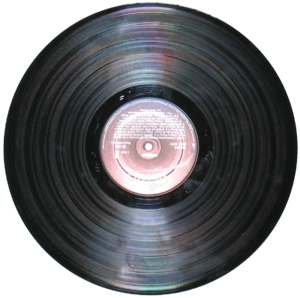
Vinyl record.

I really wished I had purchased my vinyl from Amazon, because today, Amazon expanded its AutoRip service to vinyl records purchased since 1998.

AutoRip automatically adds MP3 versions of songs to your Amazon Cloud Player Account. When Amazon released the AutoRip service, they backdated any eligible CDs purchased from Amazon, and they have now extended this to Vinyl Records…interestingly tempting, but a marginal improvement.

Published on April 4, 2013
Full Post
0 Responses

Information Overload – Trying to Reorganize A Workflow

In January of 2011, I wrote a story on the subject of Organizing Your Workflow with Instapaper and Pinboard. This was in response to the announcement of the impending closure of Xmarks(which later did not close), and the announcement that Delicious was shutting down. This had brought me to Pinboard.

Pinboard-Home

Pinboard is currently available at a rate of just over $10 for a lifetime subscription, plus $25/yr for an Archival Account.

At the time, I used Instapaper, a Read It Later service, as a holding pen for stories, which I later archived in Pinboard. In April of 2011, I announced the move to Read It Later(now Pocket). There were many good reasons for this, however, the refresh from Read It Later to Pocket made service lean more toward the visual.

Which brings me to May of 2012, where I once again pondered the subject, right after I read Clay Johnson’s book, the Information Diet. At the time, I vowed to get my information overload under control.

Here we are, March of 2013, and…it is worse. I finally declared bankruptcy on Pocket(Formerly Read it Later). I exported everything I was most definitely NOT Reading Later, and sent it to Pinboard. There is some duplication there that has to be cleaned up, but now I have 25,000 bookmarks to go through and prune. The archive of which takes up 25GB.

I’ve come to the conclusion that this isn’t working, but I’m changing plans once again. I need a plan that allows me to reference old material I have in the archive, while keeping track of more relevant material. For now, I’ll be living in Pinboard, without benefit of a secondary service. But I am open to suggestions.

Will update you as this develops.


Published on March 31, 2013
Full Post
2 Responses

Running Personal Services on a Low End VPS

For those of us who like to tinker with client/server software for personal or household, there are many good options. You can use a Raspberry Pi as a server, for example. You can use an old computer.

Both of these would have services running out of your home or business. But, as we are an increasingly mobile society, you might not have good upstream bandwidth, or your ISP may block ports into your home. So, that is where a low-end VPS offering comes in.

ChicagoVPS.netWe chose ChicagoVPS, which offers a $12/year 128mb VPS, with 10GB of storage space and 100GB of monthly bandwidth. That is more than enough for personal use. They offer three locations: Chicago, Buffalo, or LA. There are similar services averaging around $12-15 a year.

This is not the sort of service where you expect a lot of reliability. The service has had some hiccups,  but as long as you backup and take adequate steps you should on any service, there shouldn’t be any problem.

On a 128mb instance, I have Tiny Tiny RSS running, as well as ZNC, and a few other random services that I only use for my own personal interests.

What do you think? Do you have any other recommendations for a tiny VPS? Do you have alternative providers you recommend for cheap VPS services?

Published on March 28, 2013
Full Post
5 Responses

Reader Refugees – The Death of Google Reader

English: Screenshot application of google read...

It has been a long two weeks since Google announced the death of Google Reader. This left many people scrambling for new solutions as the clock countdowns to its shutdown on July 1st, 2013.


There are many alternatives out there of various types. Feedly, for example, has been working on a Reader alternative that uses the same API. The service is also working to offer more Reader like features to welcome the over half a million Reader Refugees. They seem very determined to be the new Reader, and are even welcoming those interested in their API-compatibility to enable their applications to keep working.


For me, however, this was too fancy. Most of us who are interested in replacing Reader emphasize text. We want the experience of a newspaper, not a magazine. Most Readers use the traditional Inbox style of receiving, akin to email programs. The information is the most important part.


For this, I skipped over TheOldReader, which was designed to mimic the original Google Reader design, and went straight to two open source projects.


Newsblur

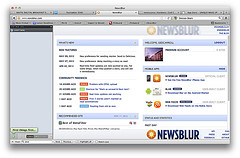
newsblur


Newsblur is the brainchild of Samuel Clay. In addition to the standard Inbox display, it allows you to view the original site in context, or the feed version. It also offers options for sharing a feed of what you find most interesting with others, and teaching the application what you find interesting, so it will highlight that. Newsblur offers a public API for people to build on, and the entire codebase is open source.


There is an Android app, and Clay is looking for an Android developer, but complaints of crashes, as it is an open-source project, were quickly cleaned up by a volunteer. There is also an iOS app.


The exciting thing is that with the renewed interest, Clay is ramping up. A new host for the service, more robust infrastructure, and more.


Newsblur can be installed by you as a standalone product, or you can pay for their hosted service, currently at $24/year.


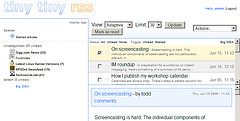
Tiny Tiny RSS

tt-rss

Tiny Tiny RSS(TT-RSS) is another open-source project. Like Newsblur, it offers an API, a web interface, and an Android app. There are no hosted options for this, so you have to roll your own, which is what I did, using a Low-End VPS.

It can run on simple hardware, out of your home or on rented space.

Conclusion


The truth is, if you host your own solution, you can be reasonably sure it will continue to be there(as long as you keep paying the bills).

But there is something to be said for having someone else worry about it, as well as supporting the developer. So, even though I’ve settled into TT-RSS(and gave the developer the $2 for the Android app), I paid for a year of Newsblur so I could see how it develops. I never considered self-hosting of a Newsblur instance.

Next, I’ll spend a little time on where I’m hosting TT-RSS and why.


Published on March 28, 2013
Full Post
1 Response

Some Changes to the Site

Loading Mail onto Railway Post Office Car

It is time for some housecleaning.

  • There is a new layout to the site. Feel free to provide comment on this post of what you think
  • We have a weekly newsletter, which will send you the posts if you prefer that to other means of subscription. This replaces the previous Feedburner Email service with Mailchimp.
  • We’ll be doing some cleanup of the site content to make it easier to navigate and trying to launch some new content.
  • Feedburner feeds are no longer active, and will redirect to the native theme.
  • We can also be engaged on Twitter or Facebook, should you wish it.

[newsletter-sign-up-form].

Published on March 28, 2013
Full Post

Get New Posts By Email