Gadget Wisdom

0 Responses

Amazon Prime Deal Alert: Keychron C3 Pro Keyboard QMK/Via Hotswap

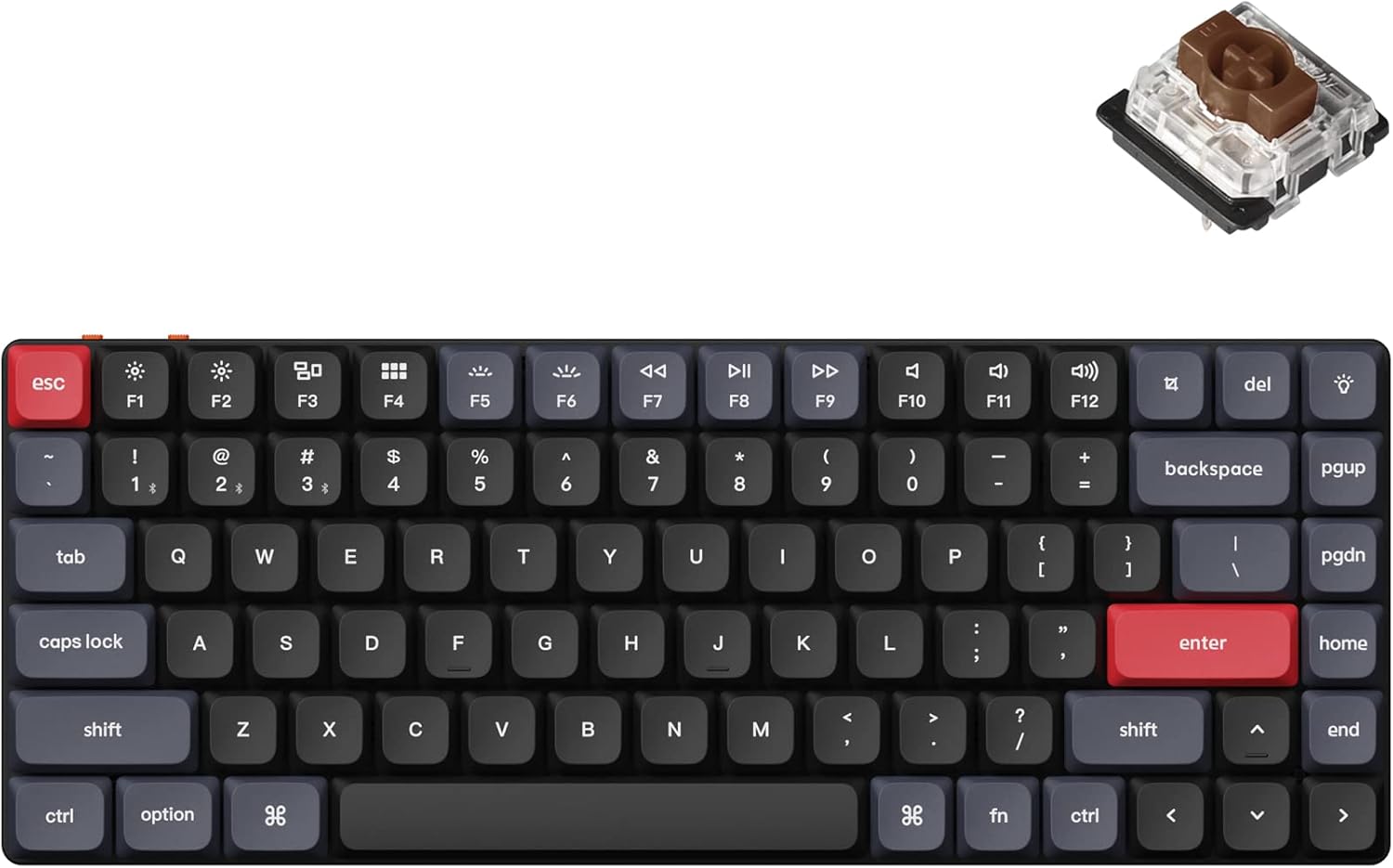
I previously reviewed the C3 Pro keyboard. I’d gotten the C3 regular edition for $29.99 and was happy with that. However, today, the hotswap version is showing at $29.99 for Prime members(Link here). The keyboard comes in two switch varieties, red and brown. It offers a red backlight in the non-hotswap version and full RGB in the hotswap edition. The keycaps are replaceable, but the switches are not.

To remind everyone, the C3 is a TKL….a full keyboard less the number pad. It supports QMK/Via, which allows you to reprogram the keyboard and save the configuration to the device itself, over having it in software, meaning it doesn’t carry between computers.

The Keychron C3 Pro continues to be a great budget deal, and the fact they released a hotswap version, and now are selling at such a low rate…I hope they create this quality level of board at this price point in different form factors.


Published on July 15, 2024
Full Post
1 Response

Woot Offers Great Sale on Last Generation Q Series Keychron Keyboards

Although not without their caveats, Keychron has a reputation as a reliable and quality brand of Keyboards. Their top of the line Q series, as of the original date of this post, is on sale over at Woot through July 12, while supplies last(link) as well as some from the K series.

These are the previous generation. They are slowly being replaced by the Q Max series, which adds wireless vs the Q. For the K, they are moving to K Pro(QMK/VIA support), and now the K Max as well.

So, these are popular, if last year’s models being sold.

These are great buys, especially for a Q series, which is an all aluminum construction with plenty of insulating foam…it can make anything sound great.

Published on July 8, 2024
Full Post
3 Responses

Typing Off Key: Do Keyboards Really Need These Legacy Keys and Can You Reuse Them?

With my recent interest in keyboards and customization of keys, I keep thinking of all the keys on the keyboard I don’t use. The latest keyboard I acquired has an F13 button, and it made me think…what is that doing there? So, I thought I should cover a few keys I question whether or not I really need, and might be able to repurpose.

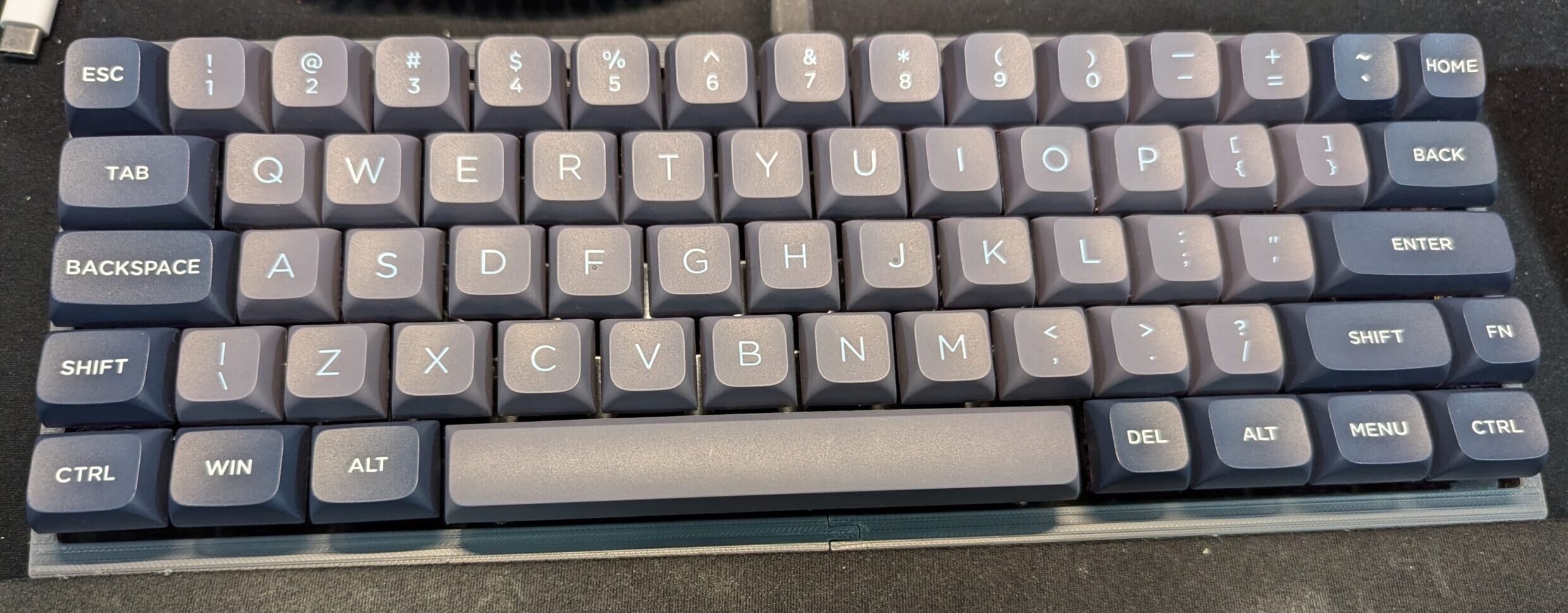
  • Caps Lock – Chromebooks already got rid of the Caps Lock key. On my 40% keyboard, I set Caps Lock using a Tap-Hold function on the Shift key. When you tap the shift key, it triggers Caps Lock, otherwise, holding it is a shift. Double-tap is a common caps lock command on Smartphone keyboards. Also, the key is 1.75u…so even if you keep it, it takes up more space than a traditional key. On a Colemak layout, the Caps Lock position serves as a second backspace key to allow it to be reached by both hands.
  • Scroll Lock – This used to be used to change the behavior of the arrow keys, but it is not usually used for that outside of some programs any longer, making it less useful. On one keyboard I have, this was replaced by a microphone mute key.
  • Pause/Break – We’re back to….this doesn’t seem to do much on modern computers. On one keyboard I have, this was replaced by a control key for the lighting.
  • Num Lock – Num lock locks the keypad to numbers. Without it, the keypad can act as arrows, as well as having functions for home, end, insert, delete, page up and page down. Things pretty much every keyboard with a built in number pad already has.
  • Menu Key – Also known as the Application key, it has been used to launch a context menu with the keyboard, as opposed to a right mouse click. Microsoft recently decided to start replacing this with a Copilot or Search button.
  • Function Keys – Most keyboards has F1-F12. Macs remap these to media keys, which are often a secondary function on Windows systems. But computers actually support up to 24 function keys…thus my weird F13. These can be mapped in software to trigger operating system functions and are often used by default by software.. But, you can also just lock them to the media functions if you want to.

This doesn’t factor in the ANSI layout popular in the US with the alternate ISO layout popular in Europe. On the ISO keyboard, the Enter key is a larger L shaped key, the left shift is smaller to make space for another key, the right Alt is often replaced by a key to support additional languages, and the extra long backslash key is gone.

On many keyboard formats, some of these keys are omitted and generated using combinations of other keys. So, is this just a pointless exercise? I don’t think so. So many new keyboards still have all these keys, and they are sitting there, and you might as well use them for something, if not their original intention.

Published on July 7, 2024
Full Post
0 Responses

A New 4 Bay Network Attached Storage(NAS) Option: The Aoostar Mini PCs

In a previous post, I had mentioned how tempting the Aoostar Mini PC was if I’d needed a 2 bay NAS. I’d wanted a 4 bay NAS. Of course, the 2 bay would be perfect for a remote backup receiving location, over my primary location, where I would want more redundancy. I’ve already ended up with 2 4 bay NAS options, but I’d looked at Aoostar, and they’d promised a 4 bay version at the time. But now, apparently they have it.

It hasn’t made its way to Amazon, where I often link because I don’t like having to wait for things to be drop shipped from the factory, but it is on the manufacturer’s website. If this had been available a few months ago, this would have probably been my purchase. It has the N100 processor I like as a budget low power processor, a good SATA chipset, decent looking ventilation…supports an NVME slot for the drive, 2.5 gigabit LAN…

It is just a lesson, there is always something new around the corner. You can either wait, or get the best available and not sweat the small stuff.


Published on July 5, 2024
Full Post
0 Responses

Peeling Back The Keyboard Onion, Layers Upon Layers: Reprogramming Your Keyboard

In a previous post, I briefly mentioned QMK and VIA.

QMK is compiled firmware for supported keyboards. This allows you to load firmware with custom functionality and maps onto a keyboard. This allows you to customize nearly every aspect of the keyboard’s behavior. So, what is VIA? VIA is a feature in QMK that lets you change your keymap on your keyboard without needing to reflash firmware. Some keyboards, Epomaker ones come to mind, have implemented VIA support without QMK…or at least possibly violating the open source license of QMK. I could live with that, I’m not an open source purist, but their implementation is also frequently incomplete and buggy.

There is also a fork of Via called Vial, which requires porting firmware to include support for additional QMK firmware features in software.

The advantage of all of these options is you can reprogram and customize the behavior of your keyboard and save it to the keyboard…making it independent of any computer. Many keyboards provide driver software that can do ‘some’ of the same things, but they are also only for Windows. I’m a Linux user, so I’m often out of luck there. Linux does have some key remapping options, but my current recommendation is a very low level option called keyd. It remaps keys at that level, and supports a lot of the features that you usually need QMK for. Keyd supports multiple keyboards with different layouts, modifying based on the USB vendor ID of the keyboard, and always you to remap any key combination and even add layers.

So, let’s dig into some of the features. Layers are built into most keyboards using the FN key…when you press it, this allows for different keys. Layers are essentially overlapping keyboard maps, which can be triggered. The Mac/Windows toggle on your keyboard, if you have one, toggles between two keyboard maps. The FN key activates a new layer when it is held. I have coded something in QMK to actually change the backlight color of a keyboard to indicate what layer was activated.

QMK/VIA allows the following sorts of behaviors to be triggered by keypress

  • Change the default layer
  • Activate layer when key is held
  • Activates layer when held, keypress when tapped
  • Activates layer until next key is pressed
  • Toggle the layer on/off
  • Tap the key 5 times to lock the layer in place.

Increasingly, discerning keyboard users are demanding this feature on keyboards. I wrote about the budget C3 Pro from Keychron, which is a full QMK/VIA supported TKL. The other budget option I found was the Skyloong GK61 60% hotswappable QMK/VIA keyboard. Budget as in, under $50. The 50-100 market is getting options as well. This shouldn’t be a luxury feature, and increasingly it isn’t.

My layer needs are very simple. I have a 75% keyboard which has Delete, Page Up, and Page Down on the right side…which means no Home, End, Insert. The 75% profile is not consistent about what keys will be offered in the format factor. With a QMK/VIA keyboard, I could make those keys whichever ones I wanted, change the keycaps…and it would behave that way forever. This keyboard though, doesn’t have that…so I’m using the keyd daemon…which of course means if I move to another computer, it no longer works.

The icing on the cake for these options are macros. The ability to trigger sequences of entries. And again, with QMK/VIA can be stored in the keyboard itself.

So, why not check this out? And here’s hoping more manufacturers include the option.

Published on July 4, 2024
Full Post
0 Responses

This May Be the ODroid You Are Looking For: ODroid H4 Series

In a previous post, I was excited about the arrival of the ODroid H4+. Then I got a bit nervous because of broken SATA connector on the board. For one, the longevity of the product, having never bought anything like this in the ODroid line, and that Ameridroid would make the return difficult. As mentioned, I had no evidence of that, but dealing with returns is stressful at times, and I think I may have imagined the worst based on some of my less pleasant dealings with other companies.

A few conclusions about the ODroid H4+…The Type 4 NAS case and the positioning of the SATA ports puts too much stress on the SATA cables. You need to buy the ODroid cables because I can’t find anyone else who sells the exact same power cables, as power for the drives comes off the board. I opted to switch to this thinner set of bundled cables. There is a right angle version, but I’m not sure, due the positioning of the ports, if you could place this without straining the ports, which after what happened, I’m a bit worried up. But the thinner cabling does seem to strain less.

Thinking about this for the future, I also had gotten a Jonsbo N2 and put a mini ITX board in it. That feels a lot more robust than the ODroid’s metal sheet case, but it also takes up a lot more room.

As I write this, I’m running tests on some drives I bought to place in it, and then I will work on deployment. You can see below how tiny this thing is, but the fact that the hard drives are providing the structural support makes me wonder about its longevity. I would have felt better it there had been some corner brackets. Also, there are no dust shields around the ports, and the bottom is open. So it could accumulate a lot of dust.

The ODroid line is popular, and if you look, all of these cases for the H4 line and its predecessor, the H3 line have this scratchbuilt in a garage feel to them. But, just because something has that look and feel doesn’t mean it is bad. I would recommend this as a server.


ODroid H4+ in a Type 4 Case
Published on June 18, 2024
Full Post
0 Responses

A Guide To Choosing Switches For Your Budget Silent Keyboards

In order to learn more about assembling keyboards, I’ve been buying a series of budget keyboard equipment. In a previous post, I had talked about buying a barebones TKL keyboard in the mid twenty range and filling it with switches and keycaps. More recently, I found myself stumbling across these $20 hefty barebones 75% keyboards, which I’d share the link to if it hadn’t sold out and been delisted rather quickly. It seems to be older stock someone was clearing out, which is a lesson that you can get some reasonable deals if you hunt around Amazon. Some people prefer something like Aliexpress, because certainly you can get some good deals drop-shipped from China, but I find Amazon has a bit more payment protection.

The switches I tried in my previous post were silent linear switches, but there are also silent tactile. Tactile switches provide a bump through the keystroke, which many individuals prefer, especially those who type a lot.

To evaluate switches of the same type, we need a few more terms. Actuation or operating force is the amount of force needed to activate the switch. Lighter switches may allow for fast registering of keypresses, but they can also increase mistakes due accidental triggering of a key. Heavier switches may reduce accidental keypresses, and can also cause fatigue after long typing sessions. The pre-travel is the distance the switch travels before it is pressed.

I explored a few switches. The Gamakay Pegasus Silent Pegasus Switches, which has a 50g actuation force and 2mm pre-travel. It is reasonably priced at well. Then I checked out the Outemu Silent Yellow Jade Switch, which is even less expensive, and also has a 50g actuation force, but a 3.3mm travel. There are also ones that require less force, for example, the Outemu Lime. Force is a matter of preference. I’ve found the Silent Yellows feel better to me.

Trying out switches is an endless road of preference. There are multiple vendors, multiple types(we didn’t even get into clicky as they aren’t silent deliberately), and a variety of opinions. Today, I’m enjoying the Silent Yellow Jades, tomorrow, I may try something different.


Published on June 5, 2024
Full Post
Home NAS server with drive bays and network cables, illustrating TrueNAS vs Unraid vs OpenMediaVault NAS software
1 Response

Best NAS Software for Home Use in 2026: TrueNAS vs Unraid vs OpenMediaVault

I originally wrote this article in 2024 while deciding what software to use for a home-built NAS. The basic question has not changed, but the software has.

TrueNAS has consolidated its Linux-based platform under the name TrueNAS Community Edition. Unraid has added much more ZFS support and changed its licensing. OpenMediaVault has moved to Debian 13 with OpenMediaVault 8.

My own answer has not changed very much.

My current NAS runs TrueNAS on a low-power Intel N100 system. I chose it because I wanted the NAS to behave primarily like a storage appliance. I have other computers for applications, containers and general home-server work. I want the box containing my files to be boring.

But that does not mean TrueNAS is automatically the best NAS software for everyone.

If I were building a home server around a collection of mismatched hard drives and wanted Plex, Docker containers and virtual machines on the same machine, I would look very seriously at Unraid. If I wanted a lightweight, completely free NAS operating system for modest hardware, OpenMediaVault would be hard to ignore.

Here is how I would choose between them in 2026.

Quick Answer: Best NAS Software for Home Use in 2026

NAS Software Best For Biggest Advantage Main Tradeoff
TrueNAS Community Edition Storage-first NAS, ZFS, snapshots and data integrity Excellent integrated ZFS storage platform Storage layout requires more planning
Unraid Home servers, mixed drive sizes, Plex, Docker and easy expansion Very flexible storage and application platform Costs money and its classic array works differently from traditional RAID
OpenMediaVault Free lightweight NAS, older hardware and Linux users Simple Debian-based foundation with low overhead More dependent on plugins and manual configuration for advanced features

If you want my short recommendation:

  • Choose TrueNAS if protecting and managing storage is the primary purpose of the machine.
  • Choose Unraid if you want one box to be both your NAS and your home server.
  • Choose OpenMediaVault if you want a free, lighter-weight NAS platform and are comfortable doing a little more yourself.

The Most Important Question: Is This a NAS or a Home Server?

A lot of NAS software comparisons start with features.

I would start somewhere else.

Decide what job you want the computer to have.

A dedicated NAS has a relatively simple job:

  • Store files
  • Share files over the network
  • Protect those files against a drive failure
  • Create snapshots
  • Monitor drive health
  • Replicate or back up important data
  • Stay running quietly for years

A home server may also run:

  • Plex or Jellyfin
  • Home Assistant
  • Immich
  • Nextcloud
  • Docker containers
  • Virtual machines
  • Game servers
  • Download clients
  • Web services
  • Dozens of other self-hosted applications

TrueNAS, Unraid and OpenMediaVault can all stretch beyond simple file storage.

But they approach the problem from different directions.

TrueNAS feels like storage software that learned how to run applications.

Unraid feels like a home-server platform that is also very good at storing files.

OpenMediaVault feels like Debian turned into a manageable NAS appliance.

That is a more useful way to think about the choice than counting checkboxes.

TrueNAS Community Edition: Best for a Storage-First NAS

TrueNAS is still my choice for my primary home NAS.

The main reason is ZFS.

ZFS combines the filesystem and volume-management layers and provides features that are particularly attractive for storage:

  • End-to-end checksums
  • Snapshots
  • Data scrubbing
  • Replication
  • Compression
  • RAIDZ redundancy
  • Mirrored pools
  • Dataset-level management

For a box whose main job is protecting a large collection of files, those are exactly the features I want.

TrueNAS CORE vs. SCALE Is No Longer the Decision

This was one of the biggest areas of confusion when I first wrote this article.

TrueNAS used to have two major community platforms:

  • TrueNAS CORE, based on FreeBSD
  • TrueNAS SCALE, based on Linux

That is no longer the way I would approach a new installation.

TrueNAS SCALE was renamed TrueNAS Community Edition in 2025 and is now the company’s primary free community platform.

TrueNAS CORE entered sustaining engineering, and TrueNAS says 13.3-U1.2 was the final release in that train. New development is happening on Community Edition.

If I were installing TrueNAS from scratch in 2026, I would use Community Edition rather than begin a new CORE system.

At the time of this update, TrueNAS 25.10 is the current stable release family, while TrueNAS 26 is still moving through beta development. You can check the current TrueNAS software status before installing.

TrueNAS Is More Flexible to Expand Than It Used to Be

One of the longstanding criticisms of ZFS was that you needed to plan your storage layout carefully before filling the pool.

That criticism is less severe than it once was.

TrueNAS now supports RAIDZ expansion, which allows an existing RAIDZ vdev to be expanded by adding drives one at a time.

That is a significant improvement for home NAS builders who do not want to buy every drive on day one.

There are still reasons to plan carefully. The capacity of drives inside a vdev, parity level and layout all affect usable capacity and performance. Adding a drive to RAIDZ also does not make every historical block magically identical to a freshly created larger vdev.

But the old advice that a RAIDZ configuration is essentially frozen forever is outdated.

TrueNAS Hardware Requirements

TrueNAS is not particularly demanding by modern computer standards, but it is heavier than a bare-bones Linux NAS.

The current minimum recommendations include:

  • 64-bit x86 processor
  • At least 8GB of RAM
  • A dedicated boot device
  • Separate drives for the storage pool

More RAM becomes useful as storage, applications, virtual machines and client workloads increase.

My N100-based NAS is a good example of why I like building rather than automatically buying a commercial appliance. Modern low-power CPUs can provide plenty of performance for ordinary home file serving while using very little electricity.

If you would rather buy the whole box instead of building one, see our guide to the best NAS systems for home use in 2026.

You Can Run Apps on TrueNAS

TrueNAS is no longer merely a file server.

Community Edition can run applications and virtual machines, and the platform continues to expand its container capabilities.

You can absolutely use one TrueNAS machine as both your storage system and a broader home server.

I simply prefer not to.

Every extra service I put on the storage machine creates another dependency, another update and another thing that can break.

I would rather reboot a home-server machine without thinking about every computer in the house suddenly losing its file shares.

That is a preference, not a requirement.

What I Like About TrueNAS

  • Excellent ZFS integration
  • Strong snapshot and replication tools
  • Free and open source Community Edition
  • Good storage monitoring
  • RAIDZ and mirrored storage layouts
  • RAIDZ can now be expanded incrementally
  • Apps and virtual machines are available if you want them
  • Large user and documentation base

What I Don’t Like About TrueNAS

  • You should understand ZFS and vdev layout before creating the pool.
  • It is heavier than a minimal NAS operating system.
  • Mixing random drive sizes is less elegant than it is with Unraid’s classic array.
  • The number of storage options can be intimidating for a first-time builder.
  • It can tempt you to turn a storage appliance into an everything-server simply because the features are available.

Unraid: Best for Flexible Home Servers and Mixed Drives

Unraid solves a different problem extremely well.

Suppose you already own:

  • One 16TB hard drive
  • Two 12TB drives
  • An 8TB drive
  • A couple of SSDs

And you would like to turn all of that into one useful server without replacing the drives simply to make everything match.

That is exactly the kind of situation where Unraid becomes attractive.

How the Unraid Array Works

Unraid’s traditional array does not stripe every file across all of the disks in the way conventional RAID does.

Files live on individual data disks, while one or two parity disks can protect the array against drive failures.

The parity drive must be at least as large as the largest data drive, but the data disks themselves can differ in size.

That makes expansion unusually convenient.

If you need more capacity, you can often add another disk rather than rebuilding the entire storage layout around a matching set.

For a home user accumulating storage over many years, that flexibility has real value.

Unraid Also Supports ZFS

The old shorthand that “TrueNAS is ZFS and Unraid isn’t” is no longer accurate.

Modern Unraid supports ZFS storage pools in addition to its classic parity-protected array and other storage pools.

That gives you choices.

You might use:

  • The Unraid array for large-capacity media storage
  • An SSD pool for applications and fast data
  • A ZFS pool for data where you specifically want ZFS features

That combination is one of the reasons Unraid has become such an interesting all-purpose home-server platform.

Unraid Is Especially Good at Applications

This is where I think Unraid has its clearest advantage for many homelab users.

Docker containers, virtual machines and the Community Apps ecosystem are central to the experience rather than feeling like features added around a storage appliance.

If you want one machine running:

  • Plex
  • Jellyfin
  • Immich
  • Nextcloud
  • Home Assistant
  • Download applications
  • Game servers
  • Windows or Linux virtual machines

while also holding a large collection of files, Unraid makes a lot of sense.

Unraid Pricing in 2026

Unlike TrueNAS Community Edition and OpenMediaVault, Unraid is commercial software.

Current pricing is:

License Price Storage Devices Updates Included
Starter $49 Up to 6 1 year
Unleashed $109 Unlimited 1 year
Lifetime $249 Unlimited Lifetime

The licenses themselves are perpetual. Starter and Unleashed include a year of updates; you can continue using the version you have after that or pay to extend update access.

Check Unraid’s current pricing before buying in case the structure changes.

For a server that may contain thousands of dollars of drives and years of your data, I do not consider $49 or $109 an inherently unreasonable software expense.

The question is whether Unraid’s flexibility provides enough value for your particular build.

What About Unraid 8?

Unraid announced Unraid 8 in August 2026, with planned changes including a new distribution base, Docker Compose integration and integrated backup features.

That is interesting, but I would not delay a NAS build or choose a platform based primarily on unreleased software.

Buy or install the platform based on what it does today.

What I Like About Unraid

  • Excellent support for mismatched drive sizes
  • Easy incremental expansion
  • Very good Docker and application experience
  • Strong community ecosystem
  • Virtual machines are well integrated
  • ZFS pools are now available alongside the classic Unraid array
  • Works particularly well as a combined NAS and home server

What I Don’t Like About Unraid

  • It is not free.
  • The classic Unraid array is a different storage model from RAIDZ or conventional RAID and should be understood before use.
  • Running every service on one machine can make that machine increasingly important and complicated.
  • Users who only want a storage appliance may never use much of what makes Unraid attractive.

OpenMediaVault: Best Free Lightweight NAS Software

OpenMediaVault is the option I think gets overlooked most often.

OpenMediaVault 8 is based on Debian 13 and provides a web interface for managing a NAS without requiring you to configure every service manually from the command line.

It supports ordinary NAS functions including:

  • SMB/CIFS file sharing
  • FTP
  • SSH
  • rsync
  • Drive health monitoring
  • Volume management
  • Network configuration
  • Notifications
  • Plugins

The result is something much closer to a conventional Linux server than TrueNAS, but much easier to administer as a NAS than installing Debian and building everything manually.

OpenMediaVault’s Biggest Advantage Is Simplicity

OpenMediaVault does not impose as much of a storage philosophy on you.

You have Debian underneath. You have a web interface on top. You can add the services you actually need.

That makes it useful for:

  • An old PC being repurposed as a NAS
  • A low-power small computer
  • A simple two-drive or four-drive file server
  • Users who already understand Linux
  • People who want free NAS software without adopting the full TrueNAS ecosystem

OpenMediaVault also has a large plugin ecosystem that can add functionality beyond the base installation.

The Tradeoff Is Integration

TrueNAS is built around ZFS.

Unraid is built around its storage array and home-server ecosystem.

OpenMediaVault is more modular.

That flexibility is useful, but it also means that some configurations depend on plugins, additional packages or more manual decisions.

If you want a carefully integrated ZFS appliance, I would choose TrueNAS.

If you want a deeply integrated Docker-heavy home server, I would lean toward Unraid.

If you want Debian with a good NAS management interface and the freedom to shape the machine yourself, OpenMediaVault becomes very appealing.

What I Like About OpenMediaVault

  • Free and open source
  • Based on standard Debian Linux
  • Lower hardware overhead
  • Web-based administration
  • Good choice for repurposed hardware
  • Modular plugin architecture
  • Easy to understand if you already know Linux

What I Don’t Like About OpenMediaVault

  • Advanced setups can rely heavily on plugins.
  • The storage experience is less unified than TrueNAS.
  • The application ecosystem is less central to the platform than it is with Unraid.
  • You may end up doing more Linux administration yourself.

TrueNAS vs. Unraid vs. OpenMediaVault: Feature Comparison

Feature TrueNAS Unraid OpenMediaVault
Software cost Free $49-$249 Free
Best storage model ZFS pools Parity array plus storage pools Flexible Linux storage
ZFS Core feature Supported Possible with additional configuration/plugins
Mixed-size drives Possible, but planning matters and each vdev is constrained by its smallest member Excellent in classic array Depends on chosen storage configuration
Easy drive-by-drive expansion Improved with RAIDZ expansion Excellent Depends on configuration
Snapshots Excellent with ZFS Available depending on storage pool/filesystem Depends on filesystem/plugin setup
Docker/apps Yes Excellent Available through additional components/plugins
Virtual machines Yes Excellent Not a primary strength
Minimum hardware Moderate Moderate Light
Best personality Storage appliance All-in-one home server Lightweight Linux NAS

Which NAS Software Is Best for Data Integrity?

I would choose TrueNAS.

ZFS is central to the platform rather than one filesystem option among many.

Checksums, scrubs, snapshots and replication are all integrated into how TrueNAS expects storage to be managed.

You can absolutely build safe storage with the other platforms. But if storage integrity is the reason the machine exists, TrueNAS is the easiest answer for me.

Which NAS Software Is Best for Plex?

I would probably choose Unraid if I were building a combined Plex server and NAS.

The combination of flexible drive expansion, Docker applications and hardware passthrough makes it particularly well suited to a large media server.

You can run Plex on TrueNAS too.

But if Plex and other self-hosted applications are central to the server rather than secondary functions, I think Unraid’s priorities line up better with the job.

Which NAS Software Is Best for Old Hardware?

I would look first at OpenMediaVault.

It is lighter and closer to ordinary Debian Linux.

TrueNAS officially recommends at least 8GB of RAM, while a simple OpenMediaVault system can be useful on much more modest hardware.

That does not mean every old PC is a good NAS.

Power consumption matters. A free twelve-year-old tower that idles at 80 watts can cost more to own than buying newer low-power hardware.

Which NAS Software Is Best If Your Drives Are Different Sizes?

Unraid has the clearest advantage.

The classic Unraid array was designed around exactly this problem.

You can add different-capacity data drives as long as the parity drive is large enough for the largest data disk.

If you have accumulated a pile of usable drives over the years and want to turn them into one system, Unraid can save a lot of money.

Which NAS Software Is Best If You Want to Add Drives Later?

Unraid remains the easiest answer, but TrueNAS is much more competitive than it was when I first wrote this article.

RAIDZ expansion now lets TrueNAS users add drives to an existing RAIDZ vdev one at a time.

That removes one of the biggest historical advantages Unraid had over ZFS for small home systems.

Unraid is still more forgiving if your future drives are likely to be whatever capacity happens to be cheap when you need more storage.

Should You Run Your NAS Inside Proxmox?

You can.

That does not necessarily mean you should.

Proxmox is primarily a virtualization platform rather than NAS software. A common homelab design is to run TrueNAS or another NAS operating system as a virtual machine under Proxmox.

If you do this, the storage controller or physical disks should be presented to the NAS in a way that gives the storage operating system appropriate direct access.

This can be an excellent design when you understand the virtualization and storage layers.

For my primary storage, I prefer fewer layers.

I want the NAS operating system running directly on the hardware because the ability to run another virtual machine on the same box is not worth making recovery more complicated for me.

Why Not Just Install Debian or Ubuntu?

You certainly can.

That is effectively what I did with some of my older home-server systems.

Install Linux, configure Samba, configure NFS, set up SMART monitoring, create filesystems, configure snapshots, configure notifications and maintain everything yourself.

It works.

It also made me appreciate NAS software.

The point of TrueNAS, Unraid or OpenMediaVault is not that Linux cannot share a directory.

The point is that I want storage management to behave like an appliance instead of becoming another custom Linux project I have to remember how I configured three years later.

What About Synology DSM, UGREEN UGOS and TerraMaster TOS?

Those are important NAS operating systems, but they are primarily part of buying their manufacturers’ NAS hardware rather than software I would normally install on a DIY server.

If you want the simplest home NAS experience, that may actually be the better route.

I would still recommend a prebuilt NAS to many friends before recommending that they build a server and install any of the software in this article.

Our 2026 home NAS buying guide compares Synology, UGREEN, TerraMaster and building your own.

Your Network Can Become the Bottleneck

Once you build a decent NAS, storage software is often no longer the thing limiting performance.

A single hard drive can already saturate a 1Gb Ethernet connection during large sequential transfers.

Modern SSD pools can go dramatically faster.

If you are building or upgrading a NAS, consider whether your network should move to 2.5GbE or 10GbE as well.

Our guide to 2.5GbE vs. 10GbE for a home network covers that decision.

Redundancy Is Still Not a Backup

Whichever NAS software you choose, RAID, RAIDZ and parity do not replace backups.

Redundancy can protect you when a drive fails.

It does not automatically protect you from:

  • Accidentally deleting a file
  • Ransomware
  • Filesystem mistakes
  • Software bugs
  • Theft
  • Fire
  • Flood
  • A major electrical event
  • Losing the entire NAS

Snapshots help with some of those problems. Replication helps with others.

Important data should still exist somewhere other than the primary NAS.

My Choice: TrueNAS, but for a Specific Reason

I still use TrueNAS.

My current system runs on an Intel N100 platform and primarily serves files.

I could load it with applications.

I don’t.

I have other systems for that.

I want the NAS to boot, make the storage available, monitor the drives and otherwise stay out of the way.

TrueNAS fits that philosophy extremely well.

If I instead wanted to consolidate my NAS, Plex server, Docker host and assorted homelab applications into one machine, I would be much more tempted by Unraid.

If I were turning an older low-power computer into an inexpensive two-drive file server, I might use OpenMediaVault.

There is no universal winner because these three platforms are trying to solve slightly different problems.

Frequently Asked Questions About NAS Software

What is the best NAS software for home use?

For a storage-first home NAS, I prefer TrueNAS Community Edition. Unraid is an excellent choice for a combined NAS and home server, especially if you have mixed drive sizes. OpenMediaVault is a strong free option for a lightweight Linux-based NAS.

Is TrueNAS better than Unraid?

It depends on the job. TrueNAS has an advantage if you specifically want a ZFS-focused storage appliance. Unraid is generally easier to expand with mismatched drives and has an especially strong home-server and application ecosystem.

Is Unraid worth paying for?

It can be. If Unraid allows you to reuse several mismatched drives, expand the server gradually and consolidate applications onto one machine, the license cost can be small compared with the hardware savings. If you only need basic file storage, a free platform may make more sense.

Is OpenMediaVault still good in 2026?

Yes. OpenMediaVault 8 is a current Debian 13-based NAS platform. It remains particularly attractive for lighter hardware, simple file servers and users who prefer a conventional Linux foundation.

Is TrueNAS CORE still recommended?

I would not start a new TrueNAS CORE installation in 2026. TrueNAS has moved new community development to the Linux-based TrueNAS Community Edition, formerly known as SCALE. CORE is now effectively a legacy branch.

Can TrueNAS use different-size hard drives?

Yes, but ZFS pool design matters. Within a vdev, usable capacity is constrained by the smallest drive, so matching drive sizes is usually more efficient. TrueNAS now supports expanding RAIDZ vdevs one drive at a time, which makes later growth easier than it used to be.

Does Unraid support ZFS?

Yes. Modern Unraid supports ZFS storage pools in addition to the traditional Unraid parity array and other filesystem options.

Do I need 10Gb Ethernet for a NAS?

No. 1GbE is adequate for ordinary file storage, backups and media streaming. 2.5GbE is an inexpensive and useful upgrade for many homes. 10GbE becomes more attractive for large transfers, multiple fast clients and SSD-heavy storage.

Can I use an old PC as a NAS?

Yes, assuming the hardware is reliable and has suitable storage connections. But check idle power consumption before assuming an old computer is the cheapest long-term choice.

Which NAS Software Would I Choose in 2026?

If I were starting again today:

  • TrueNAS Community Edition for a serious storage appliance
  • Unraid for an all-in-one home server with flexible drives
  • OpenMediaVault for a lightweight free NAS or inexpensive repurposed system

I chose TrueNAS because I wanted my storage to be storage.

Someone building a large Plex server from a pile of mismatched disks could make an equally rational choice and end up with Unraid.

And someone who wants little more than a reliable SMB share on modest hardware may find that OpenMediaVault is all the NAS operating system they need.

The software should follow the job you want the server to do.

Published on May 31, 2024
Full Post
1 Response

Building My New Network Attached Storage(NAS): A Change of Plans, Keeping Up With The Jonsbo

Despite the fact that my ODroid H4+ had an issue, I still remained committed to the course of action of building a NAS to replace my commercial one. So, even as I pursue the Odroid H4+, I decided to explore the other option I’d explored. My original plan was build a mini-ITX NAS. And so, feeling nervous about the ODroid future, I decided to revisit that plan.

I really wanted a low power, small NAS, but while I liked the simplicity of the Odroid 4 drive case, the experience of assembling the case made me a bit concerned about how running a case that is supported entirely by the drives might work out. I decided, since I need to have a secondary location to store the backup for the NAS, I would use this for that, and I’d go more conventional for the primary location. That is a bit more than I’d budgeted for, so this is going to have to last me a while.

On reading a lot of commentary on Mini-ITX NAS cases, I had decided on the Jonsbo line of NAS cases. There’s the Jonsbo N2, which supports five hard drives, or the slightly larger Jonsbo N3, which supports eight hard drives. While I opted for the N2, I can understand some wanting the extra space for future expansion.

The budget board I opted to try is also a N100, the same line I’d been advocating for. There are a variety of variations of this board sold. For example, by CWWK. Or HKUXZR. Or Dytebeply. With minor variations, these boards contain 6 SATA ports…5 of which are via an expansion chip, which may cause throughput issues. They also have 4 2.5 gigabit ethernet ports and 2 M.2 ports on the board. Reading a lot of reviews of these boards, it takes a long time to post, may have limited RAM options, but a lot of people are using these boards, it seems. I’ll be talking a bit more about how I might set up the options I’ve chosen.

If I only wanted a 2 drive NAS, the Aoostar mini PC would be tempting.

The next challenge is how I am going to configure this. There are a lot of decisions, even once I have the hardware.

Published on May 27, 2024
Full Post
0 Responses

The Impact of Higher Interest Rates on Solar Panel ROI

As the global push for renewable energy intensifies, solar panels have become a popular choice for homeowners and businesses looking to reduce their carbon footprint and energy costs. However, the economic landscape is ever-changing, and one significant factor currently reshaping the solar market is the rise in interest rates. In this article, we will explore how higher interest rates are affecting the value proposition of solar panels and what it means for potential buyers.

The Financial Dynamics of Solar Investment

Investing in solar panels typically involves a substantial upfront cost, which many consumers finance through loans or leasing options. The total cost of these financing methods is heavily influenced by prevailing interest rates. When interest rates are low, borrowing is cheaper, making the transition to solar energy more financially attractive. Conversely, higher interest rates increase the cost of borrowing, which can dampen the financial appeal of solar investments.

Increased Borrowing Costs

Higher interest rates directly impact the monthly payments on loans used to finance solar panel installations. For example, a homeowner taking out a $20,000 loan for solar panels at a 3% interest rate would pay approximately $360 per month over five years. If the interest rate rises to 5%, the monthly payment jumps to about $377. This increase might seem modest, but over the life of the loan, it adds significant cost.

For many consumers, the primary motivation for installing solar panels is the potential for long-term savings on electricity bills. However, the increased monthly payments due to higher interest rates can offset these savings, making solar less attractive from a purely financial standpoint.

Impact on Solar Leasing and Power Purchase Agreements (PPAs)

Not all solar panel installations are financed through loans. Many consumers opt for solar leases or power purchase agreements (PPAs), where a third party owns the panels and the consumer pays a monthly fee. These agreements are also affected by interest rates. Companies that offer leases or PPAs often finance their operations through debt. As their borrowing costs rise, they may pass these costs onto consumers in the form of higher monthly fees, thus reducing the overall savings from going solar.

Potential Mitigation Strategies

Despite the challenges posed by higher interest rates, there are strategies to mitigate their impact:

  1. Shopping Around for Financing: Consumers should compare different financing options to find the best terms. Some lenders may offer lower rates or more favorable terms that can help offset the increased costs.

  2. Government Incentives: Federal, state, and local incentives can still make solar a viable investment. Tax credits, rebates, and other incentives can significantly reduce the net cost of installation.

  3. Energy Efficiency Improvements: Combining solar panel installation with energy efficiency upgrades can enhance overall savings. Reducing energy consumption lowers the amount of electricity needed from the grid, maximizing the value of the solar investment.

The Long-Term Outlook

While higher interest rates present a challenge, the long-term value proposition of solar energy remains strong. Solar panels offer protection against rising electricity prices and provide environmental benefits. Moreover, technological advancements continue to improve the efficiency and affordability of solar panels, which can help counterbalance the impact of higher financing costs.

In conclusion, while higher interest rates do affect the immediate financial appeal of solar panels and reduce the return on investment(ROI), they do not diminish the long-term benefits and value of solar energy. By carefully considering financing options and taking advantage of available incentives, consumers can still make a wise investment in solar power.

By understanding the evolving financial landscape and staying informed, you can make the best decisions for your energy needs and contribute to a sustainable future.

Published on May 23, 2024
Full Post

Get New Posts By Email