Gadget Wisdom

Author: David Shanske

Registration time

2011-09-25 06:23:49

Website

https://david.shanske.com/

Email

david@shanske.com

All posts by David Shanske

1 Response

Happy Birthday Macintosh

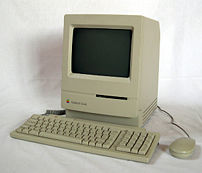
Macintosh Classic
Image via Wikipedia

[youtube OYecfV3ubP8 1984 Mac Launch Commercial]

To those who know us, our issues with Apple and the Macintosh have remained constant throughout the years. Last week, the original Apple Macintosh turned 25, and we felt it worthy of note.

Many years ago, we had an old Mac Performa, which demonstrated our issues with the early Macs. The CMOS battery failed…a seemingly easy problem. But the people at Apple expected us to send this in to them for servicing for an insane amount, whereas on a PC this is a five minute job and has been since early on.

Apple made a lot of good decisions since the early days. They rebuilt their revolutionary GUI on a UNIX base, allowing a vast library of open-source UNIX software to be ported to the Apple. On the hardware side, they embraced USB based peripherals and other innovations, meaning that one no longer had to get hardware made by Apple to support their Apple systems.

Playing with a more recent Mac, we can see the potential advantages, and it is certainly a viable alternative to Windows. However, we are still concerned about the closed manner in which Apple conducts business. Either way, the Mac has a lot of viable options to enjoy for users. So, to another 25 years, and new innovations.

Reblog this post [with Zemanta]
Published on January 26, 2009
Full Post
0 Responses

Digitizing your Classic Audio

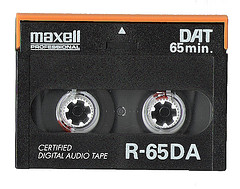
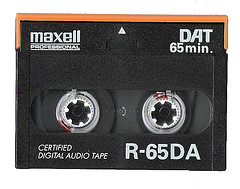
Dead Media Society: DAT Tape
Image by the Frankfurt School via Flickr

Some time ago, we wrote a quick post on the subject of digitizing your cassettes. We’re once again back on the digitization trail, adding more old tapes to our digital music collection and freeing up storage space and have more thoughts.

There are simple economics in this conversion. If you were to repurchase an album on CD or through an online music store, you’d pay at least $10 for it. If you have 10 albums, that is $100. Might as well invest the money in a good system to convert them, which will work for much more than 10. If you are a real audiophile, you may have hundreds of LPs or Audio Cassettes. Decide if any are not worth converting, or are worth investing in a new copy.

Make sure you have a decent sound card and a good quality record or cassette player. Also invest in cleaners. You want to capture the best quality for your digital copy. Get a head cleaner for your cassette player, and record cleaners and a good stylus for your record player.

For a middle of the road solution, you may wish to go with something from Ion Audio. This company has made a name for itself for its PC converters…record players, VCRS, and tape decks with built in digital converters that hook into your computer via a USB connection. They even have one with an iPod connection now. There are several other companies of varying quality.

Our software of choice for audio capture remains the open-source program Audacity, available for most operating systems. The Audacity wiki outlines the steps to convert from analog sources.

The basic steps for turning a cassette or record(LP) album into a multi-track CD or a series of digital music files are as follows:

  1. Connect the output of your analog player into the line input of your sound capture device, ie sound card, etc. If you have an integrated unit, plug the USB port into the computer. It will act like a sound card.
  2. Start recording in Audacity and record the entire album into the system.
  3. Save it in a temporary file. We learned that you should backup the file before you play with it the hard way.
  4. Highlight each song and select “Project -> Add Label at Selection” and type in a name for that track.
  5. Once you have separated the tracks, select “File -> Export Multiple” to export each selection as a separate file. Select your output format and output.
  6. We recommend you create two copies. One in the digital music format of your choice, and another that you burn as a standard CD as an archival copy. If you plan on chucking the tape, you want this for redundancy. You can also use a lossless file format on a DVD for your archival copy, such as FLAC. The goal is for the archival copy to have the best possible quality.
  7. Audacity allows you to enter metadata while exporting files. We recommend you do this. Metadata includes such thing as Album name, track name, artist, etc. This is essential in proper digital playback. Audacity only offers the basic categories. You may wish to use another program to add more tags to your files later(More on this in a future post).
  8. Add it to your music player or program and enjoy.

What do you think? Is this worth the effort, or should we just shell out for new albums? Bear in mind that playing a tape into a computer can be done while concentrating on something. Track marking and metadata does take some work, but it is negligible compared to the wonder of rediscovering your favorite lost albums.

Reblog this post [with Zemanta]
Published on January 19, 2009
Full Post
1 Response

Streaming and the Mainstream

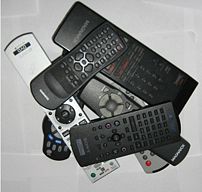
A series of remotes piled on top and alongside...
Image via Wikipedia

Despite what some people say, or do, people want to watch television on their TV…or at the least, something that functions like a TV. That is why they make remote controls for computers, wireless mice, etc.

Engadget HD reports that Hulu is making its way to the SageTV HD Theater interface, which can be hooked into a TV to be used. The device was designed to stream video from a computer-based server to the screen. It is reported the Hulu feature will not require a server.

Vizio is now the second manufacturer, the first being LG, offering Netflix streaming directly to its televisions. Expect this feature to become more prevalent.Netflix is ahead of the curve on this, but don’t wait too long, because the other content providers will be jumping on board as soon as they can, we’re sure.

With our problems installing Boxee to try out its streaming content, we turned to the advice of a recent post about experimental Hulu plugins for the latest SVN of XBMC, which is the software Boxee is based on. The release version of XBMC does not support RTMP streaming, and thus will not support the plugin. Like many other solutions, this one is usable, but still has bugs and kinks to be worked out. But it does allow basic navigation of sources and playback, if not support for things like rewind and fast forward.

We look forward to watching more companies jump on the streaming bandwagon. We’ll be monitoring this very closely.

Reblog this post [with Zemanta]
Published on January 15, 2009
Full Post
0 Responses

Eee Keyboard

LAS VEGAS - JANUARY 08: Consumer Electronics S...
Image by Getty Images via Daylife

In reading reports of all the new technology unveiled at CES, we located images of the Asus Eee Keyboard, which is, like the old Commodore 64s, an entire computer system built into a keyboard. We used to love our Commodore 64, and still have it in a box somewhere.

The Eee Keyboard will have a full set of multimedia outputs, including wireless HDMI, which would allow it to avoid being tethered to its monitor. It includes a touchscreen that looks similar to an iPhone built in. There is no word on the price or release date of this item.

If the price is low enough, as it might be considering that is the goal of the Eee line of products, to be Eeeconomical, then this would make for a good multimedia PC option

Reblog this post [with Zemanta]
Published on January 15, 2009
Full Post
0 Responses

Roku Update

Image representing Amazon as depicted in Crunc...
Image via CrunchBase

Yesterday, we wrote both on Roku Netflix Player, and on Amazon Video on Demand. EngadgetHD reports today that Amazon Video on Demand will be available on the box after a free software update early this year. Any of Amazon’s 40,000 other titles will be able to be purchased and played back to the TV for a 24 hour window. Unfortunately, the maximum bitrate is only h.264 compressed 1200Kbps. No HD as yet.

Reblog this post [with Zemanta]
Published on January 5, 2009
Full Post
0 Responses

Television Service Checklist

sling.com - Main page ( It's just hulu )
Image by ronin691 via Flickr

Continuing our series on this topic is this checklist we’ve made up. Recently, there has been a slew of mainstream articles on people downgrading or cancelling their cable or satellite service in favor of alternatives. CNET reported on a family who dumped their satellite service.

  • Break out a lineup of channels you currently receive, or could receive with your cable provider. We did it for ours in a previous post.
  • Make a list of channels you actually watch.
    • What percentage of the channels that you are paying for do you actually watch?
    • Can you justify paying for it if you only watch a small percentage?
  • If most of your content is on local stations, do you get good enough reception with an antenna and a digital TV and/or converter box?
  • Out of those non-local stations that you watch, identify programs that you watch religiously
    • Check to see if these programs can be found online for free or for individual purchase
      • Hulu, Joost, Fancast, Youtube, Sling and the website of the actual network may offer free content. Right now, these sites have limited commercial interruptions, but as their popularity increases and the popularity of cable decreases, they may have to make up the ad revenue with more ads.
      • Netflix offers some TV content online as well as box sets through their mail program, and since many people adopt it as a TV/Premium Cable alternative, why not try it?
      • iTunesApple offers episode download for around $1.99 for SD, $2.99 for HD per episode, season passes available, as well as movies for varying prices. We’re not a big fan of iTunes. We find it too restrictive.  But for the shows you can’t find elsewhere and can’t live without…
      • An alternative to iTunes, as we continue our issues with the restrictive nature of Apple, is Amazon’s Unbox/Video on Demand store. They offer a downloadable player for Windows systems and a streaming flash player(which should work, even on Linux. They offer more downloadable movies than iTunes. They offer TV series from US networks, BBC, MTV, Bravo, etc.
      • Another alternative is Cinemanow. All three have the same basic pricing structure.
      • If there is anything that we’ve learned from our explorations, if you are addicted to the news, you won’t have any problem finding video content from various sources.
    • An important question, mirrored recently by TVSquad.com, is if you feel ready to adopt the cable-free lifestyle? Check out some of the comments on that post. It isn’t for everyone.
    • Torrenting – For TV sharing and such, it is usually illegal to download shows via torrent. Torrent has many legitimate uses(we use it for downloading Linux OS release CD/DVDs), but if you intend to engage in video piracy, that is a strategy, but you’re on your own.
    • Hardware
      • We’re assuming you want to watch your TV-like content in a TV-like manner. Those of you willing to peer at a laptop or computer screen and watch things probably need very little.
      • Computers
        • Not every old computer has the horsepower to become a media computer. If you are watching high-definition or blu-ray, you need a little more horsepower, although a lot less than if you are a gamer. Gamers wishing to use their media computer to game should increase their needs accordingly.
        • You can get a prebuilt Home Theater PC(HTPC) from various vendors. We may have more on this at some point, but we prefer to build.
        • If you want Blu-Ray support in your HTPC, Linux has limited support for it right now. You can always, if you go the open-source route, wait till it comes, if ever, and upgrade.
        • If you want to add in digital broadcast, you need a digital capture card. Hauppauge is the King of such cards, but they are hardly the only good company out there in this field.
        • If you want to output to a TV, you need one or both of the following: A computer with a TV out or a television with a computer input. The highest standard for TV right now is HDMI, which some computers do offer as an output option. It combines video and sound digitally in the same cable. If you have a DVI output on your computer, it can be converted to HDMI to carry video only. Some TVs have RGB inputs, and if your TV only has analog inputs, you’ll need a computer that can output to that to hook things up.
        • Remote Control – Some digital tuner cards come with remotes, but you can also buy a Media Center remote separately. This is a remote with a USB receiver that works with a computer.
        • An alternative/supplement to this is a wireless keyboard/mouse. Not everything, as we’ve complained, can be easily navigated with a remote control…websites for example.
    • Bandwidth – If you are doing all this streaming, make sure your internet connection can handle it. We would suggest no less than 3000KBps down.
    • Quality – Some things are not at quite the quality they’d be if on TV, especially HD programming. But bear in mind two things:
      • It’s getting there…if slowly. More and more HD content is coming online.
      • You can use your savings to buy or rent the box sets when they are released. of those series you just want more of. Face it, only a percentage of programming is worth watching twice. For that matter, only a small percentage is worth watching once. A small percentage of a small percentage…how many programs is that?
Reblog this post [with Zemanta]
Published on January 4, 2009
Full Post
1 Response

TV Alternatives – Roku Player

WASHINGTON, DC - DECEMBER 18:  Actor Morgan Fr...
Image by Getty Images via Daylife

This topic continues to weigh on our minds. We’re convinced that as cable/satellite prices continue to rise, and as these companies insist on shutting down analog, it will be impossible for us to continue as we have, which is why we continue to prepare for an eventual paradigm shift.

Where we live, our cable provider, who has a monopoly in our neighborhood, has shut off analog service, encrypted most things we could get with a digital tuner, and been generally uncooperative. As of now, with some threats and cajoles, it is still cost effective to have cable.

Meanwhile, we have relatives whom we visit for holidays and weekends. The cable company there has not yet dropped analog cable there, and offers the standard cable package unencrypted. One TV has a digital box, and the rest use built in tuners. We’re certain that they will eventually drop analog, and for a house that swells during a holiday/weekend from only needing a bedroom and living room television to a house with all bedrooms filled with people with different television watching habits, it isn’t cost effective to rent one $10(which is what they charge), per TV.

Worse, unlike our urban residence, this more rural setting gets no broadcast transmissions, making cable or satellite the only television option. Fortunately though, it makes for the perfect testbed for our exploration. It is winter here, and our visits become less frequent, but we intend to be prepared for spring.

We’re very interested in the Roku Netflix Player, which late last month introduced a firmware update to allow it to stream Netflix‘s HD content. Since this device is portable, it could be brought into any room and movies streamed directly to it. When the item came out, the New York Times blogged about its thoughts on the future. We have our thoughts with theirs, below:

  • The price point of this device is $99. Keeping the price point this low allows for widespread adoption
  • It doesn’t require an always-on server at the owner’s house to work…although we wouldn’t complain if it doubled as a uPnP/DLNA server so it could stream from a local system if we wanted it to.
  • The device is capable, through firmware updates, of adding new content from other sources than Netflix, and Roku has promised such change in the new year, which may make this device sell out, as we’re not going to buy one until we know what other content is coming. The device supports flash and other formats, so the frontrunner may be Hulu, which would be a gem if offered directly to one’s television.
  • Rather than requiring you to sort through the 10,000+ offerings, you can narrow it down on your computer, and select from a reduced subset.
  • Third-party plugins – Roku is offering a free software development kit to any online video content provider who wishes to add a channel of content alongside the Netflix content. Aside from the channels Roku has been promising, this would allow a third party to take control of their plugin to ensure it met their standards. On the open source side of things, we’re hoping that the developers of several open source media projects find a way to stream to the device. After all, while it is designed to be independent of a computer, that doesn’t mean it could not optionally offer content that is dependent as well. Of course, this goes back at its simplest to the uPnP support idea.

If this device was extended to uPnP, we’d set up an old computer to serve media files and buy a box for several televisions. A $99 flat rate is better than a $10 a month rental rate.

Reblog this post [with Zemanta]
Published on January 4, 2009
Full Post
0 Responses

A Temporary Solution for Hulu Issues

Image representing hulu as depicted in CrunchBase
Image via CrunchBase

Recently, we commented that one of our top issues with Hulu was aggregation. The website, as well as other video websites are not easy to navigate for someone sitting on their couch, or to control once the video starts Playing.

We know how to hook a remote control up to a computer and to program the computer to Play/Pause etc when the appropriate button is pressed.

But Hulu, even though it does respond to Hotkeys…

  • F for FullScreen On/Off toggle
  • Space Bar for Play/Pause

It does not integrate well with remotes, mostly because you need the Hulu player to have focus in order for it to respond to these keys, and it often does not, so ones commands are sent to the browser, instead of the Hulu player.

Then, on December 30th, we checked out Woot, the one deal a day site, and saw this…Woot was selling a two-pack of Gyration Gyroscopic Media Center Mouse/Remotes inexpensively.

We ordered a pack of them. But the idea hit us. The Gyration is designed for presentations. There are a variety of presentation mice, designed for giving Powerpoint Presentations and such, that could be used in lieu of a remote, until someone figures out a way to make Hulu more remote friendly.

This seemed like a simple and easy device to add to our arsenal. There is also software that will have your remote control emulate a mouse, however, from our experiments, it is hard to navigate with any precision using them.

We’ll advise how the presentation remote works out for us as a tool, and continue our experiments to figure out how to give Hulu focus automatically so the keyboard hotkeys will work. If they work, they can be linked to a remote control.

Reblog this post [with Zemanta]
Published on January 1, 2009
Full Post
1 Response

Podcasts as Alternatives to Television

Boxee
Image via Wikipedia

We’ve been on this TV alternatives kick for a while now, and continue to explore. Most of us have heard of podcasting, but it wasn’t until we started looking for video feed that we discovered how many professional looking podcasts there are out there, especially of a tech-flavor.

We previously did not explore podcasts as much, because of the link to Apple and the fact many of them have a more primitive production model But, when things are done well, and seriously, even by less professional groups, we have to respect them. After all, we’re amateur pundits, not a professional ones ourselves.

We’ve lacked a good set of technology themed shows. Years ago, the Sci-Fi channel used to have a show run by CNet. But since then, we haven’t found a weekly show to tell us about all the tech we can’t afford.

So, we did a little searching as part of this alternatives research and came up with two shows to start, run by Ziff-Davis, the media company that publishes PC Magazine. The first is DL. TV, described as “For Tech Fans by Tech Fans.”

Here’s a link to their episode with a showcase and interview with one of the people at Boxee, a social video watching software package we’re enthused about. Boxee’s policy of pulling in anything free with an RSS feed to be part of its package is one we keep advocating.

Since we don’t have Boxee(not available for our platform yet), we’ve come up with our own solution for now. A software package that downloads the latest entry in an RSS feed to a local directory, which we’ll be programming to download feeds such as DL.TV and integrate them into our system in the wee hours of the morning, so they are ready to be watched.

We’ve started to add in a variety of news-based podcasts that become programs on our DVR-like interface. Here are some useful ones. Why are there so many news ones? Well, it is harder to find Entertainment podcasts(except entertainment news).

  • DL.TV – mentioned above
  • Cranky Geeks – Tech industry pundit John Dvorak, the “Head Crank”, argues with other pundits abouta variety of tech issues.
  • CNN  Podcasts – Includes special podcast news updates, as well as highlights from Anderson Cooper 360 and other areas of CNN news. Nothing like downloading a news roundup each day.
  • Revision3 – Revision3 is a TV network for the web. Some interesting original programming is available on it.
  • Podcast Award Winners – We have to assume any podcast that wins an award is of good quality. It includes such podcasts as Grammar Girl(tips to improve your grammar for writers), which won best in education. We’re going to have to check some of these out.
  • CNET Podcast Central – Lots of different programs on technology
  • MSNBC – We’ve mentioned this before, but downloading netcasts of many popular MSNBC programs such as Meet the Press seems to be a good thing.
  • Fox News Podcasts – Doesn’t seem as good in terms of options as CNN or MSNBC, but, still an option.
  • ABC News Podcasts – Lots of good watchable content here.
  • CBS News Podcasts – Face the Nation and the CBS Evening News in full, as well selected other pieces.
  • PBS Podcasts – Lots of good content, with new episodes added regularly.
  • Discovery Channel Podcast – Explore your world with Discovery Channel video podcasts! Watch behind-the-scenes interviews with your favorite Discovery Channel hosts; go inside the making of Discovery specials and hit series; get an inside glimpse into the world of Discovery.
  • Sky News Podcasts – Podcasts from Sky News.
  • John Cleese Podcast – Nothing like a famous British comedian talking at you.
  • NASA Podcasts – The latest from NASA.
  • Washington Post Podcasts – Several good video sources on here from the Washington Post
  • G4 TV Podcasts – Video Game Podcasts from G4 TV
  • Reuters Video Podcast – The latest in Reuters Video downloadable.

There are many more. And we’d love your submissions to add in. Send in your comments. Our criteria in this category is high quality(production quality, not resolution, although that helps) video podcasts that have the feel of television shows, and thus can be watched in lieu of them.

Reblog this post [with Zemanta]
Published on December 21, 2008
Full Post
0 Responses

In the Papers

Diagram of Unicast Streaming
Image via Wikipedia

We’re admitted and proud life-long New Yorkers.  Famous in New York, and amusingly made fun of at times is NY1’s Pat Kiernan‘s In the Paper. New York 1(NY1) is a New York City all-news station.

Pat takes reading the paper, a difficult and time-consuming task, and summarizes it into a short few minutes of narration. You can check today’s out, or previous archived days by clicking here. Pat recently branched out with Pat’s Papers, taking his piece out on the web. To quote the site:

“Pat’s Papers is a carefully edited collection of US news headlines delivered each weekday morning. We cut through the clutter of the news choices on the Web to deliver a summary of stories that span the entire news spectrum – from international news to domestic politics to science to gossip.”

Why do we bring up Pat’s Papers? In recent Gadget Wisdom posts, we’ve discussed streaming media. And news video of various sorts is the easiest to find online. The problem is that we want a full program, to mirror our television watching habits, not a series of shorter clips and pieces.

How do we, like Pat, take the massive selection of new media that appears each day on the internet and organize it into handy bite-sized morsels so we can digest it?

That is the question we have been contemplating. To take a page from music players, we need a playlist. we need to compile a list of sources we want to access each day. A internet development most of us are familiar with now helps with this…the RSS feed.

RSS is really designed for reading material, ie blog posts, but many sites use it to push the URL to videos as they are added to the site, or post pages with embedded video, a very useful application of the technology.

We have yet to find a website or software application that combines these publicly available feeds to form a video watching roundup, in the vein of headline news, playing the relevant streams one after another. We plan to continue our research and see what we come up with. the information is there, and we continue to explore how to bring it all together in a navigable way.

But what do you think? Would such a service be useful? What do you use to fill this need? Do we really need anything more complicated than an RSS reader and a few choice sites?

Reblog this post [with Zemanta]
Published on December 16, 2008
Full Post

Get New Posts By Email