Gadget Wisdom

Author: David Shanske

Registration time

2011-09-25 06:23:49

Website

https://david.shanske.com/

Email

david@shanske.com

All posts by David Shanske

0 Responses

XBMC Version 10 Now Available

XBMC Screen
Image via Wikipedia

Version 10 of XBMC Media Center, the popular cross-platform media software, was released.

The focus of this new release is add-ons. The new add-ons system allows you to install add-ons such as themes and plugins directly from within the program. In addition, the release offers improved hardware acceleration and more.

If you are interested in giving it a try, why not download the Live CD, which will let you try it without installing.

Download it today.

Published on December 20, 2010
Full Post
0 Responses

When The Cloud Fails You – Delicious and More

Image representing delicious as depicted in Cr...
Image via CrunchBase

This year, many services we have grown used to have started to announce shutdowns. Most notably, a news story reporting that Yahoo was shutting down Delicious caused many to scramble to find other services.

It turned out Yahoo is looking to sell Delicious, not to merely discontinue it. But it does mean that unless someone wishes to acquire the service, it will be shut down eventually. Delicious is a social bookmarking site.

Pinboard, for example, after the news, gained many new users, and gained seven million bookmarks with it, more than they’d collected over the lifetime of their service.

But that isn’t quite the point. The point is to not keep all your eggs in one basket. Cloud storage is great. We all use it, and love it. But be prepared. Periodically export your data and keep a copy elsewhere. There are also services. Paid services are also available, such as Backupify.

Backupify has an impressive collection of backup tools for GMail, Twitter, Facebook, etc. You may not wish to pay. But remember, you should have at least two backups, and at least one of them should be offsite…not in the same place you keep the primary storage. More on this to come.

Published on December 19, 2010
Full Post
0 Responses

LastPass Acquires Xmarks

Image representing LastPass as depicted in Cru...
Image via CrunchBase

The title says it all. LastPass, which is a cross-platform password manager, has acquired Xmarks, a cross platform bookmark, tab, history, and password sync. It seems a match made in heaven. The two businesses seem to align perfectly.

Xmarks will join Lastpass‘s Freemium model. The browser plugin and most of what users are used to will remain, but new features will be available, including an iPhone and Android app. Those features will be part of the $12 a year premium package. You can get both premium services bundled for a $20 a year package.

The two services will continue to require separate downloads and will be administered through two distinct extensions and websites, although there are plans to integrate them in the future.

Published on December 5, 2010
Full Post
0 Responses

Amazon Follows the Gift of Literature with the Gift of Music

Amazon mp3
Image by Greg Palmer via Flickr

Hot on the heels of gifting Kindle books, Amazon has arranged for the ability to gift an MP3 from the Amazon. Like the Kindle book gifting, it is keyed to one’s email address, and can be exchanged for store credit.

These gifting features are not complicated. But as Dilbert once pointed out, a gift certificate is worse than cash, because you can only use it in one place. You’re trading perfectly good money for something that does the same thing, only not as well. But the ability to gift a specific item shows some thought toward the wants and desires of the one receiving the gift, but they can still exchange it if they do not like it.

Published on November 28, 2010
Full Post
0 Responses

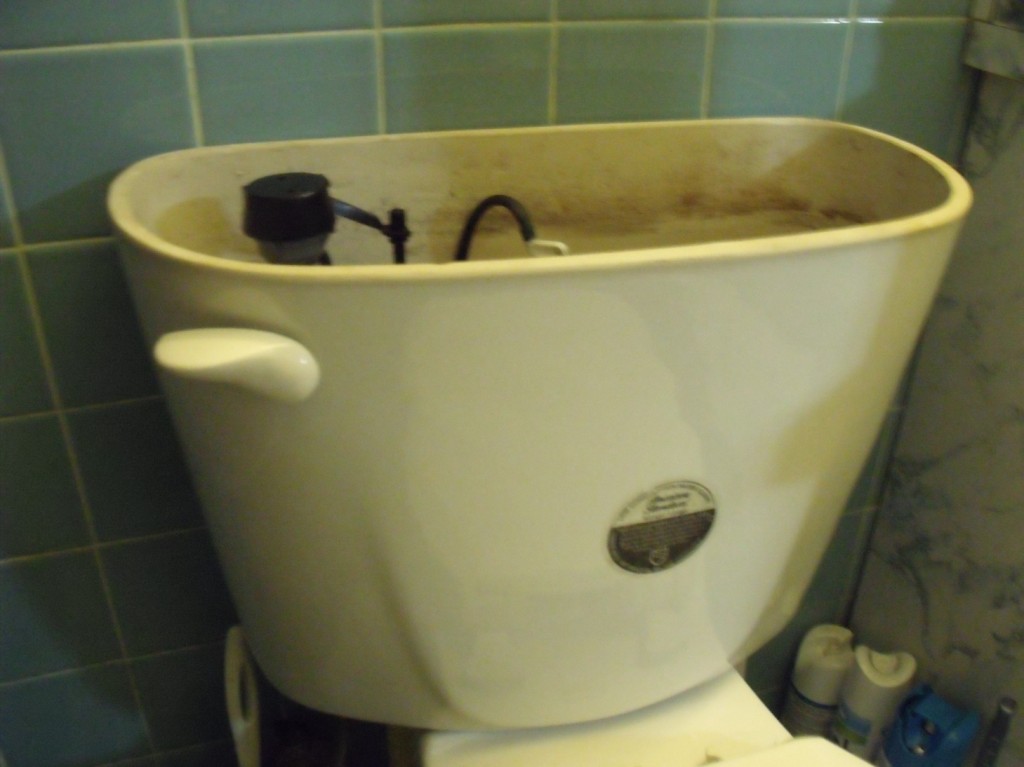
Back to the Toilet Technology

toilet wc
Image via Wikipedia

In June, we reviewed the MJSI HydroRight Dual Flush converter, and discussed the principles of toilet technology. Amazon has some good deals on two pieces of MJSI technology. One is, of course, the Dual Flush Converter. The other is the HydroClean Water-Saving toilet Fill Valve.

[asa]B000L87RKC[/asa]

So, we already know that the HydroRight Dual Flush converter is a drop-in converter to turn your toilet into a water-saving dual flush. Of course, you need a concentric-float toilet fill valve, and that is where the HydroClean valve comes in as a perfect pair to the HydroRight.

The water-saving advantages of the HyroClean are that it is adjustable, and allows you to not waste water in your flush, so even if you are reluctant to go Dual Flush, this will limit wasted water per flush. It even has a cleaning tube to clean the gunk off the bottom of your tank.

[asa]B002NKRR7Y[/asa]

We’re thinking of pairing this with our HydroRight in order to improve water efficiency, as we still think we are wasting water on our toilet. Best of all, it is not an expensive improvement.

And it is now legal in New York City, as we discovered it wasn’t when we originally installed it.

Published on November 28, 2010
Full Post
0 Responses

HDHomeRun to Start Preorder in December

SiliconDust HD HomeRun (HDHR) network dual-tun...
Image via Wikipedia

The Digital Media Zone reports that the SiliconDust HDHomerun Prime will be released to production in two weeks, shortly after which pre-order and release dates will be announced. The HDHomerun Prime is a three-tuner cablecard ready networked tuner. The price will be $249.

This, coupled with the fact that Copy Freely material may now be used by Linux devices, and that SiliconDust has long worked with MythTv developers, makes us potentially excited.

Published on November 25, 2010
Full Post
0 Responses

Some Observations on the Kindle and E-Book Reading

Amazon Kindle PDF
Image by goXunuReviews via Flickr

Over a month ago now, our editor went out and bought a Kindle. This was a hard decision, as we had spent a lot of time over here at Gadget Wisdom talking about how we weren’t going to buy a Kindle. Of course, when we said that, it cost significantly more than the $139 we paid to buy a Kindle.

Amazon announced this week you can now give Kindle books as gifts to anyone with an email address. This is a tremendous boost in possibilities. You get to give more thought to a gift than an Amazon gift card. And if the person doesn’t like it, they can get the gift card instead. We eagerly await the day we open up an email and discover that someone has gifted us a book.

The latest generation Kindle weighs 8.5 ounces, and measures 4.8 by 7.5 inches. Mashable suggests the true audience for a dedicated e-reader is someone who travels frequently, has overcrowded bookshelves, or read books for hours at a time. We focued on the overcrowded bookshelf issue. One commenter on the same story described the Kindle as “the ideal bridge for those interested in moving to a paperless environment.”

So, why did we go with the Kindle? We already had the Kindle App on Android, along with the Nook App, the Borders app, and Aldiko Book Reader. We read an entire e-book on the Droid, and it is doable. But it is a little screen. The 7″ screen is such a good, yet portable size, we’re already wondering about 7″ Android tablets(but that’s another blog post entirely).

We don’t really like DRM. If we have a choice between DRM and DRM-free, the DRM-free gets our business. So we buy O’Reilly books directly from O’Reilly, and then port them to Android and Kindle ourselves. But, with the Kindle app available on all platforms(save Linux), making it relatively easy to use your property anywhere, it is hardly the restriction that some DRM programs are.

Earlier today, we tried a free trial of a magazine on Kindle…a magazine we used to read every month. While we quickly cancelled our trial, as that title did not provide the value we desired, we still wished to read more content off the screen and on the Kindle…which is where Calibre, which we previously mentioned, comes in.

Because, as many have said before. With all the information overload that we experience with real time information sources like Twitter and such…it is nice to have a device where we can focus on what we are reading.

The next step we may do is the elimination of our classics sections in favor of Kindle books. Kindle versions of the classics are free of charge. And the shelf space would be most welcome. We’ve bought too many books to have room for more without losing something And that is why the Kindle works.

Published on November 22, 2010
Full Post
0 Responses

Xmarks and Bloglines will Live

Image representing Bloglines as depicted in Cr...
Image via CrunchBase

Cross-Browser Bookmark and Password Syncing Service Xmarks will remain alive, it seems. The company is in the final stages of a sale to an as-yet unrevealed new owner who will keep the product alive. The new service will have a free and a premium component, and details will be forthcoming. So those of you who have already switched, you can come back.

Another product, Bloglines, a once-popular RSS aggregator, also slated to shutdown, has been sold to MerchantCircle. MerchantCircle provides a business directory for merchants in smaller towns. The free service will remain, and new services will grow around the technology. The Clippings feature will be discontinued, but all other features will remain.

Published on November 8, 2010
Full Post
0 Responses

LaCie PassKey

LaCie USB KeysToday, we were at the store returning a faulty hard drive and saw the LaCie PassKey sitting there, and picked it up at a discount.

LaCie(pictured right), makes a line of USB keys that are shaped like keys. The Passkey is a microSDHC reader you can keep in your pocket.

The Passkey, as opposed to some of others, is pretty bulky up at the key section, but it is solid metal. Most USB drives use a plastic exterior, and can crack under heavy use. And it takes microSDHC cards, the same sort used in cell phones, which we are carrying anyway inside a cell phone.

It isn’t news, but it is certainly worth a look. There is nothing geekier than a giant USB key on your keychain.

Published on October 31, 2010
Full Post
1 Response

Fun with Instapaper

Image representing Instapaper as depicted in C...
Image via CrunchBase

In the course of reading and assembling topics to write for Gadget Wisdom and other sites, we come across many different articles we may wish to reference later. Which means, as there are never enough hours in the day, we end up with stuff we need to read or review later.

You can bookmark the site, as we did, but keep doing that and you end up with a very crowded bookmark list with things that stay there long beyond their usefulness.

Recently, we decided to try Instapaper as an alternative. We set up folders for our categories, and a pull down menu of bookmarklets that save the current displayed URL into them. We use Google Reader to read blogs, and it offers a Send To function for stories that will send them right to Instapaper.

On the Android, we are recommending Instafetch, as the paid version supports folders, unlike the free Everpaper. If you want to save money, of course you can move things into folders later.

If you don’t have the desire for any apps, you can forward emails with links directly to a special Instapaper email address. Or, our personal favorite, email your Instapaper articles as a Kindle book to your Kindle for reading.

Instapaper is not new, but being as we just started using it, it seemed worth a a bit of a review. Try it out. And if you have thoughts for improving our workflow, send them on along.

Published on October 28, 2010
Full Post

Get New Posts By Email