Gadget Wisdom

Author: David Shanske

Registration time

2011-09-25 06:23:49

Website

https://david.shanske.com/

Email

david@shanske.com

All posts by David Shanske

0 Responses

Amazon Reveals Cloud Music – Google Next?

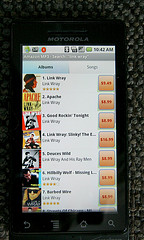
Amazon MP3 app on Droid
Image by scattered sunshine via Flickr

Amazon announced Amazon Cloud Drive and Amazon Cloud Player, a digital storage and music locker service. The first 5GB are free, 20GB is $20 a year(first year is free with the purchase of an album), 50GB is $50, etc.

The service will allow storage of any sort of file, but Amazon Cloud Player, which is available in the Amazon MP3 Android App and as a web-based player, only recognizes MP3 and AAC files. So no FLAC, OGG, etc. Shame, we like OGG.

Going forward, if you buy an album from Amazon MP3, it will be transferred directly to your cloud drive and does not count toward your storage allowance. Unfortunately, it will not import your previous purchases, so you will have to upload them. The MP3 uploader doesn’t support Linux, and there is no uploader on the Android app. Hopefully, Amazon or a third-party will rectify this, but we don’t see an API for third-party developers to build on yet either.

We’re curious to see what Google’s offering is for music. But this is perfect for Amazon MP3 purchases going forward. They are already storing the files anyway, so linking them into your account doesn’t cost them any space, which is why we’re surprised they won’t do it for already purchased files, considering they’ll have to store duplicates now.

It won’t beat Amazon S3 on functionality, but it does beat them on price. If they open it up to third-party app development and support additional formats, we’d put our media there, how about you?

Published on March 29, 2011
Full Post
0 Responses

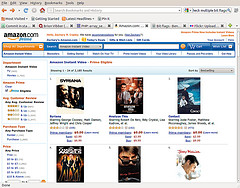
Downstreaming: Amazon Prime Instant Video

Amazon Prime
Image by zcopley via Flickr

Amazon Instant Video for Prime Subscribers is a great idea. Many think this is Amazon’s move to compete withNetflix and Hulu. Amazon already has a well-reviewed pay-per-view service and a rental service can get access to movies that a subscription service cannot.

Amazon Prime is a service that offers 2-day shipping on any Amazon purchase for $79 a year. Now, for that $6.58 a month, you get 500 TV Shows and 1800 movies. These are generally library titles, as opposed to first-run movies, but the selection will improve. And classics still have entertainment value.

Prime is a way to get $79 from their customers, but more importantly $79 that encourages people to buy Amazon products over other vendors. By adding video subscriptions, they make that more appetizing. We wouldn’t suggest you get the video without the two day shipping, but together, they are a compelling deal.

Published on March 14, 2011
Full Post
0 Responses

Downsteaming: Hulu Plus

An evil plot to destroy the world. Enjoy! (Log...
Image via Wikipedia

It was in December that we took our Roku on the road, visiting relatives, and vowed to spend the entire weekend watching only things on Hulu Plus. Some compare Hulu Plus to Netflix, which is easy. They are both streaming services, both $7.99 a month, and both offer TV shows and movies unlimited for a single price.

Hulu Plus, for one, offers all current season episodes of 45 popular shows. It is, by itself, the closest replacement for popular TV, but it has one annoying limitation. Some of the shows are web only. If you use a HTPC, that isn’t an issue. However, if you want to use a piece of dedicated hardware, such as a blu-ray player, Roku box, etc…you are out of luck.

In trying to pick all of the programs we would watch in a week, a majority of them, despite being available for free on Hulu, were web only, and not available on Hulu Plus enabled devices. So, pay for more, get some nice back episodes, but get less than you get for free. That seems rather unfair, and until they fix that, we can’t in good conscience fully recommend this prouct.

Hulu Plus, aside from that, like Netflix, offers a good back catalog of titles. If you want to be entertained, and are not looking for current TV, you can certainly be so with Hulu Plus. What do you think? Is current content a must? Or just a good selection of decent content, regardless of year of release?

Published on February 13, 2011
Full Post
0 Responses

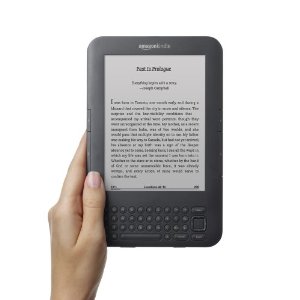
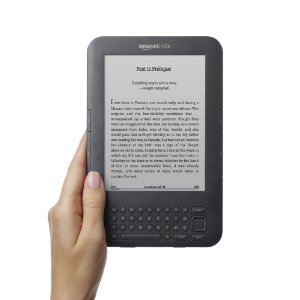
Amazon is Selling More Kindle Books than Paperbacks

First, Amazon announced that Kindle Books were outselling Hardcovers. Now, Kindle Books have outpaced paperbacks. For every 100 paperback books the company has sold, they have sold 115 Kindle books. During the same period, they sold three times as many Kindle books as hardcover books. These numbers are for the United States, of course.

The Amazon Kindle store has more than 810,000 books, of which 670,000 are $9.99 or less, in addition to millions of out of copyright titles.

But why is this the truth?

  • The Price is Right: The Kindle 3 Wi-Fi is $139, and $50 extra gets you lifetime 3G. They will likely continue to try and bring the price to sub-$100.
  • You don’t need a Kindle to Read Kindle Books: There are Kindle apps for every mobile platform, desktop(Linux excepted), and for the Web(full content pending). You can read a book anywhere.
  • Whispersync: Not only can you read it anywhere, but it remembers where you where you left off when device-hopping.
  • Simplicity: Amazon focused on a replacement to the book experience. It didn’t try to make a device that did everything, like a tablet. It may make one of these someday, however. But their design focuses on readability, battery life, etc.

And we say all this being a latecomer to the Kindle, after we thought it was too expensive, during the early days.

Published on January 30, 2011
Full Post
2 Responses

Downstreaming: Is Amazon Set to add a Subscription Service?

Free 2 Day Shipping With Amazon Prime
Image by adria.richards via Flickr

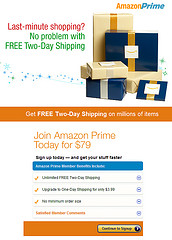
Amazon Prime is a service for Amazon users offered for $79 a year that offers free shipping on Amazon purchases, no matter the order size, with a small upcharge to one-day shipping. If you are a habitual Amazon user, it is a great deal.

Engadget offered screenshots yesterday of Prime members who were noticing “Prime Instant Videos”, unlimited streaming on select movies for those who join Prime. It includes the note: “Your Amazon Prime membership now includes unlimited, commercial free instant streaming of 5,000 movies and TV shows at no additional cost. If this is confirmed and the selection is good, we could very well give their our money without hesitation, as Prime by itself as a shipping option is already tempting. Too often have we waited to buy Amazon products till we could fill a $25 super saver requirement.

On a practical level, free shipping aside, $79 a year turns out as $6.58 a month, a full $1.41 less than Netflix. Of course, Netflix is estimated to have four times the amount of movies at 20,000. But with a good quality selection, and Amazon negotiating and increasing the selection over time, launching with this number is promising for the future.

As Business Insider points out, Amazon already sells and rents digital content. It is already on a variety of boxes, and sells many of them on their site, and could engage in a variety of great bundling deals. Just like Amazon getting into the Android app store space, Amazon in the video subscription space could mean a lot of changes to come.

We look forward to an official announcement.

Published on January 30, 2011
Full Post
2 Responses

Downstreaming: The State of Internet Video on Demand

Diagram of Streaming Multicast
Image via Wikipedia

Last week, TNL.net did some analysis of how the top streaming video services were doing in terms of the most popular video entertainment of 2010. They compared Netflix, Hulu Plus, Amazon Video-on-Demand, and iTunes.

Looking at the top 50 TV shows of 2010, the results were not promising. Current seasons of shows are a strength for Hulu Plus, and a weakness for Netflix. Out of these top fifty shows, Netflix offered partial content from 10 of them, Hulu 18, Amazon 31, and iTunes 41. Bear in mind that Amazon and iTunes are pay-per-episode models, which may allow them to secure more content. For current offerings, that would include the last or current season of shows, those numbers dropped to Netflix 2, Hulu 12, Amazon 28, and iTunes 39.

How did movies measure up? Checking out the top 100 box office hits of 2010, Netflix offered 10 of them, Amazon 48, iTunes 46, Vudu 46, and 74 of them are out on DVD. We haven’t discussed iTunes or Vudu yet, as we do not have devices capable of using them, but we will cover them in the future. This is not very surprising though, that a per-rental model is one that studios would prefer to an unlimited use model.

Beyond that, Amazon, iTunes, and Vudu offer an ownership model, although Amazon specifically allows you to buy something they might subsequently take away, as we mentioned when we discussed the service. Ownership means, theoretically, you can stream the title whenever you want…for the rest of your life, or the life of the service, whichever comes first. Even more titles are available on this basis.

The gap between what is available on disc, and what you can stream is closing, but it is likely the rental or the purchase models will see more adoption by the studios than the unlimited consumption models. What we are lacking are streaming models that resemble the offerings of TV stations. Would you subscribe to a service that offered a limited selection of streaming content that rotated each month, but by doing so, allowed you ultimate access to more content over the year, for example?

Specialty streaming subscriptions may be the future in this regard. It won’t happen this way, but would you subscribe to a month of instant SyFy channel, where it would give you all the movies/TV shows scheduled to air on the SyFy channel for the next month, and change on a month to month basis? Or any other cable channel?

What do you think the future of streaming is? What will companies try?

Published on January 30, 2011
Full Post
3 Responses

Downstreaming: A Month of Netflix Streaming

In 1998 Reed Hastings founded Netflix, the lar...
Image via Wikipedia

Netflix has been around so long that people might be surprised it took us until now to discuss it, or that we’d never tried it, and we still have yet to try their more traditional DVD by mail product.

Netflix is an obvious choice for someone looking to downsize their monthly entertainment budget. However, they are making the transition from their old business model, movies by mail, to the new one, streaming. For those who are HD purists, there are problems. Back in October, users were complaining that despite the premium for a blu-ray subscription, Netflix wasn’t acquiring catalog titles in blu-ray, and was generally neglecting that aspect of their business.

So, that said, let’s focus on the streaming. They offer an unlimited streaming plan for $7.99 a month. Netflix does offer HD streaming on some titles, but it is a limited subset of their overall catalog, and it is not yet perfect, by any means.  Overall, watching SD content, we found it of acceptable quality. The big issue is selection.

Netflix is aggressively negotiating deals with content providers to get their content on its service. However, in looking at the most current popular TV shows, Netflix tends to offer older episodes, and not as large a selection, and is significantly behind Hulu on overall popular TV content offerings. If you want classic TV and related offers, Netflix offers a great overall selection. In popular movies of 2010, Netflix is offering only about ten percent. But this is a problem for streaming overall.

To be honest, if it was a matter of content, there is enough on Netflix streaming to give us many many hours of entertainment. In that regard, it is a great service. We can sit around and catch up on older content we missed, as well as dozens of movies. To make this point, let’s look at instantwatcher, a third-party Netflix watching site. At the time of this writing, the most popular movie being watched was Get Shorty, circa 1995, which had just become available to streaming two days earlier. There were a few breakout hits from the last few years in the list, such as Shutter Island, as well, but again, this is where streaming is lacking. The selection is slowly improving as Netflix makes new deals.

So, never having a problem finding something to watch, if not always a currently popular item, means Netflix will keep you entertained. And its recommendation engine is relatively good, after it gets to know you, at making suggestions.

As a positive push, the company has ensured the ubiquity of Netflix streaming on devices. If you have a Windows or Mac machine, you can stream to your computer. Much to many people’s annoyances, it is not offered on Linux. The majority of network-enabled TVs and blu-ray players now embed Netflix streaming, as does the AppleTV, WD TV Live, and of course, the Roku Video Player, which started life as the Roku Netflix Box. A variety of game consoles, such as the Wii, PS3, and XBox also support Netflix.

We used the Roku box, as the least expensive and tiny piece of hardware, to do our testing, but clearly Netflix streaming support is now a core feature everywhere, to the point that Netflix has successfully arranged for a Netflix button to appear on many devices that have the service built in.

Should you get Netflix? We’d say yes, with a caveat. If you are putting in a Netflix plan to your overall budget and, as a result, justify a reduction in your cable service level, then it is certainly worth it. But, by itself, it is not a complete solution. More on that to come.

Published on January 30, 2011
Full Post
0 Responses

15 Years Ago, the New York Times Online Began – Now You Will Have to Pay

Logo of The New York Times.
Image via Wikipedia

Last week, we were complaining that traditional print media is missing the opportunities of putting a good quality version of their content online. If the electronic version of the New York Times is better than the Kindle version, and the electronic version is free, than the paper is missing its opportunity to get our money.

It was 15 years ago this week that the New York Times unveiled its website. Perhaps the Publisher described the mission statement best at the time. “We see our role on the Web as being similar to our traditional print role — to act as a thoughtful, unbiased filter and to provide our customers with information they need and can trust.” The media is about the name. They have built trust. A website can build trust over time just in the same way as a newspaper. And if we want or demand a certain level of quality, it is not unreasonable for it to be paid for, either through direct subscription or through advertising.

That said, after fifteen years, Bloomberg reports that the New York Times has decided its paid service will be less than the $19.95 charge for its Kindle Edition, although this may be a promotion during the stage of early adoption. Confirmed details are not yet out. The Times, like other newspapers, has yet to establish how much of their content will stay free, and how much will be paid for.

The Times seems set to move to a consumption based model, with a set number of articles free each month, and heavy users paying a subscription fee. Print subscribers will get full online access with no extra charge. So far, the paywall model has not been entirely successful at any of the newspapers which have implemented it. So the Times may be setting itself up for failure.

The Teleread article on the story had an interesting model suggestion in its comments. ‘Howard’ suggested that as paywalls have been less than successful, a micropayment system might be more effective, where people put money into an account and each time they access an article, money is deducted from that prepaid account.

Published on January 23, 2011
Full Post
0 Responses

Downstreaming: Case Studies in Cord Cutting

A modern Music Server made with Apple iTunes/M...
Image via Wikipedia

This week, well-known blogger and co-founder of both Gizmodo and Engadget, Peter Rojas, announced he’d finally pulled the plug and cancelled his cable TV service. Rojas will be using a Mac Mini with a Silicondust HDHomerun, plus EyeTV, Boxee, Hulu, Netflix, and Kylo.

The SiliconDust HDHomerun, which we also use, and have mentioned repeatedly, is a networked single or dual tuner device. A new version is set to be released that will include cablecard support for those who want cable without a cable box. Using it with OTA/Broadcast transmissions requires an antenna and decent reception, but it is a great way to get programming for free.

It is hard to say whether or not Rojas will stick to it. Dan Frommer, of Business Insider, gave up his cable-less existence last year, after two years of trying to be a ‘Hulu’ household. But, what can you get from cable that you can’t online?

There are a few shows, of course, that are not available for free online. And HD content online is in its infancy. Most online content is in standard definition. If you are lucky you can get 720p on a handful of items.

Even one Time Warner Cable PR executive, Jeff Simmermon, survived without cable, including eighteen months while on the job. His argument about why he didn’t stick to it is a valid one: It takes work.

Aggregation is the big future of online content, because to find online content now, you often have to go to several different places and find it. This is the argument of Matt Burns, of Crunchgear. Nothing gives you the same experience as cable or satellite. If your requirement for a system is that it give you everything cable does when cable gives it to you, then this sort of idea is not for you.

But, even if you can’t give up cable entirely, perhaps there are parts of it you can give up. It won’t be exactly the same, but it can be, once the system is set up, easy to use on a daily basis and full of content to fill your day. Just remember, that if online content becomes as commonplace as cable TV, the prices for it will surely rise as well.

So, we’re counting on you, Peter Rojas. You are a trendsetter in the industry. If you can stick to your guns and stay off the cable, it will make others feel comfortable.

More to come….

Published on January 21, 2011
Full Post
2 Responses

Organize your Workflow with Pinboard and Instapaper

Image representing Pinboard as depicted in Cru...
Image via CrunchBase

One of the hardest things to do in writing a blog is keeping up on all the developing news and keeping track of reference materials that might be needed for a story. Research is very important, and for the longest time, we neglected keeping our materials organized to the point we ended up with thousands of bookmarks inside our browser and we could never find anything.

Then, Xmarks, our bookmark syncing service announced it was going to shut down(It didn’t), and caused us to rethink how we were doing things. We started with Instapaper. Instapaper is a holding queue for things we have yet to read. It isn’t designed for long-term storage.

Which is why we added Pinboard. The price for joining Pinboard is, at time of post, $9.20 and increases a fraction of a cent with each user. Pinboard is a low-noise bookmarking site, billed as social bookmarking for introverts. It offers the opportunity to store all of your bookmarks and tag them with descriptive terms. It can import links from a Twitter feed, Instapaper, Google Reader, etc. automatically.

Due to a recent boost in popularity caused by news of the imminent shutdown of Delicious, Pinboard is bursting with new users, and new features are planned. Support for multiple Twitter accounts is coming, as well as a Firefox plugin, downloadable archives for backup, tag recommendations, etc.

So, in our current workflow, an item we read quickly and want to keep for the future goes directly to Pinboard. A more timely item or something we want to read in more detail goes to Instapaper rather than sitting in the browser in a tab and eating up active memory. While Instapaper has a Pinboard feature to send Starred Items to Pinboard, and Pinboard has a feature to import from your Instapaper feed, we are hoping for a feature in Instapaper to send archived items directly to Pinboard, as opposed to Starred ones. Other people want a way to integrate Pinboard’s built-in Read Later tag with Instapaper.

So, when we need something, we can search our Pinboard archive for the information. We’re not the only one who uses the combination of the two to keep organized. One blogger called it “Organizational Bliss(Almost)” The benefits of Instapaper for organizing information you want to read and Pinboard for information you want to archive are great. Why not give them a shot? The developers are committed to continuing to improve these services for us.

We even have access to them on Android devices. There are multiple Instapaper clients for Android, all unofficial, but we recommend Instafetch. Instafetch is free, but there is a paid service component to it. There is only one full fledged Pinboard client, Pindroid, which is a port of a Delicious client that is slowly coming into its own.

Of course, our next organization project is finding more hours in the day to actually write things. Anyone have a website for that?

Published on January 20, 2011
Full Post

Get New Posts By Email