Gadget Wisdom

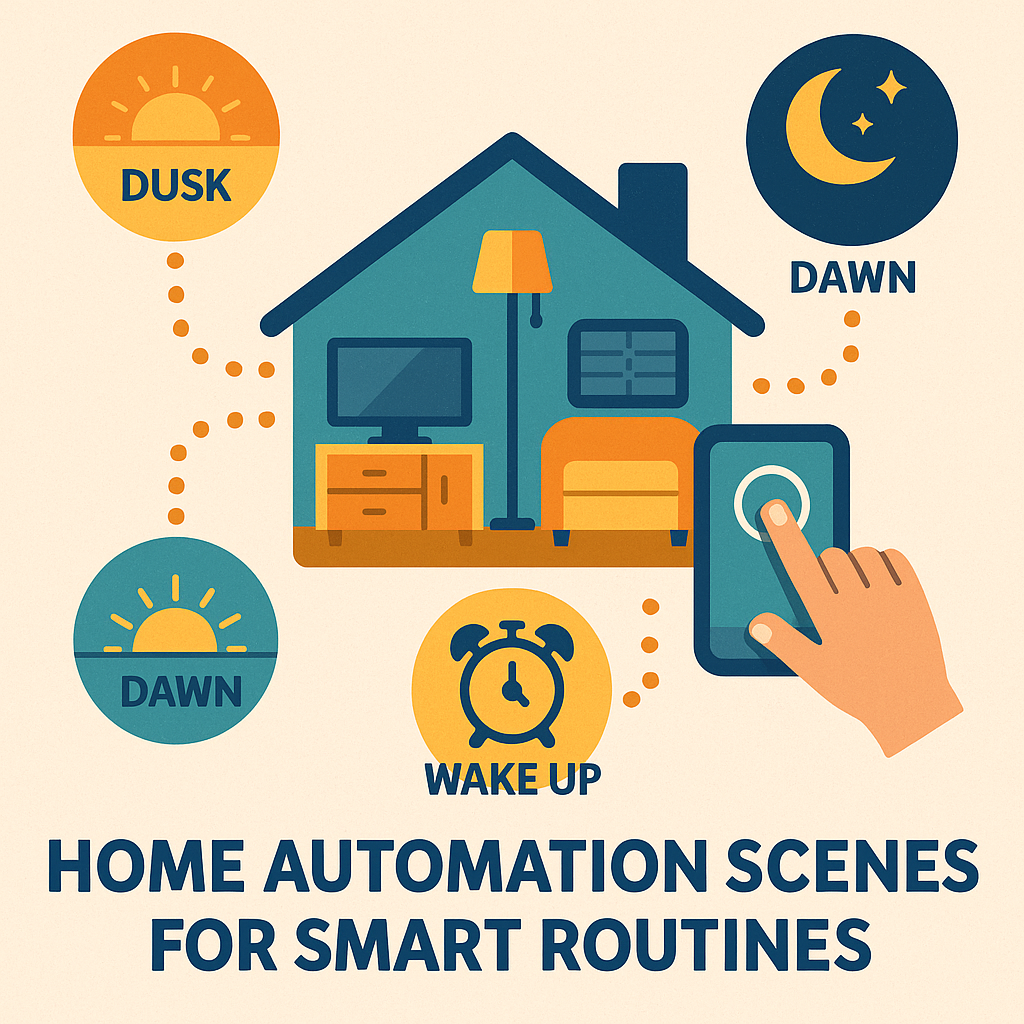
Home Automation Scenes For Smarter Routines
0 Responses

How to Use Home Automation Scenes for Smarter Routines

What Are Home Automation Scenes?

One of the classic concepts in home automation is the scene. A scene is a preset that updates the states of multiple devices at once, saving you from juggling switches and apps.

Think of a theater scene: the television powers on, your speakers adjust to the right volume, the shades close, and the lights dim. One command, everything set.

Scenes are powerful—but designing them takes planning. Here’s how to think about scenes in any other automation platform.

Why Home Automation Scene Planning Is Tricky

Planning automations is one of the hardest parts of a smart home setup. You need to figure out:

  •  The trigger (time, motion, button, or voice)
  • The devices involved
  • The desired states

Home Assistant, like many platforms, makes this a little easier: you can set your devices the way you want them, then capture those states into a scene. Later, you can resume them all with a single action.

It sounds simple, but when you have dozens of lights, locks, and plugs, execution can be complicated.

Everyday Home Automation Scenes Worth Creating

You don’t have to start with complex routines. A few simple scenes can transform your daily life:

  • Dusk – Turn on outside lights, close blinds, and set indoor lighting levels.
  • Dawn – Open blinds, turn off night lights, start the coffee maker.
  • Good Night – Shut off lights, lock the doors, enable security devices.
  • Wake Up – Gradually raise lights, play morning music, and turn on smart plugs.

The real value comes when you think about what you do every single day—and automate that.

My Example: The Good Night Home Automation Scene

Here’s what happens when I activate my Good Night scene:

  • Turn on the noise machine to drown out background noises
  • Turn off bedroom lights
  • Turn off lights in other rooms
  • Check whether the apartment door is locked

Instead of walking through my home flipping switches and checking locks, one tap (or a voice command) takes care of everything.

Home Automation Scenes Make Smart Homes Actually Smart

Scenes aren’t just a convenience—they’re the glue that makes a smart home feel intelligent. By grouping devices into routines like dawn, dusk, and good night, you replace dozens of manual actions with a single one.

Yes, automation planning is personal. Everyone’s home and habits are different. But with a little thought, you can design scenes that fit your life perfectly. And once you do, you’ll wonder how you ever lived without them.


Published on September 25, 2025
Full Post
0 Responses

Running Up Against the Limitations of KVM Switches

As time passes, one accumulates a lot of different devices. Recently though, I discovered that you can in fact have too many connected at one time. That mystified me, because, while I had never really looked into it, I thought the number was in the double, not single digits. Some of this is apparently my mistake.

I keep a KVM switch on my desk. These devices allow you to share peripherals between devices, such as keyboards, monitors, mice, and in my case, a webcam and microphone. KVM literally stands for Keyboard/Video/Mouse Switch. Why do I need more than one of these? Because I have to isolate my work system from my personal system.

A while back, I opted to upgrade to a USB3.0 KVM switch as part of an upgrade to the maximum monitor resolution. It was then that my problems began. Apparently, despite discussions of maximum capacity, that sharply goes down on some hardware, and reduces everything to well below its theoretical maximum limit. I would frequently have my webcam or my microphone not working because of these capacity issues.

There is probably a simple wiring solution to this, but it prompted me to start considering a possible second KVM upgrade. There are a lot of different items to consider here:

  • How many USB ports the device will have.
  • Do you need USB C?
  • Do you need built in audio?
  • How many monitors do you want? 1, 2, or 3?

Make a list of all the things you want to connect to determine how many ports you need. Here is my list. I am only including items that need to go via the KVM.

  • Speakers – I wouldn’t mind having something that could handle audio from each device independently.
  • Microphone – Both computers need audio conferencing capabilities
  • Camera – Both computers need video conferencing capabilities
  • Mouse
  • Keyboard

Good quality audio and video devices are often USB3 now, but mice and keyboards usually are not. That is also why KVM switches have dedicated separate ports for the mouse and keyboard.

At time of original posting, Amazon has a sale on a well-reviewed USB3.0 KVM Switch, that supports dual monitors via HDMI for 2 computers.  You may want to share between two devices with USB-C ports, such as two laptops, and can go with this 4K model, which supports a single HDMI monitor. Up and down the price ranges, featuring different connectors(HDMI, DisplayPort, USB-C, etc), you can find something that is right for you in this area.


Published on September 21, 2025
Full Post
0 Responses

Are We Losing Human Interaction to Automation?

Today, I stopped at the local branch of a national pharmacy to pick up a prescription—and realized something unsettling.

At my usual pharmacy, I wait in line, talk to a clerk, and, if I want, they offer to let me speak to a pharmacist if I have any questions. There’s at least some human connection, however brief.

But at this other location, human interaction had been stripped away. I was told to go to a kiosk, type in my information, and wait for my order to be brought out. No one or the machine asked me if I had questions. A clerk silently handed me the bag and receipt, then walked away.

Meanwhile, another couple in the store was demanding to see a manager, upset that they couldn’t get meaningful help from a pharmacist. Their frustration boiled over to the point of shouting and filming.

It left me asking: Is this the future of customer service?

From Clerks to Kiosks: Automation in Customer Service

We’ve seen this pattern before. First, companies introduce self-checkout lanes “for convenience.” Then, more lanes go self-service, while fewer cashiers remain up front.

The same thing seems to be happening with pharmacy automation. Humans are still in the back—at least for now—but they’re being shielded from routine interactions. How long before they’re replaced entirely by robots, AI chat systems, or even automated pill dispensers?

It’s not hard to imagine.

Do Customers Actually Want Less Human Interaction?

Of course, there’s another angle: maybe customers prefer less human interaction

Some people like avoiding small talk with clerks or baristas. Many already choose self-checkout because it feels faster. In online discussions, I’ve even seen people talk about their favorite ice cream scooper at the local shop—suggesting that some of us still crave those small human touches.

So the question is: are businesses pushing us toward less human contact, or are they simply giving people what they want?

A World Without Small Talk?

Think about it:

  • Ordering at a restaurant via a tablet.
  • Getting delivery from a robot.
  • Calling a company and fighting through a maze of automated menus.
  • Soon, maybe even hailing a *driverless car* instead of chatting with a rideshare driver.

Our daily lives could easily become a series of silent transactions, with fewer and fewer spontaneous conversations.

Convenience vs. Connection

I consider myself fairly tech-savvy. I’m fine with self-service kiosks when it makes things easier. What I dislike is when companies make it harder to reach a real person—when the system is designed to discourage human contact rather than streamline it.

There’s a difference between choosing automation and being forced into it.

What Kind of Future Do We Want?

My brief trip to the pharmacy turned into a bigger question: Are we heading toward a world where human interaction is optional—or nearly extinct?

Maybe the truth is somewhere in the middle. Some people want convenience. Others value connection. But the balance we strike will shape not just the way businesses operate, but the kind of world we live in.

For now, I remain uncertain. But I know this: the future of customer service is about much more than efficiency. It’s about deciding how much we value the small, human moments that connect us in daily life.


Published on September 18, 2025
Full Post
Smoke and carbon monoxide detectors on a ceiling and wall, illustrating the best smoke and CO alarms in 2026
0 Responses

Best Smoke and Carbon Monoxide Detectors in 2026: 6 Picks

Updated August 2026

Disclosure: As an Amazon Associate I earn from qualifying purchases. Product links may earn a commission at no additional cost to you.

Smoke detectors are one of those products most people ignore until one starts chirping in the middle of the night. Then you discover that the alarm on your ceiling may be ten years old, the battery may not be replaceable, and the replacement choices are much more complicated than they look.

I recently went through exactly that problem when one of my hardwired alarms reached the end of its life. That sent me back into the current smoke-alarm market, which has changed considerably.

You can now choose between hardwired alarms with 10-year backup batteries, battery-only combination units, voice alerts, wired interconnection, phone notifications, Ring integration and smart alarms designed to replace Google Nest Protect.

Quick answer: If I needed a conventional hardwired smoke and carbon monoxide alarm today, I would start with the Kidde 30CUA10-V. If I did not have hardwired power, I would choose the Kidde 30CUD10-V. For remote notifications, I would choose between the Kidde Ring Smart Smoke + CO Alarm and the First Alert SC5, depending on which smart-home ecosystem I wanted to use.

Model Power Detection Best For Buy
Kidde 30CUA10-V Hardwired + 10-year backup Smoke + CO Best overall hardwired choice Check price
First Alert SMICO105-AC Hardwired + 10-year backup Smoke + CO First Alert/BRK wired systems Check price
Kidde 20SA10-V Hardwired + 10-year backup Smoke only Homes with separate CO detection Check price
Kidde 30CUD10-V Sealed 10-year battery Smoke + CO Best choice without hardwired power Check price
Kidde RGCUAR-RW Hardwired + AA backup Smoke + CO Ring users and remote alerts Check price
First Alert SC5 / SMCO600NV Battery powered Smoke + CO Google Home and Nest Protect replacement Check price

First, Figure Out What You Are Replacing

Before ordering anything, take one of your existing alarms down and read the label on the back.

Write down:

  • The manufacturer
  • The model number
  • The manufacture date
  • Whether it is hardwired or battery-only
  • Whether there is an interconnect wire
  • Whether it detects smoke only or smoke and carbon monoxide

If you have a hardwired interconnected system, this is particularly important. You should not assume that an alarm from another manufacturer—or even every alarm from the same manufacturer—can simply be mixed into the existing interconnect network.

Check the replacement alarm’s compatibility documentation before buying a houseful of them.

Best Overall Hardwired Smoke and CO Alarm: Kidde 30CUA10-V

The Kidde 30CUA10-V is the conventional alarm I would start with for a new hardwired installation.

It combines smoke and carbon monoxide detection in one unit, runs from house power, includes a 10-year backup battery and provides voice alerts. It can also use the hardwired interconnect so compatible Kidde alarms throughout the house sound together.

The 10-year backup battery is especially appealing. A hardwired alarm still needs backup power when utility power is out, but there is no 9-volt battery to remember to change every year.

Voice alerts are another feature I like. Instead of receiving only a generic siren, the alarm can announce whether the warning is for fire or carbon monoxide.

I would buy it for: a hardwired home where I want combination smoke and CO protection, wired interconnection, voice alerts and no routine backup-battery changes.

Check the Kidde 30CUA10-V on Amazon

Best First Alert Hardwired Replacement: SMICO105-AC

If your house already uses compatible First Alert or BRK hardwired alarms, the First Alert SMICO105-AC may be the more natural replacement.

It is a hardwired combination smoke and CO alarm with a 10-year battery backup and wired interconnect support. First Alert also uses a quick-connect plug intended to simplify replacement in compatible installations.

This is an important point when replacing alarms: the “best” alarm on paper is not always the best replacement for the wiring already in your ceiling.

If I already had a house full of compatible First Alert or BRK alarms, I would strongly prefer staying within the approved interconnect family rather than changing brands one detector at a time.

I would buy it for: an existing compatible First Alert or BRK hardwired system where I want a modern combination alarm and 10-year backup battery.

Check the First Alert SMICO105-AC on Amazon

Best Hardwired Smoke-Only Alarm: Kidde 20SA10-V

You do not necessarily need every detector in the house to contain a carbon monoxide sensor.

If your home already has appropriate separate CO detection, the Kidde 20SA10-V gives you the same basic hardwired approach in a smoke-only alarm.

It includes a 10-year backup battery, voice alerts and hardwired interconnection with compatible Kidde alarms.

This can make sense in a larger house where combination smoke/CO alarms are installed in the locations that need CO protection while additional smoke-only alarms provide the required fire coverage elsewhere.

Follow your local fire and building requirements when deciding where smoke and CO alarms are required.

I would buy it for: additional hardwired smoke protection in a compatible Kidde system where carbon monoxide detection is already provided separately.

Check the Kidde 20SA10-V on Amazon

Best 10-Year Battery Smoke and CO Alarm: Kidde 30CUD10-V

Many houses do not have electrical wiring at every smoke-alarm location. The building I live in was built in the 1970s and originally had no hardwired power for the detectors, so I understand the problem.

If you are not opening ceilings and running new electrical wiring, the Kidde 30CUD10-V is the simplest choice in this group.

It combines smoke and CO detection with a sealed 10-year battery and voice alerts. There is no annual battery replacement and no electrical connection to install.

The tradeoff is that this model does not give you the wired interconnection of the hardwired Kidde models above.

If your alarm reaches the end of its service life, you replace the entire alarm. That may sound wasteful until you remember that smoke alarms themselves are not lifetime devices.

I learned that lesson when one of my own sealed-battery alarms started chirping and could not be fixed with a battery change. I wrote about the experience in Why Your Smoke Detector Keeps Chirping After You Change the Battery.

I would buy it for: a location without hardwired alarm power where I want a simple combination smoke/CO alarm without routine battery replacement.

Check the Kidde 30CUD10-V on Amazon

Best Smart Smoke Detector for Ring: Kidde RGCUAR-RW

The Kidde RGCUAR-RW solves a problem I complained about in the earlier version of this article: getting modern hardwired smoke and CO detection with useful wireless connectivity.

This model is hardwired, uses two AA batteries for backup and integrates directly with the Ring app. It can send notifications for smoke, carbon monoxide and low battery conditions when you are away from home. Kidde says another Ring device is not required.

That makes it particularly interesting for a vacation home, rental property or any house that sits empty for stretches of time.

A local alarm is designed to warn people inside the building. A remote notification gives you a chance to learn about a problem when nobody is there to hear it.

I would not buy a smart smoke detector solely because it is smart. The core job is still detecting smoke and CO and sounding an alarm. But if I already use Ring and want remote fire-safety notifications, this is a much more compelling product than trying to bolt a separate smart-home relay onto the interconnect wire.

I would buy it for: a hardwired home where Ring is already part of the monitoring system, especially a second home or property that is sometimes unoccupied.

Check the Kidde Ring Smart Smoke + CO Alarm on Amazon

For the rest of the second-home monitoring problem, see my guide to vacation-home remote monitoring.

Best Nest Protect Replacement: First Alert SC5

Google Nest Protect created a loyal following because it combined smoke and CO detection, voice warnings, interconnected alarms and phone notifications in a polished product.

The current First Alert SC5 is particularly interesting because First Alert designed it to work with and replace Nest Protect.

The battery model linked here is model SMCO600NV. It combines photoelectric smoke detection and electrochemical CO detection with voice and location alerts, Wi-Fi connectivity, mobile notifications and wireless interconnection with compatible alarms.

First Alert says it can work alongside Nest Protect through Google Home, which makes it the obvious model to investigate if an aging Nest Protect needs replacement.

Unlike the sealed 10-year Kidde battery model above, the SC5 battery model uses replaceable lithium batteries. Its appeal is the connected feature set rather than never having to replace a battery.

I would buy it for: someone replacing Nest Protect or building a smart smoke/CO system around Google Home and First Alert.

Check the First Alert SC5 on Amazon

Hardwired or Battery?

If the house already has hardwired smoke-alarm power, I would normally continue using it. Hardwired alarms receive normal power from the house and use their battery as backup.

If wiring is not already available, a 10-year sealed-battery alarm avoids the electrical work and eliminates routine battery changes.

Situation What I Would Choose
Existing hardwired alarm network Compatible hardwired replacement
No wiring at the alarm location 10-year battery model
Existing First Alert/BRK interconnected system Compatible First Alert/BRK model
Existing Kidde interconnected system Compatible Kidde model
Want Ring notifications Kidde Ring Smart alarm
Replacing Nest Protect First Alert SC5

Why Interconnected Smoke Alarms Matter

Interconnection means that when one alarm detects a problem, compatible alarms elsewhere in the house sound too.

That is particularly useful in a larger or multi-story home. A fire beginning in a basement, garage area or distant bedroom should not depend on someone upstairs hearing one alarm through several closed doors.

Interconnection can be wired or wireless, depending on the product.

The important word is compatible. Do not assume that every alarm with an interconnect feature can communicate with every other alarm.

What Changed With Newer Smoke Alarms?

Smoke-alarm standards continue to evolve. Current UL requirements include tests intended to improve detection of modern fires while reducing nuisance alarms caused by cooking.

That is useful because nuisance alarms create their own safety problem: people sometimes disable an alarm that goes off too often and then forget to restore it.

If I am replacing a ten-year-old alarm today, I would buy a current model from a major manufacturer rather than searching for an identical decade-old model simply because the old mounting plate looks familiar.

You can read more about the newer smoke-alarm requirements from UL Solutions.

How Many Smoke Alarms Do You Need?

The National Fire Protection Association recommends smoke alarms inside every sleeping room, outside each separate sleeping area and on every level of the home, including the basement.

Carbon-monoxide requirements depend on the home and local code, so check your state and local rules as well as the manufacturer’s instructions.

More expensive combination alarms can simplify a system, but buying one combination smoke/CO alarm does not automatically mean you have enough alarms for the entire house.

See the NFPA smoke-alarm guidance when planning locations.

How Often Should You Test a Smoke Detector?

Use the alarm’s test button at least once a month. NFPA and CPSC both recommend regular monthly testing.

A status light is not a substitute for pressing the test button. The point of the test is to verify that the alarm responds.

This is also why I would not assume a detector is healthy merely because it has not started chirping.

If you are trying to diagnose an existing detector, read what to do when a smoke detector keeps chirping after a battery change.

When Should You Replace a Smoke Alarm?

NFPA recommends replacing smoke alarms when they are 10 years old, measured from the manufacture date. An alarm that fails its test should be replaced sooner.

Combination smoke and CO alarms can have model-specific service lives, so check the label and manufacturer’s instructions.

When one old detector reaches end of life, check the dates on the rest of the alarms in the house. If they were all installed together, the others may be approaching replacement at the same time.

My Buying Decision

If I were installing a conventional hardwired system today, the Kidde 30CUA10-V would be my first choice from this group.

If the house already had a compatible First Alert/BRK interconnect network, I would choose the SMICO105-AC instead of changing ecosystems without a reason.

Without hardwired power, I like the simplicity of the Kidde 30CUD10-V.

For a property where remote notifications are important, I would choose the smart ecosystem first: Kidde with Ring or First Alert SC5 with Google Home.

Whichever model you choose, check the date on the existing alarms before ordering. A chirping detector may be telling you that one battery needs attention. It may also be telling you that the entire generation of alarms in your house is ready for replacement.

Frequently Asked Questions

What is the best smoke and carbon monoxide detector?

For a conventional hardwired home, I like the Kidde 30CUA10-V because it combines smoke and CO detection, a 10-year backup battery, voice alerts and hardwired interconnection. The best replacement can change if your house already has a compatible First Alert, BRK or Kidde interconnected system.

Should I buy separate smoke and CO detectors or a combination alarm?

Combination alarms simplify installation and reduce the number of devices on the ceiling or wall. Separate alarms can make sense where you need additional smoke detection but already have adequate carbon-monoxide coverage. Follow local requirements for both types of detection.

Are 10-year smoke detector batteries really good for 10 years?

Sealed long-life alarms are designed so the battery does not require routine replacement during the alarm’s service life. The alarm should still be tested regularly, and a unit that fails testing or reaches its specified end of life should be replaced.

Can I replace a hardwired smoke detector with any brand?

Do not assume so. Hardwired alarms may use different electrical connectors and interconnect requirements. Check the replacement model’s compatibility information before mixing alarms or changing brands.

What is the best smart smoke detector after Nest Protect?

The First Alert SC5 is specifically designed to work with and replace Google Nest Protect and supports Google Home. The Kidde Ring Smart Smoke + CO Alarm is a strong alternative for households built around Ring.

Do smart smoke alarms still work if the internet goes down?

The alarm itself is designed to provide local smoke and CO warnings independently of a phone notification. Internet connectivity is used for remote smart features, so do not treat an app alert as a replacement for properly installed local alarms.

How often should I test smoke alarms?

Test smoke alarms at least once a month using the test button. Replace an alarm that does not respond properly.

How old is too old for a smoke detector?

NFPA recommends replacing smoke alarms when they reach 10 years from the manufacture date. Check combination smoke/CO alarms for the model-specific replacement interval printed on the device or in its instructions.

Published on September 15, 2025
Full Post
Illustration of a modern smoke detector mounted on a ceiling, with a red LED light and an orange installation label marked Installed 2025
0 Responses

Smart Smoke Detectors in 2025: Safer Batteries, Fewer False Alarms, and Better Placement

At the end of the day, smoke detectors are one of the most essential pieces of home safety technology. But the old mantra—“check your smoke detector batteries when you change the clocks”—no longer applies.

Today’s devices have changed. You can now buy smoke detectors with 10-year sealed batteries that don’t need annual replacement.  If your current alarm won’t stop chirping, it may actually be reaching the end of its 10-year lifespan. Here’s what that means and how to fix it. Many also combine smoke and carbon monoxide detection. When I install a smoke detector, I always write the installation date on it. That way, I know exactly when it will no longer be safe to keep using it, whether it seems to be working or not.

The New Standards and Why They Matter

The detection technology has also improved. In 2024, the latest revision of the U.S. smoke detector standard came into effect.

Nothing is more frustrating than a smoke alarm blaring while you’re cooking. The new standard helps cut down on nuisance alarms in the kitchen.

For context, in 2016 the National Institute of Standards and Technology (NIST) tested 45 alarms against the 2016 requirements—and none of them passed. So it’s a good thing that new battery-operated detectors last a decade. After that, it’s best to replace them entirely.

Types of Smoke Detectors

There are two basic types of smoke detectors:

  • Photoelectric – Detects smoke using light
  • Ionization – Detects smoke when particles interfere with ionized air

Most fire safety experts recommend having both types in your home—or choosing a dual-sensor unit that covers both.

Where to Place Smoke Detectors

Placement is just as important as type. Fire safety guidelines recommend:

  • Inside every bedroom
  • Outside each sleeping area
  • On every level of the home

You can also interconnect your smoke detectors so that when one goes off, they all go off. This is easy to do in new construction but trickier in older homes. Some brands now offer wireless interconnects, even for battery-powered units.

In New York City, where I live, code requires smoke detectors within 15 feet of bedroom entrances, but only newer buildings require them inside bedrooms.

Making Smoke Detectors Smarter

For my renovation, I hardwired a smoke detector and added the Zooz Long Range DC Signal Sensor, which is wired into the interconnect port. This setup can notify me of whenever a detector is triggered. It also lets me extend alerts to my smart speakers, phone, security system, even a siren if needed. It means even though my detectors aren’t smart themselves, I still get smart notifications.

Why Not Wi-Fi Smoke Detectors?

You can buy Wi-Fi–enabled smoke detectors that connect directly to apps, but I’ve always felt there are issues with this.

  • Lock into a particular manufacturer’s system, requiring yet another custom app for each system.
  • Lack of integration operations

I prefer to integrate detection into my existing local control systems. That way, I avoid installing yet another app, and I still get reliable alerts when something happens.

A Safer, Smarter Approach to Fire Safety

Smoke detectors have come a long way in the last decade—from 10-year batteries* and dual-sensor technology to new standards that reduce false alarms. By combining the right hardware with smart integrations, you can make sure your home is both safer and less frustrating to live in.

At the end of the day, your smoke detectors should do one thing well: warn you when it matters most. Taking the time to plan placement, choose the right type, and add smart notifications makes that mission even more reliable.

Published on September 14, 2025
Full Post
0 Responses

Planning for Homelab Failure: External Monitoring with Uptime Kuma + Ntfy

As much as I enjoy experimenting with smart home tech and running my own homelab, there comes a point where you just want things to work. After all, the fun of tinkering fades quickly if your light switches stop responding because of your latest experiment.

In a previous post, I wrote about building a B-Mode—the idea that your smart devices should still be functional, even in a degraded way, if your main controller goes down. But B-Mode only covers part of the problem. What happens if your entire homelab fails? What if your ISP drops, or your main server crashes while you’re away?

That’s where external monitoring comes in.

Why a VPS Is My Homelab’s Safety Net

I’ve always liked hosting as much as possible at home. It gives me control, keeps my data local, and aligns with the self-hosted philosophy I value. But there are limits:

  • If your ISP is down, your monitoring services hosted at home are offline too.
  • If your server crashes, you won’t know until you notice devices not working.
  • If you travel often, you may not realize something failed until much later.

The answer is to host a small part of your infrastructure outside your home. It is still self-hosting, even if you rent space. A cheap VPS (Virtual Private Server) can serve as a watchdog, constantly checking whether your homelab and internet connection are reachable. And it doesn’t take much to get started.

How I Use Uptime Kuma for External Monitoring

On my VPS, which costs just a few dollars a month, I run Uptime Kuma, a self-hosted monitoring tool that’s simple but powerful.

Uptime Kuma pings my home network and the servers of a few family members, keeping an eye on:

  • Internet availability
  • Critical self-hosted services
  • Response times

If a server or ISP connection goes down, Kuma alerts me right away. Because it’s running on a VPS outside my home, I’ll still get notified even if my entire local network is offline.

For anyone running a homelab, Uptime Kuma is one of the easiest and most effective ways to add external monitoring.

Getting Alerts Anywhere with Ntfy

Monitoring isn’t enough unless you also get alerts you’ll actually notice. That’s where Ntfy (pronounced notify) comes in.

Ntfy is a self-hosted notification service. It can be installed on your VPS, or you can use the hosted version for free with optional paid upgrades to support development. Ntfy supports a web app, desktop, and mobile apps—and it integrates smoothly with Uptime Kuma and other services.

Here’s how I use it:

  • Uptime Kuma sends alerts to Ntfy when a monitored service fails
  • Ntfy pushes those alerts to my phone and desktop instantly
  • Other tools (like Frigate for camera detection) also send notifications into Ntfy

Ntfy organizes messages into topics that you subscribe to. With access control, you can decide which users can read, write, or subscribe to specific topics. It’s lightweight, flexible, and can be wired into nearly any self-hosted project.

Designing for Outages You Can’t Control

With this setup, I’m covered for most common homelab issues:

  • Server outages
  • ISP failures
  • Device-specific crashes

The only remaining weak point is the VPS provider itself. But outages at large hosting companies are rare, and if you’re truly paranoid, you could run monitoring on two different VPS providers for redundancy.

Even then, my monitoring chain is still stronger than it would be if everything lived only inside my home.

Why Homelab Reliability Matters More Than Perfection

Experimentation is fun, but reliability matters. By running Uptime Kuma and Ntfy on a low-cost VPS, I’ve given myself peace of mind that if my homelab or ISP ever fails, I’ll know right away.

Just like my B-Mode philosophy for smart devices, this approach ensures I’m not left in the dark when things go wrong.

Because in the end, the smartest homelab isn’t the one with the most toys—it’s the one that keeps working even when something breaks.

Published on September 10, 2025
Full Post
Illustration of a person monitoring POE security cameras using Frigate NVR software on a computer, with outdoor cameras mounted on a house and detection alerts shown on screen.
0 Responses

POE Cameras and Frigate NVR: Why I Switched to Local Home Surveillance

During my recent renovation, I added two additional cameras to my new space, at the two points of ingress. This was something of a departure as these were also the first Power Over Ethernet(POE) cameras I’ve had installed, as I had someone on-site available who could run the cables cleanly.

I’ve tried a variety of ecosystems for cameras, both for myself and others. Many of them push you toward subscription-based cloud services, which features like video history, motion detection, and notifications only work fully if you pay monthly. Some of them barely provide any features without paying, despite the fact you bought the device.  Even when offering local options, this is often storage with a microSD card in the camera, which is clunky, slow, and unreliable.

That is why I decided to go with a network video recorder. A server that takes the feeds from all the cameras and stores the recordings. You can buy commercial NVRs you can purchase and install in your house, including some that integrate with the specific hardware cameras you bought, but I wanted a solution that aligned with my philosophy of self-hosted, privacy first smart home tech.

So I chose Frigate.

Quick Answer: Why Use POE Cameras With Frigate?

POE cameras and Frigate make sense if you want a local home-surveillance system that does not depend on a cloud subscription. Power Over Ethernet cameras are more reliable than Wi-Fi cameras, and Frigate can record video, detect people, cars, animals, and other objects, and let you tune alerts around the parts of your property you actually care about.

Choice Why It Matters
POE cameras More reliable than Wi-Fi cameras and powered through the network cable
Frigate NVR Local recording and object detection without relying on a cloud camera plan
Detection zones Reduce false alerts from sidewalks, streets, neighbors, or passing cars
Self-hosted storage Keeps recordings under your control instead of inside a camera company’s subscription
Frigate+ Optional model improvements without turning the whole system into a traditional cloud lock-in product

Why Frigate?

Frigate is an open-source NVR designed for real-time object detection all running on local hardware. It is deeply customizable and can be tuned to only record what matters to you – people, cars, or animals, depending on what zones and filters you decide.

For example, one of my outdoor cameras flagged every pedestrian across the street, which is well outside of the zone I am concerned about. I can narrow the zone to only my property, to dramatically reduce noise in footage and alerts.

Frigate recently added:

  • facial recognition
  • license plate recognition.
  • View-only user roles for shared access

Everything is processed locally, with no cloud dependency.

Frigate+: Smarter Detection, Optional Subscription

To improve detection, you can also subscribe to Frigate+, a $50/year subscription which offers better trained models for detection. These are trained by other users of Frigate. You can participate by submitting false positives and other information voluntarily. If you cancel, you get to keep the downloaded models, you just stop getting updates.

This helps support the developers and doesn’t lock you into a traditional subscription model.

Frigate Notifications

One gap in the core Frigate setup is the lack of built-in robust multi-platform notifications. That’s where another piece of software, Frigate-Notify, comes in. It offers all of the notification options I might want.

  • Rich notifications
  • Cross-platform delivery including mobile, desktop, and messaging apps
  • Fully customizable

Next Steps For My Frigate NVR

Inspired by how well the new system is performing, I plan to replace more of my older Wi-Fi cameras with wired POE models for improved reliability. Wired cameras streaming directly to my NVR reduces lag, improves reliability, and gives me full control over recording, storage, and alerts—without the cloud.

If you’re tired of cloud lock-in and unreliable Wi-Fi cams, and you want a privacy-respecting, smarter surveillance system, Frigate + POE may be the combo you’ve been looking for.


Published on September 8, 2025
Full Post
0 Responses

Ikea and a 3D Printer: A Match Made in Heaven

For those who like modularity and creativity, Ikea has always been an option for budget items you can creatively customize your home with. If you love modularity, creativity, and solving problems with practical tools, then you’ve probably explored Ikea hacks before. For years, budget-minded makers have been customizing Ikea furniture—reinforcing it, repurposing it, reimagining it.

But once you add a 3D printer to the mix, your options explode. Over the last few months, as I’ve repurposed and upgraded some existing Ikea pieces in my home, I’ve been designing and printing small parts to improve functionality, adapt legacy hardware, and customize how each piece fits into my space.

However, when you combine Ikea with a 3D printer, you can take your creativity to a new level. As I repurpose existing Ikea pieces, I have tried:

  • Reinforcing brackets to strabilixe old pieces and prevent wobblying
  • Adapters to help newer fittings fit older discontinued pieces
  • Shelf drilling guides to add extra shelf holes to bookcases
  • reproduction of spare parts such as hinges, pegs, and clips
  • Wire grommets to cleanly route wires through desks or cabinets
  • Adding pegboard to the side of bookcases and others
  • Custom organizers and brackets for Ikea systems such as the Skadis pegboard system
  • Skadis panels of sizes not available
  • Device mounts and cable clips.

Some of these are practical—stopping a wobbly Billy bookcase from breaking. Others are creative, like turning a plain desk into a smarter command station with cable management, a microphone arm, and mounted shelves.

What makes this approach powerful is that 3D printing restores and extends the modular spirit of Ikea. Not only can you get parts free from other people, you can design your own, print fast, and you can tweak them to fit your exact needs—no settling for generic “close enough” hardware.

Ikea has always been about customization on a budget. With a 3D printer, that customization doesn’t stop at rearranging shelves—it extends to the components themselves. You can reinforce, revive, and reimagine every flat-packed piece you own.

Published on September 5, 2025
Full Post
Organizing 20 years of photos with immich
0 Responses

I Tried to Organize 20 Years of Photos —Here’s What I Discovered

Organizing 20 years of photos with immich

Previously, I discussed trying to consolidate my photo storage using Immich. I didn’t realize what a job it would end up being to get everything together and organized. With all of the various places I have stashed files over the last few years. I started with the easy sources, going through servers and various backups, and starting to bring files in.

That included:

  • Google Takeout for Google Photos
  • Downloads from online backups
  • NextCloud File Sync, which replaced things like Dropbox for me years ago
  • Digitized files from Bulk Scans

Unfortunately, there were issues.

  • Modern photo software shows things in a timeline, but backups from some services return your files stripped of metadata.
  • Scans of photos from prior to digital cameras don’t have detailed dates.

What is Metadata?

If you don’t know, metadata is data about data. So, for photos, this is often embedded in the photo itself. Your phone will embed data in the file about

  • When the photo was taken
  • Where the photo was taken
  • Who took the photo
  • Tags
  • Description
  • Face identification

This is added to varying degrees, and serious photographers will spend a fair amount of time working on the metadata of their files. Most people who tag or otherwise add information to photos do it in the photo storage solution. And apparently, for ‘privacy reasons’, sites strip the metadata from the file and store it in the database, so when you extract your files…they don’t always put it back.

Digitizing Old Photos

I made some mistakes over the years by bulk scanning and dumping digital files. I paid to have my father’s 35mm slides scanned by an outside company and I ran hundreds of photos through a photo scanner. What would the mistake be? I didn’t immediately organize those files. I had family members who said they wanted to help with that, and…well, life happens. So, if they haven’t in the decade since I scanned these, despite looking at them many times, they probably won’t.

Paper photos often had the month and year they were printed on them, which narrows it down, but that means I have to pull the original albums and try to reconstruct the past, which can be a massive project when you don’t clearly remember some things, and some of the family photos predate your birth.

So, I need some reasonable steps to move forward:

  • Get all the photos and possible metadata imported
  • Check filenames that might have date information in them and update the files.
  • Try to identify locations of photos that can be identified and store that.
  • For dates that can’t be positively identified, estimate the month or year. Or the decade. At least they will be in roughly the right order.
  • Start tagging items and organizing them.
  • Use family members and other documentation to try and narrow things down.

This all may be a massive project, and may not be done for some time, but when it is done, the effort will hopefully be worth it.

Published on September 3, 2025
Full Post
0 Responses

Why a Home Theater Setup Still Beats a Soundbar in 2025

As part of my recent move, I dismantled and reassembled my home theater. It is not brand new, I built it, piece by piece, over previous years, and have done several upgrades since. A new receiver, a replacement center speaker, and so on.

As I reassembled it in my new space, I started wondering: In 2025, is it still worth the time, effort, and wiring to build a home theater with surround speakers?

The Case for Real Surround Sound

TVs have gotten thinner, sleeker, and smarter—but one thing they haven’t improved is *sound quality. You simply can’t fit great speakers into a wafer-thin LCD panel. That’s why soundbars have exploded in popularity—they’re compact, plug-and-play, and simulate directional audio reasonably well.

Soundbars may simulate directional sound, but they don’t even come close to matching the immersion of discrete surround speakers.

With a full surround setup you get:

  • True directionality – not simulation
  • A dedicated center channel that keeps dialogue clear
  • Rear speakers that provide real spatial effects
  • A subwoofer(which is where the .1 comes in 5.1 and 7.1 sound), delivering bass

I started with a 5.1 channel setup and a 7.1 channel receiver, so I wanted more. But my space didn’t support the extra side channels well, so I upgrade to a 5.1.2 Atmos configuration instead.

What is 5.1.2 Atmos?

  • 5 speakers (front left, center, front right, rear left, rear right
  • 1 subwoofer
  • 2 height/ceiling speakers for vertical sound staging

This setup enables Dolby Atmos, which brings sound from above and gives movies and games a cinematic, three-dimensional feel—especially when properly calibrated.

Still More to Do

Now that everything is in, I’ll be returning to this project in future to better calibrate the system and do some other improvements to improve the sound of the space. That includes further adjustments to the speaker placement, calibrations in software, EQ, as well as room treatments and layout adjustments to improve the acoustics in the space. As of now, I have not hung anything on the wall or even tacked down the wires to the rear speakers.

But even with the basic calibration I did, the difference between it and just the TV speaker is incredible. Dialogue is crisp, surround effects are immersive, and explosions feel like explosions.

I won’t claim to be a home theater expert, and there are much more expensive and elaborate setups, but even with this basic approach, it is a world of difference.

Final Thoughts

Is it worth upgrading beyond your TV’s built-in speakers or a basic soundbar?

Absolutely.

If your space allows for speaker placement—and you’re willing to do a bit of work to get it right—a home theater system with a full surround configuration (especially with Atmos support) will blow you away.

Movie nights are back. Now… who’s bringing popcorn?

Published on September 1, 2025
Full Post

Get New Posts By Email