Gadget Wisdom

Author: David Shanske

Registration time

2011-09-25 06:23:49

Website

https://david.shanske.com/

Email

david@shanske.com

All posts by David Shanske

0 Responses

A New 4 Bay Network Attached Storage(NAS) Option: The Aoostar Mini PCs

In a previous post, I had mentioned how tempting the Aoostar Mini PC was if I’d needed a 2 bay NAS. I’d wanted a 4 bay NAS. Of course, the 2 bay would be perfect for a remote backup receiving location, over my primary location, where I would want more redundancy. I’ve already ended up with 2 4 bay NAS options, but I’d looked at Aoostar, and they’d promised a 4 bay version at the time. But now, apparently they have it.

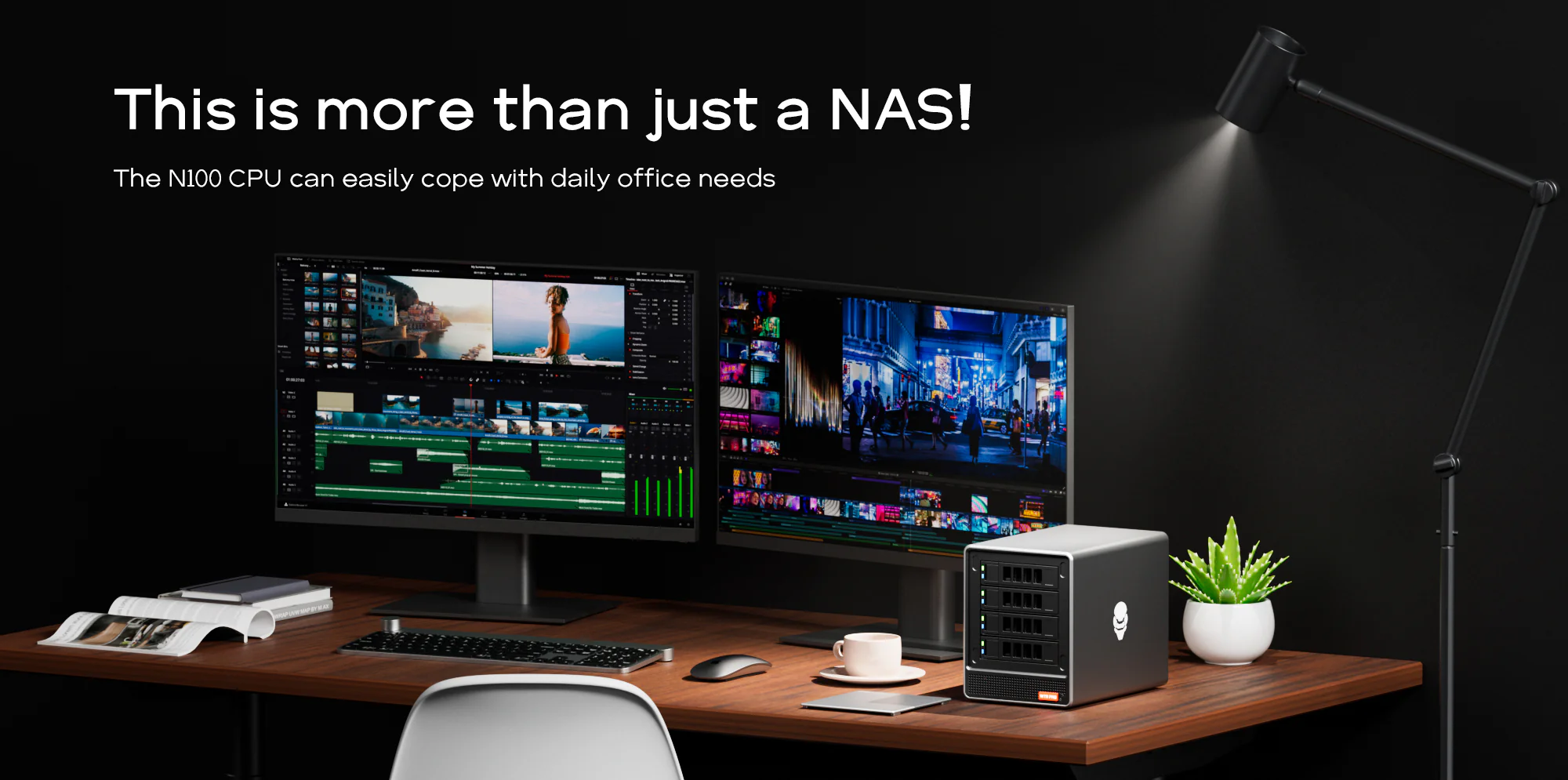
It hasn’t made its way to Amazon, where I often link because I don’t like having to wait for things to be drop shipped from the factory, but it is on the manufacturer’s website. If this had been available a few months ago, this would have probably been my purchase. It has the N100 processor I like as a budget low power processor, a good SATA chipset, decent looking ventilation…supports an NVME slot for the drive, 2.5 gigabit LAN…

It is just a lesson, there is always something new around the corner. You can either wait, or get the best available and not sweat the small stuff.


Published on July 5, 2024
Full Post
0 Responses

Peeling Back The Keyboard Onion, Layers Upon Layers: Reprogramming Your Keyboard

In a previous post, I briefly mentioned QMK and VIA.

QMK is compiled firmware for supported keyboards. This allows you to load firmware with custom functionality and maps onto a keyboard. This allows you to customize nearly every aspect of the keyboard’s behavior. So, what is VIA? VIA is a feature in QMK that lets you change your keymap on your keyboard without needing to reflash firmware. Some keyboards, Epomaker ones come to mind, have implemented VIA support without QMK…or at least possibly violating the open source license of QMK. I could live with that, I’m not an open source purist, but their implementation is also frequently incomplete and buggy.

There is also a fork of Via called Vial, which requires porting firmware to include support for additional QMK firmware features in software.

The advantage of all of these options is you can reprogram and customize the behavior of your keyboard and save it to the keyboard…making it independent of any computer. Many keyboards provide driver software that can do ‘some’ of the same things, but they are also only for Windows. I’m a Linux user, so I’m often out of luck there. Linux does have some key remapping options, but my current recommendation is a very low level option called keyd. It remaps keys at that level, and supports a lot of the features that you usually need QMK for. Keyd supports multiple keyboards with different layouts, modifying based on the USB vendor ID of the keyboard, and always you to remap any key combination and even add layers.

So, let’s dig into some of the features. Layers are built into most keyboards using the FN key…when you press it, this allows for different keys. Layers are essentially overlapping keyboard maps, which can be triggered. The Mac/Windows toggle on your keyboard, if you have one, toggles between two keyboard maps. The FN key activates a new layer when it is held. I have coded something in QMK to actually change the backlight color of a keyboard to indicate what layer was activated.

QMK/VIA allows the following sorts of behaviors to be triggered by keypress

  • Change the default layer
  • Activate layer when key is held
  • Activates layer when held, keypress when tapped
  • Activates layer until next key is pressed
  • Toggle the layer on/off
  • Tap the key 5 times to lock the layer in place.

Increasingly, discerning keyboard users are demanding this feature on keyboards. I wrote about the budget C3 Pro from Keychron, which is a full QMK/VIA supported TKL. The other budget option I found was the Skyloong GK61 60% hotswappable QMK/VIA keyboard. Budget as in, under $50. The 50-100 market is getting options as well. This shouldn’t be a luxury feature, and increasingly it isn’t.

My layer needs are very simple. I have a 75% keyboard which has Delete, Page Up, and Page Down on the right side…which means no Home, End, Insert. The 75% profile is not consistent about what keys will be offered in the format factor. With a QMK/VIA keyboard, I could make those keys whichever ones I wanted, change the keycaps…and it would behave that way forever. This keyboard though, doesn’t have that…so I’m using the keyd daemon…which of course means if I move to another computer, it no longer works.

The icing on the cake for these options are macros. The ability to trigger sequences of entries. And again, with QMK/VIA can be stored in the keyboard itself.

So, why not check this out? And here’s hoping more manufacturers include the option.

Published on July 4, 2024
Full Post
0 Responses

This May Be the ODroid You Are Looking For: ODroid H4 Series

In a previous post, I was excited about the arrival of the ODroid H4+. Then I got a bit nervous because of broken SATA connector on the board. For one, the longevity of the product, having never bought anything like this in the ODroid line, and that Ameridroid would make the return difficult. As mentioned, I had no evidence of that, but dealing with returns is stressful at times, and I think I may have imagined the worst based on some of my less pleasant dealings with other companies.

A few conclusions about the ODroid H4+…The Type 4 NAS case and the positioning of the SATA ports puts too much stress on the SATA cables. You need to buy the ODroid cables because I can’t find anyone else who sells the exact same power cables, as power for the drives comes off the board. I opted to switch to this thinner set of bundled cables. There is a right angle version, but I’m not sure, due the positioning of the ports, if you could place this without straining the ports, which after what happened, I’m a bit worried up. But the thinner cabling does seem to strain less.

Thinking about this for the future, I also had gotten a Jonsbo N2 and put a mini ITX board in it. That feels a lot more robust than the ODroid’s metal sheet case, but it also takes up a lot more room.

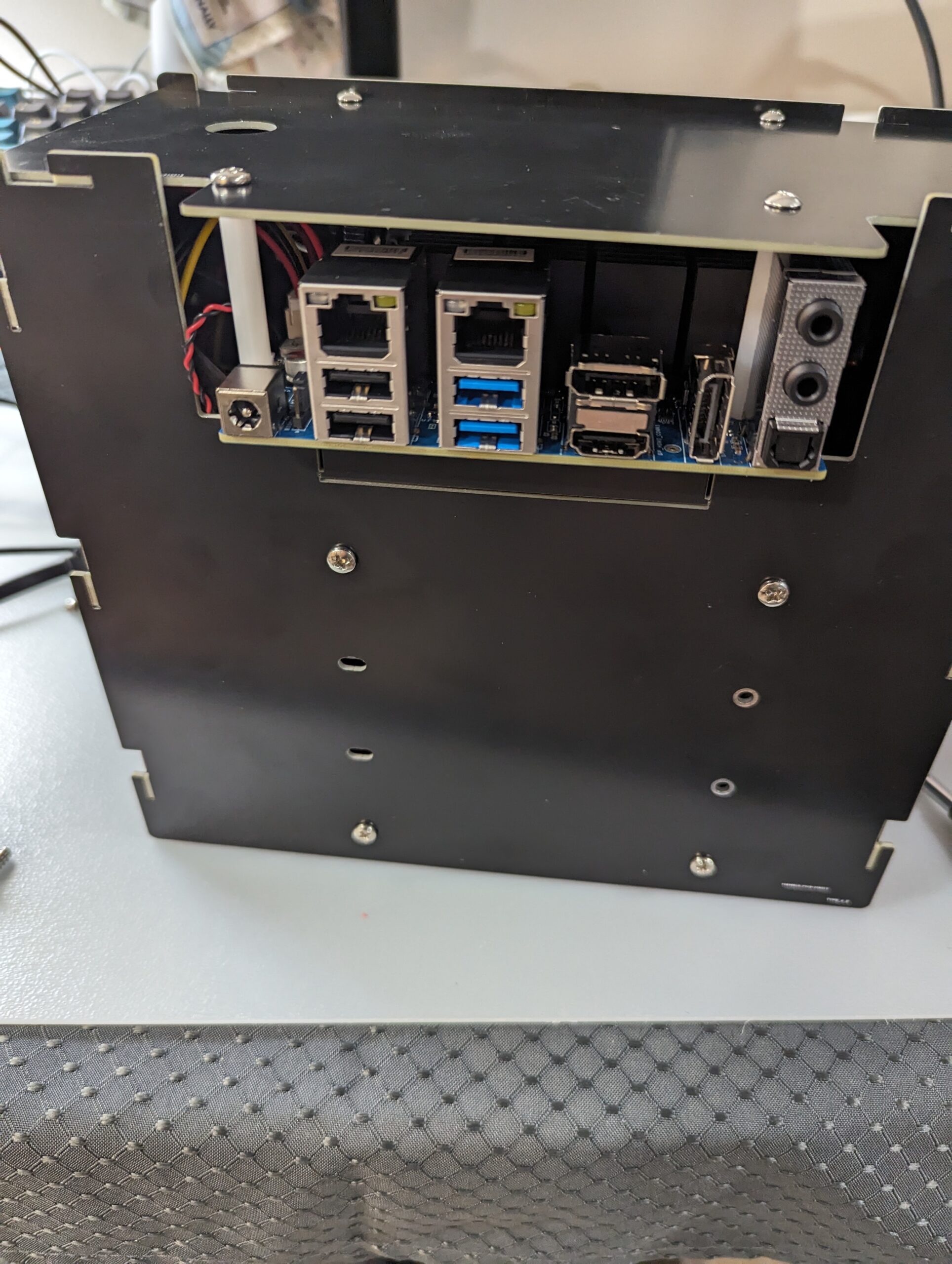
As I write this, I’m running tests on some drives I bought to place in it, and then I will work on deployment. You can see below how tiny this thing is, but the fact that the hard drives are providing the structural support makes me wonder about its longevity. I would have felt better it there had been some corner brackets. Also, there are no dust shields around the ports, and the bottom is open. So it could accumulate a lot of dust.

The ODroid line is popular, and if you look, all of these cases for the H4 line and its predecessor, the H3 line have this scratchbuilt in a garage feel to them. But, just because something has that look and feel doesn’t mean it is bad. I would recommend this as a server.


ODroid H4+ in a Type 4 Case
Published on June 18, 2024
Full Post
0 Responses

A Guide To Choosing Switches For Your Budget Silent Keyboards

In order to learn more about assembling keyboards, I’ve been buying a series of budget keyboard equipment. In a previous post, I had talked about buying a barebones TKL keyboard in the mid twenty range and filling it with switches and keycaps. More recently, I found myself stumbling across these $20 hefty barebones 75% keyboards, which I’d share the link to if it hadn’t sold out and been delisted rather quickly. It seems to be older stock someone was clearing out, which is a lesson that you can get some reasonable deals if you hunt around Amazon. Some people prefer something like Aliexpress, because certainly you can get some good deals drop-shipped from China, but I find Amazon has a bit more payment protection.

The switches I tried in my previous post were silent linear switches, but there are also silent tactile. Tactile switches provide a bump through the keystroke, which many individuals prefer, especially those who type a lot.

To evaluate switches of the same type, we need a few more terms. Actuation or operating force is the amount of force needed to activate the switch. Lighter switches may allow for fast registering of keypresses, but they can also increase mistakes due accidental triggering of a key. Heavier switches may reduce accidental keypresses, and can also cause fatigue after long typing sessions. The pre-travel is the distance the switch travels before it is pressed.

I explored a few switches. The Gamakay Pegasus Silent Pegasus Switches, which has a 50g actuation force and 2mm pre-travel. It is reasonably priced at well. Then I checked out the Outemu Silent Yellow Jade Switch, which is even less expensive, and also has a 50g actuation force, but a 3.3mm travel. There are also ones that require less force, for example, the Outemu Lime. Force is a matter of preference. I’ve found the Silent Yellows feel better to me.

Trying out switches is an endless road of preference. There are multiple vendors, multiple types(we didn’t even get into clicky as they aren’t silent deliberately), and a variety of opinions. Today, I’m enjoying the Silent Yellow Jades, tomorrow, I may try something different.


Published on June 5, 2024
Full Post
1 Response

Building My NAS: Choosing The Software To Manage My Network Attached Storage

I have gone through a lot of evolution of computer technology over the years, not only the technology, but my thinking. I remember my first server, which doubled as a NAS. It was a yellow full tower server system and had wheels . Why yellow? It was really inexpensive. But it was also really overbuilt for what I needed. I never filled all the bays and I never used it to its full capacity. And technology changed. I started building smaller, rather than overbuilding. I’ve gone from desktop, to laptop, to small PC, to mini PC, which is an evolution conversation in itself.

When my home built NAS died in the middle of the night some years ago, I ran to the store and bought a commercial NAS, because I was at the point in my life where I didn’t want to deal with another home build. So I went with a NAS and then a dedicated home server next to the NAS. And that was partly because the commercial NAS software was limiting and the manufacturer has stopped updating my model, but also because the hardware in NASes is always behind what you can get if you build it yourself. So, by investing in a NAS case, a motherboard, and using open-source, I can in future swap out the motherboard, upgrade the RAM, etc and continue…provided I keep to the same software platform.The lifespan is much longer.

I could run all my applications on the NAS, especially with the new hardware, but I want something that acts like an appliance…something that only is storage and storage related functions. I don’t want to clutter it with other things, even though it means another system to run server functions. Last time, I installed Linux and configured it. But there is software to make a computer a dedicated appliance, so it eliminated all the work I had to do to get everything working.

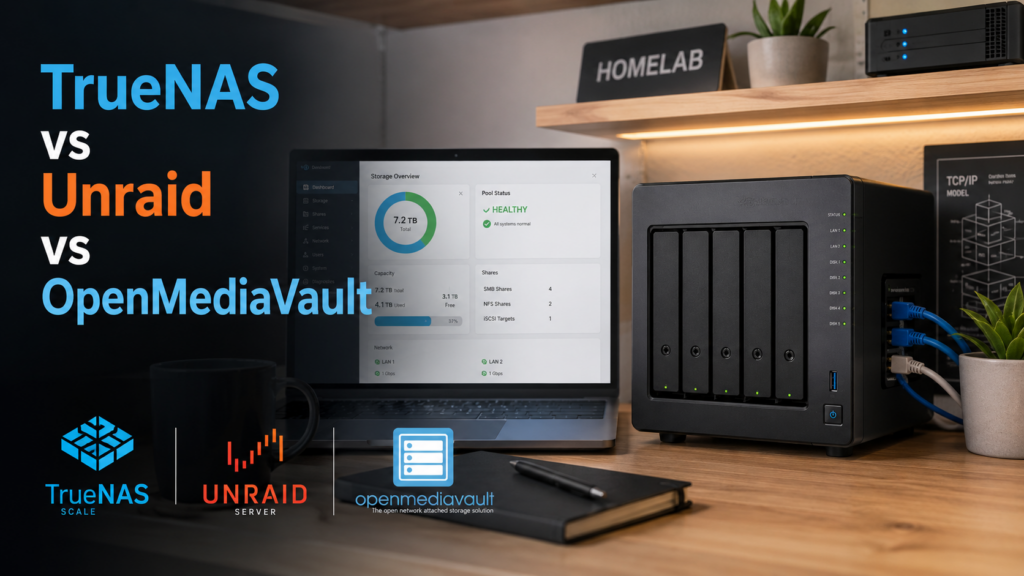
There are three popular options for NAS software…TrueNAS, Unraid, and OpenMediaVault.

TrueNAS has a commercial and a community version. It comes in the classic Core version, based on FreeBSD and the newer Linux based Scale. I get the impression impression Scale is the future for the project. Scale allows for containers and virtual machines if you want to run your applications on top of it. For the drives, it offers ZFS and the ability to deploy object storage similar to Amazon’s S3. ZFS is an incredibly robust filesystem.

Unraid, by comparison, is also commercially supported, with a license cost of $49 to $249, which includes the software. The most expensive membership at $249 is lifetime, which means updates for life, and the others offer updates for a year with a fee to upgrade after that. Even with no updates, some security patches are still offered for the older versions. The advantage of Unraid is it can manage drives that vary in size, speed, brand, and filesystem…so no RAID technology. Instead, it uses a dedicated parity drive, and offers a cache drive for speed.

Openmediavault is somewhere closer to Unraid in its simplicity, but has no commercial cost. It seems to be in the middle of the option here and can veer toward the Unraid feature set or the TrueNAS ones.

I ended up with TrueNAS, because I wanted the features it offered for data storage. I’ll be talking more about that, but setting it up took more time to restore my data than it did to set it up. It is now handling 100% of the file serving the previous server did. I still have backup and other redundancy functions to configure, but I’m 100% back online.

Published on May 31, 2024
Full Post
1 Response

Building My New Network Attached Storage(NAS): A Change of Plans, Keeping Up With The Jonsbo

Despite the fact that my ODroid H4+ had an issue, I still remained committed to the course of action of building a NAS to replace my commercial one. So, even as I pursue the Odroid H4+, I decided to explore the other option I’d explored. My original plan was build a mini-ITX NAS. And so, feeling nervous about the ODroid future, I decided to revisit that plan.

I really wanted a low power, small NAS, but while I liked the simplicity of the Odroid 4 drive case, the experience of assembling the case made me a bit concerned about how running a case that is supported entirely by the drives might work out. I decided, since I need to have a secondary location to store the backup for the NAS, I would use this for that, and I’d go more conventional for the primary location. That is a bit more than I’d budgeted for, so this is going to have to last me a while.

On reading a lot of commentary on Mini-ITX NAS cases, I had decided on the Jonsbo line of NAS cases. There’s the Jonsbo N2, which supports five hard drives, or the slightly larger Jonsbo N3, which supports eight hard drives. While I opted for the N2, I can understand some wanting the extra space for future expansion.

The budget board I opted to try is also a N100, the same line I’d been advocating for. There are a variety of variations of this board sold. For example, by CWWK. Or HKUXZR. Or Dytebeply. With minor variations, these boards contain 6 SATA ports…5 of which are via an expansion chip, which may cause throughput issues. They also have 4 2.5 gigabit ethernet ports and 2 M.2 ports on the board. Reading a lot of reviews of these boards, it takes a long time to post, may have limited RAM options, but a lot of people are using these boards, it seems. I’ll be talking a bit more about how I might set up the options I’ve chosen.

If I only wanted a 2 drive NAS, the Aoostar mini PC would be tempting.

The next challenge is how I am going to configure this. There are a lot of decisions, even once I have the hardware.

Published on May 27, 2024
Full Post
2 Responses

Odroid H4 Update: Things Take a NASty Turn- My SATA Dream Deferred

When things go wrong, I admit to a certain amount of anxiety about whether or not things will turn out well. I was so excited about settling on the ODroid H4 as my NAS system. It was small, flexible, had the processor type I wanted…When it showed up last week, I was disappointed that a work trip meant I couldn’t assemble it immediately.

Tonight, I got out the YouTube video from Hardkernel, and started constructing. I took my 4 hard drives and used them to assemble the frame of the case, then put the plastic spacers on the board as shown in the video, then attached the SATA cables and power cable, as shown, which I bought with it. I have SATA cables, but I didn’t have anything like the power cables, and they came as a set. According to the video, it should be 2 200mm cables, and 2 250mm cables for the drives further apart.

I put the top on, and put it in the slot, and tried to attach the cables, but quickly realized that the first one was too short to go to the bottom. I realized I’d gotten 4 identical cables. So I unhooked the top and went to take off the cables. I thought I would try a longer one I already had, although I was worried that would still create a problem with the power cable. I’ve built many computers over the years. To remove a SATA cable,, there is a locking connector you gently push in on, then release. 3 came out, the 4th, when I pushed the release and gently removed the cable, and the connector came up with it. I didn’t pull or yank on it. I tried to reseat it, but I didn’t think that would work. My assumption is, as to other ones seemed secure, that it was not secure initially. I wasn’t optimistic about getting the connector to work again, and I need 4 drives, so this rendered the item useless to me.

So, now comes the anxiety. Will Ameridroid claim human error? I don’t think it was, but the fact that they write in their return policy that if an item is deemed to not be defective by them, they will charge a 25% restocking fee makes me nervous. This is not because I had any bad experiences with Ameridroid, but because I now have to wait nervously to know if I’m going to be out the money.

It also makes me a bit nervous about ODroid and their manufacturer, Hardkernel. Maybe I shouldn’t have bought a product that was just released? Maybe I should have gone for something from a more established provider? Does the manufacturer stand behind their product? I have limited experience with them, but people seem to generally like them.

They say don’t sweat the small stuff, but I hate sometimes how one bump in the wrong can make me question a less conventional route. It’s hard to pick your hardware and assemble it. I’m already regretting my last upgrade for not leaving enough room for future proofing. Is this going to go the same way? What advice do you have for me?

Published on May 15, 2024
Full Post
0 Responses

The Intel N-Series Chips: A Perfect Balance of Performance and Power Consumption

The Intel i3 N Series launched in 2023, consisting of the 4 core N-100 and N-200, as well as the 8 core N-300, and N-305.

For years, Intel’s low power CPUs were items I used because I needed something low power and was willing to suffer the slow speeds. But technology has caught up. The series is perfectly fast for the majority of my needs, be it a server, or even a web browsing system. It isn’t a gaming powerhouse, but can handle media playback admirably, and has the power to handle transcoding for a Plex server, if you wanted it to be one, and all at low power. I’ve acquired 3 N-100 powered items to replace older systems…to power my NAS, a backup/portable desktop for various uses, and as a dedicated computer for a scanner project.

It seems, with this line, Intel has finally gotten to a place of reasonable performance and power usage. So, I wanted to show some examples of what reasonable little systems you can buy. Of course, I usually wipe Windows and switch to my preferred Linux desktop or server OS, but…to each their own.

For example, you can try something like this CWWK N-100, which has 4 2.5GBE ports, and looks perfect for a router. It does not come with drive or RAM for a little over $200.

This Beelink S12 Pro offers 16GB RAM and 500GB of RAM for $169. It does lack a USB-C port, which I do like to have, but Beelink has a good reputation for inexpensive devices.

Even smaller is this GMKtec Mini PC with 8GB of RAM/256GB SSD, at $135. It looks to be 4 inches square from the image.

Minisforum also gets good reviews, and this one, the UN300, has that USB-C port I was looking for, although not a 2.5GBE port, if that’s important to you.

So, this isn’t just about me showing off little toys I wouldn’t mind buying. It is the cornerstone of my refresh plan for old technology. It’s inexpensive and I can deploy it to replace 5-10 year old systems, and it will last another 5-10 years, if not more…which is why I’m already thinking about 2.5GBE ports… My systems are all wired with gigabit ethernet. 2.5GBE is 2.5 Gigabit Ethernet…and is becoming more mainstream. There are 5 and 10GBE, but as gigabit ethernet was once expensive, 2.5 gigabit capable equipment is rapidly more affordable and being included in hobbyist level equipment.


Published on May 6, 2024
Full Post
2 Responses

Building My New Network Attached Storage(NAS): Introducing the ODroid H4 Series

I’ve been back and forth between a commercial Network Attached Storage(NAS) product and a homebuilt NAS product. But for the last iteration, I had given up on something I built and moved to a commercial product. But I’m finally ready to go back to homebuilt. Except this time, I’m going to try TrueNAS, because my barrier is always how much time I spent tinkering with it.

I debated a variety of different system configurations and decided I wasn’t going to have my NAS also handle other server duties. It’s primary job would be to run applications. I have a server for that. I just want to run functionality related to file serving, and TrueNAS offers most of that out of the box…although there are more decisions to be made. It isn’t a pure drop in replacement.

So, I settled on the N100 series of CPU processors. Generally available, reasonably priced, and more than enough power for what I wanted. Looking around, that meant I needed to pick a case, a motherboard, etc. While looking, I stumbled across a product just launching, from Hardkernel, who makes the Odroid line of products, which are single board computers. I’d rejected single board, wanting a x86 compatible processor, but the newly launched H4 series is just that.

There are three models, the H4, H4+, and H4 Ultra. The H4 and H4+ use the N97 processor, and the Ultra ups that to an i3 N305. The basic difference between the H4 and the H4+ for me is that is offers 4 SATA ports. The power profile of this thing is perfect for a headless server. They offer a mini-ITX conversion kit, but they also offer 4 different designs of metal cases you can buy, and DC adapters to power them. Case Type 4 allows for 4 SATA hard drives, a fan, and the board. It is essentially 4 cut pieces of metal you can assemble, as well as screws and a fan. The picture in this post is courtesy of their site.

It doesn’t look like a normal NAS, or a computer…it looks like an appliance, which is what I want. I sourced the equipment through Ameridroid, who is the O-droid provider in the US and who I have dealt with minimally before. This included ordering the type 4 case, the board, and the power adapter. That ran me a little over $200.

It also limits me. If I install the operating system on an NVME SSD, plus the 4 SATA drives, I can’t grow the system with additional drives. Any changes become a drive replacement, or a system replacement. But I’ve stuck with only 4 drives up until now in my commercial unit, and even in the home built ones I’ve had in the past. It allows me to have a good mix of redundancy and performance.

Redundancy in the same system is not the same as a backup though. I will be talking more about that as I learn about the options TrueNAS offers, and will talk a little about my backup strategy in future.

We’ll see what happens when the board comes and if I made the right decision.


Published on April 28, 2024
Full Post
1 Response

Building A Silent Keyboard On A Budget- An Inexpensive Approach To A Better Typing Experience

Continuing my keyboard experimentation, I wanted to see what you could get in a build project for as cheap as possible. So, this is the M87 Pro Keyboard, a TKL keyboard that is hot swappable, with south facing RGB LEDs. It was going for $29.99 before a 20% instant coupon. I didn’t disassemble it, but the video of its disassembly shows a gasket mount with 5 layers.

I already had some keycaps I had taken off another keyboard for cleaning(they were getting a bit shiny), and I decided this was also a good time to try some new types of switches. Because the description for the product said, “Sound Absorption Foam & Silicon Bottom Pad…Each press feels like a symphony of comfort and precision…”, I opted to try two types of advertised silent switches.

The Akko V3 Fairy Linear Silent Switch and the Epomaker Sea Salt Silent Linear Switch, as pictured below. Of course, my first box of Fairy switches showed up pre-opened from Amazon(which I assume was a return they didn’t detect). I apparently wasn’t the only person with this problem, as there were similar reviews. Either way, the Fairy feels a bit better, is definitely more silent when I type, and is actually cheaper. At the same time, the Seat Salt is a box type switch, seems a stronger construction(none of them showed up broken or pre-used) and are rated for 10 million more uses. So, I can see the benefits of both of those.

I did consider some alternatives to try in the sub-$50 kit space. You can find some even cheaper on Aliexpress and sites like that, but there is a comfort with using Amazon, I suppose. The CIY GK68 Wireless Hotswap Keyboard is only $37.90 at time of writing here, and that adds in, obviously, wireless capability using AAA batteries, as well as being a 65% layout as opposed to TKL, and comes in a few colors.

Also, being as keyboard kits, unless they are higher end, can cost more than keyboards where you just discard the switches they provided, you can also consider some budget models that you intend to completely strip.

Much to my annoyance, or happiness(just wish I’d known it was coming), the Keychron C3 Pro, which was a budget model I really like, now has a hotswap version. I recommend it even more, and it is selling for $48 at the time I write this for the hotswap version, and I’ve seen the regular version for as low as $30.


Published on April 22, 2024
Full Post

Get New Posts By Email