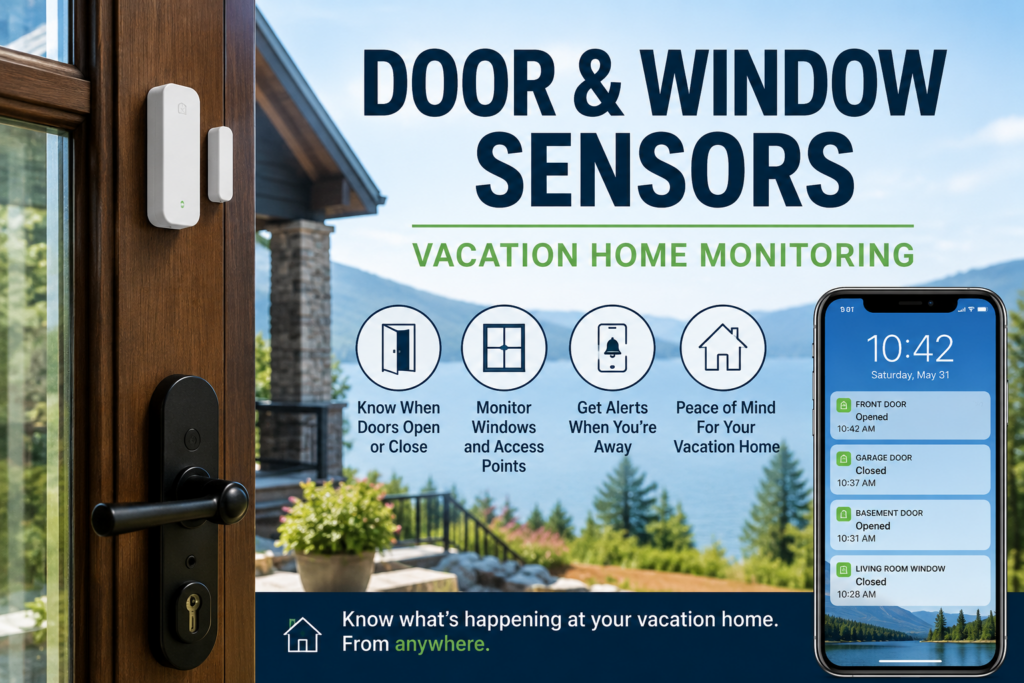
That is true, but when integrated into broader systems, they can do much more. For a vacation home, a door sensor is not just there to tell you someone broke in. It can tell you that a cleaner arrived, a contractor left, a guest forgot to close the back door, a garage entry door is still open, or a window is unsecured while you are hours away.
That makes door and window sensors for a vacation home less about building a security system and more about solving a simple problem: you are not there to see whether the house is secured.
Quick Answer: Where Should You Put Door and Window Sensors in a Vacation Home?
The first door and window sensors in a vacation home should go on the entry points most likely to be used, forgotten, or vulnerable: main entry doors, garage doors, basement entrances, sliding doors, and windows that are easy to access or commonly left open. If the home has guests, cleaners, contractors, or seasonal use, sensors can also help confirm that people came and went when expected.
| Location | Why It Matters | Priority |
|---|---|---|
| Main entry door | Most common entry point | High |
| Garage entry door | Often forgotten or left unsecured | High |
| Sliding door | Easy to leave unlocked or partly open | High |
| Basement or side entrance | Less visible both inside and outside the house | High |
| Accessible windows | Useful for ground-floor or deck-level openings | Medium |
| Rarely opened upper windows | Usually less urgent unless they are often left open | Low |
Why Door Sensors Matter When Nobody Is There
While these same ideas apply at home, in your primary residence, you usually notice if a door is open for too long. You feel the draft. You hear the alarm. You see the light. You walk past it.
In a vacation home, none of that helps if you are not there. You need more help and might prioritize investment there over a place you are at more often.
A door left open for a few minutes may not matter. A door left open overnight, during a storm, during freezing weather, or between guest stays is a different problem. It can mean water, animals, theft risk, heating or cooling loss, or just the unpleasant discovery that the house was not secured when you thought it was.
Door sensors are useful because they answer a basic question:
Is the house closed when it is supposed to be closed?
That sounds boring. It is also exactly the kind of thing you want to know from far away.
The First Doors To Monitor
You could put a sensor on everything. But thatg can get cost-prohibitive. Start with the doors that actually matter.
Main Entry Door
The main entry door is the obvious first sensor. It tells you when someone arrives, when someone leaves, and whether the door is still open after it should have closed.
If you use the home yourself, this may not seem pressing to know who opens and closes it. If cleaners, guests, relatives, or contractors use the property, it becomes much more useful.
Garage Door And Garage Entry Door
Garages are easy to overlook because they are not always treated like part of the living space. But a garage can contain tools, stored items, mechanical equipment, access to the house, or vulnerable plumbing, not to mention an actual car.
If the garage has a person-door into the house, monitor that too. It is often not as secured as your front door. A garage door sensor tells you whether the garage is open. A door sensor on the interior garage entry tells you whether someone entered the home from the garage.
Sliding Doors
Sliding doors are worth monitoring because they are easy to leave slightly open and easy to forget about, especially on decks, patios, and lake or mountain houses where people are constantly going in and out. They also, because of their design, are a weak point should someone try to break them to enter.
They are also common access points for guests, kids, cleaners, and anyone using outdoor space.
Basement, Side, And Utility Entrances
These doors may be less visible, which makes them more important. A basement or side door can be left open without anyone noticing from the street or main living area.
If there is a door you would not see from the front of a building, it probably deserves a sensor.
Which Windows Are Worth Monitoring?
Window sensors are useful, but you should again, be selective.
Not every window needs a sensor. If a second-floor window is rarely opened and not realistically accessible, it may not be the first priority. If a ground-floor bedroom window is often opened, faces a deck, or is easy to reach, that is different.
I would prioritize:
- ground-floor windows
- windows near decks or porches
- basement windows
- windows often opened by guests
- windows in rooms that are easy to forget
- windows near valuable equipment or storage
The goal is not to make a perfect diagram of every opening. The goal is to catch the openings most likely to matter.
Vacation Rental vs. Private Second Home
The right sensor setup depends on how the property is used.
For a private second home, door and window sensors are mostly about peace of mind and early warning. You want to know whether something changed while you were away.
For a vacation rental, the situation is more complicated. You may want to know when cleaners arrive, when guests check in, whether a door is left open, or whether someone entered a utility area they should not be using. But you also need to think about guest privacy and disclosure.
Privacy
Outdoor cameras and entry sensors are usually easier to justify than indoor cameras. Door sensors can provide useful operational information without recording people inside the home. You also have occupancy sensors, which detect if someone is in a space without any more details.
That is one reason I like sensors for this job. They tell you what happened without turning the house into a surveillance project.
Sensors vs. Cameras
Cameras and sensors answer different questions.
| Device | What It Tells You | Limitation |
|---|---|---|
| Door sensor | A door opened, closed, or stayed open | Does not show who did it |
| Window sensor | A window opened, closed, or was left open | Only covers that window |
| Presence Sensor | Someone is in a space | Accuracy can be limited |
| Camera | Who or what is visible in the camera view | Can miss activity outside its angle and can raise privacy issues |
| Smart lock | Lock status, entry codes, and access history | Does not always prove the door is physically closed |
A smart lock can tell you the lock is engaged. A door sensor can tell you whether the door is closed. A presence sensor can tell you if someone is occupying a space. Those are not always the same thing.
For a vacation home, I like the combination: smart lock for access, door sensor for open/closed status, a presence sensor to specifically identify individuals in strategic spaces and exterior camera for context.
What Kind of Door and Window Sensors Should You Buy?
I would not start with the fanciest sensor/ I would start with sensors that fit the smart-home system you already use and are reliable enough to place on the doors that matter.
If you already use a platform like Home Assistant, it can combine sensors from multiple systems. Whether you use Ring, Aqara, YoLink, SmartThings or another smart-home system, compatibility matters more than brand loyalty. A sensor that sends alerts through the system you actually check is more useful than a technically better sensor that lives in an app you ignore.
For a basic setup, look for:
- reliable open/close alerts
- good battery life
- low-battery warnings
- support for your existing hub or app
- enough range for garages, basements, or detached spaces
- an alert history so you can see when someone came and went
For long-range or detached spaces, systems like YoLink-style sensors can be interesting. For Home Assistant or Zigbee setups, Aqara offers a popular budget item. For alarm-system users, the best answer may be to use the sensors that tie into the monitored system you already have.
What Alerts Should Actually Notify You?
The biggest mistake with smart-home alerts is sending yourself too many of them.
If every door opening sends a push notification, you will eventually stop caring. That is especially true if guests, cleaners, or contractors are using the property.
Start by making a list of things you want to know, and when you want to log them, or get alerted.
Useful Immediate Alerts
- a door opens when nobody is expected to be there
- a door remains open for more than a few minutes
- a garage door is still open at night
- a basement or side door opens unexpectedly
- a window opens while the home is supposed to be empty
Useful Logged Events
- cleaner arrived
- cleaner left
- contractor entered
- guest checked in
- guest checked out
Not everything needs to buzz your phone immediately. Some information is useful as history. Some information is urgent.
The trick is knowing the difference.
What To Do When A Sensor Goes Off
A sensor alert is only useful if it connects to a response.
If a door opens unexpectedly, you may check a camera. If a door stays open, you may call a guest, cleaner, neighbor, or property manager. If a window opens while the house is empty, you may need someone to inspect the property.
Before relying on sensors, decide who can act:
- a neighbor with a key
- a local property manager
- a cleaner or caretaker
- a family member nearby
- a contractor who already has access
- local emergency services if there is a real security issue
The point is not to know about a problem faster and then stare helplessly at your phone. The point is to know early enough that someone can do something.
How Door And Window Sensors Fit Into A Vacation Home Monitoring Setup
Door and window sensors are one aspect of monitoring.
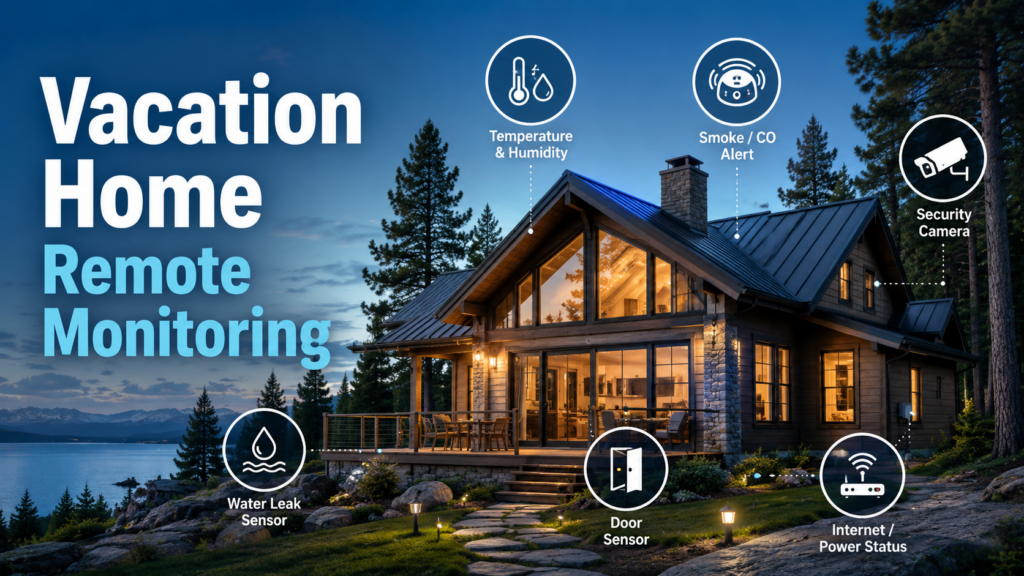
They do not replace leak sensors, temperature sensors, smoke and carbon monoxide alerts, cameras, or backup power for your network. They answer a different question: whether the house is physically open or closed when you are not there.
For the broader system, see my guide to vacation home remote monitoring.
If you are still building the rest of the setup, these are the other pieces I would think about:
- Vacation home temperature monitoring
- Govee leak sensors for water monitoring
- Smoke and carbon monoxide detectors
- UPS backup for router and modem
The Bottom Line On Door And Window Sensors For Vacation Homes
Door and window sensors are not the most glamorous smart-home devices. That is part of their appeal.
They answer simple, practical questions: Did someone open the door? Did they close it? Is the garage still open? Is that window unsecured? Did the cleaner come and go? Did a contractor enter the house?
For a vacation home, those small bits of information can matter a lot. You are not trying to watch everything. You are trying to know when something important changed.
Start with the doors people actually use, the windows most likely to be left open, and the entry points you would worry about if you were not there for a week.
Frequently Asked Questions About Door and Window Sensors for a Vacation Home
Where should I put door sensors in a vacation home?
Start with the main entry door, garage entry door, sliding doors, basement entrances, side doors, and any door commonly used by guests, cleaners, contractors, or family members.
Do I need window sensors on every window?
No. Prioritize ground-floor windows, basement windows, windows near decks or porches, and windows that are often opened or easy to forget. You can assess based on how hard/easy it is to access that window from the outside.
Are door sensors better than cameras?
They do different jobs. Door sensors tell you whether a door opened or stayed open. Cameras show visual context. For a vacation home, the best setup may use both, especially at exterior entrances.
Can door sensors tell me if a guest or cleaner arrived?
Yes. Door sensors can show when an entry door opened and closed. If paired with smart locks or access codes, they can be part of a useful guest, cleaner, or contractor access log.
What should happen if a door sensor goes off while I am away?
Have a response plan before the alert happens. That may mean checking a camera, calling a guest or cleaner, contacting a neighbor, or asking a property manager to inspect the house.