
Gadget Wisdom

Tag: privacy

0 Responses

GeoPulse vs. Dawarich: I Tested Both With 13 Years of Location Data

For many years, I have been tracking my location using Aaron Parecki’s Compass. Compass is a fairly lightweight tracking server that stores data in flat files. It pairs nicely with Overland, Aaron’s iOS app and other apps to receive location data and store it. But, much as I like the software, it is in need of update (something Aaron himself has noted he will get to).  A piece of software not being updated for a few years is not necessarily a reason to leave it, but it does make you want to look at what else is out there.

Why Location Tracking

Different people have different reasons for wanting to track their location. For me, it is related to maps and photos. Most of the time, where I am is rather uninteresting. But when I am traveling, it can be much more interesting. I want to see those maps, revisit places I’ve been.

I first discovered I had turned on this feature without realizing it on Google, with its timeline service. When I realized it, I changed to their current short term timeline service but downloaded all the data first. Then I migrated it into Compass and started adding my own with a variety of tools on my Android phone, as Overland didn’t have an Android equivalent.

For Android, I’m currently using Colota, which replaced my long-time use of GPSLogger, which was designed more for short-term tracking. Colota has the features that work for me. Connects to a server of your choice, queues offline and syncs, saves on device, etc. The developer even offers a companion product called Colota Forwarder, which I use. I run Home Assistant, and rather than having multiple apps on my phone track my location, I send to a small forwarder instance, which forwards it to Compass, Home Assistant, and currently two other products I’m testing.

GeoPulse

The first of the two self-hosted location servers is GeoPulse, which bills itself as an alternative to Google Timeline, the product I originally had turned on location for. GeoPulse accepts GPS data, groups them into stays, trips, and gaps in data. You can make manual corrections. GeoPulse is free for personal use under a BSL1.1 license.

  • It does lookups on the locations to create a step by step timeline.
  • It tries to straighten routes to align with roadways.
  • It includes weather polling for all the points.
  • It offers street images
  • Integration with Immich for photo maps
  • It has a full API.

According to its own docuemtns, in typical self-hosted usage GeoPulse uses about 50-100 MB of memory and stays below 1% CPU outside imports, timeline regeneration, and other background jobs. That makes it good for lightweight deployment.

Dawarich

Dawarich also bills itself as a replacement for the missing Google Timeline. Dawarich offers a hosted and self-hosted version. The cost of running a server means some people might prefer the hosted version, although the different plans they offer have limits.

Dawarich compares itself to GeoPulse on its own page, noting in addition to the same features GeoPulse offer, it offers native apps, privacy zones in shared links and exports, richer sharing, a more permissive AGLP-3.0 license, and a much broader contributor community.

Dawarich has a much beefier set of hardware requirements. 2GB of RAM, 1 CPU Core, and 10GB of disk space. You can limit its memory usage.

Comparing the Products

I agree with Dawarich’s statement that it offers a much broader community. I’m coming from a product that has a single maintainer, and only a few contributors. But the memory usage is also a concern. I imported 13 years of data into both. Both are running on the same hardware, a 1GB VPS. Even limited down to the size of the server, the cost of running Dawarich on hardware it requires well exceeds GeoPulse.

I picked a day from my 13 years, when was on a trip, and told both of them to retrieve it. GeoPulse pulled it up quickly and displayed the information. Dawarich in its default configuration took much longer on the same low powered server.

So, if I were going to leave Compass, I would move to GeoPulse. For now though, I’m going to tear down Dawarich after I do some additional testing and run Compass and GeoPulse in parallel and decide what I’m going to do next. But for a new user, who is looking for a full featured yet lightweight option, I’d seriously consider that one.
Published on October 20, 2026
Full Post
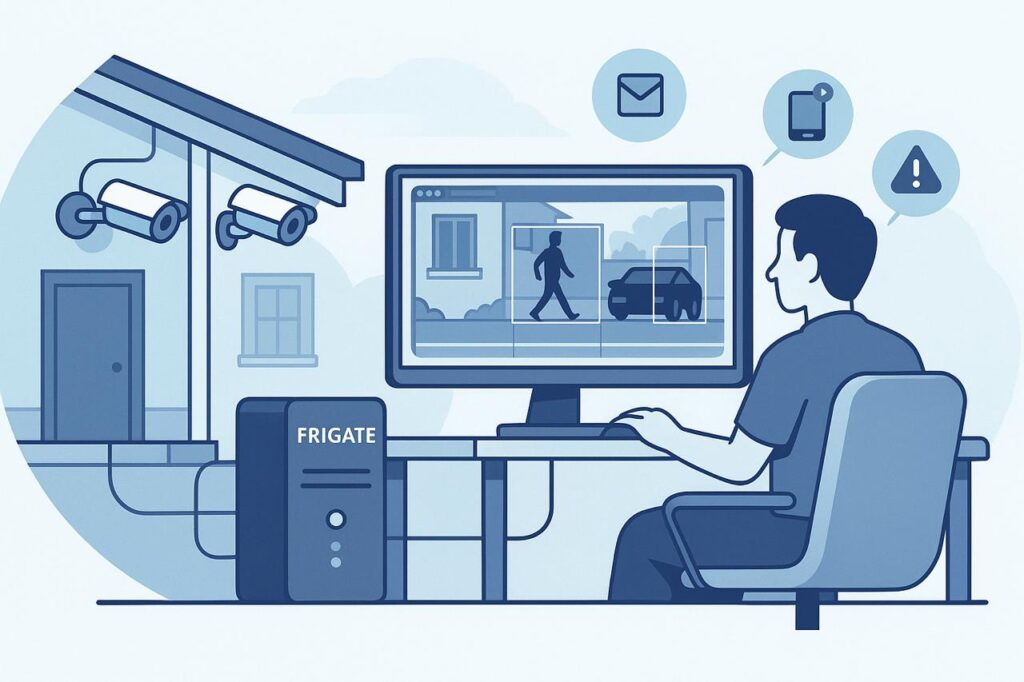
Illustration of a person monitoring POE security cameras using Frigate NVR software on a computer, with outdoor cameras mounted on a house and detection alerts shown on screen.
0 Responses

POE Cameras and Frigate NVR: Why I Switched to Local Home Surveillance

During my recent renovation, I added two additional cameras to my new space, at the two points of ingress. This was something of a departure as these were also the first Power Over Ethernet(POE) cameras I’ve had installed, as I had someone on-site available who could run the cables cleanly.

I’ve tried a variety of ecosystems for cameras, both for myself and others. Many of them push you toward subscription-based cloud services, which features like video history, motion detection, and notifications only work fully if you pay monthly. Some of them barely provide any features without paying, despite the fact you bought the device.  Even when offering local options, this is often storage with a microSD card in the camera, which is clunky, slow, and unreliable.

That is why I decided to go with a network video recorder. A server that takes the feeds from all the cameras and stores the recordings. You can buy commercial NVRs you can purchase and install in your house, including some that integrate with the specific hardware cameras you bought, but I wanted a solution that aligned with my philosophy of self-hosted, privacy first smart home tech.

So I chose Frigate.

Quick Answer: Why Use POE Cameras With Frigate?

POE cameras and Frigate make sense if you want a local home-surveillance system that does not depend on a cloud subscription. Power Over Ethernet cameras are more reliable than Wi-Fi cameras, and Frigate can record video, detect people, cars, animals, and other objects, and let you tune alerts around the parts of your property you actually care about.

Choice Why It Matters
POE cameras More reliable than Wi-Fi cameras and powered through the network cable
Frigate NVR Local recording and object detection without relying on a cloud camera plan
Detection zones Reduce false alerts from sidewalks, streets, neighbors, or passing cars
Self-hosted storage Keeps recordings under your control instead of inside a camera company’s subscription
Frigate+ Optional model improvements without turning the whole system into a traditional cloud lock-in product

Why Frigate?

Frigate is an open-source NVR designed for real-time object detection all running on local hardware. It is deeply customizable and can be tuned to only record what matters to you – people, cars, or animals, depending on what zones and filters you decide.

For example, one of my outdoor cameras flagged every pedestrian across the street, which is well outside of the zone I am concerned about. I can narrow the zone to only my property, to dramatically reduce noise in footage and alerts.

Frigate recently added:

  • facial recognition
  • license plate recognition.
  • View-only user roles for shared access

Everything is processed locally, with no cloud dependency.

Frigate+: Smarter Detection, Optional Subscription

To improve detection, you can also subscribe to Frigate+, a $50/year subscription which offers better trained models for detection. These are trained by other users of Frigate. You can participate by submitting false positives and other information voluntarily. If you cancel, you get to keep the downloaded models, you just stop getting updates.

This helps support the developers and doesn’t lock you into a traditional subscription model.

Frigate Notifications

One gap in the core Frigate setup is the lack of built-in robust multi-platform notifications. That’s where another piece of software, Frigate-Notify, comes in. It offers all of the notification options I might want.

  • Rich notifications
  • Cross-platform delivery including mobile, desktop, and messaging apps
  • Fully customizable

Next Steps For My Frigate NVR

Inspired by how well the new system is performing, I plan to replace more of my older Wi-Fi cameras with wired POE models for improved reliability. Wired cameras streaming directly to my NVR reduces lag, improves reliability, and gives me full control over recording, storage, and alerts—without the cloud.

If you’re tired of cloud lock-in and unreliable Wi-Fi cams, and you want a privacy-respecting, smarter surveillance system, Frigate + POE may be the combo you’ve been looking for.


Published on September 8, 2025
Full Post

Get New Posts By Email