I keep buying mechanical keyboards.
I only have one set of hands. I do not type with my feet. There is no rational reason for one person to need this many keyboards.
And yet I keep finding reasons to try another one.
Part of that is because mechanical keyboards are fun to experiment with. But there is a more practical point here:
If you spend hours every day using a computer, you should give considerably more thought to the keyboard under your hands.
People routinely spend $1,500 on a laptop, hundreds of dollars on a monitor and perhaps another few hundred on a phone they replace every couple of years.
Then, when they dock the laptop, or use a desktop system, they type all day on a $15 keyboard that came free in the box.
You do not have to become a keyboard obsessive.
You do not need to memorize the difference between the explosion of different switch options that have come out.
You definitely do not need to spend $400.
But mechanical keyboards have become so inexpensive, varied and practical that I think almost anyone who types regularly should at least try one.
What Is a Mechanical Keyboard?
On a traditional mechanical keyboard, each key uses an individual mechanical switch.
Press the key and the switch physically actuates.
Other common keyboards use membrane, rubber-dome or scissor-switch mechanisms instead.
There is nothing inherently wrong with those designs. Some laptop keyboards in particular can be quite good.
But mechanical switches give manufacturers—and you—far more control over how the keyboard feels.
You can choose:
- how much resistance a key has;
- whether you feel a bump when it activates;
- whether it makes a click;
- how far the key travels;
- how tall the keyboard is;
- and, on many boards, which switches you want to install.
That is where this gets interesting.
1. Mechanical Keyboards Simply Feel Better to Type On
This is subjective.
It is also the reason most people become interested in mechanical keyboards in the first place.
A decent mechanical switch gives you a more deliberate keypress than the mushy rubber-dome keyboards that still fill offices and computer bundles.
You can choose a smooth linear switch, a tactile switch with a noticeable bump, or a deliberately clicky switch.
Once you find one you like, typing can feel considerably more satisfying.
That matters if you spend a large part of your day:
- writing;
- coding;
- working in spreadsheets;
- answering email;
- editing;
- or doing almost anything else at a computer.
You are pressing these keys thousands of times.
It seems reasonable to care how they feel.
2. Mechanical Keyboards Are No Longer Expensive
This is probably the biggest change.
Mechanical keyboards used to be something you either found attached to an old computer or paid enthusiast prices to own.
That world is gone.
You can now buy surprisingly capable mechanical keyboards for the price of an ordinary mainstream wireless keyboard.
I have been particularly impressed by the Keychron C3 Pro as a budget model.
I originally bought one because it was inexpensive enough to experiment with. It turned out to be a perfectly good everyday mechanical keyboard with features that would once have belonged on much more expensive boards.
There are now budget mechanical keyboards with:
- hot-swappable switches;
- programmable firmware;
- RGB lighting;
- better internal sound dampening;
- PBT keycaps;
- wireless connectivity;
- and surprisingly solid cases.
The price barrier has largely disappeared.
3. You Don’t Have to Buy a Loud Keyboard
Mention mechanical keyboards and some people immediately imagine an office filled with:
CLICK CLICK CLICK CLICK CLICK.
That keyboard exists.
You do not have to buy it.
There are linear switches that are relatively quiet, tactile switches without a loud click mechanism, and dedicated silent switches designed specifically to reduce noise.
You can also change:
- switches;
- keycaps;
- case foam;
- stabilizers;
- and other parts that influence the sound.
I have experimented with deliberately quiet builds, and it is entirely possible to make a mechanical keyboard that is appropriate for an office or shared room.
If noise matters to you, see my guide to building a silent mechanical keyboard on a budget.
4. You Can Choose the Switch You Actually Like
This is where newcomers encounter the bizarre rainbow vocabulary of mechanical keyboards.
Red.
Brown.
Blue.
Banana.
Yellow.
Mint.
Jade.
And seemingly another dozen switch names every time I look.
You do not need to understand all of them.
Start with three broad categories.
Linear Switches
These move smoothly through the keypress without a pronounced tactile bump.
They are popular with gamers and with people who simply prefer a smooth feel.
Tactile Switches
These provide a noticeable bump during the press.
I tend to like tactile switches because the feedback makes the keyboard feel more deliberate without requiring a loud click.
Clicky Switches
These deliberately produce audible feedback along with the tactile response.
Some people love them.
Your coworkers may have their own opinion.
The important part is choice.
You are no longer stuck with whatever keyboard feel a computer manufacturer selected for millions of customers.
5. Hot-Swap Keyboards Let You Change Your Mind
This may be my favorite mechanical-keyboard development.
Many current boards are hot-swappable.
That means the switches are not permanently soldered to the circuit board.
You can pull one out and install another compatible switch.
No soldering iron required.
Buy a keyboard with switches that turn out to be too loud?
Change them.
Want something more tactile?
Change them.
One switch eventually fails?
Replace that switch instead of throwing away the entire keyboard.
It also makes the hobby considerably less intimidating because your first switch choice does not have to be permanent.
6. You Can Reprogram the Keyboard Itself
This is a feature I now actively look for.
Many mechanical keyboards support firmware such as QMK and configuration tools such as VIA or manufacturer interfaces built around QMK.
The point is simple:
You can decide what the keys do.
Have a Scroll Lock key you have not intentionally pressed since 1998?
Turn it into Mute.
Want Caps Lock to become Control?
Do it.
Want a key to trigger a macro?
Possible.
Keyboards can use programmable layers to make keys perform different functions when another key is held. This is even more important on smaller keyboards with fewer keys.
And because the configuration can be stored on the keyboard itself, your layout can follow the keyboard between computers.
I wrote more about this in my guide to reprogramming keyboards with QMK and VIA.
7. You Don’t Need a Huge Keyboard
Another thing mechanical keyboards have done well is force people to reconsider how many keys they actually need.
The familiar full-size keyboard has:
- a function row;
- navigation cluster;
- arrow keys;
- number pad;
- and enough unused real estate to occupy a substantial part of a desk.
If you use all of that, wonderful.
Keep it.
If you do not, there are other sizes.
| Keyboard Size | What You Get | Who It Makes Sense For |
|---|---|---|
| Full size | Everything, including number pad | Heavy number-pad users |
| TKL | Full keyboard minus number pad | Great general-purpose desktop layout |
| 75% | Function row and arrows in a tighter layout | Excellent balance of compactness and usability |
| 65% | Arrows but usually no function row | People who want something smaller |
| 60% | Very compact, with more functions on layers | Users comfortable with shortcuts |
| 40% | Minimal physical keys and extensive layers | Keyboard enthusiasts and people who enjoy explaining their keyboard |
I tend to think 75% is an especially good format.
You retain the function row and arrow keys without giving up nearly as much desk space to the keyboard.
8. Low-Profile Mechanical Keyboards Solve the Height Problem
Traditional mechanical keyboards can be tall.
If you are coming from a laptop keyboard, that can initially feel strange.
Low-profile mechanical keyboards reduce the height while keeping individual mechanical switches.
This has also made mechanical keyboards much more practical for travel.
The Keychron K3 QMK is a good example. It is a compact 75% low-profile mechanical keyboard with wireless connectivity and programmable firmware.
It has also become one of the keyboard products readers of this site are actually buying. Low profile keyboards are slim enough to pack as an accessory if you still want to be mobile.
Check the Keychron K3 QMK on Amazon
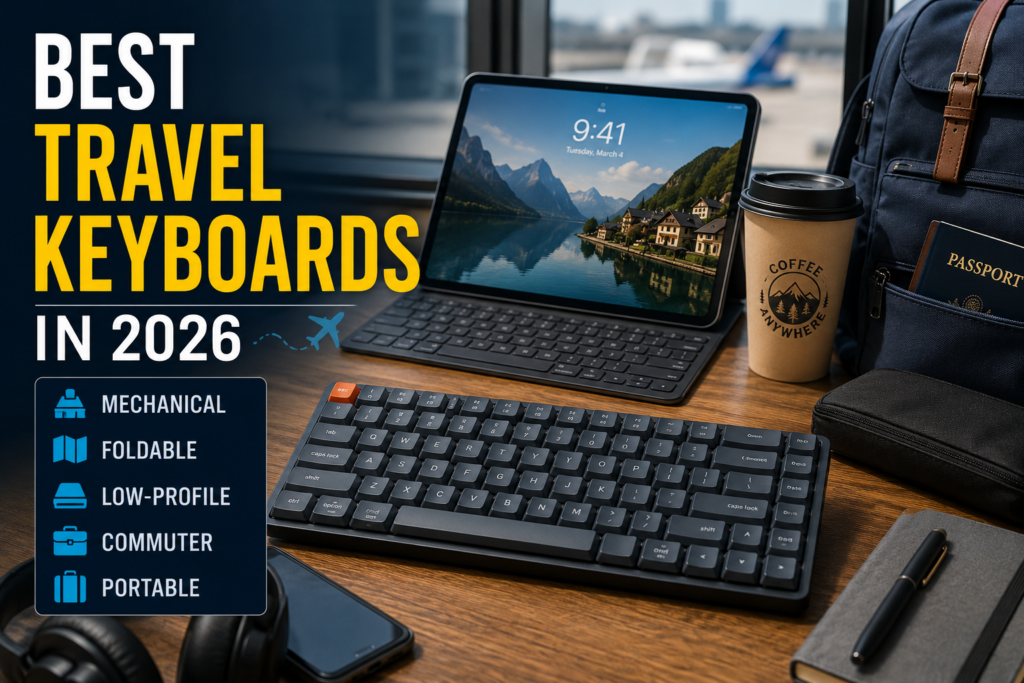
If portability is your main concern, see my full guide to the best travel keyboards.
9. Mechanical Keyboards Are Repairable and Upgradeable
This is a quality I appreciate more as consumer electronics become increasingly disposable.
On the right mechanical keyboard, you can replace:
- a bad switch;
- a damaged keycap;
- stabilizers;
- the USB cable;
- and sometimes considerably more.
You can also upgrade pieces simply because you want to.
Maybe you want different keycaps.
Maybe you want quieter switches.
Maybe you decide you prefer tactile switches after six months with linear ones.
A good hot-swap mechanical keyboard gives you options that a sealed cheap keyboard simply does not.
10. Keycaps Let You Make the Keyboard Yours
Keycaps are the part of the keyboard your fingers actually touch.
They can change:
- appearance;
- texture;
- legends;
- profile;
- and even how the keyboard sounds.
This can be purely decorative.
It can also be functional.
They come in different shapes depending on your preferences. Some prefer spherical tops, some cylindrical, and other considerations.
If you remap Scroll Lock to Mute, for example, put a Mute keycap there.
If you have an unusual keyboard layout, custom keycaps can solve labeling problems that mass-produced sets do not.
I have experimented with custom sets extensively; see my Yuzu custom keycaps review for one approach.
You Can Start Cheap
If you have never used a mechanical keyboard, I would not recommend beginning with a $300 enthusiast board.
Start with something inexpensive and competent.
The Keychron C3 Pro is exactly the sort of keyboard that demonstrates how far the budget market has come.
The current C3 family includes hot-swappable options and QMK/VIA support while remaining firmly in budget-keyboard territory.
If you discover that you do not care about any of this, fine.
You learned that without spending much money.
If you discover that you do care, you have unfortunately entered a hobby with a nearly unlimited number of things to buy.
I apologize in advance.
Mechanical Keyboards Can Be Wireless Too
The image of a mechanical keyboard as a heavy wired gaming board is badly out of date.
There are mechanical keyboards with:
- Bluetooth;
- 2.4GHz wireless;
- USB-C wired operation;
- or combinations of all three.
Wireless matters especially if you switch among:
- a desktop;
- laptop;
- tablet;
- or multiple computers.
The K3 QMK is an example of the modern version of this idea: compact, low-profile and wireless while still giving you a mechanical typing experience.
What About Gaming?
Mechanical keyboards are heavily marketed toward gamers, but gaming is not why I think most people should consider one.
Features such as high polling rates, rapid-trigger magnetic switches and extremely low latency can matter to competitive players, but even for those individuals, they are somewhat of buzzwords.
For ordinary computer use, those aren’t the reasons I would switch.
I care more about:
- typing feel;
- layout;
- programmability;
- repairability;
- and being able to choose the keyboard I actually enjoy using.
If you also game, great.
Do Mechanical Keyboards Make You Type Faster?
Do not expect to buy a mechanical keyboard on Monday and become a dramatically faster typist by Tuesday.
Your typing speed depends far more on your own skill and familiarity.
The benefit is that you can choose a keyboard that feels comfortable and predictable to you.
If that makes you enjoy typing more or reduces the number of irritating accidental presses, excellent.
I would buy the keyboard for the experience rather than for promises of magical productivity.
Are Mechanical Keyboards Better for Ergonomics?
Keyboard ergonomics is much broader than the switch mechanism.
Keyboard height, angle, wrist position, layout, desk height and how you use the keyboard all matter.
A mechanical switch by itself does not make a keyboard ergonomic.
But the mechanical-keyboard market gives you an enormous range of physical designs:
- low-profile;
- split;
- ortholinear;
- compact;
- tentable;
- and conventional layouts.
That gives you more opportunities to find a configuration that suits the way you work.
Who Should Not Buy a Mechanical Keyboard?
I would not tell everyone to buy one.
Skip it if:
- you already genuinely love the keyboard you use;
- you need the absolute thinnest and lightest possible travel setup;
- you strongly prefer laptop-style scissor switches;
- you do not type enough for the keyboard to matter;
- or you know you will become obsessed with switches and keycaps and would prefer to preserve your disposable income.
That last risk is real.
What Mechanical Keyboard Should a Beginner Buy?
I would keep the first purchase simple.
If You Want a Cheap Desktop Keyboard
Start with a budget TKL mechanical keyboard such as the Keychron C3 Pro.
It gives you a familiar layout and lets you find out whether you actually like mechanical switches before going deeper.
Read my Keychron C3 Pro review.
If You Want Wireless and Low Profile
The Keychron K3 QMK is the more interesting choice if you want something closer to laptop height without giving up mechanical switches.
Its 75% layout is also compact enough for travel without becoming an exercise in remembering where every missing key went.
See the Keychron K3 QMK on Amazon
If You Want to Experiment
Buy something hot-swappable.
Then you can try different switches without replacing the board.
That is the easiest way to find out whether you prefer linear, tactile or quieter switches.
A Beginner’s Mechanical Keyboard Checklist
Before buying, decide:
- What size do I want? Full-size, TKL, 75%, 65% or smaller?
- Do I need a number pad?
- Do I want wired or wireless?
- Do I want a normal-height or low-profile keyboard?
- Linear, tactile or clicky switches?
- Is hot-swap important?
- Do I want QMK/VIA or other programmable firmware?
- How much noise can the people around me tolerate?
Answer those questions and the bewildering keyboard market becomes much easier to navigate.
Frequently Asked Questions
Why should I buy a mechanical keyboard?
The main reasons are typing feel, choice of switches, better customization, repairability and the enormous variety of sizes and layouts now available. Mechanical keyboards have also become inexpensive enough that trying one no longer requires a large investment.
Are mechanical keyboards really better?
They are better for people who value the characteristics they offer. Someone who loves a thin laptop keyboard may prefer that style. The advantage of mechanical keyboards is that you get far more choice over how the keyboard feels and behaves.
Are mechanical keyboards too loud for an office?
They do not have to be. Avoid clicky switches if noise is a concern. Quiet linear, tactile and dedicated silent switches can produce a much more office-friendly keyboard.
How much should I spend on my first mechanical keyboard?
You do not need to spend hundreds of dollars. There are good budget options under $100, and some surprisingly capable models cost considerably less.
What is a hot-swappable mechanical keyboard?
A hot-swappable keyboard lets you remove and replace compatible switches without soldering. It makes repairs and experimentation much easier.
What is QMK?
QMK is open-source keyboard firmware that allows extensive customization of supported keyboards. Depending on the board and configuration, you can remap keys, create layers, add macros and change how individual keys behave.
Are mechanical keyboards good for work?
Yes. Mechanical keyboards are useful far beyond gaming. Writers, programmers and other heavy computer users can benefit from having more control over typing feel, layout and key behavior.
What is the best mechanical keyboard size?
There is no universal answer. TKL is an easy transition from a full-size keyboard if you do not need a number pad. A 75% board is a good compact compromise because it usually retains the function row and arrow keys.
Are low-profile mechanical keyboards worth it?
They can be particularly attractive for laptop users and travelers because they reduce the height and bulk associated with traditional mechanical keyboards while retaining individual mechanical switches.
You Spend Too Much Time Typing on a Bad Keyboard
That is ultimately my argument.
A keyboard is not an obscure computer component buried inside a case.
Your hands are on it all day.
Mechanical keyboards used to require enough money or enthusiasm that most people could reasonably ignore them.
They don’t anymore.
You can buy a competent one inexpensively. You can make it quiet. You can buy it wireless. You can get a low-profile model. You can change the switches. You can reprogram the keys. You can choose almost any size imaginable.
If you spend hours every day typing and have never tried a decent mechanical keyboard, I think you should.
Start inexpensively.
Find out what kind of switches you like.
Then try very hard not to discover custom keycaps.
That is where things start getting expensive.