I built my own NAS. That does not mean I think you should.
My current NAS runs TrueNAS on a low-power Intel N100-based system. I like having complete control over the hardware and software, and I like knowing that if I want to change something later, I am not waiting for a NAS manufacturer to decide whether I am allowed to do it.
But building a NAS also means owning the problems. You choose the hardware. You install the operating system. You troubleshoot it. You decide how backups work. When something breaks, there is no single company responsible for the whole box.
If a friend asked me what NAS to buy for a house today, I would probably send them toward a prebuilt NAS instead. Pre-built means all you do is install hard drives.
The interesting part in 2026 is that Synology is no longer the only obvious answer. UGREEN and TerraMaster now sell boxes with considerably more aggressive hardware, faster networking and surprisingly capable processors. For a while, I owned a QNAP. Meanwhile, building your own NAS remains attractive if you actually want the flexibility rather than simply wanting somewhere safe to store your files.
Quick Answer: The Best Home NAS in 2026
| NAS | Best For | Why I Like It | My Take |
|---|---|---|---|
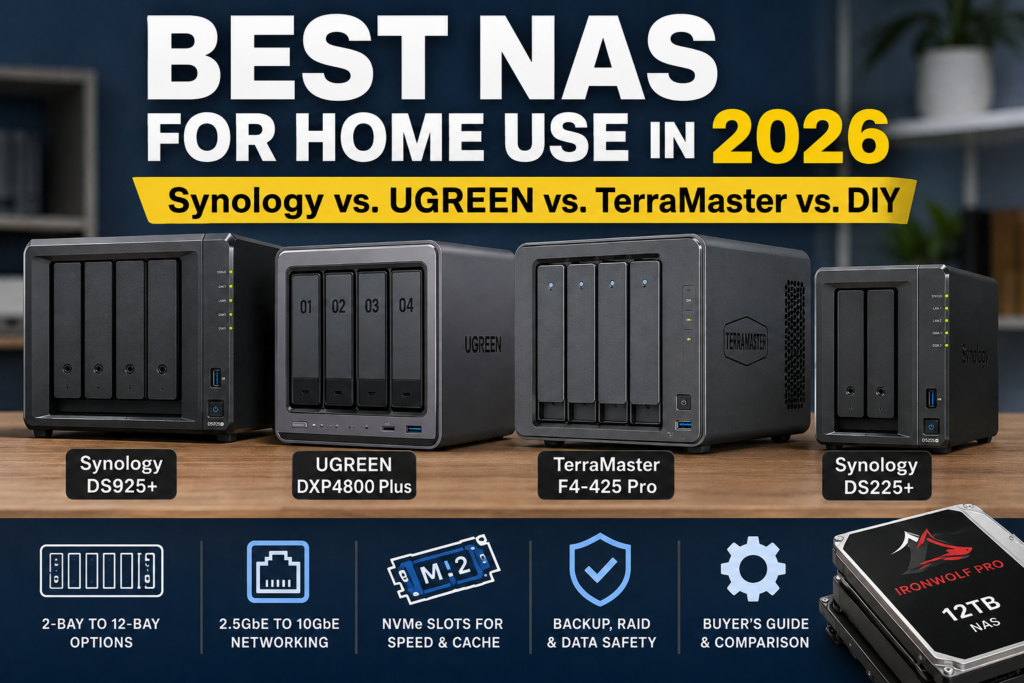
| Synology DS925+ | Most homes | 4 bays, DSM, dual 2.5GbE, expandable memory | Safest recommendation |
| UGREEN DXP4800 Plus | Best hardware value | 10GbE, 2.5GbE, Intel CPU, 8GB DDR5, 2 NVMe slots | Very compelling alternative to Synology |
| TerraMaster F4-425 Pro | Power users and media | Intel N350, 16GB RAM, dual 5GbE, 3 NVMe slots | A lot of hardware in a 4-bay box |
| Synology DS225+ | Simple 2-bay NAS | DSM, 2.5GbE, compact and easy to manage | Good first NAS |
| Build Your Own + TrueNAS | Maximum control | Choose your own CPU, RAM, networking, case and drives | What I use |
If I wanted the easiest recommendation for most people:
Check the Synology DS925+ diskless on Amazon
If I cared more about getting the most hardware for my money, I would look very closely at the UGREEN DXP4800 Plus.
Best NAS for Most People: Synology DS925+
Synology remains the easiest NAS company for me to recommend to someone who wants storage to behave like an appliance.
That is what I always wanted from my NAS. I enjoy building computers, but once storage is running, I want it to sit quietly in a corner and serve files.
The Synology DS925+ is a four-bay NAS built around an AMD Ryzen V1500B processor with four cores and eight threads. It comes with 4GB of ECC memory and can be expanded to 32GB.
There are two 2.5GbE Ethernet ports and two M.2 NVMe slots that can be used for caching or storage pools with compatible SSDs.
Four drive bays are also a sweet spot for a home NAS.
Two bays work, but they limit your choices. With four drives you can build an array that provides redundancy while retaining substantially more capacity. Four bays also give you room to grow without jumping into a large, expensive box.
The reason I would buy Synology, however, is DSM. DSM is Synology’s software platform.
The hardware specifications are no longer particularly exciting compared with UGREEN and TerraMaster. You are buying a mature storage platform with integrated backup, snapshots, file sharing, photo management, remote access and a large application ecosystem.
I would buy the DS925+ for: someone who wants a NAS to be reliable infrastructure rather than another hobby.
I would skip it for: someone who wants the most CPU, RAM and network bandwidth possible for the money, or someone who enjoys replacing the manufacturer’s software with their own.
Check the Synology DS925+ on Amazon
Synology Backed Away From Its Worst Hard-Drive Restriction
There is an important update if you followed the controversy around Synology’s 2025 NAS models.
Synology initially became much more restrictive about which drives could be used with its newer DiskStation Plus systems. That was a serious strike against the platform for me. A NAS is a box whose main purpose is holding hard drives. I do not want the manufacturer unnecessarily narrowing my choices.
With DSM 7.3, Synology loosened that policy.
Current 2025-model DiskStation Plus systems including the DS925+ can create storage pools using non-validated third-party 3.5-inch hard drives and 2.5-inch SATA SSDs. Synology still recommends checking its compatibility list, and restrictions remain around some features such as M.2 storage pools.
You can read Synology’s current drive compatibility policy here.
I still prefer completely open hardware, but this makes the DS925+ considerably easier to recommend.
Best Hardware for the Money: UGREEN NASync DXP4800 Plus
The UGREEN NASync DXP4800 Plus is the NAS that makes the Synology hardware look conservative.
It has:
- Four SATA drive bays
- Intel Pentium Gold 8505 processor with five cores and six threads
- 8GB DDR5 RAM, expandable to 64GB
- One 10GbE Ethernet port
- One 2.5GbE Ethernet port
- Two M.2 NVMe slots
- HDMI output
- Intel Quick Sync support for compatible hardware transcoding
That is a remarkable amount of hardware for a four-bay NAS.
The 10GbE port is especially interesting if you regularly move large files. I recently wrote about 2.5GbE versus 10GbE for a home network, and a NAS is one of the places where 10GbE can actually make sense. Large backups, video files and bulk transfers can use bandwidth that ordinary web browsing never will.
You still need the rest of the network to keep up. A 10GbE port on a NAS does not magically make a gigabit switch or a slow hard drive ten times faster.
UGREEN also officially supports third-party drives from manufacturers including Western Digital, Seagate and Toshiba.
The tradeoff is software.
UGREEN has put substantial development into UGOS Pro, but Synology has been building DSM for a long time. If I were buying a NAS primarily because I wanted the most polished turnkey storage experience, I would still lean Synology.
If I were looking at the specifications and thinking about Docker, media serving, 10GbE and other home-lab uses, the DXP4800 Plus becomes extremely appealing.
I would buy it for: a technically comfortable home user who wants stronger hardware and 10GbE without building an entire NAS.
I would skip it for: someone whose highest priority is having the longest-established NAS software ecosystem.
Check the UGREEN DXP4800 Plus on Amazon
Best Power-User 4-Bay NAS: TerraMaster F4-425 Pro
The TerraMaster F4-425 Pro may be the most interesting hardware configuration in this group.
The N350 version comes with:
- Intel N350 eight-core processor
- 16GB RAM
- Four SATA drive bays
- Three M.2 NVMe slots
- Two 5GbE Ethernet ports
- Hardware 4K transcoding support
- HDMI output
Three NVMe slots in a four-bay NAS is unusually generous. So is shipping it with 16GB of memory.
The dual 5GbE ports are also an interesting compromise. Most houses do not have 10GbE everywhere, and 5GbE can provide considerably more bandwidth than 2.5GbE without pushing every component toward 10GbE.
TerraMaster runs its TOS operating system. TOS 7 has continued to add backup, security and application features, and the hardware provides enough resources for Docker and media workloads.
Again, my hesitation compared with Synology is not the box. It is whether I value the extra hardware more than Synology’s software ecosystem.
I would buy it for: someone who wants a prebuilt enclosure but thinks like a home-lab user.
I would skip it for: someone who wants the simplest possible NAS experience and does not care about 5GbE, extra RAM or multiple NVMe slots.
Check the TerraMaster F4-425 Pro on Amazon
Best Simple 2-Bay NAS: Synology DS225+
Some people do not need four drives.
If the goal is a central place for photos, documents, computer backups and a modest media collection, the Synology DS225+ is much easier to justify.
It has two drive bays, an Intel Celeron J4125 processor, 2GB of memory, one 2.5GbE port and one 1GbE port.
For a two-drive NAS, the obvious configuration is usually a mirror: two drives containing the same data. If one fails, the other remains.
The downside is capacity efficiency. Two 4TB drives mirrored together give you approximately one drive’s worth of usable capacity rather than 8TB of protected storage.
That is the price of redundancy.
If you already think you will eventually need more than one mirrored pair, I would spend the money on four bays at the beginning. Replacing the entire NAS later is usually more annoying than buying a little extra room today.
I would buy it for: backups, photos, documents and ordinary home storage where two bays are enough.
I would skip it for: anyone who is already thinking about a large Plex library, several users, surveillance storage or substantial future expansion.
Check the Synology DS225+ diskless on Amazon
Should You Buy a NAS With the Drives Already Installed?
Amazon also sells some of these systems bundled with drives.
That can be appealing. If part of the reason you are buying a Synology is that you do not want to build your own NAS, having someone else choose the drives is consistent with that goal.
But I would compare the numbers before clicking Buy, especially now with the price of hard drives having gone up in recent years.
For example, we found a DS925+ bundle with four 12TB Seagate IronWolf drives. That gives you 48TB of raw disk capacity without separately shopping for four drives.
A four-drive RAID configuration will not give you all 48TB as usable protected storage. With one drive’s capacity devoted to parity, you are looking at roughly 36TB before filesystem and formatting overhead. Using two-drive fault tolerance reduces usable capacity further.
The alternative is straightforward:
- Buy the DS925+ diskless.
- Buy four NAS hard drives yourself.
- Compare the combined price with the preloaded bundle.
Installing hard drives in a NAS is not much of a build. You slide the drives into the trays, install them and let the NAS initialize the array.
So I would happily buy a preloaded bundle if the premium were small. I would not pay a huge premium merely to avoid putting four drives into four trays.
There is also a DS225+ bundle with two 4TB IronWolf drives for someone who wants a smaller ready-to-go system.
Which Hard Drives Would I Buy?
I would use NAS-rated CMR hard drives for the main storage array.
Two current choices I would consider are WD Red Plus and Seagate IronWolf Pro.
WD Red Plus 12TB: My Home NAS Choice
The WD Red Plus 12TB is the drive I would start with for an ordinary home NAS.
WD Red Plus drives use CMR recording and are designed specifically for RAID-equipped NAS systems. The line carries a three-year limited warranty.
Check the WD Red Plus 12TB on Amazon
Seagate IronWolf Pro 12TB: The Step-Up Drive
The Seagate IronWolf Pro 12TB is a higher-end option.
The ST12000NE0008 is a 7200RPM NAS drive with a five-year limited warranty. Seagate also includes its Rescue Data Recovery Services with the IronWolf Pro line.
For a normal household NAS, I would compare the current price against WD Red Plus before paying extra. For heavier workloads or where the longer warranty has value, the Pro is easier to justify.
Check the IronWolf Pro 12TB on Amazon
When Four Bays Aren’t Enough
Four bays are enough for a lot of households, including mine for many years.
If you already know you need more, buy the larger enclosure now. I went with 5 bays and am now looking to expand.
UGREEN’s DXP8800 Plus provides eight SATA bays, two M.2 NVMe slots, an Intel Core i5-1235U processor and dual 10GbE Ethernet ports.
That is the one I would look at for a serious home media archive, content-creation storage or a home lab where four drives already feel restrictive.
Check the UGREEN DXP8800 Plus on Amazon
And then there are systems like the TerraMaster T12-500 Pro.
This is a 12-bay NAS with an Intel Core i7-1255U, 16GB DDR5 memory, two 10GbE ports and two M.2 NVMe slots.
It is impressive hardware. It is also far beyond what I would recommend to someone who simply wants family backups and a photo library.
If you need twelve drives, you probably already know why.
Should You Build Your Own NAS?
I did.
I have built storage servers before, used commercial NAS products and eventually returned to a homebuilt system. My current machine runs TrueNAS on low-power Intel hardware.
I like the flexibility.
If the motherboard dies, I can replace it. If I want faster networking, I can change it. If I want more RAM, a different case or another operating system, I am not limited by what a NAS vendor decided to expose.
TrueNAS also gives me ZFS, snapshots and a storage-first operating system that fits how I want the machine to behave.
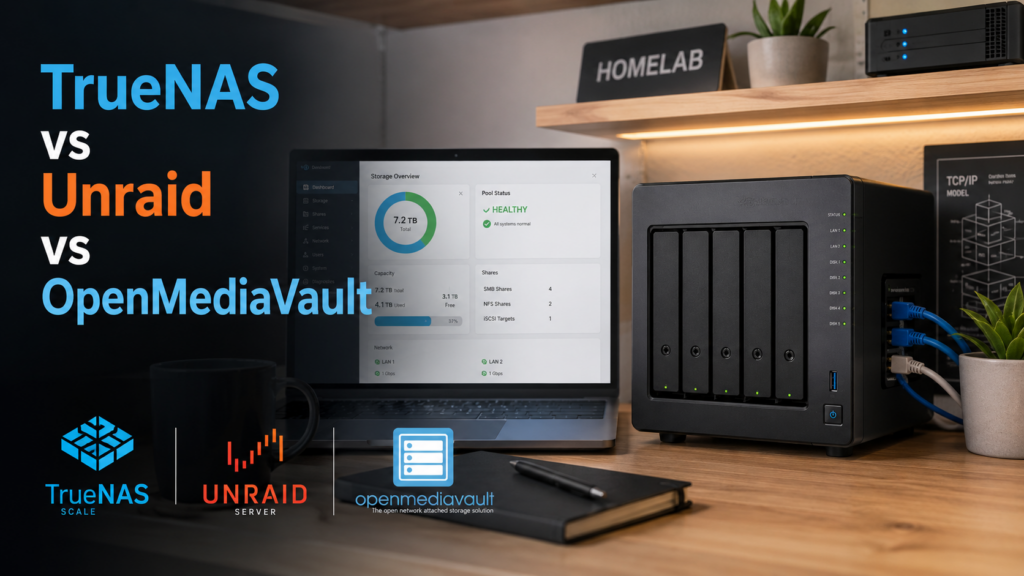
I wrote about that decision in TrueNAS vs. Unraid vs. OpenMediaVault.
There is a cost to all that freedom: your time.
If you enjoy choosing motherboards, SATA controllers, cases, power supplies and software, building a NAS can be rewarding.
If your real objective is to back up your family photos and stop worrying about storage, buying a Synology makes a great deal of sense.
Build your own if:
- You enjoy maintaining hardware
- You want complete control over the operating system
- You need unusual drive or networking configurations
- You want to reuse existing hardware
- You care about avoiding vendor lock-in
Buy a prebuilt NAS if:
- You want one company responsible for the hardware and operating system
- You value simple updates and administration
- You want storage to disappear into the background
- You have better things to do than troubleshoot a storage server on Sunday afternoon
If you want to see how I got here, start with my Building My NAS series.
How Many NAS Bays Do You Need?
This may be the most important purchasing decision.
Two Bays
Best for simple household storage, backups and smaller photo or media collections.
A mirrored two-drive configuration is easy to understand, but expansion is limited. When you need more capacity, you usually replace the drives with larger ones.
Four Bays
This is where I would start for most serious home NAS purchases.
You get much better choices around redundancy, capacity and expansion without turning the NAS into a giant machine.
The DS925+, DXP4800 Plus and F4-425 Pro all live here for a reason.
Eight Bays
An eight-bay unit makes sense if you have a large media collection, video-production files, extensive backups or already know four drives will not be enough.
The DXP8800 Plus is the step-up option in this guide.
Twelve Bays
This is specialized territory for a home user. If you can explain exactly what you are going to put on twelve hard drives, great. Otherwise, I would rather buy fewer larger drives in a smaller NAS.
RAID Is Not a Backup
This is worth repeating every time I write about storage.
A RAID array can protect you from a hard-drive failure. It does not protect you from everything else.
If you accidentally delete a folder, ransomware encrypts your files, the NAS is stolen, the house floods or something destroys the entire machine, having another copy of the data matters much more than how clever your RAID configuration was.
I use redundant backups rather than trusting the primary NAS as the only copy.
I have even experimented with refurbished enterprise hard drives for secondary backup systems. I am more comfortable taking that risk on an additional redundant copy than on the primary storage array.
For anything you genuinely care about, I would aim for multiple copies with at least one copy physically separate from the NAS.
Don’t Forget the UPS
A NAS is one of the devices I care most about shutting down cleanly.
I have experienced an unsafe shutdown during a power outage, and I have also had a UPS battery fail when I expected it to protect my equipment.
That is why I would budget for a UPS as part of the NAS purchase rather than as an optional accessory sometime later.
If the NAS lives with your router, switches, PoE cameras and other network equipment, see my guide to the best UPS for a home network closet, NAS and PoE equipment.
If you are only protecting a smaller networking configuration, I also have a guide to the best UPS for a router and modem.
What NAS Would I Buy Today?
If I were buying for a family member who wanted a NAS and did not want a new hobby, I would buy the Synology DS925+.
Four bays provide enough flexibility for most homes, DSM is mature, 2.5GbE is appropriate for a modern home network, and Synology’s decision to restore broader third-party hard-drive support removed one of my biggest objections.
Check the DS925+ diskless on Amazon
If I were buying for myself and wanted a prebuilt unit, the decision becomes harder.
The UGREEN DXP4800 Plus gives me 10GbE, more RAM and an Intel processor with Quick Sync.
The TerraMaster F4-425 Pro goes further with 16GB of memory, dual 5GbE and three NVMe slots.
Both tempt me because I like hardware.
And then I remember why I built my own NAS in the first place.
For most people, though, that last sentence is probably a warning rather than a recommendation.
Frequently Asked Questions
What is the best NAS for home use in 2026?
For most people, I would choose the Synology DS925+. It provides four drive bays, dual 2.5GbE networking and Synology’s mature DSM software. Buyers who prioritize hardware specifications should also consider the UGREEN DXP4800 Plus and TerraMaster F4-425 Pro.
Is a 2-bay or 4-bay NAS better?
A two-bay NAS is sufficient for basic backups and storage. A four-bay NAS gives you much more flexibility for redundancy, capacity and future expansion. If you expect your storage needs to grow, I would start with four bays.
Is Synology still worth buying?
Yes. Synology hardware is often less aggressive than competing systems from UGREEN and TerraMaster, but DSM remains a major reason to buy a Synology NAS. DSM 7.3 also restored support for creating storage pools with many non-validated third-party hard drives on 2025 DiskStation models.
Is UGREEN NAS better than Synology?
UGREEN currently offers stronger hardware specifications at several price points, particularly around processors, memory and networking. Synology’s advantage is its mature DSM software ecosystem. Which is better depends on whether you value hardware capability or a more established turnkey NAS platform.
Should I build a TrueNAS server instead of buying a NAS?
Build a TrueNAS server if you want control over the hardware and software and are comfortable maintaining it yourself. Buy a prebuilt NAS if you want a simpler appliance with one vendor responsible for the platform. Even people who are capable of building and maintaining a server may opt to let someone else handle those details.
How much storage do I need in a home NAS?
Estimate how much data you have today, include the devices you plan to back up, then leave substantial room for growth. Remember that RAID redundancy reduces usable capacity. Four 12TB drives do not normally provide 48TB of protected usable storage.
Do I need NAS-specific hard drives?
I prefer NAS-rated CMR drives for a primary NAS because they are designed for continuous operation in multi-drive enclosures. WD Red Plus and Seagate IronWolf Pro are two current examples.