
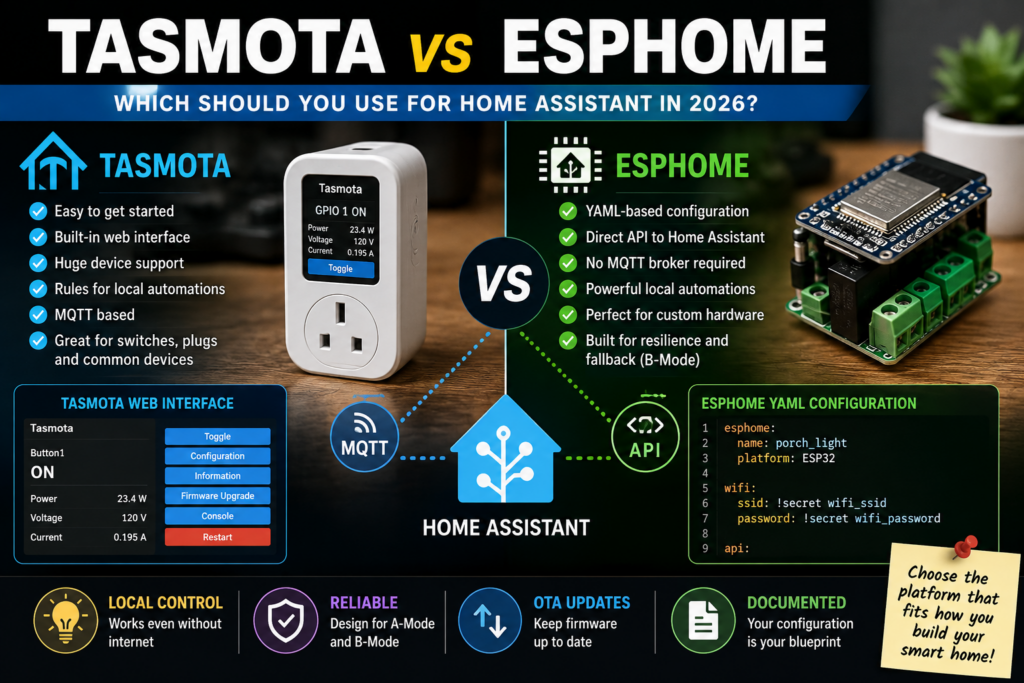
I have been running smart switches and plugs with Tasmota for years.
Tasmota is excellent firmware. It is reliable, open source, has a useful web interface, supports an enormous range of hardware and can turn many cloud-dependent ESP devices into completely local smart-home devices.
Over time, though, I have migrated more of my devices to ESPHome.
My original explanation was that I was running into the limits of Tasmota. After spending more time with both platforms, I would phrase that differently.
Tasmota is more capable than I gave it credit for. Its Rules system can run useful automations directly on the device, and ESP32 versions of Tasmota add the much more powerful Berry scripting language.
What keeps pulling me toward ESPHome is something else: I prefer the way I can define the entire personality of a device in one configuration file.
The pins, relays, sensors, buttons, timers, fallback behavior, Home Assistant entities and local automations can all be part of the firmware I build for that particular device.
That has become increasingly useful as I try to make my smart home resilient rather than merely automated.
Quick Answer: Tasmota vs. ESPHome in 2026
| Feature | Tasmota | ESPHome |
|---|---|---|
| Best for | Quick, flexible local firmware for supported smart-home hardware | Custom devices and deep Home Assistant integration |
| Initial setup | Usually easier | More configuration required |
| Configuration | Web UI, modules, templates, commands and rules | YAML compiled into device-specific firmware |
| Home Assistant connection | MQTT through the official Tasmota integration | Direct native API; MQTT is optional |
| MQTT broker required for Home Assistant? | Yes | No |
| Built-in web interface | Yes | Optional component |
| Local automations | Rules; Berry scripting on ESP32 | Extensive trigger/action/condition system |
| Configuration portability | Templates/settings can be backed up | Excellent: YAML is the device definition |
| Standalone use without Home Assistant | Excellent | Very capable, but more configuration-oriented |
| My preference | Simple switches/plugs where Tasmota already works well | Devices where I want custom behavior and resilient local logic |
If I wanted to flash a simple supported smart plug and have it working quickly, I would still happily use Tasmota.
If I were building or substantially customizing a device that will live in my Home Assistant system, I would usually choose ESPHome.
Tasmota Is Still Really Good
I don’t think anyone should read this article as an argument that Tasmota has become obsolete.
It hasn’t.
Tasmota’s great strength is that an enormous amount of functionality already exists in one firmware package.
Flash a supported device, connect to its web interface, tell Tasmota what hardware it is running on, configure MQTT and you can often have a useful local device remarkably quickly.
For common switches and plugs, that is hard to beat.
Tasmota can provide:
- A local web interface
- Relay and light control
- Buttons and switches
- Power monitoring
- Timers
- Rules
- Sensor support
- MQTT
- OTA firmware updates
- Home Assistant integration
- Device templates
A generic firmware with that much capability is a feature, not a flaw.
I Was Too Dismissive About Tasmota Rules
My earlier version of this article described Tasmota’s local logic as very limited.
That was unfair.
Tasmota’s Rules feature can react to triggers including switch changes, sensor thresholds, timers and system events and then execute commands locally. Rules are stored in flash and survive a reboot.
For something like:
- Turn a relay off after a certain period
- React to a button press
- Respond to a temperature threshold
- Run behavior at startup
- Trigger actions based on sensor values
Tasmota can do quite a lot without Home Assistant.
And on ESP32 hardware, Tasmota includes Berry, a lightweight scripting language that goes dramatically beyond the basic Rules syntax.
Berry can create advanced automations, communicate over MQTT, implement custom drivers and interact directly with Tasmota’s hardware and services.
So the choice between Tasmota and ESPHome should not be reduced to:
Tasmota can’t do local logic; ESPHome can.
Both can.
I simply prefer how ESPHome lets me build and maintain increasingly customized devices.
Why I Keep Moving Devices to ESPHome
ESPHome takes a fundamentally different approach.
Instead of flashing a general-purpose firmware and configuring what the device should do afterward, I describe the device in YAML and ESPHome compiles firmware for that particular configuration.
If my device needs:
- One relay
- Two physical buttons
- A temperature sensor
- A countdown timer
- A sunrise/sunset calculation
- A Home Assistant connection
those are the components I put into the configuration.
If it doesn’t need a web server, I don’t need to include one.
If it does, I can add one.
I like having a text file that describes what the device is supposed to be.
The YAML File Becomes Documentation
This may be the biggest long-term advantage for me.
A smart switch configured three years ago can become something of an archaeological project.
Which pin controlled the relay?
Was the button inverted?
What did I make a double-click do?
Why does the outdoor light switch itself off at 1 a.m.?
With ESPHome, I can look at the configuration file.
The configuration can contain the hardware definition and the logic I intentionally added to it.
I can version it, back it up and use pieces of it again when configuring similar devices.
That becomes more valuable as the number of devices grows.
ESPHome Has a Major Home Assistant Advantage
Tasmota integrates very well with Home Assistant, but the architecture is different.
The official Tasmota integration communicates through MQTT.
That means the path is essentially:
Tasmota device ? MQTT broker ? Home Assistant
There is nothing wrong with that. MQTT is mature, useful and extremely flexible. I use MQTT elsewhere in my home infrastructure.
ESPHome offers a native API, so an ESPHome device can communicate directly with Home Assistant:
ESPHome device ? Home Assistant
No MQTT broker is required for that connection.
ESPHome’s native API uses an optimized protocol designed specifically for communication with systems including Home Assistant.
ESPHome says the native API also removes the MQTT broker as another potential single point of failure for communication between the device and Home Assistant.
For a Home Assistant-centric smart home, I prefer the simpler path.
Does That Mean MQTT Is Bad?
No.
I still use MQTT.
It remains extremely useful when information needs to move among multiple systems rather than only between a device and Home Assistant.
I use it in other parts of my home infrastructure, including weather-related systems.
ESPHome supports MQTT too, so this isn’t an either/or architectural decision.
I simply don’t see a need to route every ESPHome switch through MQTT merely because MQTT exists.
Which Is Easier: Tasmota or ESPHome?
Tasmota is generally easier to get started with.
If you have a supported smart plug or light switch, Tasmota’s workflow can be wonderfully simple:
- Flash Tasmota.
- Connect it to Wi-Fi.
- Select or enter the correct device template.
- Configure MQTT.
- Add it to Home Assistant.
ESPHome asks more of you.
You need a configuration that correctly describes the hardware.
You need to understand enough YAML to maintain it.
You compile firmware from that configuration.
If you get the GPIO assignment wrong, the device does not magically know which pin controls the relay.
ESPHome’s tools have become much friendlier, but I would still give Tasmota the advantage for someone who wants to get a conventional supported smart switch running as quickly as possible.
Tasmota’s Web Interface Is a Real Advantage
Every Tasmota user knows the convenience of typing the device’s address into a browser and getting a useful management interface.
You can inspect the device, change settings, access its console and update firmware without needing another management system.
ESPHome can also run a web server, but it is an optional component rather than the center of the platform.
That difference reflects the philosophy of the two projects rather well.
Tasmota feels like a complete appliance running on each smart device.
ESPHome feels like firmware you designed for that device.
One caution: ESPHome specifically warns that its web-server component consumes significant memory and can reduce stability on constrained ESP8266 devices. I therefore would not add it automatically to every node just because I can.
Which Works Better If Home Assistant Goes Down?
The answer is: either one can work very well, if you design it that way.
This is important.
A local smart-home firmware does not magically make every automation local.
If the device sends a button press to Home Assistant and Home Assistant decides what to do next, that behavior depends on Home Assistant regardless of whether the switch runs Tasmota or ESPHome.
If the decision happens on the device itself, it can continue without Home Assistant.
Both platforms support that.
My preference for ESPHome comes from how I have chosen to design those behaviors.
My Smart Home Has an A-Mode and a B-Mode
I have been trying to build devices that continue doing something sensible when the larger automation system is unavailable.
I think of this as B-Mode, borrowing terminology from theme-park attractions.
A-Mode is ideal operation.
Everything is online. Home Assistant has access to every sensor and can coordinate the entire house.
B-Mode is what happens when something breaks.
The system may become less sophisticated, but basic functions continue.
For example, I have built ESPHome devices where:
- Outdoor lights can run their own dawn-to-dusk logic.
- A physical switch continues controlling its own relay.
- Countdown behavior happens on the device.
- Important local behavior does not require a round trip through Home Assistant.
- Some ESPHome devices can exchange selected information directly.
I wrote more about that architecture in Designing a B-Mode: How I’m Building Fail-Safe Smart Home Devices with ESPHome.
What Logic Should Run on the Device?
I don’t think every automation belongs inside ESPHome.
Quite the opposite.
Home Assistant has far more context than an individual light switch.
It may know:
- Who is home
- Whether the alarm is armed
- The state of dozens of other devices
- Whether you’re on vacation
- The current weather
- Whether a particular scene is active
That kind of whole-house coordination belongs at the higher level.
I use device-level automation for behavior that is inherent to the device or useful when the larger system is unavailable.
Examples include:
- What the physical button does
- What state a relay should assume after reboot
- A safety timeout
- A local countdown
- Fallback dawn/dusk behavior
- Basic interaction with a directly connected sensor
My guide to home automation scenes covers the other side of this: coordinating multiple devices at the smart-home level.
ESPHome Is Particularly Good for Custom Hardware
This is where the comparison increasingly tilts toward ESPHome for me.
Tasmota is fantastic when the hardware resembles something Tasmota already understands.
ESPHome becomes especially attractive when I am defining the hardware myself.
I have used ESPHome for sensors as well as commercial smart-home devices.
It supports components for an enormous range of:
- Temperature and humidity sensors
- Air-quality sensors
- Displays
- Relays
- Buttons
- Bluetooth devices
- Distance sensors
- Energy monitoring
- LEDs
- Motors
- Climate devices
- Other microcontroller peripherals
My outdoor AirGradient air-quality monitor, for example, runs ESPHome and integrates into my local monitoring systems.
Once I was already using ESPHome for sensors, using the same platform for more switches and plugs became increasingly appealing.
Tasmota Still Has a Big Advantage for Generic Devices
Suppose I buy a common ESP-based smart plug.
Someone has already identified:
- The relay GPIO
- The button GPIO
- The LED GPIO
- Whether those pins are inverted
- The energy-monitoring chip
If a good Tasmota template exists, I can apply it and be mostly finished.
That is excellent.
ESPHome may have a ready-made configuration too, but fundamentally it expects me to describe what I want the device to contain.
For a simple plug that needs no unusual behavior, Tasmota’s generic-firmware approach may be the more efficient answer.
ESPHome vs. Tasmota for Automations
The platforms approach automation differently.
Tasmota
Tasmota provides its Rules engine for trigger/action logic. On ESP32, Berry offers much more advanced scripting.
This is powerful and keeps the logic local.
ESPHome
ESPHome exposes triggers, conditions and actions throughout its component system.
The automation becomes another part of the YAML configuration that builds the firmware.
For me, that makes complicated device-specific behavior easier to understand months later.
I can read one configuration and see both the hardware and what I told it to do.
ESPHome vs. Tasmota for Home Assistant
If Home Assistant is central to your smart home, I give ESPHome the advantage.
The native API means entities can appear directly through the ESPHome integration without requiring MQTT as the middle layer.
The API can also expose user-defined actions and allow ESPHome automations to interact with Home Assistant.
Tasmota’s Home Assistant integration is also mature and automatic, but it depends on a configured MQTT broker.
If you already run MQTT and like the architecture, that may not bother you in the slightest.
If you don’t otherwise need MQTT, ESPHome removes something you would otherwise have to operate.
Tasmota vs. ESPHome for Someone Who Doesn’t Use Home Assistant
Here I would lean much more strongly toward Tasmota for ordinary smart plugs, switches and lights.
Tasmota has a strong standalone web interface and was built around protocols such as MQTT that can integrate with many systems.
ESPHome does not require Home Assistant and can run substantial local logic on its own. You can add a web server and other interfaces.
But ESPHome’s strongest ecosystem advantage is unquestionably its relationship with Home Assistant.
If Home Assistant is nowhere in your plans and the device is conventional hardware, I would ask what ESPHome is buying you before choosing it.
What About Updates?
Both platforms support over-the-air firmware updates.
With Tasmota, updating a normal device through the web UI is extremely straightforward.
ESPHome can deploy firmware OTA from its management tools after the initial installation.
ESPHome also provides a safe-mode mechanism intended to make recovery easier when an OTA update does not boot normally.
One difference is philosophical again.
A Tasmota update generally updates a common firmware.
An ESPHome update recompiles the firmware described by your configuration.
I prefer having the configuration as the permanent source of truth.
Should You Switch Working Tasmota Devices to ESPHome?
Not automatically.
I would not convert twenty perfectly reliable Tasmota plugs merely because I decided ESPHome is my preferred platform.
Migration costs time and creates an opportunity to break something that currently works.
I would switch when I have a reason.
For me, those reasons include:
- I want more customized device behavior.
- I want the configuration represented in YAML.
- I want to remove the MQTT dependency for Home Assistant communication.
- I want to build more local fallback behavior.
- I am already changing or rebuilding the device configuration anyway.
If Tasmota is doing the job perfectly, continuing to run Tasmota is a completely reasonable decision.
How to Move From Tasmota to ESPHome
This process has changed significantly, particularly for newer ESP32 devices.
Do not download a random ESPHome binary and blindly upload it.
Before converting a working device, I would do the following.
1. Document the Existing Tasmota Configuration
Before changing anything, record:
- The exact device model
- The Tasmota module or template
- GPIO assignments
- Relay configuration
- Button and switch configuration
- Inversion settings
- Energy-monitoring hardware
- Any Tasmota Rules
- MQTT topic names if you may need them later
- The installed Tasmota version
I would take screenshots and save the Tasmota configuration backup too.
If the ESPHome configuration doesn’t work, you want to know exactly what the previously working firmware was doing.
2. Identify the Actual ESP Chip
You need to know whether the device contains:
- ESP8266
- ESP32
- ESP32-C3
- ESP32-S2
- ESP32-S3
- Another supported variant
Do not infer this from the product name alone.
For ESP32 Tasmota devices, the firmware variant displayed in the Tasmota interface can help identify the chip.
3. Build the ESPHome Configuration First
Create the ESPHome device configuration before replacing Tasmota.
At minimum, make sure you have:
- The correct microcontroller platform
- Wi-Fi credentials or provisioning method
- Logging
- OTA support
- The Home Assistant API if you intend to use it
- The correct hardware GPIO configuration
I would keep the initial configuration relatively simple.
Get the hardware working first. Add elaborate automations later.
4. Be Very Careful With Tasmota v12+ on ESP32
This is the most important current migration warning.
Newer Tasmota versions on ESP32 use a safeboot partition layout that differs from a normal ESPHome layout.
Current ESPHome supports migrating these devices over the air, but its official migration instructions require enabling partition access in the first ESPHome firmware used for the conversion.
The relevant ESPHome OTA configuration uses:
ota:
  - platform: esphome
    allow_partition_access: true
Do not copy that line into every ESPHome device permanently. It is needed for this particular migration process.
After the first ESPHome firmware is running, the ESP32 partition table still needs to be migrated according to ESPHome’s current Tasmota migration procedure. Once that is complete, the partition-access option can be removed.
The exact partition migration depends on the application size, so I would follow the current official ESPHome “Migrating from Tasmota” instructions rather than copying an old command sequence from a forum post.
ESPHome warns that losing power or resetting the device while the partition table is actually being rewritten can leave it requiring physical recovery. I would not perform that step during a thunderstorm on a device I cannot easily reach.
5. ESP8266 Has a Different Problem: Firmware Size
ESP8266 devices have much less flash space.
ESPHome’s migration documentation recommends compressed firmware when moving from modern Tasmota versions because the ESPHome image may otherwise be too large for the OTA slot.
Older Tasmota versions can require an intermediate minimal image or additional Tasmota settings before accepting the ESPHome firmware.
Again, check the current migration guide for the Tasmota version actually installed on your device.
6. Upload the ESPHome Firmware Through Tasmota
Once you have built the appropriate migration image, Tasmota’s Firmware Upgrade page can accept the ESPHome binary.
If the flash succeeds, the device should reboot into ESPHome and connect using the network settings in your ESPHome configuration.
That is the point at which I verify the basic hardware before doing anything clever.
7. Test Every Physical Function
Check:
- Does the physical button work?
- Does the relay turn on and off correctly?
- Does the status LED behave correctly?
- Does a power-monitoring chip report sensible values?
- Do sensors appear?
- Does the device recover correctly after power loss?
- Does Home Assistant see the expected entities?
A configuration that successfully compiles is not necessarily a configuration that correctly represents the hardware.
8. Only Then Add the Advanced Logic
Once the device behaves like the original switch or plug, I start adding the reason I migrated it.
That might be:
- A local countdown timer
- Dawn/dusk control
- Direct sensor behavior
- Fallback logic
- Additional diagnostic sensors
- Virtual switches to enable or disable local behavior
Separating migration from customization makes troubleshooting much easier.
Don’t Open a Mains-Powered Switch Just to Migrate It Unless You Know What You’re Doing
Many Tasmota and ESPHome devices are connected directly to household mains voltage.
Serial flashing can require physical access to programming pads inside the device.
If OTA migration works, I strongly prefer it.
If a device needs to be opened and connected to a programmer, make sure it is completely disconnected from mains electricity. Do not work on an energized smart switch or plug.
If recovering a failed flash requires electrical work you are not comfortable doing, that is another good reason not to migrate a perfectly functioning Tasmota device without a compelling benefit.
Save Your ESPHome YAML Somewhere Safe
Once a device is migrated, the YAML becomes important.
The firmware running on the microcontroller is compiled output.
The configuration file is the useful human-readable description that lets you rebuild, modify and understand it later.
I keep the configuration rather than treating ESPHome as something I configure once and forget.
This also makes it much easier to create a second similar device.
ESPHome’s Optional Web Server Needs Some Care
If you miss Tasmota’s web UI, ESPHome has a web-server component.
I would use it selectively.
ESPHome warns that the web server consumes memory, especially on ESP8266.
And because it exposes device controls over HTTP, it should not simply be exposed to the internet.
If I enable the web interface, I keep the device on a trusted local network and configure authentication where appropriate.
ESPHome’s documentation now specifically recommends authenticating the web server and protecting any web-based OTA capability.
Can ESPHome Work Without the Internet?
Yes.
So can Tasmota.
Neither platform inherently requires a cloud service for ordinary local operation.
Exactly what continues functioning without internet access depends on what you configured.
An ESPHome switch with local button-to-relay logic does not need the internet to turn the relay on.
A Tasmota Rule responding to a local input does not need the internet either.
An automation that requests an internet weather service obviously does.
Local firmware is an important building block for a resilient smart home, but you still have to design the dependencies.
Can ESPHome Work If Home Assistant Is Offline?
Yes, for logic that actually runs on the ESPHome device.
Physical button behavior, local timers, sensor thresholds and other on-device automations can continue running.
Anything that explicitly asks Home Assistant to perform an action still depends on Home Assistant.
This is why I distinguish between:
device logic — what this individual device should always know how to do
and:
home automation — coordination requiring knowledge of the rest of the house.
ESPHome gives me a convenient way to decide where that boundary should be.
Does Tasmota Work If the MQTT Broker Is Down?
The device itself can.
Physical controls, timers and local Tasmota Rules do not stop functioning simply because the MQTT broker disappears.
But Home Assistant’s official Tasmota integration communicates through MQTT, so the normal Home Assistant connection to that device will be unavailable while the broker is down.
That is one reason I like removing the broker from the ESPHome-to-Home-Assistant path when I do not otherwise need it.
When I Would Choose Tasmota in 2026
I would choose Tasmota when:
- I have a conventional supported smart plug, switch or light.
- I want to get it running quickly.
- I value an always-available local configuration interface.
- I already use MQTT heavily.
- The existing Rules system handles the local logic I need.
- I don’t use Home Assistant.
- The device is working perfectly and I have no reason to change it.
When I Would Choose ESPHome in 2026
I would choose ESPHome when:
- I am building custom sensor hardware.
- Home Assistant is the center of the smart home.
- I want the device definition stored as YAML.
- I want sophisticated device-specific behavior.
- I want to eliminate an unnecessary MQTT dependency.
- I want to build explicit fallback behavior into a device.
- I want to reuse configuration across similar hardware.
- I expect the device’s behavior to evolve over time.
Tasmota vs. ESPHome: My Decision by Device Type
| Device | What I Would Probably Choose |
|---|---|
| Basic smart plug | Tasmota is still extremely attractive |
| Basic wall switch | Either; I wouldn’t migrate a working Tasmota switch without a reason |
| Custom environmental sensor | ESPHome |
| Complex multi-sensor ESP32 project | ESPHome |
| Home Assistant-centric device with custom behavior | ESPHome |
| Standalone device with strong web-management requirement | Tasmota |
| Existing Tasmota device working perfectly | Leave it alone unless ESPHome solves a real problem |
Frequently Asked Questions About Tasmota vs. ESPHome
Is ESPHome better than Tasmota?
Not universally. I prefer ESPHome for custom devices and Home Assistant-centric installations because its YAML configuration, native Home Assistant API and local automation system fit the way I build my smart home. Tasmota remains an excellent choice for quickly converting supported smart switches, plugs and lights to local control.
Is Tasmota easier than ESPHome?
For a typical supported smart-home device, usually yes. Tasmota provides a general firmware, web interface and device templates. ESPHome normally requires you to create or obtain a YAML configuration and compile firmware for the specific device.
Does ESPHome require Home Assistant?
No. ESPHome devices can run independently and can execute automations locally. Home Assistant is where ESPHome has its strongest integration, however, and is a major reason many people choose it.
Does Tasmota require Home Assistant?
No. Tasmota is a standalone firmware with its own web interface, MQTT support, rules, timers and other functionality.
Does Tasmota require MQTT?
Not for the device itself. However, the official Home Assistant Tasmota integration communicates with Tasmota devices through MQTT, so an MQTT broker is required for that integration.
Does ESPHome require MQTT?
No. ESPHome can communicate directly with Home Assistant using its native API. ESPHome also supports MQTT when you have a reason to use it.
Can Tasmota run automations without Home Assistant?
Yes. Tasmota Rules can execute trigger/action logic locally, and ESP32 versions support the more advanced Berry scripting language.
Can ESPHome run automations without Home Assistant?
Yes. ESPHome automations can run directly on the microcontroller. That is one of the main reasons I use it for device-level fallback behavior.
Can I flash ESPHome over Tasmota without opening the device?
Often, yes. ESPHome has an official Tasmota migration process. ESP8266 and ESP32 devices have different considerations, and ESP32 devices running newer Tasmota partition layouts require additional partition-migration steps. Check the current ESPHome migration instructions for your exact situation before flashing.
Should I migrate all my Tasmota devices to ESPHome?
I wouldn’t. I migrate devices when ESPHome gives me something useful: better device-specific logic, simpler Home Assistant integration or configuration I want to maintain as code. A reliable Tasmota device that already does everything you need can remain a reliable Tasmota device.
Which is better for Home Assistant?
I prefer ESPHome. Its native API connects directly to Home Assistant without requiring an MQTT broker, and ESPHome entities and device-specific functionality integrate very naturally with Home Assistant. Tasmota’s Home Assistant support is also good, particularly if you already operate MQTT.
Which is better for beginners?
For converting a supported commercial switch or plug, Tasmota is probably easier. For someone who already uses Home Assistant and wants to build custom sensors or learn how the hardware actually works, ESPHome may be worth learning from the beginning.
Why I’m Still Moving Toward ESPHome
I started moving devices from Tasmota because I wanted more control.
I still do.
But after using both platforms longer, I no longer think the comparison is about one being powerful and the other being limited.
They solve the same problem from different directions.
Tasmota gives you an extraordinarily capable general-purpose firmware and lets you configure it into the device you need.
ESPHome lets you describe the device you want and then builds firmware around that description.
I increasingly prefer the second model.
For my smart home, it makes each device easier to document, customize and deliberately design for failure.
But I still have Tasmota devices.
And if a Tasmota switch is sitting in the wall doing exactly what it is supposed to do, I don’t feel any particular need to disturb it.
The best smart-home firmware is the one that makes the device reliable, local and understandable—and then lets you forget about it until you actually want to change something.