
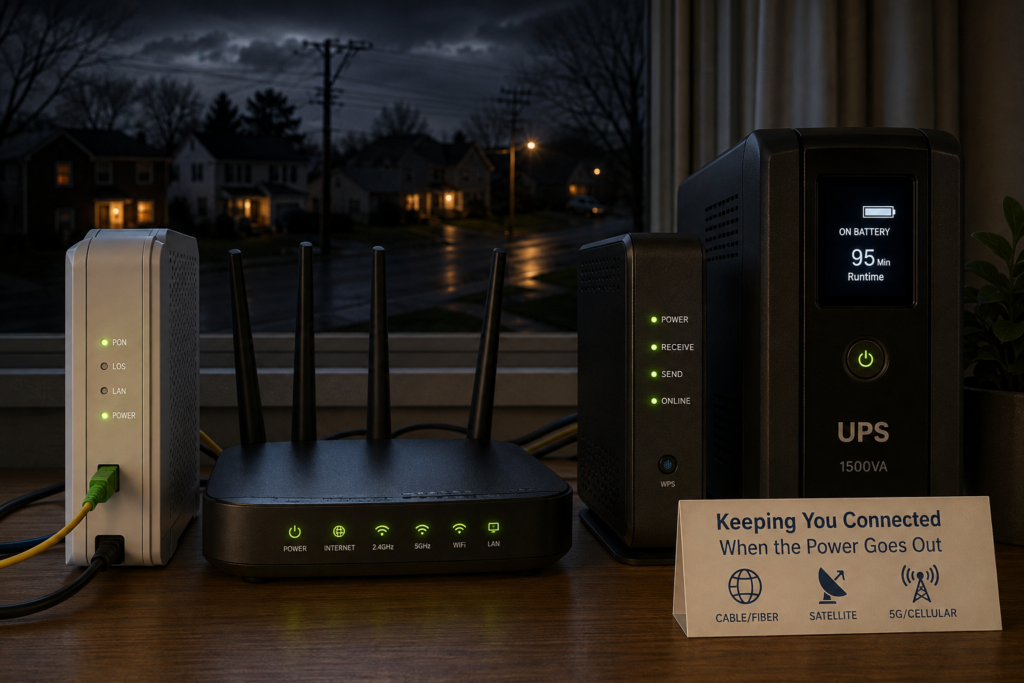
The first part is relatively easy to solve. Put the right equipment on a UPS and your modem, router, fiber terminal, satellite equipment or cellular gateway can stay powered when the lights go out.
The second part is outside your control. Your internet connection depends on infrastructure beyond your house, and some of that infrastructure may also depend on commercial power. That is why a UPS can keep one home’s internet working perfectly during an outage while another home’s connection disappears even though all of the networking equipment inside the house is still running.
The answer also varies depending on whether you have cable, fiber, satellite or cellular internet.
Does Wi-Fi Work During a Power Outage?
Without backup power, usually not. Your Wi-Fi router needs electricity. When it shuts off, your wireless network disappears with it.
A UPS solves that part of the problem. Keep the router powered and it can continue broadcasting Wi-Fi.
But Wi-Fi and internet access are not the same thing. Wi-Fi is the network connecting devices inside your home. Unlike an old copper telephone that could receive its operating power directly from the phone line, modern internet equipment generally needs local electricity. For your devices to reach the internet, every essential piece of equipment between them and your internet provider also needs to remain powered.
In a typical home that might mean:
- Cable internet: cable modem or gateway + Wi-Fi router
- Fiber internet: optical network terminal (ONT) + router or gateway
- Satellite internet: satellite dish or terminal + router or gateway
- Cellular or 5G home internet: cellular gateway or hotspot + any separate router or Wi-Fi equipment
- Mesh Wi-Fi: internet equipment + main mesh router + any satellite nodes you actually need
- Larger home network: internet equipment + router/firewall + Ethernet or PoE switches + Wi-Fi access points
If one essential device loses power, the connection can stop there.
Why Old Landline Phones Often Worked During a Power Outage
If you grew up with a traditional Bell System-style copper telephone line, you may remember that the phone often continued working even when the electricity in the house went out.
That was possible because traditional analog telephone service, usually called POTS (Plain Old Telephone Service), did not normally depend on power from an outlet in your house. The telephone company supplied low-voltage DC power over the same pair of copper wires that carried the voice signal.
A traditional telephone line was typically powered at roughly 48 volts DC from equipment at the telephone company’s central office. The central office itself was designed with large battery banks and often generators, allowing telephone service to continue through utility outages.
As long as the telephone company’s network remained operating, a simple corded telephone could therefore keep working even if the rest of your house was completely dark.
There was an important exception: cordless phones still required electricity for their base station. During an outage, the phone line might still be working while the cordless phone was useless. This is one reason many households kept a basic corded telephone around for emergencies.
Modern home internet is very different. Cable modems, fiber ONTs, Wi-Fi routers, switches and VoIP phone equipment all contain powered electronics at the customer’s home. If those devices lose electricity, the service usually stops unless you provide battery backup.
In a sense, a UPS for your modem, ONT and router recreates part of what the old telephone network provided automatically: keeping the communications equipment powered even when utility electricity disappears.
Will Cable Internet Work During a Power Outage?
It can, particularly during a short outage.
If you put your cable modem and router on a UPS, they can continue operating after your house loses power. Whether they can still reach the internet depends on the cable company’s network.
Cable networks can have powered equipment outside your home, including nodes, amplifiers and network power supplies. Providers use batteries and generators to keep that infrastructure operating during outages, but backup power is finite and equipment can also be damaged by the storm or other event that caused the blackout.
That leaves several possibilities:
- A short outage occurs and your UPS keeps the internet working without interruption.
- Your equipment stays powered, but something in the cable network loses power and your connection stops.
- The connection works initially and fails later when upstream backup power is exhausted.
- The outage also damages the network itself, making backup power irrelevant.
This is why installing a whole-house generator does not necessarily guarantee working cable internet. The generator can power everything inside your house. It cannot power the cable company’s equipment down the street.
Will Fiber Internet Work During a Power Outage?
Fiber can be particularly well suited to staying online during a blackout, but your equipment at home still needs electricity.
Many fiber-to-the-home systems use a Passive Optical Network, or PON. Passive optical splitters can distribute the signal through much of the path between the provider and your house without requiring the chain of powered amplifiers found in some other broadband networks.
That does not make fiber independent of electricity. Your provider still needs its network equipment operating, and your end of the connection needs power too.
The important device in many homes is the Optical Network Terminal, or ONT. It terminates the fiber connection at your house and provides the connection used by your home network.
If the ONT loses power, your fiber internet stops even if the Wi-Fi router is still running.
So if you have fiber, find the ONT and its power supply before deciding what belongs on your UPS.
AT&, for example, says customers with an external ONT need backup power for that equipment as well as their gateway. See AT&’s battery-backup guidance.
Will Satellite Internet Work During a Power Outage?
Satellite internet can continue working during a local power outage if you can keep the equipment at your house powered and the satellite network itself remains available.
This gives satellite an interesting advantage during some emergencies. Your connection is not dependent on a cable running through the neighborhood or the same chain of terrestrial equipment used by a local cable network.
If a storm knocks out neighborhood cable infrastructure while your satellite terminal still has a clear view of the sky, satellite service may remain available.
But the equipment at your house still needs electricity.
For a system such as Starlink, that means the satellite terminal and whatever router or networking equipment you use with it. Traditional satellite systems have the same basic requirement.
This makes backup power especially important for someone who relies on satellite internet at a rural property, vacation home or other location where outages may last longer than they do in a dense urban area.
Satellite Internet Can Require More Battery Capacity
There is one important consideration when comparing satellite with cable or fiber: a satellite terminal may consume more electricity than a simple cable modem or fiber ONT.
That affects runtime.
A UPS that can keep a low-power modem and router operating for a long time may run down considerably faster when powering satellite equipment.
If satellite internet is important during a long outage, I would pay close attention to the actual wattage of the equipment and the battery capacity available. A conventional UPS may still be useful for short interruptions, while a larger battery or generator becomes more attractive when outages routinely last for hours.
Will Cellular or 5G Home Internet Work During a Power Outage?
Often, yes, provided both your cellular gateway and the carrier’s network remain operating.
If you use T-Mobile, Verizon or another fixed-wireless home internet service, your gateway still needs electricity. Put it on a UPS or another battery source and it may continue providing internet even though utility power to your house has failed.
Cellular internet can also be useful during an outage because it provides a completely different path to the internet than your cable or fiber connection.
But cell towers and the networks behind them need power too. Carriers use batteries and generators at many sites, but backup power can eventually run out and physical damage can still take equipment offline.
There is another problem during widespread outages: congestion.
If cable and fiber connections fail across a neighborhood, large numbers of people suddenly move onto cellular networks. A cellular connection that is normally fast can become much slower just when everyone needs it.
Cellular Home Internet Can Be Easy to Back Up
One advantage of cellular home internet is that the equipment can be quite simple. A 5G gateway may combine the cellular modem, router and Wi-Fi access point in a single device.
In that case, you may only need to keep one device powered.
If you use a separate router, mesh system, Ethernet switch or access point, those devices also need backup power if you want to continue using them.
Your Phone Is Already a Battery-Powered Internet Connection
A smartphone has its own battery, which makes it one of the easiest emergency internet connections available.
If the cellular network is still operating, a phone may continue working even when every piece of networking equipment in your house is off.
You can also use the phone as a hotspot for a laptop or another device.
The limitations are battery life, signal strength, data-plan restrictions and network congestion. For occasional emergencies, that may be enough. If internet access is critical, a dedicated cellular connection or automatic cellular failover system is more robust.
A Fios Backup Battery May Not Back Up Your Internet
There is another easy mistake to make: seeing a battery installed by your internet provider and assuming it keeps everything running.
That is not necessarily what it was designed to do.
Verizon’s documentation for its traditional Fios Digital Voice battery backup says that backup power is intended for voice service rather than internet or television service.
See Verizon’s Fios battery-backup documentation.
If you want internet access during an outage, verify exactly what an existing provider-installed battery powers. You may still need your own UPS for the ONT, router and other network equipment.
What Internet Equipment Should You Put on a UPS?
Start at the internet connection coming into your house and follow the path to the devices you actually need.
For a simple cable setup, that usually means:
- cable modem or gateway
- Wi-Fi router, if it is separate
For fiber:
- ONT and its power supply
- router or ISP gateway
For satellite:
- satellite terminal or dish power supply
- router or gateway
For cellular home internet:
- cellular gateway
- any separate router, switch or Wi-Fi equipment you need
A larger home network may also require:
- Ethernet switch
- PoE switch
- Wi-Fi access points
- mesh Wi-Fi nodes
- firewall or router appliance
You probably do not need every piece of network equipment running during a blackout. Every additional device consumes battery capacity.
For a simple network, see my guide to the best UPS battery backups for routers and modems.
If your network has grown into a rack or closet full of switches, access points, cameras and storage, I have a separate guide to choosing a UPS for a network closet, NAS, PoE switches and cameras.
Do You Need to Keep Your NAS Running?
Not necessarily.
I run both networking equipment and a NAS on backup power, but their priorities are different during a long outage.
The UPS gives a NAS time to ride through a brief interruption or shut down safely. If the outage is going to last for hours, keeping storage running may consume battery capacity that would be more useful keeping the router, ONT and Wi-Fi alive.
Ideally, a larger home network can shut down nonessential equipment while leaving the low-power networking devices running. With systems like a NAS, it is best to let them shut down gracefully than to abruptly stop.
That can turn a relatively modest UPS into a surprisingly useful source of internet runtime.
How Long Can a UPS Keep Your Internet Running?
Networking equipment is a good candidate for battery backup because its power consumption can be relatively low.
A modem, router and fiber ONT may together consume only a few dozen watts. Start adding switches, multiple access points, PoE cameras, a NAS or satellite equipment and the load can rise quickly.
This is why the VA number printed on a UPS does not tell you how long your internet will run. Runtime depends heavily on the actual wattage of the devices connected to it and the battery capacity of the UPS.
A UPS that provides only a short runtime for a desktop PC may be able to run a modem and router much longer.
If runtime matters, measure or estimate the equipment you actually intend to keep running rather than sizing the UPS around everything that happens to be plugged in nearby.
A UPS Helps Even If Your Outages Are Short
There is another benefit that has nothing to do with surviving an all-day blackout.
A very short power interruption can reboot your modem, router, switches and access points. Power may return almost immediately while you spend the next several minutes waiting for the network to reconnect.
A UPS prevents that.
For homes with reasonably reliable utility service, this may be the most common benefit. The UPS quietly handles flickers and short outages without the network going down at all.
The worse the power reliability at the equipment’s location, the more runtime becomes important. A house that sees an occasional five-minute outage has very different backup-power needs from a remote property that can lose power for several hours.
What Happens During a Long Power Outage?
Eventually a conventional UPS reaches its limit.
During a long outage, several things can end your connection:
- your UPS battery runs out
- your ISP’s backup power runs out
- outside network equipment fails
- storm damage interrupts the physical connection
- cellular networks become congested
If outages where you live are regularly measured in hours rather than minutes, the next step is larger-scale backup power.
That might mean a portable power station, whole-house battery or generator.
These systems can keep your equipment operating far longer than a normal UPS. They still cannot guarantee that your internet provider remains online, but they solve the problem of running out of power inside the house.
Using Cellular as a Backup Internet Connection
Even if cellular is not your primary internet service, it can provide a valuable second path when cable, fiber or satellite service fails.
The simplest backup is the hotspot built into your phone.
More sophisticated home networks can automatically switch to a dedicated cellular connection when the primary ISP goes down.
Some providers also sell cellular failover services. These can protect against an ISP outage as well as a power outage, provided the cellular network remains available and the backup equipment itself has power.
I would treat cellular as another layer of resilience rather than a guarantee. During a widespread outage, cellular networks can become congested as thousands of people shift traffic onto them at the same time.
How to Test Whether Your Internet Will Work During an Outage
You do not have to wait for the next storm to test half of the system.
If your network is already connected to a UPS, safely disconnect the UPS from wall power and confirm that everything required for internet access stays online.
Check the modem, ONT, satellite terminal or cellular gateway as appropriate, along with the router and any switch or access point you need.
If the internet continues working, you have verified that your equipment and UPS are configured correctly.
The next real neighborhood outage tests the other half: your provider.
If all of your equipment remains powered and the internet still works, you know the provider’s local infrastructure survived that outage.
If your network stays powered but the internet connection disappears, check the ISP’s outage information. The failure may be upstream from your house.
This is worth learning before spending thousands of dollars on larger backup-power equipment under the assumption that powering the house automatically keeps the internet online.
What I Would Do If Internet During an Outage Matters
I would build backup connectivity in layers:
- Put the modem, ONT, satellite terminal or cellular gateway and router on backup power.
- Back up any switch or Wi-Fi access point you actually need.
- Leave unnecessary high-draw equipment off the battery during a long outage.
- Measure how long your network actually runs from the UPS.
- See how your ISP behaves during a real local outage.
- Keep a phone hotspot or other cellular option available.
- If long outages are common, consider a larger battery system or generator.
This is particularly useful at a second home or other property you monitor remotely. Keeping the internet connection alive may also keep security cameras, leak sensors, thermostats and other connected devices reachable when the property loses utility power.
So, Will Your Internet Work When the Power Goes Out?
It may, and relatively inexpensive backup power can dramatically improve the odds during a short outage.
You need to keep every essential piece of networking equipment powered. For cable, that generally means the modem and router. For fiber, remember the ONT. Satellite users need to power the satellite equipment, while cellular users need to keep their gateway running.
After that, the provider’s network becomes the limiting factor.
If the network outside your house remains online, your own backup power may keep you connected long after everything else in the house goes dark. If the provider loses upstream infrastructure, no UPS inside your house can restore that connection.
For most homes, I would start with the inexpensive part of the problem: keep the essential networking equipment on battery backup. It prevents nuisance reboots during short outages and gives you a good chance of staying online during longer ones when your provider remains available.
To choose the right size, start with my guide to UPS battery backups for routers and modems.