Gadget Wisdom

0 Responses

Hauppauge and Silicondust Announce Alliance for HTPC CableCard Tuners

Silicondust USA Inc., maker of the popular HDHomerun networked digital TV tuner, and Hauppauge Computer Works, known for a variety of hardware tuners, have announced an alliance to introduce a USB-connected digital cablecard tuner.

Silicondust will concurrently be introducing its HDHomerun Prime, a cablecard version of their networked digital tuner. “Silicondust’s experience with digital cable access systems combined with Hauppauge’s strong computer TV tuner sales will produce a successful launch of this innovative product.” said Ken Plotkin, President and Chief Executive Officer of Hauppauge Computer Works.

The products should be available for sale by the end of the year. The competition, the PCI-Express based Ceton InfiniTV4 Cablecard Tuner, has suffered from parts shortages.

As previously mentioned, a recent change by Cable Labs has permitted these devices to be used in a limited fashion under Linux. As revealed by Jeremy Hammer, Vice President of Systems Integration for Ceton Corporation, during a recent podcast interview, developers are already working, with support from the hardware manufacturers, to integrate the necessary functionality into popular Linux DVR software MythTV. You can hear that interview on the HTPCentric Podcast, Episode 7(htpcentric.thedigitalmediazone.com).

The editor of this blog appeared in Episode 3 of the same podcast, discussing his MythTV setup. An update on that will be coming soon.

Published on September 12, 2010
Full Post
0 Responses

Diaspora Set to Reveal Open Source Project

Diaspora, billed as an open alternative to Facebook, has announced that it will be open-sourced on September 15th.

Diaspora was started as a project by four NYU students, proposing to build an open-source, distributed alternative to Facebook. Diaspora raised over $200,000 on Kickstarter, especially impressive considering they had only set a goal of $10,000.

On September 15th, they will put out a developer release, open their source code repository, publish a roadmap, and shift to a more community-oriented development style. Two of the members of the original team are taking a leave from their studies at NYU to run the project.

There are already some open social media projects out there, most notably, statusnet, a micro-blogging server that provides functionality similar to Twitter, on which the popular site, identi.ca is based. However, while identi.ca has been embraced by the tech community, it has not yet seen widespread adoption. Diaspora may face the same hurdles in stealing market share from Facebook, which has over 500 million active users.

Published on August 31, 2010
Full Post
0 Responses

Leo Laporte Learns the Value of Federation

Early this morning, famous podcasting personality Leo Laporte, Head TWIT over at the TWIT Network, posted on his Leoville blog a post titled Buzz Kill. Laporte had switched his microblogging over to the underappreciated Google Buzz, which he used to update Twitter. However, he discovered today, August 22nd, that none of his Buzz posts had been public since August 8th. As he puts it,

Maybe I did something wrong to my Google settings. Maybe I flipped some obscure switch. I am completely willing to take the blame here. But I am also taking away a hugely important lesson. No one noticed. Not even me. …But I feel like I’ve woken up to a bad social media dream in terms of the content I’ve put in others’ hands. It’s been lost, and apparently no one was even paying attention to it in the first place. I should have been posting it here all along. Had I been doing so I’d have something to show for it. A record of my life for the last few years at the very least. But I ignored my blog and ran off with the sexy, shiny microblogs.

You can read the full text at his blog here, but it does emphasize the thought processes we’ve been exploring as we learn about the federated social web. We have had some conversations with Evan Prodromou of Statusnet, among other people, as we try to understand this, and he was kind enough to send along some recommended reading since the last time we blogged about this.

We should own our own brand, and build its value at a site controlled by us. If you have an email address at a domain you control, you may have someone hosting it, but you can move it whenever you like. You have control. If you have your identity, and our email addresses and social media are part of the identity we build online, then the content is in your hands. Social media becomes a means of distribution, rather than a destination.

That is where the federated social web concept comes in. In a federated system, there are distinct entities that control parts of the system, but those parts are connected with agreed-upon rules to make a pleasing and usable whole. The World Wide Web is such a system. Email is such a system.

Statusnet instances aren’t for everyone, admittedly. Ours hasn’t attracted as many connections as Twitter, but gives us access to a different crowd. But what about blogging? Let’s take Gadget Wisdom.

  1. We write a blog entry.
  2. Our RSS feed updates. We use Feedburner to assist with that, but that isn’t required.
  3. We tweet the post to our Twitter account and dent it to our statusnet instance, so people know what we’re talking about. We still own the conversation.
  4. Our site draws in anyone talking about our tweet as comments on the post, thus bringing the discussion back to the blog.

Everything comes back to us. We are integrating social media into our site, not going out and relying on it exclusively. It is part of the reason that we don’t participate in Facebook but we do in Twitter. Twitter and similar microblogging paradigms works as a news delivery system, and can even be an alternative for RSS. Facebook has its status updates as well, but it is part of a bigger system that sees to tie everything together. We prefer to do that ourselves.

In case you didn’t get what we are saying…microblogging, social media, and sites such as Twitter, Jaiku, Friendfeed, Plurk, Pownce, Google Buzz, etc should be a content delivery and enrichment system, not a content creation system. Now, we disagree with Leo that they are “an immense waste of time.” We just believe that he should change his approach to social media. Let’s all bring our identities under our control.

Published on August 22, 2010
Full Post
0 Responses

SSD Prices Predicted to Drop below $1 per GB

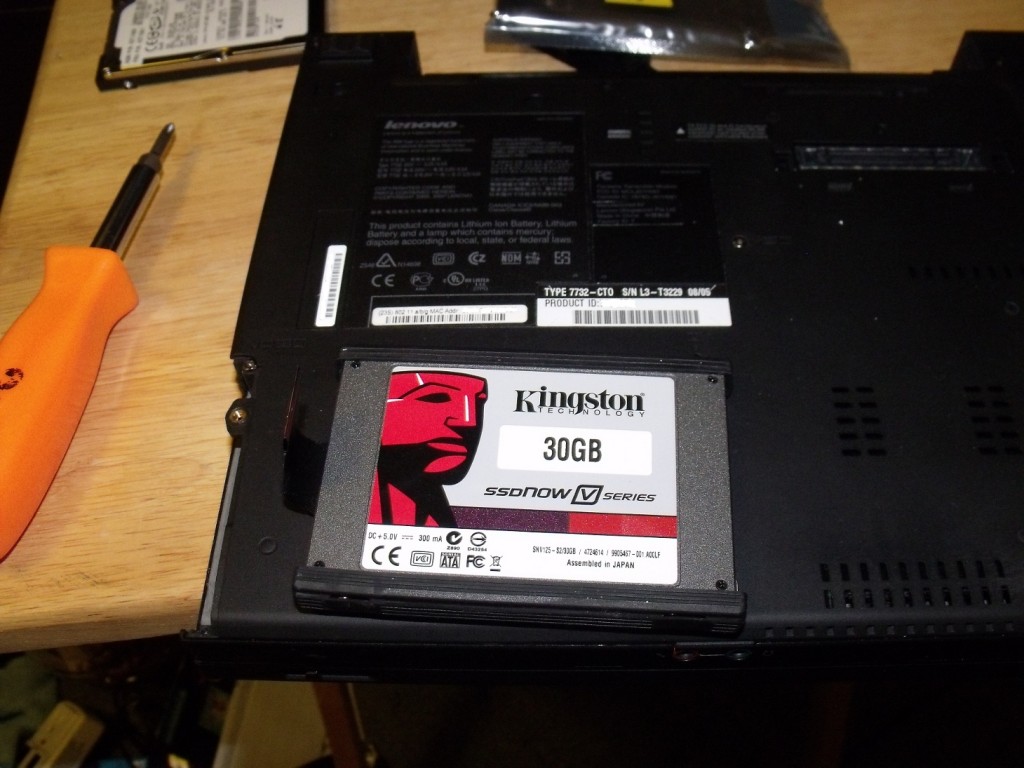
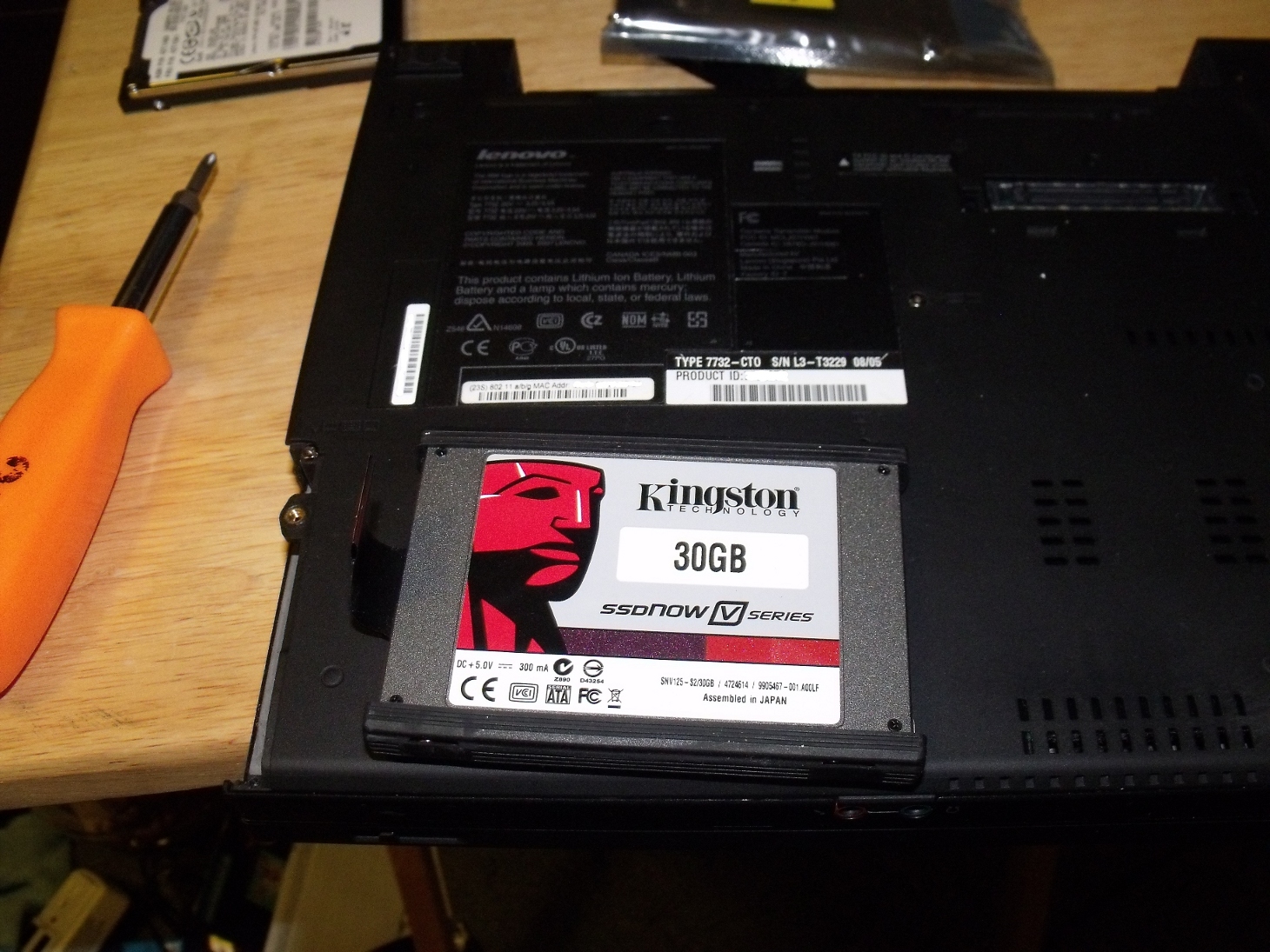
Tested reports that, according to iSuppli Market Research, storage prices for Solid State Drives will fall below $1 per gigabyte by the end of this year. That would still be at least ten times the cost of a traditional hard disk drive. This might stimulate OEM sales, at least, and encourage manufacturers to start mainstreaming the technology.

The biggest advantage of a solid state drive, in our opinion, right now is as an operating system/program partition. We’ve added SSDs in most of our systems as OS drives, including our server. It allows us to spin down the traditional drives where we store our media. It, coupled with advances in boot technology on Linux, continues to speed up our boot experience.

Currently, a lot of our computers go down when not in use, and we’re trying to design more to do this. We’re down to only two systems running 24/7, and hoping to get that to one this year.

But, our own desires aside, if the price is competitive, we could see mainstream adoption of SSDs. They have no moving parts, are fast, which is a great advantage. They have longevity issues, but with some software wear-leveling techniques, and a three-year warranty(standard for HDDs as well), there shouldn’t be a barrier to using them. The technology continues to move forward and improve.

Published on August 22, 2010
Full Post
0 Responses

Intel to buy McAfee

SAN FRANCISCO - SEPTEMBER 22:  Intel CEO Paul ...
Image by Getty Images via @daylife

Intel, best known for its chip manufacturing, announced it is buying computer security software company McAfee for $7.68 billion.

Intel commented that today’s security approach is inadequate for current market, with the growing availability of Internet connections on phones and other devices. The industry, they state, needs a solution that combines software, hardware, and services.

In the past, energy-efficient performance and connectivity have defined computing requirements. Looking forward, security will join those as a third pillar of what people demand from all computing experiences,” said Intel CEO Paul Otellini.

Both boards of directors have unanimously approved the deal. The deal still requires McAfee shareholder approval and regulatory clearance.

Published on August 19, 2010
Full Post
0 Responses

Some CableCard Content Will Be Available to Linux

CableLabs, the independent consortium of cable operators which creates specifications for cable television compatible products has approved two measures that will permit Home Theater PCs running Linux to take advantage of some U.S. cable television content.

Cable providers can set copy control information for their content to specify how the content can be duplicated, setting it to Copy Once, Copy Never, or Copy Freely. In the United States, the Federal Communications Commission, or FCC, specified that all broadcast television channels must be set as Copy Freely. Non-premium subscription programming has to be set to at least Copy Once, but of course can be set to Copy Freely. This is where cable providers vary, as some tend to set all programs as Copy Once and others tend to set all programs as Copy Freely.

CableLabs has approved the passing of content coded as Copy Free without Digital Rights Management, or DRM. DRM allows a content provider to restrict what you can do with content once downloaded or recorded. No current Linux based software has licensed or been approved to carry content with DRM, and the decision by CableLabs means that users of MythTV, will be able to decrypt and record some content. CableLabs is charged with approving all CableCard compatible devices.

A CableCard is a PCMCIA card which a carrier is legally obligated to offer on request, which can be added to a tuner to decrypt content. However, until recently, PC CableCard peripherals were extremely limited. Two manufacturers have worked hard to open up the PC market to this hardware and have advocated for Linux support. Ceton, just recently launched its InfiniTV4 PCI-Express card, and Silicondust, creators of the popular and Linux compatible HDHomerun networked digital tuner are set to release a cablecard enabled version later this year.  Jeremy Hammer, VP of Systems integration for Ceton, and a Fedora user, advised that the Ceton product will fully support Linux and MythTV to the extent they are able.

Unfortunately for us, our service provider, Time Warner Cable, sets nearly everything to Copy Once, this rendering the device pretty much useless unless they change their ways. Comcast, however, apparently is much more open(surprising, isn’t it?), setting most of its non-premium content to Copy Freely. Being as you need to rent the cable card from the cable company anyway, we do not see the point of restricted content they know you’ve paid for.

However, we’ve never quite gotten the point of DRM in general. It more often restricts legitimate usage over actually stopping piracy. And as we’ve been reminded recently, fair use for recorded content is not to keep it on your hard drive forever. If you really like something enough to keep, you probably should buy it. You’ll get a better quality version…and if you’re lucky…extras.

Published on August 16, 2010
Full Post
0 Responses

Fun with SIP, Android, and Free Dial-In Numbers

Sipdroid 1.0.7 on a HTC Hero mobile phone
Image via Wikipedia

SIPDroid is a free VOIP client for Android that uses the standard SIP protocol. The VOIP calls will go over the data connection, be it 3G or Wi-Fi, and thus not affect your minute count.

According to their FAQ, it “uses G.711 A-law to transmit voice which needs about 80 kBit/s in each direction. This corresponds to a total of 1.2 MB per minute. A video call needs approximately twice as much. When optionally enabled for all calls Sipdroid uses GSM codec to compress to about 30 kBit/s in each direction resulting in a total of 0.5 MB per minute.”

You can use a + in a phone number in order to indicate to the Android device to use the secondary as opposed to the primary choice. You can set either the phone or SIPDroid to be the primary method of dialing. Emergency calls will always go out over the phone line.

SIPDroid prefers you set up a free or paid account at PBXes. This allows you to have all the advantages of a PBX and is already set up for connecting calls anonymously to Skype and GTalk. You can, if you use them, set a feature that will, if the data reception is bad enough, transfer the call to the phone’s cell number. You need to set up a gateway to the traditional telephone network(PSTN) from the PBX for this to work, however.

For services like dialing onto the regular phone network, you do have to pay money. But not to SIPDroid. To a VOIP provider(more on that at some point). PBXes also offers a paid account with additional features, such as a better voice codec and support for more lines.

If you don’t want to go out on the traditional telephone network, you can use the five extensions offered in the free version to talk to other people logged in(only 2 simultaneous conversations at a time, however).

Since we didn’t want to pay any money for a test, we opted to sign up for a free number with IPKall. They offer dial-in only numbers in the 206, 253, 360, and 425 area codes that will auto-forward to a SIP account you designate. We had some issues as we tried routing a call from them to PBXes and then to a phone on a wi-fi connection logged into the PBXes server. A few times it didn’t seem to connect, and when it did, there was some lag. But it was free and when it worked, it was clear. We also experimented with SIPGate, which offers a free dial-in phone number as well.

We could see a lot of potential uses for this technology. VoIp is nothing new. We’ve played with it before. But, think of the possibilities. A little private network your phone can always be connected to that will alow you to communicate airtime free? Let’s go a step further. We know of someone who lived on a college campus with good wi-fi coverage and considered having an iPod Touch and Skype or such instead of a phone.

As public wi-fi and open wi-fi becomes more available, and with fewer people calling and more people using data…we could imagine a future where people opt for a data only connection and the occasional SIP call. The possibilities are endless.

And we’ll have more on playing with SIP later.

Published on July 25, 2010
Full Post
0 Responses

Simple Power Management Under Fedora

SATA-Kabeladapter
Image via Wikipedia

This post is a result of experimentation, but also of some information from the RHEL6 Power Management Guide. Most people tend to ignore power management, but remember, power management can result in lower utility bills as well as increased life of components.

First, turn on CPUSpeed if it isn’t on. It may require enabling BIOS settings. Look for names like SpeedStep, Cool’n’Quiet, PowerNow!, ACPI, SMART to enable in BIOS. Then, set CPUSpeed to run. CPUSpeed dynamically adjusts the speed and voltage of the CPU based on demand.

While you’re in BIOS, take the opportunity to disable any system piece you aren’t using. For example, your parallel port.

Tuned is a daemon that monitors the use of system components and dynamically tunes system settings based on that monitoring information. A detailed system configuration might be too time-consuming for most. Most people will not do certain things unless it is easy and does not inconvenience them too much. Thus, tuned comes with preset profiles.

Active-State Power Management (ASPM) saves power in the Peripheral Component Interconnect Express (PCI Express or PCIe) subsystem by setting a lower power state for PCIe links when the devices to which they connect are not in use. ASPM controls the power state at both ends of the link, and saves power in the link even when the device at the end of the link is in a fully powered-on state.

Aggressive Link Power Management (ALPM) is a power-saving technique that helps the disk save power by setting a SATA link to the disk to a low-power setting during idle time (that is when there is no I/O). ALPM automatically sets the SATA link back to an active power state once I/O requests are queued to that link.

tuned has the following profiles:

  • default – lowest impact on power savings, only enables CPU and Disk Power Savings
  • desktop-powersave – designed for desktops. Enables CPU, Disk, and Ethernet savings, as well as ALPM power saving for SATA.
  • server-powersave – Designed for Servers. Enables ALPM powersaving for SATA host adapters, disables CD-ROM polling through HAL (refer to the hal-disable-polling man page) as well as the CPU and disk power controls.
  • laptop-ac-powersave – medium-impact profile for laptops on AC. Enables CPU, ethernet, disk, wi-fi, and ALPM power saving for SATA.
  • laptop-battery-powersave – high-impact profile for laptops on battery. All the same from the AC-powersave, plus multi-core power-savings
    scheduler for low wakeup systems and makes sure that the ondemand governor is active and that AC97 audio power-saving is enabled. Will work for any system, not just a laptop, there will be a noticeable impact on performance.
  • throughput-performance – server profile for throughput performance. Disables power saving mechanisms and enables sysctl settings that improve the throughput performance of your disk and network I/O, and switches to the deadline scheduler
  • latency-performance – server profile for typical latency performance tuning. It disables power saving mechanisms and enables sysctl settings that improve the latency performance of your network I/O.

To list available profiles,  use the command tuned-adm list.

To switch to another profile, use tuned-adm profile profile_name.

Reducing the amount of work performed by the hardware is the best way to save power. Applications that request unnecessary work prevent hardware from entering a reduced state. Fedora has already done a lot of work in reducing unnecessary processes, but it can’t do everything. Audit running processes and discontinue anything unnecessary.

But, let’s address one concern. By turning things off or slowing them down, it means you may have a few seconds wait while they reactivate. That may be a downside, but the secret is to find a balance between always on and always off. It is better to turn it on than leave it off. Plan well early on.

We’ll have more on this later.

Published on July 19, 2010
Full Post
0 Responses

So You Want to Only Use One Microblogging Service

A highly simplified version of the RSS feed ic...
Image via Wikipedia

Last time, we discussed some of the things we’d learned about Status.net and the OStatus standard. Now, our understanding is far from perfect, but we keep trying to learn more. This is some of our attempt to summarize it.

So, here we are once again looking at how other services play with Status.net. We’ve covered the fact that Twitter doesn’t. Although, since Twitter has an API, a bridge has been created that imports the tweets into your timeline as notices. There is a Facebook bridge as well, but we have yet to test it, as we aren’t Facebook users.

But many sites do support standards that Status.net can use. A service has to be PuSh enabled. OStatus is reliant on the fact that most sites noawadays put out an Atom or RSS feed. The problem is real-time notification. That is where PubSubHubbub(PuSh) comes in. It is a simple extension to RSS and Atom feeds for real-time subscriptions. Basically, the feed declares a URL for the Hub server. Now, instead of the subscriber server/reader repeatedly polling the site to look for updates, it can register with the hub to be notified of updates.

That is how OStatus is built. Each site builds a feed of updates and uses PuSh subscriptions to send relevant updates to other sites, and each site is responsible for pushing those updates to the correct user. The rest of OStatus is also built on top of Atom feeds, including extensions to describe social activities like replies, following, user profile information, etc. As their wiki describes it: “the real beauty of it is that at this point we[OStatus] already have something useful, without anything StatusNet-specific. In fact you can already subscribe to someone’s public Google Buzz feed as an OStatus remote user, and they haven’t done anything special for us!

So, there is one example. You don’t need to be on Google Buzz. If Google Buzz supports PuSh and OStatus, you can subscribe to their feed. Let’s go a step further:

  • WordPress – All the blogs on WordPress.com have PuSh enabled. If you run a WordPress blog elsewhere, you can set up your site as a Hub using a plugin like PushPress. If you are using Feedburner with Pingshot enabled, PuSh is already enabled and no plugin is needed. Sound useful? Why not subscribe to this blog, which is PuSh enabled, by entering the URL into the Remote Subscription option on your identi.ca/status.net account?
  • Tumblr – We tried the test-tumblr that the Status.net wiki used and that was recognized, but a random Tumblr site would not work.
  • Google Buzz – As mentioned above…we tried a few accounts and it does work. It is, of course, one-way.
  • Posterous – It would allow us to subscribe to a random posterous account we picked.

Status.net is working on some workarounds for additional integrations, but any established site can become PuSh enabled and thus support subscriptions in status.net. With a little extra work supporting the standard, they can support activity streams, replies, and other user events without any change in the user experience, except opening it up to interaction with any other site that supports those standards.

Imagine this a few months/years down the road if people support it. It would be like Email. Anyone can self-host or sign up for a social media account on whatever server they want, but anyone on any other server can communicate with them.

We’re in on the ground floor. We’re on our status.net which imports Twitter and lets us subscribe to any PuSh enabled site. And since we run it, we don’t have to worry about the service being discontinued or falling out of favor, because the next service is likely to be…if not immediately compatible, eventually bridged.

In the meantime, check out supporting PuSh on your site. Next time, we hope to have more to say about WebFinger…or how to tie your identity to a website.

Published on July 11, 2010
Full Post
3 Responses

So You Want to Take Control of Your MicroBlogging

Image representing StatusNet as depicted in Cr...
Image via CrunchBase

If you haven’t heard of Twitter, you may have been living under a rock for the last few years. If you aren’t quite sure what it is, then you are not alone. People who have Twitter accounts aren’t quite sure what to do with them, and some people will disagree on the point of Twitter.

Twitter is the most popular example of microblogging, although Facebook, extremely popular, is mostly such a service. Twitter limits updates…or tweets to 140 characters. This limit has made URL shorteners popular. There are advantages to the brevity of microblogging, and inserting URL allows you to elaborate elsewhere. We use it not only to interact with those who share interests, but as a real-time substitute for RSS. RSS, or Really Simple Syndication, is the standard for subscribing to blogs.

So, although some have agreed with us, it is important we don’t miss important information. Many Twitter clients only go back so far. And your Tweets are held closely by Twitter itself. Twitter can cancel your account at any time…they don’t need a reason. While you can appeal it, they owe you nothing. You aren’t paying for the service.

As Backupify, a service that backs up cloud services to its site for you, and provides them in downloadable form, stated, “Imagine if your phone company behaved in a similar fashion, disconnecting your phone number(s) because it didn’t care for the phone conversations you were having. Of course, that could never happen — and not (just) because of government regulation. You pay for your phone service, so the phone company has a certain financial incentive to care for your business. Facebook, Twitter, and most web apps are free. Zero dollars buys you zero service level guarantees. Never forget that you have access to Twitter and Facebook only so long as it is convenient and beneficial to them.

Now, we do have an account with them, but we chose a different route. Being open-source enthusiasts, we looked for an open-source solution. We came up with StatusNet. It is a microblogging server written in PHP that implements the OStatus standard. OStatus is an open standard that allows people on different social networks to follow each other. It supports PUSH notification.

Diaspora, if it gets off the ground, is a proposal to replace Facebook with an open distributed platform. Anyone could run the software, thus allowing them to control their user data locally. Their local software would interact with other people’s to form a decentralized social network. It would thus work like an email address. Anyone could host your email…but you could choose to contract with someone to do so, and thus ensure a greater responsibility on the part of the provider, or choose a free option. The idea sounds great, and we wish them luck…

Unfortunately, without interoperability with existing services, it will likely occupy the same space as Identi.ca, the most popular and the original Status.net service. There are a lot of people happily on Identi.ca, but it is not a mainstream product.

We already had an Identi.ca account, but now we are running our own Status.net server. And Status.net supports a Twitter Bridge. It allows you to automatically send your notices to Twitter, send local “@” replies to Twitter, subscribe to your Twitter friends on the service, and import your Friends Timeline. The last is not enabled for Identi.ca, but allows you to import your friend’s tweets into your timeline. So, the Status.net server imports the Twitter data, which means that you have it on a server controlled by you.

Now, running your own server somewhere may be a bit too much for you. So Status.net offers single user instances, as well as private community instances. It is extensible with plugins. So any functionality you want could be built on top of it, or interact with.

Using the open standards it supports out of the box, you can subscribe to people from your status.net account who are on Google Buzz, Tumblr, Posterous, WordPress.com, Livejournal…etc.  140 characters isn’t required. You can set your instance to support 140 characters(Twitter Standard), or more or less than that.

Interoperability will hopefully lead to longevity. Even famous Twitter account ShitMyDadSays, has migrated to a Status.net instance. Having accounts on every single service can be confusing. If you can have an account on one service…and link to people on other services, isn’t that better?

We tried to ask a few questions of the founder of Status.net, in regards to how people were using the Twitter integration specifically, but the question was a bit open-ended, and thus we did not quite get all the answers we’re still looking for. Either way, it’s fun to play with.

More on this to come. In the meantime, any questions?

Published on June 27, 2010
Full Post

Get New Posts By Email