Gadget Wisdom

Category: Home Safety

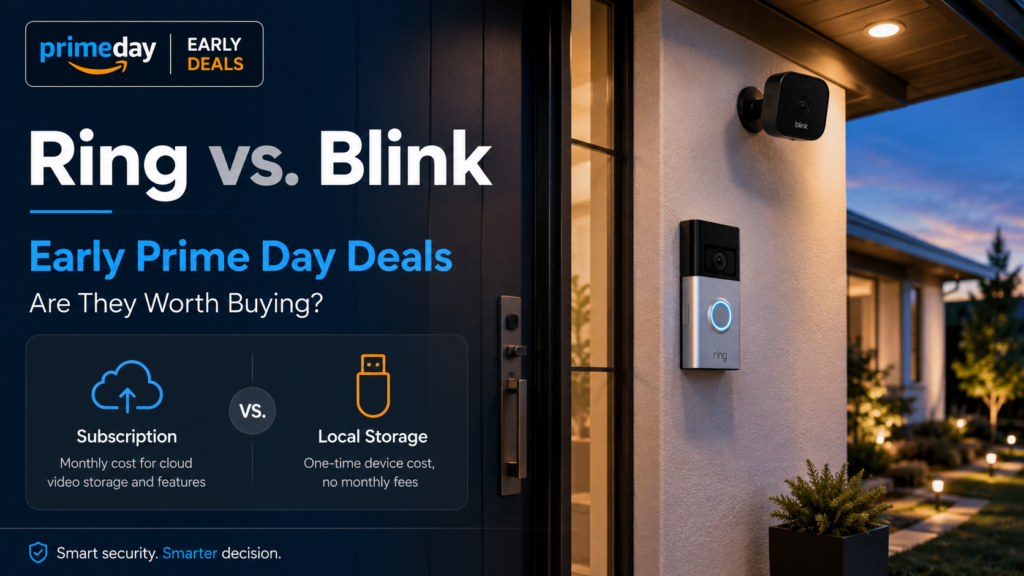
Ring and Blink security cameras displayed with an Amazon Prime Day deal tag, highlighting early Prime Day smart home camera discounts
0 Responses

Early Prime Day Ring and Blink Camera Deals: Are They Actually Worth It?

Amazon is already offering early Prime Day deals on Ring and Blink cameras. That makes sense. Amazon owns both brands, and smart-home cameras are exactly the kind of product that gets pushed hard during Prime Day.

But the better question is not whether a Ring or Blink camera is on sale.

The better question is whether the deal is actually worth buying once you include subscriptions, recording limits, local storage, battery life, and what you want the camera to do.

Prime Day 2026 runs from June 23 through June 26, but early deals are already appearing. If you are looking at a discounted Ring doorbell, Blink Outdoor camera, Blink floodlight camera, or Ring outdoor camera, this is the moment to slow down before clicking buy.

Quick Answer: Are Early Prime Day Ring and Blink Camera Deals Worth It?

Ring and Blink camera deals can be worth it if you want an easy, inexpensive camera system and understand the subscription tradeoffs. Blink is usually the better budget choice if you want some local recording options. Ring is usually better if you already use Ring devices, want a polished app experience, or care more about convenience than avoiding a subscription.

The key difference is recording. Blink has a local-storage path through Sync Module hardware, using USB storage with Sync Module 2 or microSD storage with Sync Module XR. Ring cameras can still be used without a subscription for some basic features, but recorded video history and saved clips generally require a Ring Protect plan.

Choice Best For Main Tradeoff
Blink Budget camera setups, simple monitoring, some local storage options Less polished and more limited than higher-end systems
Ring Easy doorbell/camera setup, polished app, existing Ring households Recording and many useful features require a subscription
Local-first alternatives People who dislike subscriptions or want more control More setup, more decisions, less “just works” convenience

Why Ring and Blink Deals Are Complicated

A discounted smart camera is not just a camera purchase. It is often a system decision.

The camera itself may be cheap. The ongoing plan may not be. That does not automatically make Ring or Blink a bad deal. It does mean the sale price is only part of the math.

Before buying, ask yourself:

  • Do I need recorded clips, or only live view?
  • Do I want to avoid monthly subscriptions?
  • Do I already use Alexa, Ring, or Blink devices?
  • Is this for a primary home, vacation home, garage, or rental property?
  • Do I need indoor cameras, outdoor cameras, a doorbell, or all of them?
  • Do I care about local storage?
  • Do I want the easiest setup, or the most control?

Those answers matter more than the sale badge.

Disclosure: This article may contain affiliate links. If you buy through these links, Gadget Wisdom may earn a commission at no extra cost to you.

Blink Cameras: The Budget-Friendly Option

Blink is usually the more budget-friendly Amazon camera brand.

That does not mean Blink is always better. It means Blink tends to make more sense if you want basic cameras at a lower hardware cost and are willing to live with a simpler system.

The biggest advantage is that Blink has a local-storage path. With compatible Blink cameras and the right Sync Module, you can save clips locally to USB or microSD storage instead of relying only on cloud recording. That makes Blink more interesting for people who do not want another monthly subscription.

That said, local storage is not the same thing as a full professional camera system. You are still buying an inexpensive consumer camera setup. The app, features, and responsiveness may not satisfy someone who wants a serious local NVR or advanced smart-home integration.

Blink Deals I Would Check First

If I were looking at early Prime Day Blink deals, I would focus on outdoor cameras, doorbells, and bundles that include the hardware needed for the setup I actually want.

You can see the current Blink camera and doorbell deals on Amazon.

  • Blink Outdoor 2K Plus — the first Blink deal I would check if you want a multi-camera outdoor setup.
  • Blink Outdoor XR — worth comparing if range or outdoor placement is the main issue.
  • Blink Wired Floodlight Camera — a better fit for a driveway, garage, side yard, or exterior area where lighting matters.
  • Blink Battery Doorbell — useful if you want a lower-cost doorbell camera and do not want to depend on existing wiring.
  • Blink Wired Doorbell — worth comparing if you already have doorbell wiring and want to avoid battery charging.

For Blink, pay close attention to the bundle. A deal that includes the right Sync Module or multiple cameras may be more useful than the lowest-priced single camera.

Ring Cameras: Easy, Polished, And Subscription-Heavy

Ring is the better-known brand, especially for video doorbells.

The Ring app is polished. Setup is easy. The doorbells and cameras are mainstream enough that many people already understand them. If you want a simple consumer security-camera setup and do not mind paying for Ring Protect, Ring can be a very reasonable choice.

The subscription is the catch.

Without a Ring Protect plan, you can still use certain basic features. But if you want recorded video history, saved clips, and many of the features people expect from a security camera, assume the subscription is part of the real cost.

Ring Deals I Would Check First

If I were looking at Ring deals, I would start with the doorbell and outdoor-camera deals. Ring makes the most sense when you want simple setup, an easy app, and you are comfortable with the subscription model.

You can see the current Ring camera and doorbell deals on Amazon.

  • Ring Battery Doorbell — the most obvious Ring product to consider if you want a simple doorbell camera.
  • Ring Outdoor Camera — useful if you already use Ring and want outdoor coverage in the same app.
  • Ring Doorbell deal — compare carefully against the Battery Doorbell and make sure you know which model and bundle you are buying.

If you are starting from zero and want to avoid subscriptions, Ring is a harder sell. If you already use Ring Protect and want another device in the same app, the deals may make more sense.

Ring vs. Blink: Which One Should You Buy?

I would choose based on what you are trying to avoid.

If you are trying to avoid subscriptions, start by looking at Blink or a local-first alternative. Blink is not a perfect no-subscription system, but it at least gives you a local-storage path with the right hardware.

If you are trying to avoid complexity, Ring may be the better choice. Ring is simple, familiar, and polished. The tradeoff is that you should assume the subscription is part of the real cost if recording matters to you.

Situation Better Fit Why
You want the cheapest multi-camera setup Blink Lower hardware cost and useful bundles
You want a polished doorbell camera Ring Strong app experience and mature ecosystem
You want recording without a monthly plan Blink or local-first alternative Ring recording depends heavily on Ring Protect
You already use Ring Protect Ring Adding more Ring devices may be simpler
You want a serious local camera system Neither Look at PoE cameras, NVRs, or local smart-home setups

When I Would Skip Ring And Blink

I would skip both Ring and Blink if your main goal is a serious local security-camera setup.

There are other systems that offer more local control, better continuous recording options, higher camera quality, local NVR support, or better integration with platforms like Home Assistant. Those systems are more work. They are also less dependent on a company subscription plan.

That is the tradeoff.

Ring and Blink are easy. Easy has value. But easy often means you are accepting the company’s app, cloud, subscription, and feature limits.

If you want a camera system for a vacation home, rental property, garage, or primary home and you mostly care about quick alerts, Ring or Blink may be fine. If you want long-term local recording and full control, they may be the wrong place to start.

Are These Good For A Vacation Home?

Ring and Blink can both be useful for a vacation home, but I would not treat cameras as the entire monitoring plan.

Cameras can show you doors, driveways, garages, decks, or outdoor activity. They do not tell you everything. A camera will not detect a hidden water leak, a freezing pipe, a humidity problem, or whether your router went offline unless you build the rest of the system around it.

If the camera is part of a broader second-home setup, think about:

  • router and modem backup power
  • water leak sensors
  • temperature and humidity sensors
  • door and window sensors
  • smoke and carbon monoxide alerts
  • whether someone can respond if an alert comes in

For the broader setup, see my guide to vacation home remote monitoring.

How To Judge An Early Prime Day Camera Deal

Do not judge the deal only by the percent off.

Before buying, check:

  • Is this the current model? Older models can still be good, but the discount should reflect that.
  • Is the Sync Module included? This matters for Blink local storage and multi-camera setups.
  • How many cameras are in the bundle? Some deals look similar but include different quantities.
  • Does it require a subscription for what you want? This is especially important with Ring.
  • Is it battery-powered, wired, or plug-in? Battery cameras are easier to place but require battery management.
  • Will Wi-Fi reach the camera location? A cheap outdoor camera is not useful if the signal is weak.
  • What happens if the internet goes down? Cloud-dependent cameras may lose much of their usefulness.

A good deal is not just a lower price. It is the right hardware for the way you plan to use it.

My Take

If I were buying during the early Prime Day sale, I would look at Blink first for budget outdoor cameras and places where local storage matters.

I would look at Ring first for a simple doorbell camera or a household that already uses Ring Protect and wants everything in one app.

I would not buy either one expecting a professional local camera system. That is not what these are.

These are easy consumer cameras. If the sale price is good and the subscription/storage tradeoff matches what you want, they can be worth buying. If you are only buying because the deal looks big, slow down and do the subscription math first.

Early Prime Day Ring and Blink Deals To Check

Published on June 5, 2026
Full Post
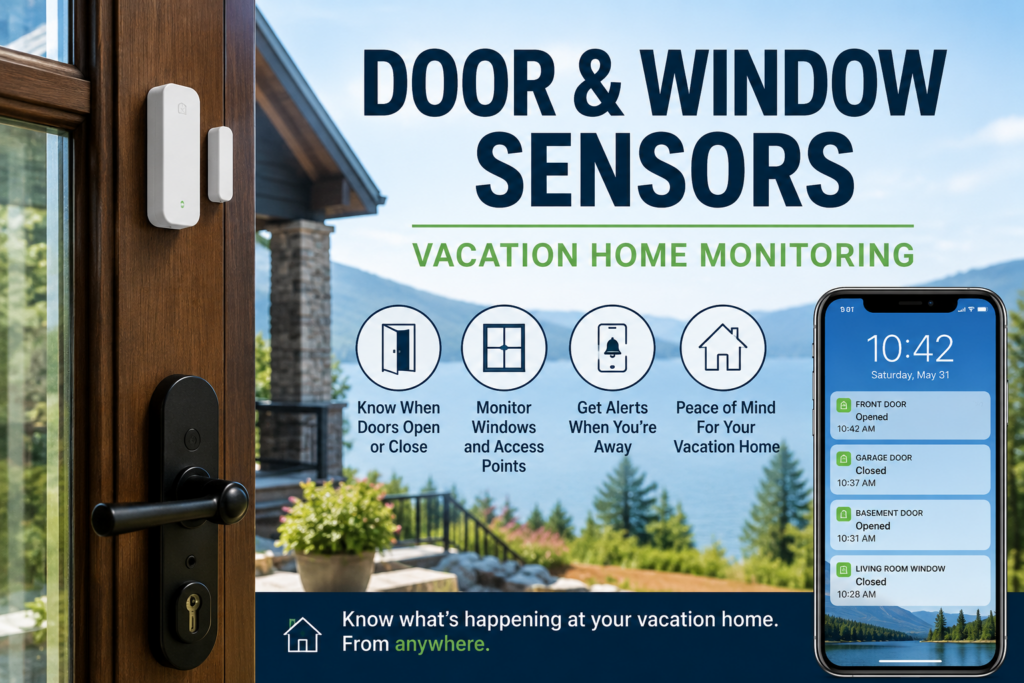
Door and window sensor on a vacation home entryway for remote monitoring alerts
0 Responses

Door and Window Sensors for a Vacation Home: What to Monitor First

Door and window sensors are usually sold as security devices, hooked to alarm systems.

That is true, but when integrated into broader systems, they can do much more. For a vacation home, a door sensor is not just there to tell you someone broke in. It can tell you that a cleaner arrived, a contractor left, a guest forgot to close the back door, a garage entry door is still open, or a window is unsecured while you are hours away.

That makes door and window sensors for a vacation home less about building a security system and more about solving a simple problem: you are not there to see whether the house is secured.

Quick Answer: Where Should You Put Door and Window Sensors in a Vacation Home?

The first door and window sensors in a vacation home should go on the entry points most likely to be used, forgotten, or vulnerable: main entry doors, garage doors, basement entrances, sliding doors, and windows that are easy to access or commonly left open. If the home has guests, cleaners, contractors, or seasonal use, sensors can also help confirm that people came and went when expected.

Location Why It Matters Priority
Main entry door Most common entry point High
Garage entry door Often forgotten or left unsecured High
Sliding door Easy to leave unlocked or partly open High
Basement or side entrance Less visible both inside and outside the house High
Accessible windows Useful for ground-floor or deck-level openings Medium
Rarely opened upper windows Usually less urgent unless they are often left open Low

Why Door Sensors Matter When Nobody Is There

While these same ideas apply at home, in your primary residence, you usually notice if a door is open for too long. You feel the draft. You hear the alarm. You see the light. You walk past it.

In a vacation home, none of that helps if you are not there. You need more help and might prioritize investment there over a place you are at more often.

A door left open for a few minutes may not matter. A door left open overnight, during a storm, during freezing weather, or between guest stays is a different problem. It can mean water, animals, theft risk, heating or cooling loss, or just the unpleasant discovery that the house was not secured when you thought it was.

Door sensors are useful because they answer a basic question:

Is the house closed when it is supposed to be closed?

That sounds boring. It is also exactly the kind of thing you want to know from far away.

The First Doors To Monitor

You could put a sensor on everything. But thatg can get cost-prohibitive. Start with the doors that actually matter.

Main Entry Door

The main entry door is the obvious first sensor. It tells you when someone arrives, when someone leaves, and whether the door is still open after it should have closed.

If you use the home yourself, this may not seem pressing to know who opens and closes it. If cleaners, guests, relatives, or contractors use the property, it becomes much more useful.

Garage Door And Garage Entry Door

Garages are easy to overlook because they are not always treated like part of the living space. But a garage can contain tools, stored items, mechanical equipment, access to the house, or vulnerable plumbing, not to mention an actual car.

If the garage has a person-door into the house, monitor that too. It is often not as secured as your front door. A garage door sensor tells you whether the garage is open. A door sensor on the interior garage entry tells you whether someone entered the home from the garage.

Sliding Doors

Sliding doors are worth monitoring because they are easy to leave slightly open and easy to forget about, especially on decks, patios, and lake or mountain houses where people are constantly going in and out. They also, because of their design, are a weak point should someone try to break them to enter.

They are also common access points for guests, kids, cleaners, and anyone using outdoor space.

Basement, Side, And Utility Entrances

These doors may be less visible, which makes them more important. A basement or side door can be left open without anyone noticing from the street or main living area.

If there is a door you would not see from the front of a building, it probably deserves a sensor.

Which Windows Are Worth Monitoring?

Window sensors are useful, but you should again, be selective.

Not every window needs a sensor. If a second-floor window is rarely opened and not realistically accessible, it may not be the first priority. If a ground-floor bedroom window is often opened, faces a deck, or is easy to reach, that is different.

I would prioritize:

  • ground-floor windows
  • windows near decks or porches
  • basement windows
  • windows often opened by guests
  • windows in rooms that are easy to forget
  • windows near valuable equipment or storage

The goal is not to make a perfect diagram of every opening. The goal is to catch the openings most likely to matter.

Vacation Rental vs. Private Second Home

The right sensor setup depends on how the property is used.

For a private second home, door and window sensors are mostly about peace of mind and early warning. You want to know whether something changed while you were away.

For a vacation rental, the situation is more complicated. You may want to know when cleaners arrive, when guests check in, whether a door is left open, or whether someone entered a utility area they should not be using. But you also need to think about guest privacy and disclosure.

Privacy

Outdoor cameras and entry sensors are usually easier to justify than indoor cameras. Door sensors can provide useful operational information without recording people inside the home. You also have occupancy sensors, which detect if someone is in a space without any more details.

That is one reason I like sensors for this job. They tell you what happened without turning the house into a surveillance project.

Sensors vs. Cameras

Cameras and sensors answer different questions.

Device What It Tells You Limitation
Door sensor A door opened, closed, or stayed open Does not show who did it
Window sensor A window opened, closed, or was left open Only covers that window
Presence Sensor Someone is in a space Accuracy can be limited
Camera Who or what is visible in the camera view Can miss activity outside its angle and can raise privacy issues
Smart lock Lock status, entry codes, and access history Does not always prove the door is physically closed

A smart lock can tell you the lock is engaged. A door sensor can tell you whether the door is closed. A presence sensor can tell you if someone is occupying a space. Those are not always the same thing.

For a vacation home, I like the combination: smart lock for access, door sensor for open/closed status, a presence sensor to specifically identify individuals in strategic spaces and exterior camera for context.

What Kind of Door and Window Sensors Should You Buy?

I would not start with the fanciest sensor/ I would start with sensors that fit the smart-home system you already use and are reliable enough to place on the doors that matter.

If you already use a platform like Home Assistant, it can combine sensors from multiple systems. Whether you use Ring, Aqara, YoLink, SmartThings or another smart-home system, compatibility matters more than brand loyalty. A sensor that sends alerts through the system you actually check is more useful than a technically better sensor that lives in an app you ignore.

For a basic setup, look for:

  • reliable open/close alerts
  • good battery life
  • low-battery warnings
  • support for your existing hub or app
  • enough range for garages, basements, or detached spaces
  • an alert history so you can see when someone came and went

For long-range or detached spaces, systems like YoLink-style sensors can be interesting. For Home Assistant or Zigbee setups, Aqara offers a popular budget item. For alarm-system users, the best answer may be to use the sensors that tie into the monitored system you already have.

What Alerts Should Actually Notify You?

The biggest mistake with smart-home alerts is sending yourself too many of them.

If every door opening sends a push notification, you will eventually stop caring. That is especially true if guests, cleaners, or contractors are using the property.

Start by making a list of things you want to know, and when you want to log them, or get alerted.

Useful Immediate Alerts

  • a door opens when nobody is expected to be there
  • a door remains open for more than a few minutes
  • a garage door is still open at night
  • a basement or side door opens unexpectedly
  • a window opens while the home is supposed to be empty

Useful Logged Events

  • cleaner arrived
  • cleaner left
  • contractor entered
  • guest checked in
  • guest checked out

Not everything needs to buzz your phone immediately. Some information is useful as history. Some information is urgent.

The trick is knowing the difference.

What To Do When A Sensor Goes Off

A sensor alert is only useful if it connects to a response.

If a door opens unexpectedly, you may check a camera. If a door stays open, you may call a guest, cleaner, neighbor, or property manager. If a window opens while the house is empty, you may need someone to inspect the property.

Before relying on sensors, decide who can act:

  • a neighbor with a key
  • a local property manager
  • a cleaner or caretaker
  • a family member nearby
  • a contractor who already has access
  • local emergency services if there is a real security issue

The point is not to know about a problem faster and then stare helplessly at your phone. The point is to know early enough that someone can do something.

How Door And Window Sensors Fit Into A Vacation Home Monitoring Setup

Door and window sensors are one aspect of monitoring.

They do not replace leak sensors, temperature sensors, smoke and carbon monoxide alerts, cameras, or backup power for your network. They answer a different question: whether the house is physically open or closed when you are not there.

For the broader system, see my guide to vacation home remote monitoring.

If you are still building the rest of the setup, these are the other pieces I would think about:

The Bottom Line On Door And Window Sensors For Vacation Homes

Door and window sensors are not the most glamorous smart-home devices. That is part of their appeal.

They answer simple, practical questions: Did someone open the door? Did they close it? Is the garage still open? Is that window unsecured? Did the cleaner come and go? Did a contractor enter the house?

For a vacation home, those small bits of information can matter a lot. You are not trying to watch everything. You are trying to know when something important changed.

Start with the doors people actually use, the windows most likely to be left open, and the entry points you would worry about if you were not there for a week.

Frequently Asked Questions About Door and Window Sensors for a Vacation Home

Where should I put door sensors in a vacation home?

Start with the main entry door, garage entry door, sliding doors, basement entrances, side doors, and any door commonly used by guests, cleaners, contractors, or family members.

Do I need window sensors on every window?

No. Prioritize ground-floor windows, basement windows, windows near decks or porches, and windows that are often opened or easy to forget. You can assess based on how hard/easy it is to access that window from the outside.

Are door sensors better than cameras?

They do different jobs. Door sensors tell you whether a door opened or stayed open. Cameras show visual context. For a vacation home, the best setup may use both, especially at exterior entrances.

Can door sensors tell me if a guest or cleaner arrived?

Yes. Door sensors can show when an entry door opened and closed. If paired with smart locks or access codes, they can be part of a useful guest, cleaner, or contractor access log.

What should happen if a door sensor goes off while I am away?

Have a response plan before the alert happens. That may mean checking a camera, calling a guest or cleaner, contacting a neighbor, or asking a property manager to inspect the house.

Published on June 1, 2026
Full Post
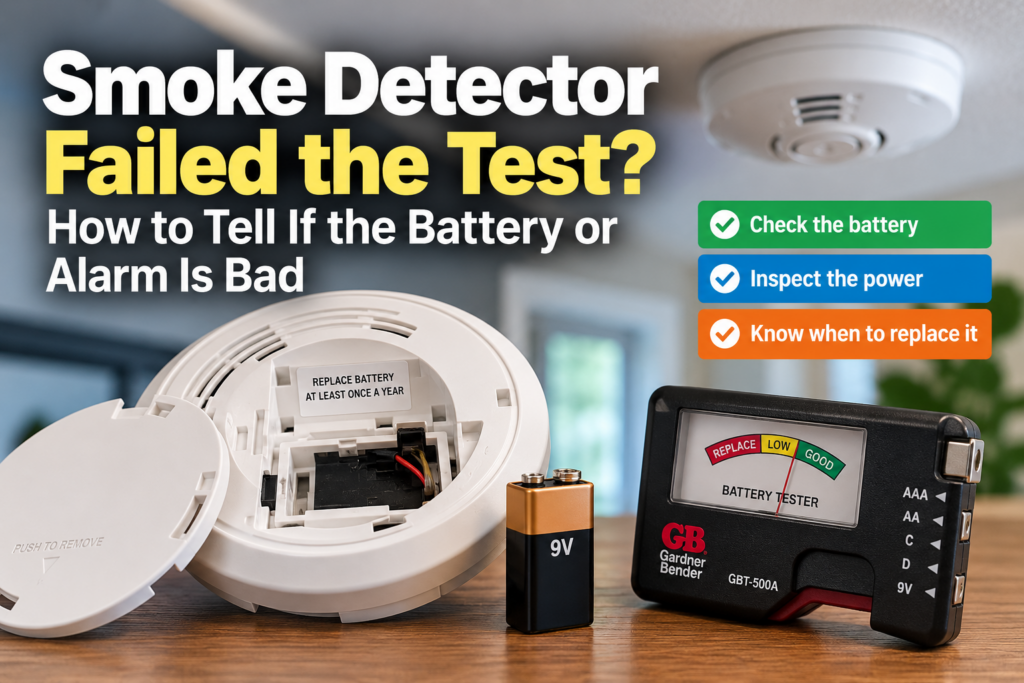
Smoke detector chirping at night due to sealed 10-year battery reaching end of life
0 Responses

Your Smoke Detector Won’t Stop Chirping? The Hidden 10-Year Battery Problem

You come home after being away for a few days and hear it immediately.

Chirp… chirp… chirp.

Your smoke detector won’t stop chirping.

Naturally, you assume the smoke detector battery needs to be replaced. You press reset, maybe flip the breaker, and expect the noise to stop.

Except it doesn’t.

That happened to me recently. I had been away for a while, came into the house, and heard the beeping. I tried hitting reset, but that did nothing. I removed the unit and realized it was hardwired. After some searching, I discovered the real issue: the detector had an integrated 10-year battery that could not be replaced. To make the sound stop, I had to physically disable the unit with a screwdriver and then replace the alarm entirely.

That experience sent me down a rabbit hole, and I suspect many homeowners are about to have the same one.

Quick Answer: Why a Smoke Detector Chirps Even After Replacing the Battery

If your smoke detector chirps even after resetting it or replacing the battery, the unit may have a sealed 10-year battery and the detector itself has reached the end of its lifespan. In that case the entire alarm must be replaced rather than the battery.

Why This Problem Is Suddenly Becoming Common

Many homeowners are encountering this issue for the first time because sealed 10-year smoke detectors became much more common roughly 10 to 15 years ago. In fact, some places, for example, New York, no longer allow the sale of ones with replaceable batteries.

These units were designed to solve a real safety problem. Traditional detectors used replaceable batteries, and some people removed the batteries to stop nuisance alarms and forgot to reinstall them. When it comes to hardwired smoke detectors, the battery serves as a backup if the power goes out.

Manufacturers responded by introducing alarms with sealed lithium batteries designed to last the life of the detector. The trade-off is that once the battery or sensor reaches the end of its lifespan, you cannot replace the battery. The entire smoke detector must be replaced.

If your detectors were installed in the early or mid-2010s, you may now be hearing their end-of-life warning chirp for the first time.

The Real Reason a Smoke Detector Keeps Chirping

Smoke detectors can chirp for several reasons, but one of the most confusing is the end-of-life warning used by many modern alarms.

Many detectors now:

  • use a sealed 10-year lithium battery
  • are hardwired but include a sealed backup battery
  • chirp every 30–60 seconds when the unit reaches end of life
  • must be replaced entirely once this happens

That is why pressing reset often does not fix the problem. The detector is not asking for a new battery. It is telling you the entire alarm has expired.

How to Tell If You Have a Sealed 10-Year Smoke Detector

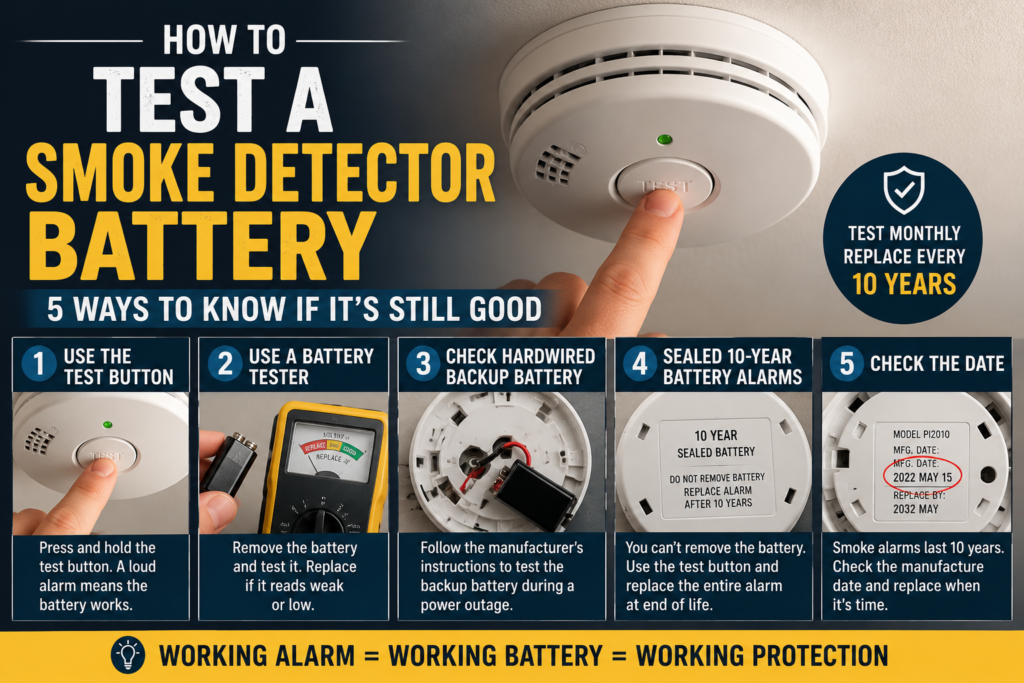
Take the detector down and inspect it carefully. Signs you are dealing with a sealed battery alarm include:

  • no removable battery compartment
  • “10-year sealed battery” printed on the back
  • a installation date close to or more than 10 years old. Smoke detectors include a place to write this on the device. You can also set a calendar reminder or keep a spreadsheet if you are the sort to do so.
  • instructions referencing permanent battery deactivation

If you forgot or it is unreadable, check the manufacture date. Most smoke detectors have a manufacture date printed on the back. If the unit is around 10 years old, it should be replaced even if it appears to work normally.

Why Resetting the Detector Often Does Nothing

When homeowners hear chirping, they usually try the obvious fixes:

  • pressing the reset button
  • cutting power at the breaker
  • looking for a battery compartment
  • disconnecting and reconnecting the alarm

These steps make sense, but they cannot revive a sealed-battery detector that has reached the end of its service life. The chirp is a built-in warning that the unit itself needs to be replaced.

How I Finally Stopped the Chirping

In my case, the alarm was hardwired, which made things more confusing. I assumed there had to be a replaceable backup battery somewhere.

There was not.

What finally worked was removing the detector and finding the battery disable mechanism. Many sealed alarms include a small tab or switch that permanently disconnects the internal battery when the unit is removed for disposal. Using a screwdriver to activate that mechanism stopped the chirping.

Of course, that also meant the alarm was finished and needed to be replaced.

How to Stop a Chirping Smoke Detector for Good

If the detector has reached end of life, the permanent solution is replacement.

The process usually looks like this:

  1. Remove the detector from its mounting plate.
  2. Check the manufacture date on the back.
  3. Confirm whether it uses a sealed battery.
  4. Disable the old alarm if it continues chirping after removal.
  5. Install a new compatible smoke detector.

If several alarms were installed at the same time, it may be worth checking the age of the others in your home as well.

Choosing a Replacement Smoke Detector

If you are replacing an expired alarm anyway, it may be worth upgrading to a newer model.

Depending on your setup, you may want:

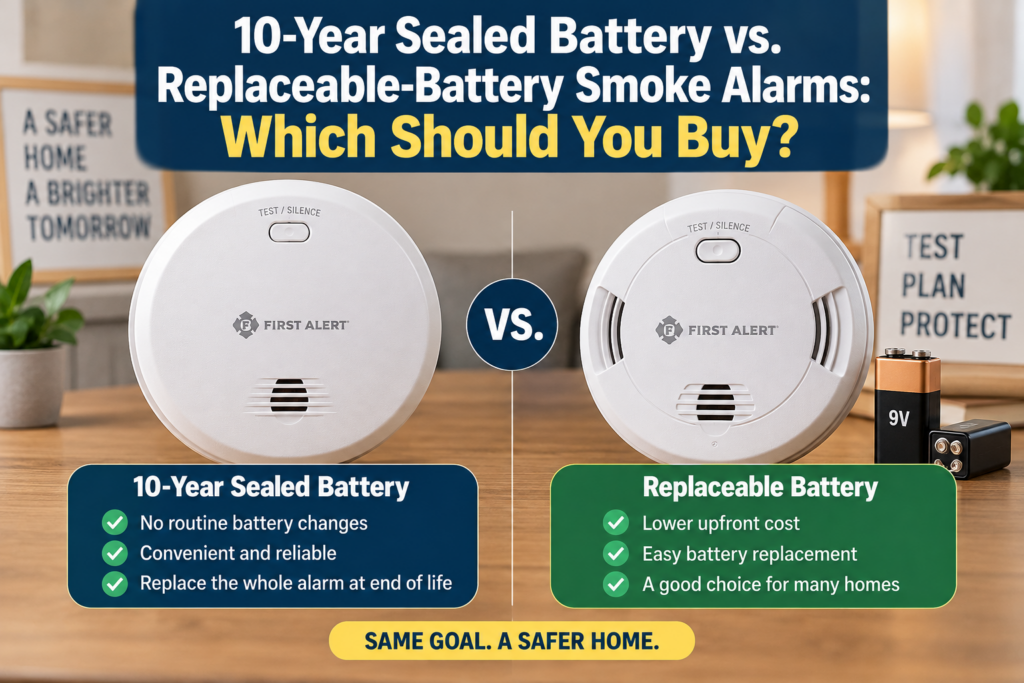
  • a sealed 10-year battery smoke detector
  • a detector that complies with the latest standards. recommendations and technology improves every few years
  • a hardwired alarm with battery backup
  • a combination smoke and carbon monoxide detector
  • a smart smoke detector that sends phone alerts

If you want to explore modern options, I have previously covered smart smoke detectors and compared several models in my guide to the best smoke and carbon monoxide detectors.

Why Smoke Detector Chirping Often Starts at Night

Many people notice the chirping begins overnight or in the early morning. That is not a coincidence.

Lower nighttime temperatures can slightly reduce battery voltage. When a battery is already weak or nearing end of life, that drop can trigger the alarm’s warning system. The detector may have been close to failure already, and cooler overnight conditions push it over the threshold.

Unfortunately, that means these alarms tend to start chirping at the most annoying possible time.

When a Chirping Smoke Detector Means It’s Time to Replace the Alarm

If your smoke detector chirps even after resetting it or replacing the battery, the detector itself may have reached the end of its lifespan.

Many smoke alarms installed over the last 10 to 15 years contain sealed batteries designed to last the life of the detector. Once that life ends, the only real solution is replacing the entire alarm.

If your unit is about a decade old, the chirping is usually not a glitch. It is the detector telling you it is done.

Published on March 26, 2026
Full Post
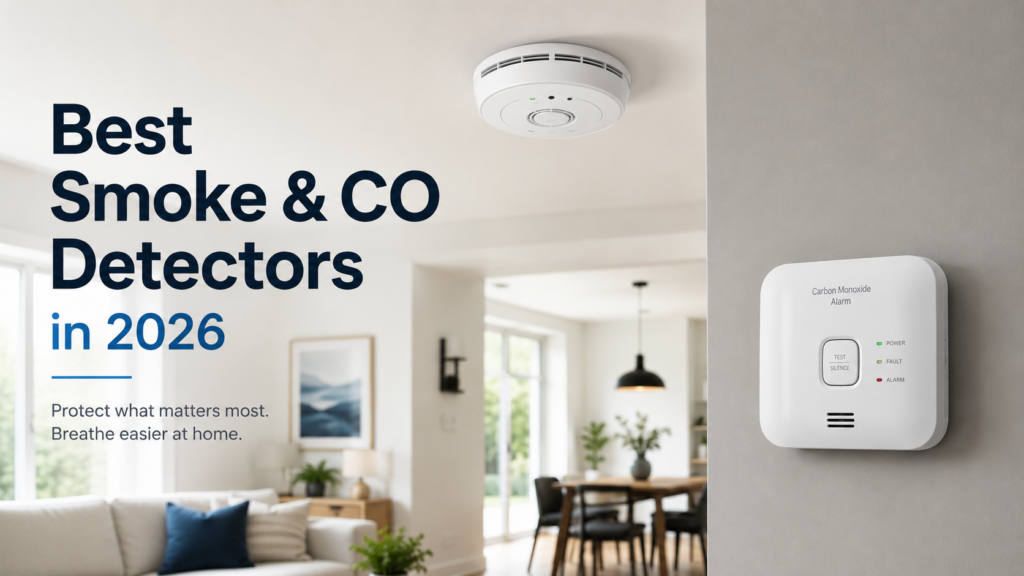
Smoke and carbon monoxide detectors on a ceiling and wall, illustrating the best smoke and CO alarms in 2026
0 Responses

Best Smoke and Carbon Monoxide Detectors in 2026: What to Look For

Updated: May 28 2026

Smoke and carbon monoxide detectors are not the most exciting smart-home purchase, which is probably why people put them off until one starts chirping at 2 a.m.

That is also the wrong time to figure out what you should have bought.

If you are replacing old alarms now, I would not just grab the cheapest detector on the shelf. The better question is what kind of alarm system actually fits your home: hardwired or battery, interconnected or standalone, voice alerts or simple sirens, smart notifications or local-only alerts.

Quick Answer: What Smoke and CO Detector Should You Buy?

For most homes, I would look for modern smoke and carbon monoxide detectors with a 10-year battery or hardwired power with battery backup, clear voice alerts, and interconnect capability where possible. If one alarm goes off, you want people elsewhere in the house to know what is happening and where.

Feature Why It Matters What I’d Look For
Smoke detection type Different fire types produce different smoke patterns Modern alarms designed around current smoke-alarm standards
Carbon monoxide detection CO is invisible and can be deadly Combination smoke/CO alarms where appropriate
Power Dead batteries are a common failure point Hardwired with backup or sealed 10-year battery
Interconnects One alarm can warn the whole house Wired or wireless interconnect support
Voice alerts Can make alarms clearer, especially at night Location or hazard-specific voice alerts if available
Remote alerts Useful if nobody is home Smart alarm, monitored system, or relay into home automation

In a previous post, I discussed the decision making process in picking a smoke detector. I wanted to follow up with some more practical recommendations.

If your current alarm won’t stop chirping, it may actually be reaching the end of its 10-year lifespan. Here’s what that means and how to fix it.

Before picking a model, these are the features I would actually compare.

  • Type of Smoke Detector
  • Hardwired or Battery
  • Interconnect Capability
  • Alert Type

We mentioned the two types of detectors, photoelectric and ionization previously, batteries, and interconnects. In 2026, while you can still get them, I wouldn’t buy anything that wasn’t up to the new 2024 standard.

Voice Alerts vs. Simple Sirens

Pretty much every smoke detector can emit a sharp siren, but some of them can also provide Voice Alerts. Some studies suggest many respond better to Voice alerts than sirens. Some allow only for pre-recorded messages, some allow you to set the names of each detector when interconnected so you can determine the source of a particular alert.

Hardwired vs. 10-Year Battery Smoke Detectors

My building was built in the 70s, so it had no hardwired power for smoke detectors. I invested in having mine wired, to make sure a dead battery didn’t cause a disaster. I also live in New York, where smoke detectors have to have a ten year battery life.

Why Interconnected Smoke Detectors Matter

The two different types of interconnections are wireless and wired. Newer construction tends to have wired interconnected smoke detectors, but this isn’t a guarantee. While I wired for power, I did not interconnect my detectors.

You can solve the problem of having no wires by having a hardwired smoke detector with a wireless interconnect. Looking at the First Alert website, however, they don’t offer this option with the latest detection technology, nor does Kidde, at least not that I could find. The last model they have that fits those parameters can also bridge wired and wireless interconnects, so I assume eventually they’ll make a new version with up to the modern smoke detection standards.

So, that leaves my previously recommended solution. A device that turns your wired interconnect into a wireless relay in my case the Zooz Z-Wave Relay. This allows the smoke detectors to signal my home monitoring system over the Z-Wave protocol when triggered. The device can also act as a relay to power a light or other option if needed, and it can work as part of a full hardwired interconnect system.

Unfortunately, there seems to be a lack of options in this area. Wireless hardwired interconnected smoke detectors seem rare, but why the manufacturers don’t offer an accessory that takes power off the line and wirelessly takes the place of the interconnect wire? Or some sort of retrofit option from a third party? I’m not sure the certification requirements that might be necessary, but it seems there might be interest.

Remote Alerts for a Vacation Home or Empty House

For a primary home, a loud interconnected alarm may be enough. For a vacation home, rental property, or house that sits empty, the question changes: who hears the alarm if nobody is there?

That is where smart smoke/CO detectors, monitored alarm systems, or smart-home relays can matter. A local alarm protects people in the building. A remote alert protects the building when it is empty.

If you are building a broader setup for a second home, see my guide to vacation home remote monitoring.

Smoke and CO Detector Options From First Alert and Kidde

Fortunately, while First Alert offers wireless interconnect and hardwired detectors, not with the latest sensors. They do offer it with the hardwired detection option, either the SMI105-AC smoke detector, with 10 year backup battery, or the carbon monoxide variant, the SMICO105-AC. First Alert’s commercial division, BRK, also offers near identical detectors.

The other popular brand is Kidde, which offers the 30CUA10, hardwired, with a 10 year backup, or the Smoke Detector only option, the 20SA10.

Do Not Wait For A Detector To Fail

In the end, you should get the best smoke detector you can to protect your home and loved ones. You are probably fine to keep the older models until they need replacement, but when getting new ones why would you wait for failure?

Related Home Monitoring Guides

Published on September 15, 2025
Full Post
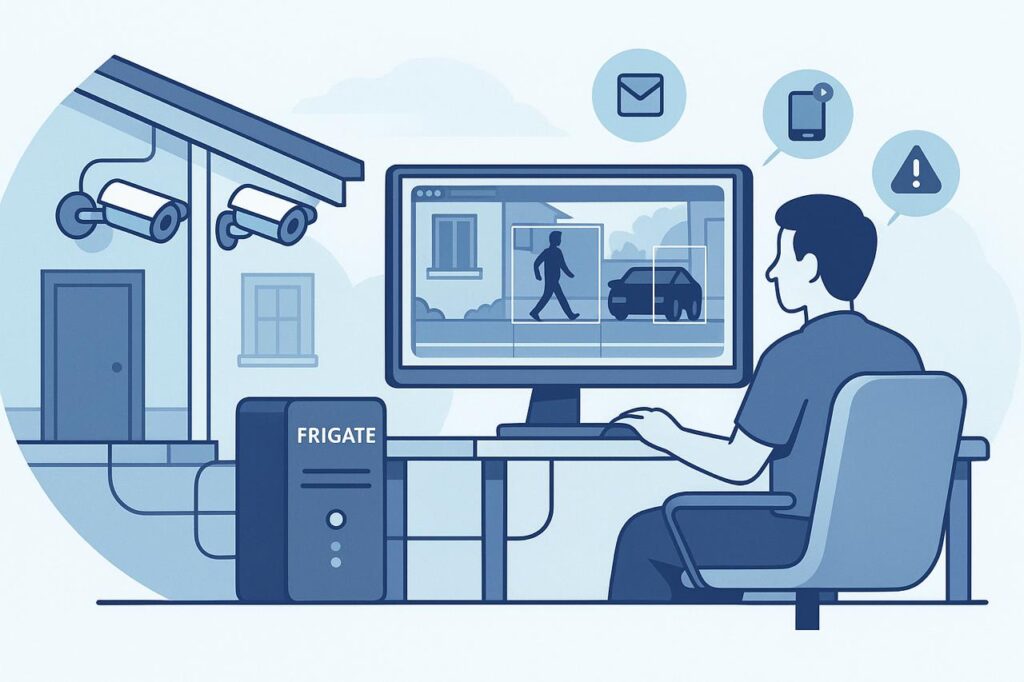
Illustration of a person monitoring POE security cameras using Frigate NVR software on a computer, with outdoor cameras mounted on a house and detection alerts shown on screen.
0 Responses

POE Cameras and Frigate NVR: Why I Switched to Local Home Surveillance

During my recent renovation, I added two additional cameras to my new space, at the two points of ingress. This was something of a departure as these were also the first Power Over Ethernet(POE) cameras I’ve had installed, as I had someone on-site available who could run the cables cleanly.

I’ve tried a variety of ecosystems for cameras, both for myself and others. Many of them push you toward subscription-based cloud services, which features like video history, motion detection, and notifications only work fully if you pay monthly. Some of them barely provide any features without paying, despite the fact you bought the device.  Even when offering local options, this is often storage with a microSD card in the camera, which is clunky, slow, and unreliable.

That is why I decided to go with a network video recorder. A server that takes the feeds from all the cameras and stores the recordings. You can buy commercial NVRs you can purchase and install in your house, including some that integrate with the specific hardware cameras you bought, but I wanted a solution that aligned with my philosophy of self-hosted, privacy first smart home tech.

So I chose Frigate.

Quick Answer: Why Use POE Cameras With Frigate?

POE cameras and Frigate make sense if you want a local home-surveillance system that does not depend on a cloud subscription. Power Over Ethernet cameras are more reliable than Wi-Fi cameras, and Frigate can record video, detect people, cars, animals, and other objects, and let you tune alerts around the parts of your property you actually care about.

Choice Why It Matters
POE cameras More reliable than Wi-Fi cameras and powered through the network cable
Frigate NVR Local recording and object detection without relying on a cloud camera plan
Detection zones Reduce false alerts from sidewalks, streets, neighbors, or passing cars
Self-hosted storage Keeps recordings under your control instead of inside a camera company’s subscription
Frigate+ Optional model improvements without turning the whole system into a traditional cloud lock-in product

Why Frigate?

Frigate is an open-source NVR designed for real-time object detection all running on local hardware. It is deeply customizable and can be tuned to only record what matters to you – people, cars, or animals, depending on what zones and filters you decide.

For example, one of my outdoor cameras flagged every pedestrian across the street, which is well outside of the zone I am concerned about. I can narrow the zone to only my property, to dramatically reduce noise in footage and alerts.

Frigate recently added:

  • facial recognition
  • license plate recognition.
  • View-only user roles for shared access

Everything is processed locally, with no cloud dependency.

Frigate+: Smarter Detection, Optional Subscription

To improve detection, you can also subscribe to Frigate+, a $50/year subscription which offers better trained models for detection. These are trained by other users of Frigate. You can participate by submitting false positives and other information voluntarily. If you cancel, you get to keep the downloaded models, you just stop getting updates.

This helps support the developers and doesn’t lock you into a traditional subscription model.

Frigate Notifications

One gap in the core Frigate setup is the lack of built-in robust multi-platform notifications. That’s where another piece of software, Frigate-Notify, comes in. It offers all of the notification options I might want.

  • Rich notifications
  • Cross-platform delivery including mobile, desktop, and messaging apps
  • Fully customizable

Next Steps For My Frigate NVR

Inspired by how well the new system is performing, I plan to replace more of my older Wi-Fi cameras with wired POE models for improved reliability. Wired cameras streaming directly to my NVR reduces lag, improves reliability, and gives me full control over recording, storage, and alerts—without the cloud.

If you’re tired of cloud lock-in and unreliable Wi-Fi cams, and you want a privacy-respecting, smarter surveillance system, Frigate + POE may be the combo you’ve been looking for.


Published on September 8, 2025
Full Post
0 Responses

Vacation Home Temperature Monitoring: Remote Sensors for Peace of Mind

Vacation Home Temperature Monitoring

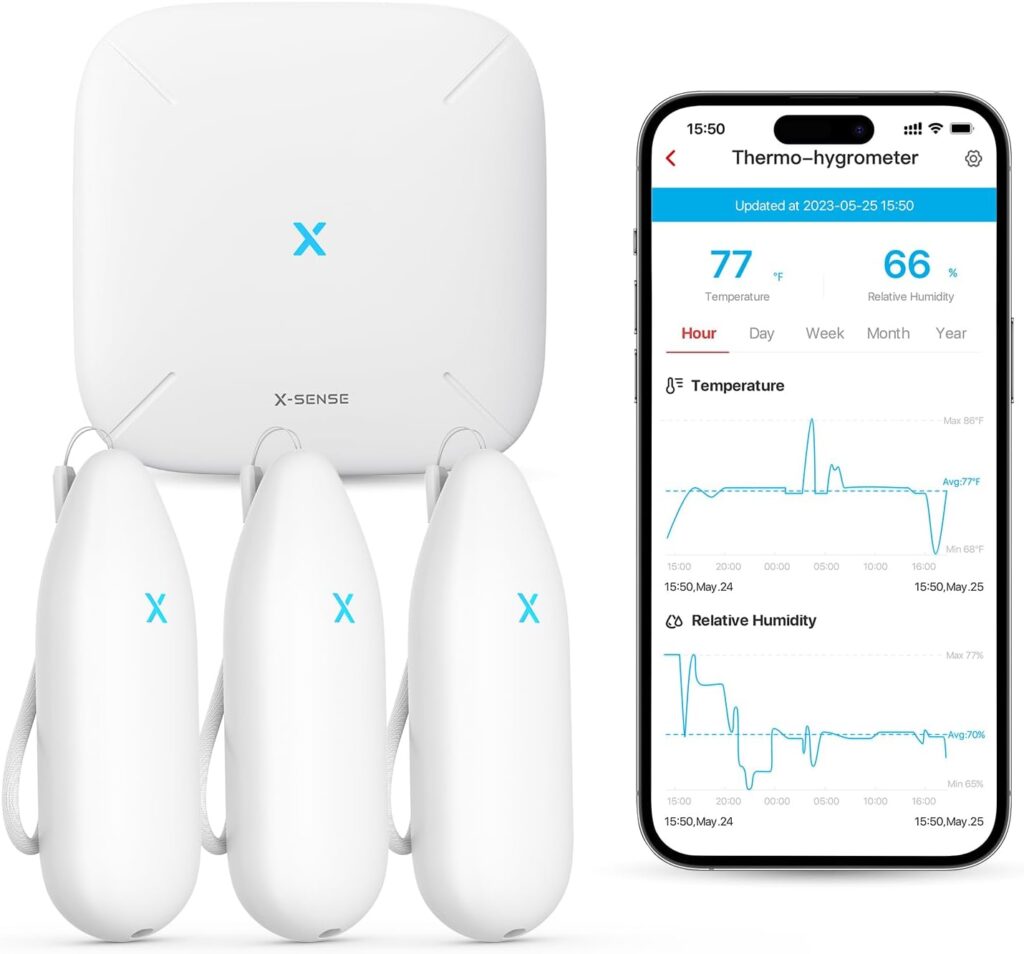
Owning a vacation home or a second home is a wonderful luxury, but managing your home when you are far away comes with its own set of challenges—especially when it comes to maintaining proper environmental conditions. This is where the X-Sense Wi-Fi Hygrometer Thermometer(Model STH54) becomes an invaluable tool.

Quick Answer: How Do You Monitor a Vacation Home Temperature Remotely?

The easiest way to monitor a vacation home temperature remotely is to use a Wi-Fi temperature and humidity sensor with phone alerts. Place sensors near plumbing, basements, wine storage, utility rooms, or other areas where freezing, overheating, or humidity problems could cause damage while you are away.

Monitoring Area Why It Matters What To Watch
Near plumbing Freezing pipes can burst and cause major water damage Low-temperature alerts near vulnerable pipes
Basement or crawlspace Humidity and temperature swings can signal trouble Humidity spikes, freezing risk, damp conditions
Wine cellar Wine is sensitive to heat and humidity changes Temperature and humidity range alerts
Utility room Heating or HVAC problems may show up here first Unexpected temperature drops or overheating
Main living area Confirms the home is staying within a safe range General temperature and humidity trends

With its ability to monitor both temperature and humidity, this smart device allows you to keep an eye on your property remotely, offering peace of mind and helping you avoid costly issues. Here’s how I use this vacation home temperature monitoring solution to protect my distant home.

Monitoring a Wine Cellar From Away

One of the first places I installed the X-Sense Wi-Fi Hygrometer was in my wine cellar. Proper storage conditions are critical for preserving the quality of wine, and even slight fluctuations in temperature or humidity can have a significant impact.

Using the hygrometer, I’m able to track real-time temperature and humidity levels from my phone, no matter where I am. The app’s customizable alarms notify me immediately if conditions deviate from my set parameters, ensuring my wine is always stored in ideal conditions.

Watching for Freezing Pipes Before They Burst

Another strategic placement for the sensor was near plumbing. In colder climates, pipes are at risk of freezing and bursting when temperatures drop too low, and when gone for months there is no need to keep the house fully heated. Even though I drain my pipes and turn off the main, I want to be sure that these areas of the house don’t drop too low. By positioning the X-Sense hygrometer near vulnerable areas, I can monitor temperatures remotely and receive alerts if they approach freezing. This gives me time to act, whether it’s adjusting the home’s heating system(also remotely) or contacting someone nearby to check on the property.

Setting Up Wi-Fi Temperature Sensors

Setting up the X-Sense Wi-Fi Hygrometer was surprisingly simple. After unboxing the device, I downloaded the companion app and connected the base station to my home’s Wi-Fi network.  Then I was able to pair each of the three sensors with the base station and place them. Within minutes, I was able to view data, set alarm thresholds, and start monitoring my property. The intuitive app makes it easy to adjust settings and view historical data, providing a comprehensive view of environmental conditions over time.

Why Remote Temperature Alerts Matter

With the X-Sense Wi-Fi Hygrometer, being far away from my second home has become significantly less stressful.
Knowing that I’ll be notified of any potential issues gives me peace of mind, whether I’m hundreds of miles away or just down the road. It’s a small investment that has already paid off by helping me maintain optimal conditions for my property and prevent potential disasters.

If you’re looking for a reliable, easy-to-use solution to monitor temperature and humidity at your vacation home, the X-Sense Wi-Fi Hygrometer is a tool worth considering. I have found it to be an indispensable tool for vacation home temperature monitoring.

If you are building a broader monitoring setup, you may also want to read my guide to securing a vacation home with remote monitoring.

Published on January 16, 2025
Full Post
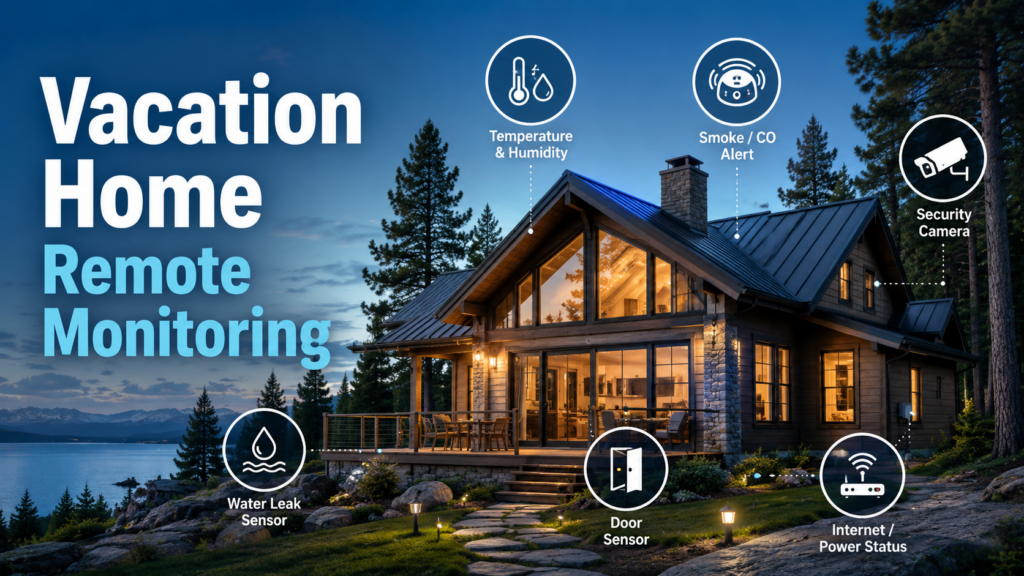
Vacation home remote monitoring setup with leak sensors, temperature alerts, cameras, and smart home notifications
0 Responses

Vacation Home Remote Monitoring: Cameras, Sensors, and Alerts

A vacation home creates a very specific kind of anxiety: everything is probably fine, but you are not there to know.

A pipe can freeze. A water heater can leak. The internet can go down. A smoke alarm can scream into an empty room. A guest, cleaner, or contractor can forget to close a door. None of these problems has to be dramatic on day one. The expensive part is finding out too late.

That is where vacation home remote monitoring helps.

The goal is not to turn a second home into a surveillance bunker. The goal is simpler: know when something important changes while you are away, and have enough warning to do something about it.

Quick Answer: What Should You Monitor In a Vacation Home?

The most useful vacation-home monitoring setup usually includes water leak sensors, temperature and humidity sensors, smoke and carbon monoxide alert awareness, door or window sensors, a few carefully placed security cameras, and some way to know if the internet or power has gone out.

The best setup is boring in the right way. It sends alerts early enough that you can call a neighbor, property manager, plumber, electrician, HVAC company, or contractor before a small problem becomes expensive.

Risk Useful Sensor or Device Why It Matters
Freezing pipes Temperature sensor Warns you before plumbing areas get dangerously cold
Water leaks Leak sensor near water heater, sinks, toilets, HVAC, or basement Small leaks can become major damage when nobody is home
Humidity problems Humidity sensor Helps catch damp basements, musty rooms, or storage problems
Break-ins or open doors Door/window sensors and exterior cameras Shows whether someone entered or left something unsecured
Fire or carbon monoxide Smart smoke/CO detector or alarm listener Alerts you when nobody is there to hear the alarm
Power or internet outage Router monitoring, UPS, or connected smart devices Lets you know when the monitoring system itself may be offline

Start With The Problems That Cause Expensive Damage

It is tempting to start with cameras. Cameras are visible, satisfying, and easy to understand. You open an app and see the house. That feels like monitoring.

But the most expensive vacation-home problems are often not cinematic. They are boring.

A slow leak under a sink. A failed furnace during a cold snap. A basement humidity problem. A sump pump that stopped working. A refrigerator or freezer that lost power. A router that went offline, leaving every smart device silently useless.

So I would start with sensors that warn you about damage, not just cameras that show you what already happened.

Water Leak Sensors: The First Thing I Would Install

If I were building a vacation-home monitoring setup from scratch, water leak sensors would be near the top of the list.

Water has a special talent for turning a small failure into a big bill. A leaking water heater, toilet supply line, washing machine hose, refrigerator line, sump area, or HVAC drain can do real damage before anyone visits the house again.

Good places for leak sensors include:

  • under sinks
  • near toilets
  • next to the water heater
  • behind or near a washing machine
  • near HVAC equipment or condensate drains
  • in a basement or crawlspace
  • near a sump pump
  • near a refrigerator with a water line

A leak sensor does not fix the leak. It gives you time. That is the whole point.

If a sensor alerts you while you are away, you can call someone before the water has had a few days to explore the flooring, drywall, cabinets, and your patience.I previously shared some thoughts on my favorite leak sensors.

Temperature Monitoring: The Pipe-Freeze Warning System

Temperature monitoring is one of the most useful vacation-home tools because the problem is easy to understand: if the house gets too cold in the wrong place, pipes can freeze.

The important phrase is in the wrong place.

The thermostat may say the main living area is fine while a basement corner, crawlspace, garage wall, utility room, or pipe chase is much colder. If you only monitor the comfortable part of the house, you may miss the area that actually matters.

Useful places for temperature sensors include:

  • near vulnerable plumbing
  • in a basement
  • in a crawlspace
  • in a utility room
  • near an exterior wall with pipes
  • inside a garage or mechanical area
  • in a wine cellar or storage area

For a deeper look at this part of the setup, see my guide to vacation home temperature monitoring.

Humidity Sensors: Less Dramatic, Still Useful

Humidity is not as exciting as a burst pipe, which is exactly why it can be easy to ignore.

But a damp basement, musty storage area, or poorly ventilated room can cause slow problems: mold, odor, warped materials, damaged stored items, or a general sense that something is wrong every time you walk in.

A humidity sensor is useful because it gives you a trend, not just a panic alert. If humidity is creeping up over time, you may have a drainage issue, HVAC problem, dehumidifier failure, or ventilation problem.

This is especially useful in houses that sit empty for stretches. Nobody is walking in and thinking, “That smells a little off.” The sensor becomes the person who notices.

Smoke And Carbon Monoxide Alerts When Nobody Is Home

A traditional smoke alarm is designed for people inside the house. That is the problem with a vacation home. Nobody may be there to hear it.

There are a few ways to deal with this:

  • install smart smoke and carbon monoxide detectors
  • use an alarm listener that recognizes existing smoke/CO alarms
  • tie smoke/CO alerts into a monitored security system
  • use a broader smart-home setup that can notify you remotely

The right answer depends on how much infrastructure you already have. If you already use a security system, monitored smoke/CO may be part of that. If you are building a lighter DIY setup, smart detectors or alarm listeners may be easier.

The key is that someone gets the alert outside the house.

Please see our guide to smoke and carbon monoxide detectors.

Door And Window Sensors: Not Just For Break-Ins

Door and window sensors are usually sold as security devices, but for a vacation home they are also useful for boring operational mistakes.

Did a cleaner leave a door ajar? Did a contractor come and go? Is a window open before a storm? Did a guest forget to lock up? Did someone enter when nobody was expected?

These are not always dramatic security incidents. Sometimes they are just small mistakes that matter because the house is otherwise empty.

At minimum, I would consider sensors on:

  • main entry doors
  • garage entry doors
  • basement or utility entrances
  • sliding doors
  • windows that are easy to leave open or access

If you rent the property occasionally or have cleaners, guests, contractors, or family members using it, entry history can be useful even when nothing bad happens.

For a deeper look at access alerts, cleaner/contractor visits, and which entry points matter most, see my guide to door and window sensors for a vacation home.

Security Cameras: Useful, But Do Not Overdo The Inside

Cameras are useful, but I would be careful about where they go.

For a vacation home, exterior cameras are usually the better starting point. They can show approaches, doors, driveways, garages, trash areas, utility access, and whether someone is on the property when they should not be.

Good camera locations may include:

  • front door or main entrance
  • driveway
  • garage or side entrance
  • back door or deck entrance
  • trash or utility area
  • walkway or obvious approach path

Indoor cameras are more complicated. They can be useful in a mechanical room, garage, basement, or unoccupied utility space. But in living areas, bedrooms, or rental situations, they can become intrusive very quickly.

The goal is awareness, not making the house feel creepy.

Power And Internet Monitoring: The System That Watches The Watchers

Remote monitoring depends on power and internet. That means you also need some way to know when the monitoring system itself has gone blind.

If every smart device goes offline at once, that may mean the internet is down. It may mean the power is out. It may mean the router crashed. Or it may mean the house is fine but your monitoring system is not.

Useful ways to monitor this include:

  • a router or network monitor that alerts when the connection drops
  • a UPS for the modem/router so brief outages do not take everything offline
  • smart plugs or devices that report offline status
  • a cellular backup option for more serious setups
  • a neighbor or property manager who can physically check if needed

This matters because a remote setup can create false confidence. You are not really monitoring the house if the system can go offline silently.

See out guide to the best UPS for your internet router to keep you online in a power outage.

A Practical Starter Setup For A Vacation Home

A good starter setup does not need to be complicated.

I would rather have a few well-placed sensors than a pile of gadgets nobody pays attention to.

  1. Put leak sensors where water damage starts. Start with the water heater, laundry area, sinks, toilets, HVAC equipment, sump pump, and basement trouble spots.
  2. Add temperature sensors near vulnerable plumbing. The living room temperature is useful, but the pipe area matters more.
  3. Add humidity sensors in basements or storage areas. This helps catch slow problems before they become musty expensive ones.
  4. Use exterior cameras instead of indoor overkill. Watch approaches, doors, driveway, garage, and utility areas.
  5. Add door sensors where mistakes happen. Main doors, garage doors, and sliding doors are usually the first places to monitor.
  6. Monitor internet or power indirectly. If everything disappears from the app, you need to know whether the house lost internet, power, or both.
  7. Have a response plan. Alerts are only useful if someone can act.

Vacation Home Monitoring Only Works If Someone Can Respond

This is the part that smart-home marketing tends to skip.

An alert is not a solution. It is a request for action.

If a leak sensor goes off, who can get inside? If the temperature drops near the pipes, who can check the heat? If the internet goes offline, how will you know whether it is a router problem or a power outage? If a camera shows someone at the door, who is supposed to do anything with that information?

Before adding more gadgets, make a short response list:

  • a neighbor with a key
  • a local property manager
  • a plumber
  • an HVAC company
  • an electrician
  • a cleaner or caretaker
  • a family member who can check the property

The best vacation-home monitoring setup is not the one with the most devices. It is the one that catches the problems you actually worry about and connects those alerts to someone who can do something.

What I Would Monitor First

If I had to prioritize, I would not start with the fanciest camera or the most elaborate smart-home dashboard.

I would start here:

  1. Water leaks, because water damage gets expensive fast.
  2. Temperature near vulnerable pipes, because freezing is predictable but still easy to miss from far away.
  3. Humidity in basements or storage areas, because slow problems are still problems.
  4. Smoke/CO alerting, because alarms are not very helpful if nobody hears them.
  5. Exterior cameras and door sensors, because they help confirm activity around the home.
  6. Power/internet status, because the rest of the system depends on it.

That is not the flashiest setup. It is the one most likely to save you from the problems that make second-home ownership stressful.

Related Guides

Frequently Asked Questions About Vacation Home Remote Monitoring

What is the best way to monitor a vacation home remotely?

The best way to monitor a vacation home remotely is to combine water leak sensors, temperature and humidity sensors, smoke/CO alerting, door sensors, exterior cameras, and a way to know whether power or internet has gone out.

Do I need cameras inside a vacation home?

Not necessarily. Exterior cameras are often more useful and less intrusive. Indoor cameras may make sense in a garage, basement, or mechanical room, but they can feel invasive in living spaces or rental areas.

How can I monitor a vacation home for freezing pipes?

Use temperature sensors near vulnerable plumbing, basements, crawlspaces, utility rooms, or exterior walls with pipes. Do not rely only on the main thermostat if the coldest area is somewhere else.

What sensors should I put in a second home first?

Start with water leak sensors, temperature sensors, humidity sensors, and smoke/CO alerting. Cameras and door sensors are useful, but water and temperature problems often cause the most expensive surprises.

What happens if the internet goes out at my vacation home?

If the internet goes out, many smart-home devices may stop reporting. That is why it helps to monitor router status, use a UPS for network equipment, or have a local person who can check the property if everything goes offline.

Published on December 27, 2023
Full Post

Get New Posts By Email