Gadget Wisdom

Month: April 2026

0 Responses

Can’t Buy a New Router But You Can Build One

Recently, the FCC in the United States banned foreign made routers made by some of the most popular manufacturers…which means…well, pretty much all not already approved from popular brands. It means you can continue to buy current routers, but any new technology…not so much. The ruling is something of a joke. For one, manufacturers can just continue to sell old models of routers without new innovation.

The argument is that foreign entities can compromise these devices, however, they could compromise the existing ones, and even the new ones…they could deploy updates at any time and open a hole that wasn’t there previously. So, what is the solution? For me, that was build my own. I had gone back and forth on this over the years.

For one, if you wanted to stay with the most common routers, there exist many third party firmwares for consumer routers. These are open source options that give you more control, like dd-wrt, and openwrt. Routers are effectively little computers, and very limited ones at that. These routers have:

  • low power and relatively slow CPUs
  • extremely limited RAM
  • limited space to store additional programs

There is a lot of room therefore to move up. Instead of using a purpose-built router appliance, you can simply replace it with a low-power PC running router software Modern low power CPUs like the N100/N150 series are perfect for this function. You can use a mini PC, or there are manufacturers offering ones with specifications specifically in mind to act as firewall and router appliances. A more powerful processor gives your new router plenty of room for advanced networking functions.

To run my router, I chose Opnsense. Opnsense is an open source firewall and router, with a load of features and installable extensions.

  •  Enterprise-grade firewall controls
  • VPN support
  • traffic shaping
  • DNS filtering
  • detailed monitoring and logging

The default gives you a robust and secure router, and beyond that, any enhancement you can imagine can be added. And because it is modular, you can install additional functionality through plugins. This makes it far more flexible than most commercial routers.

What could be considered an advantage of building your own router is separating routing from Wi-Fi. It means you can upgrade and maintain these systems separately. These systems don’t actually have to live together. By addressing each piece individually, you can have better quality equipment, more reliability, and easier upgrades. If Wi-Fi standards change (and they always do), I can simply replace the access point without touching the router.

My Opnsense instance handles a lot more than a simple embedded appliance can. It:

  • Secure Site to Site VPN to multiple locations
  • Private VPN for my laptop and phone when on the go
  • Encryption for self-hosted services
  • Advanced firewall rules
  • DNS Management
  • Network isolation for IoT devices

For technically inclined users, it is relatively easy to get started and expand and learn over time. I cannot say how many times I have dug deep into the options when I added those VPNs, when I moved securing LetEncrypt certifications for my homelab onto the router, and more.

It isn’t just a long term solution, it is an adventure.


Published on April 6, 2026
Full Post
0 Responses

IPv6 Explained: Why Adoption Is Still Slow Decades Later

Most of us don’t just use the internet once a day — we’re constantly surrounded by connected devices. Phones, laptops, TVs, cameras, even appliances. And that number keeps growing.

At the center of all of it is the basic Internet Protocol (IP), which is what allows devices to talk to each other.

The current version most of the internet still relies on is IPv4. The problem is that IPv4 only supports about

Most of us don’t just use the internet once a day — we’re constantly surrounded by connected devices. Phones, laptops, TVs, cameras, even appliances. And that number keeps growing.

At the center of all of it is the basic Internet Protocol (IP), which is what allows devices to talk to each other.

The current version most of the internet still relies on is IPv4. The problem is that IPv4 only supports about 4,294,967,296 billion unique addresses — and in practice, even fewer than that.

  • Large blocks are reserved for special purposes
  • Early allocations gave organizations far more addresses than they needed
  • Devices are now always connected instead of sharing connections
  • Broadband adoption continues to expand globally

IPv6 has been around since the late 1990s and became a formal internet standard long before most people ever heard of it.  Despite this, adoption has not moved forward very quickly. This expands addressing to 340 undecillion total addresses. What’s an undecillion? 10 to the 36th power- a trillion trillion trillion.

IPV6 and IPV4 can coexist, but one is not backward compatible to the other. You can run a ‘dual stack’ connection, that connects over both versions. Usually this will be IPV6 with an IPV4 fallback.  A protocol called ‘Happy Eyeballs’ is used to pick the best option of the two.

Why Has IPv6 Adoption Been So Slow?

IPv6 was introduced in the late 1990s. We are now decades into its existence, and yet most home networks — and a surprising number of enterprise ones — still lean heavily on IPv4.

Yes, we “ran out” of IPv4 addresses on paper. But instead of forcing a painful transition, the industry engineered its way around the problem. Most users wouldn’t be able to tell the difference between using IPV4 or IPV6.

Network Address Translation

Network Address Translation (NAT) became the default. Instead of every device needing a public IP address, entire homes — and even large networks — now sit behind a single one. Your router quietly handles the translation, and for most users, it just works. It is only users who want to host their own services who care as much about having publicly routable IP addresses.

That one workaround removed the urgency that IPv6 depended on. If nothing is visibly broken, nobody is motivated to replace it. Businesses had little motivation to do so, leaving it as important to a much smaller group of people.

Internet Service Providers

Most Internet Service Providers support IPV6, but good luck getting support. Performance is inconsistent. So, your mileage as a customer may vary. Over the last few years, I have turned on and turned off IPV6 at various times, due to reliability issues, but despite limited adoption, it continues to get more reliable and hopefully will continue to do so in the future.

The one exception here is mobile. Mobile providers, especially in Asia, are going native IPV6 mostly due to the need for increasing address space. This is slowly making its way to carriers in the rest of the world. So, considering that, it may be what has caused home ISPs to improve, and may drive additional business adoption as well.

Major platforms like Google and Facebook already see a significant percentage of traffic over IPv6.

Advantages

IPv6 is objectively better in a lot of ways:

  • Vast address space
  • End-to-end connectivity
  • Simpler routing (in theory)

But here’s the problem: there’s no killer feature that users notice.

Switching to IPv6 doesn’t:

  • make your internet faster
  • improve your Wi-Fi
  • unlock some must-have app or other features

IPV6 can be faster than IPV4, but that isn’t strictly because of the protocol. It depends. You may find that one protocol or the other is faster depending on the route your traffic takes.

Should You Enable IPv6?

By default, whether you have a commercial router or a homebuilt one like I do, it is usually very easy to turn on IPV6. If it doesn’t immediately work, you may have to google and adjust a few settings for your ISP. At this point, you can judge for yourself whether or not it is beneficial. Keep it on unless you have issues and see what happens.

If you want a full experiment, turn off IPV4 just to see what happens. You may, like on mobile, not even notice.

Why has IPv6 adoption been so slow?
IPv6 adoption has been slow because IPv4 never actually stopped working. Technologies like NAT allowed networks to stretch limited IPv4 addresses, removing urgency. Since IPv6 offers few noticeable benefits to everyday users, most networks continue to run both protocols without fully transitioning.

Published on April 20, 2026
Full Post
0 Responses

Yuzu Keycaps Review: Custom Keycaps for Weird Keyboard Layouts

This week I opened a box I had been waiting weeks for: my first fully custom keycap set.

Quick Answer: Is Yuzu Keycaps Worth It?

Yuzu Keycaps is worth considering if you need a custom keycap set for an unusual keyboard layout, want colors or legends that standard sets do not offer, or are trying to build something more personal than an off-the-shelf kit. It is not the cheapest way to buy keycaps, but the set I ordered looked professional enough that you would not know it was custom-made.

Best For Why Yuzu Works
Unusual keyboard layouts You can design around nonstandard key sizes and legends
Custom color schemes Yuzu offers a large color library instead of a fixed kit
PBS or PFF profiles Useful if you want newer profile options that are not common in mass-market sets
One-off personal designs Good for making a set that does not look like everyone else’s keyboard
Budget keycap shopping Probably not the best fit; generic sets are cheaper

Why Buy Custom Keycaps

If you’ve ever bought a keyboard with an unusual layout—or just wanted something no one else has—you’ve probably run into the same problem I did: standard keycap sets don’t fit your needs.

I’m a collector of keyboards and I have:

  • Ortholinear keyboards
  • Split Keyboards
  • Keyboards with Enter, Tab, Shift, and Backspace keys in atypical sizes
  • Low Profile Keyboards

But beyond that, sometimes you want to create something no one else has, or some other variation. The design sites for these services are relatively easy, but putting together an entire design is not always easy.

The Options Explored

I opted to order from Yuzu, who offers Cherry, KAM, and what prompted me to order, the recent introduction of PBS and PFF profiles. PFF is a low profile keycap profile that only recently was designed. They also offer a lot of different color choices.

There are two other purchase alternatives:

  • FKKeycaps, who offers custom MDA, Cherry, XDA, DSA, LPF, SLK and MBK. SLK and LBF are also low profile keycaps that work with MX style low profile switches, and MBK, which only works on Choc V1 switches. FKKeycaps only seems to offer one single color of keycap.
  • Thockfactory, who offer only Cherry profile. Their price for Cherry is lower than the competition, but they don’t allow for custom layouts, only several presets, but they allow a variety of colors.

The Profiles Explained

If you look down at your keyboard now, you may notice one of two things. The keycaps are all the same shape and height. This is called uniform. Where each row is a different shape and height, that would be a sculpted profile.  Typists who rely on the subtle angle changes of a sculpted profile to orient their fingers may take a short time to adjust.

Standard Switch Profiles

  • Cherry –  one of the most recognizable and popular sculpted keycap profiles. It has a maximum height of 9.4mm with a cylindrical top.
  • DSA – uniform profile with a height of 7.6mm and a spherical top
  • XDA –  uniform profile with a 9.1mm height and spherical top as well as a larger surface area than DSA
  • KAM – uniform profile with a 9.1mm height and spherical top and a surface area in between DSA and XDA
  • MDA – sculpted profile with a maximum height of 12.36mm and a spherical top
  • SLK – A 7.5mm uniform spherical keycap that extends below the typical bottom of a switch
  • PBS – uniform profile with a height of 7.5mm tall, which makes it similar in height to DSA, but combines cylindrical front-to-back curvature with a spherical scoop

Low Profile Switch Profiles

Generally speaking, low profile keycaps are uniform.

  • PFF – 5mm tall, using the same cylindrical front-to-back curvature with a spherical scoop used in PBS, which makes it one of the few low profile keycaps that isn’t flat
  • LPF and MBK – are only compatible with Choc V1 low profile switches. Choc V1 switches can be lower than low profile MX switches, which PFF supports, but there is a lot less variety in general.

Yuzu: A Review

In terms of flexibility, Yuzu can’t be beat with over 300 colors. This allows you to pick colors, fonts, icons and graphics to create sets that no one has.

It is the ultimate in customization for keyboard enthusiasts. I placed an order when they started offering PBS, and received my first custom design a few weeks later…the delay due to the popularity of the new offering creating a backlog. You would not be able to tell these were custom keycaps. They look as good as the commercial ones. Why? Because Yuzu is a project of Keyreative, a commercial keycap manufacturer. Keyreative started out as an OEM manufacturer of keycaps before branching out into direct sales, so they are already the manufacturer of many keycap sets.

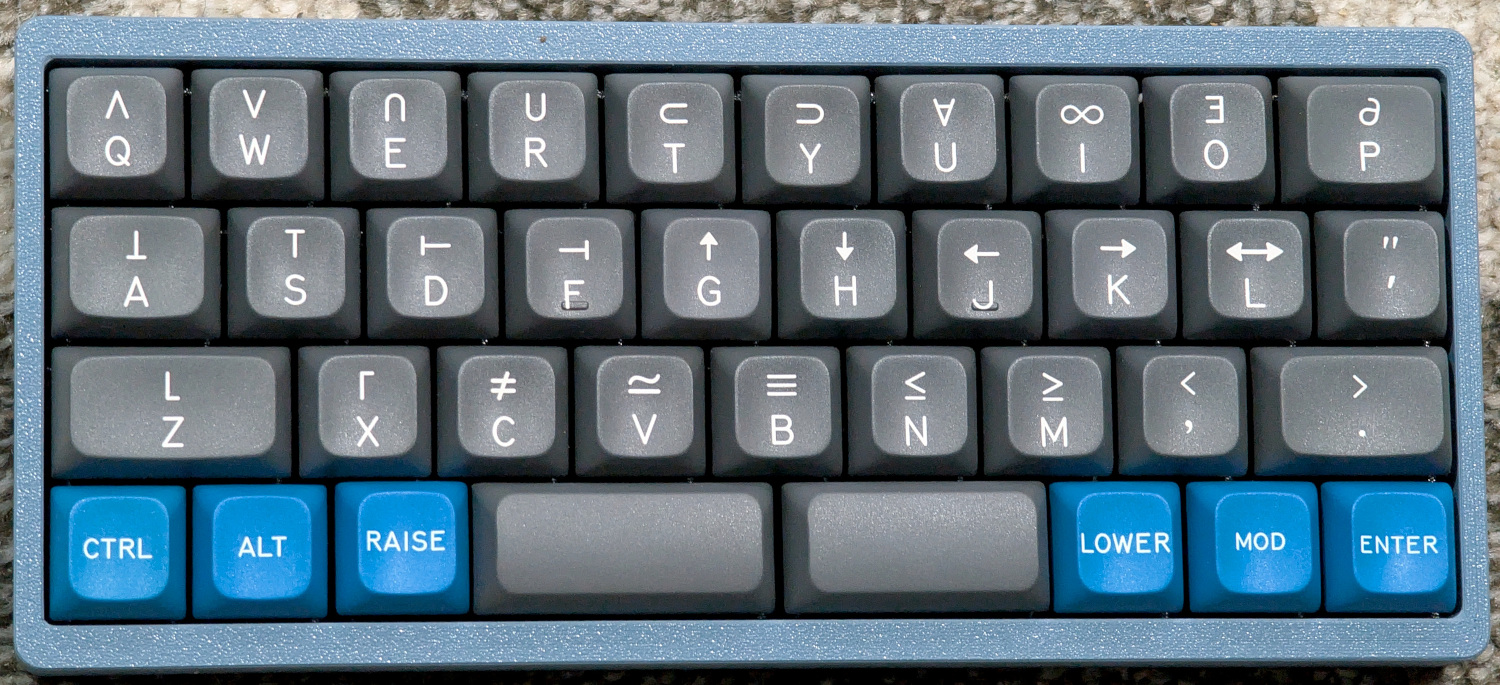
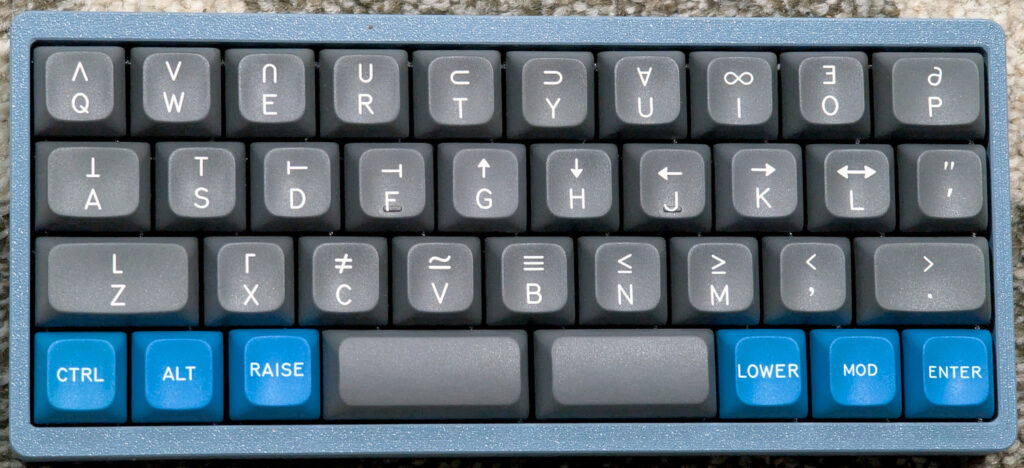
At the end, custom keycaps aren’t as cheap as generic sets, but they are comparable with more boutique sets. I opted for the below custom set, which is based on the popular Space Cadet design. Space Cadet was a keyboard designed in 1978 and used on LISP machines at MIT. I made some mistakes on my first foray into this, but Yuzu created a professional grade set of keycaps for me at a price that is comparable to a high quality set.


A QAZ style keyboard with custom PBS keycaps based on the popular Space Cadet design


Published on April 23, 2026
Full Post
0 Responses

Elegoo’s Promised CANVAS Upgrade Is Finally Coming to the Centauri Carbon

After months of controversy and growing skepticism about it ever coming out, Elegoo’s long-promised CANVAS multi-color upgrade for the original Centauri Carbon has finally gone on sale.  The surprise? The official launch price is just $55, a far cry from what people expected.

The Backstory

The internet was abuzz when the Centauri Carbon came out. A CoreXY 3D Printer with a $300 list price with an enclosed chamber. And with a promised future multi-filament upgrade to print multiple colors as part of the same print.

The Centauri Carbon sold a lot of units when it released in Spring of 2025, but the multi-filament system never materialized. Elegoo released the Centauri Carbon 2 in January…so only months about the release of their big hit. The Centauri Carbon 2 is a refinement of the original Carbon, with:

  • reinforced body to reduce vibration
  • upgraded belts, motors, and pulleys to increase smoothness
  • redesigned extruder
  • improved hotend
  • improved cooling system and stronger fans
  • better included build plate
  • quieter motors reducing sound
  • the multi-color system, called CANVAS, on day 1.

That meant an improved version of the printer that Elegoo shipped to people while still refining it was suddenly no longer a production model. Pre-orders of the Carbon vs the later production models came with improvements and fixes, leading some to say they were using early adopters as beta testers. And now, without offering the promised accessory, they had released a version 2. That produced concerns that the promised multi-color support would never materialize, and that replacement parts for the original Carbon would dry up quickly.

Prusa, a long standard in the industry for open printers, offers upgrade kits. You can keep buying the improved components and turning your version 1 into a version 2, and so on. Considering how close the Carbon and Carbon 2 are and how many people bought them, and the short lifecycle of the original, it is surprising that Elegoo or third party hardware manufacturers wouldn’t consider supporting some of the improvements of the Carbon 2 on the original.

Elegoo apologized and insisted they had some issues, but they still intended on completing the system for the original Centauri, and offered an apology gift, a choice between a $50 coupon at their store valid for 3 months, an $80 discount on the Carbon, or a year long extension on the warranty, excluding consumable parts. It was starting to look as if they’d never offer the item. And they took a lot of heat for it.

On Monday, I woke up to see not only had it gone live, but the initial pre-order window for May delivery was already sold out, with shipping for the second round to be in June. And the price… $55. As of the evening, shipping dates for new orders were at end of July.But scandal hit rather quickly, at least the sort of thing the internet calls a scandal.

At a recent 3d printing event in Boston, Elegoo’s booth had a Centauri Carbon with the CANVAS system on display, and promised that units were shipping to warehouses around the world, and it would go on sale soon. A page went up, with a price of $150. Then the page went down. Several people get advance units to look at, so we got some ideas of what it was. Then the big reveal at $55, and some advance reviews started to leak out, very slowly.

What We Know about the CANVAS upgrade

This isn’t just installing a unit and plugging it in. Early reviews of the item reveal you have to perform some major surgery on the printer to upgrade it. The sheer amount of parts is why most people thought it would be a lot more than $55.

  • The CANVAS unit is mechanically identical to the one used on the CC2, but has a different circuit board.
  • It uses the same spool holders as the CC2, but it supplies adapter brackets to mount them as there aren’t the same holes to install them as are on the CC2
  • A new toolhead circuit board has to be installed. It contains ports for three new sensors. A filament detector sensor on the printhead, a filament cutter sensor, and a front cover removal sensor….all features present on the CC2.
  • There is no opportunity to upgrade to the hotends and the higher temperature rating that the CC2 has.
  • The improved CC2 extruder is supplied, replacing the original extruder. I had several problems with the extruder on the CC1.

Even without wanting the CANVAS unit, the new sensors and extruder are improvements of their own, and would probably cost nearly as much on their own for other printers.

What We Don’t Know

There is one downside to the CANVAS upgrade. The original Carbon had a glass lid that served to enclose the unit when printing filaments that required it. The CC2 has a large plastic hood. Visually, this is significantly less elegant than a glass top. The Carbon upgrade prevents the original glass lid from being used, and the upgrade provides no cover, which means you have a choice between not printing those materials or not installing the upgrade.

We don’t know if Elegoo has a solution to this problem, but we know either Elegoo, hobbyists, or both will figure out a solution to that problem. My personal prediction is that hobbyists will come up with something, as they usually do.  But Elegoo will have to say something. They mismanaged this situation, and they are trying to recover, partially by selling the pre-orders at such a low price.

We don’t know enough yet about the reliability of the solution overall, although it is the same basic design as the CC2, so the reviews of that should bear out for this version. As reviews trickle in, and I await my delivery date, we will see what news develops.

Is it Worth Buying?

This upgrade doesn’t turn a Carbon into a Carbon 2, but it gives a variety of upgrades present on the two. If you bought the Carbon for the multi-color printing, it is a no-brainer at the price. If you bought the Carbon to do filaments that required the lid to be on, I’d still pre-order the device and trust a solution will come. And in the meantime, you get the other upgrades.

Published on April 28, 2026
Full Post

Get New Posts By Email