In the meantime, check out Rothgar’s MythTV setup, courtesy of Geektonic.
Related articles by Zemanta
- So You’re Thinking of Trying MythTV (gadgetwisdom.com)


In the meantime, check out Rothgar’s MythTV setup, courtesy of Geektonic.

[asa]B002MAPRYU[/asa]
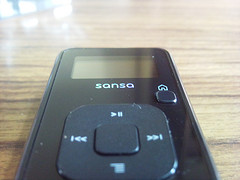
We love the Sansa Clip. We bought a 1GB Clip refurbished a while back, and it replaced a slightly more sophisticated player with video playback capabilities. Sometimes, simplicity is more useful. Now, we’ve replaced our 1GB Sansa Clip with a new Sansa Clip Plus(or Clip+).
The Plus offers a slightly sturdier construction, the buttons have been reorganized, and one big new feature…a microSDHC slot for expansion. It also contains the features that we loved about the Clip.
We commented on the Clip+ when it first came out. Sandisk advertises the expansion slot as a slotMusic slot. slotMusic and slotRadio were Sandisk’s attempt at selling preloaded microSD cards, which we still insist, on the face of it, is not a bad idea, but never took off. Sandisk’s implementation was not quite what we thought would work. We’d like to see an on-demand kiosk that would allow you to buy files, load them onto the little card, and that could be available in airports and music stores.
That aside, the Clip form factor is the perfect size for sticking into a bag. Everyone we’ve shown it to, even iPod lovers, have agreed that if you are looking for a simple, utilitarian, good quality music player, the Clip is superior to the iPod shuffle and to many other players on the market in similiar price ranges. For those who are Linux users, or like a simple interface, the Clip offers easy loading of new music by copying it over a USB cable. The jack built-in is a standard Mini-USB jack, as opposed to any proprietary plug.
It relies on ID3 tagging to allow you to browse for files to play, but offers Playlist(created on your computer not the device, although this may change), and an folder browse mode to allow you to select by the directories you have put on the device. When we bought it, there was already a new firmware we could load on, which gives us hope Sandisk will continue to maintain it. AnythinButiPod has a list of possible firmware improvements.
They also show how you can get a microSD to SD converter to, with a corresponding increase in size, get cheaper SD as opposed to microSD memory for the Clip.
Elsewhere, the Clip V1 has unstable support for the Rockbox alternative music firmware and other versions may come someday.
The only complaint we could see having about it is that it is so small, it is easy to lose. We’ve narrowly avoided misplacing it a few times for that reason. But a device being too portable is the sort of complaint we can live with.
Update: There is a newer version of the Sansa Clip, called the Sansa Clip Zip. Have not tried it, but the link appears below.
[asa]B005FVNGRS[/asa]


The Carousel of Progress was created by Disney for the 1964 World’s Fair. It features an animatronic show that shows how the American home has changed over four scenes, the turn of the 20th century, the 20s, the 40s, and finally, the most updated piece…the future. Right now the future was determined in 1994.
In a recent trip to Disney World, surprising as it may seem, the Carousel of Progress, despite its lack of popularity, ranked as one of the more interesting rides. Sometimes, simplicity really does just work. But we want more.
In the Twilight Zone Tower of Terror, the ride uses a randomized pattern of movements so the ride is not identical each time. Why can’t all rides be different every time we go through them? Epcot‘s Mission: Space offers a more mild version of the ride for people prone to motion-sickness. Why not ten different versions they can rotate through? Even if it doesn’t change for each passenger, the recordings could change once a day, or once an hour.
Systems like this, ones that adapt and offer a variety of options, are present in computer gaming and a variety of other fields. What do you think? What is the future of theme parks?


GeekTonic caught this one before us. We’re big fans of the SiliconDust HDHomerun Dual Tuner. SiliconDust has great support, and is well supported under Linux and Windows.
The HDHomerun streams video, once tuned, over the network to your device. Even without the SiliconDust, we think this is part of the future of video. If this device added a decryption device, it would decode the stream and then stream it unencrypted to the computer, allowing access to all channels.
Hopefully, there aren’t any more restrictions beyond that, and they aren’t forced to limit it to Windows only. We could imagine they’d have trouble convincing Cable Labs that Linux users would honor the broadcast flags, but if it does what we hope it does, we’d have one on pre-order the day they came out.
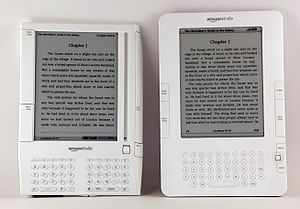

For a long time, we wavered on the issue of whether to buy an e-book reader. However, after we got a lot of money this holiday season in Amazon gift cards, we wavered and considered reversing ourselves, even though we have major issues with the Kindle.
This holiday season, for the first time, Kindle books outsold traditional books on Amazon, the Kindle itself was the site’s bestselling product.
But even after this, we don’t think the technology is open enough. We didn’t get into music downloading until Amazon released a DRM-free store. It is all about the freedom.
Our latest contemplation, with the delay of purchasing an e-book reader, is to replace our physical classics with free books from the Google Books project, as they are now available in EPUB format, which can be read using the free and open FBReader. What do you think?
Update: Since this post, we have now purchased a Kindle. The price is now manageable. See below link to current Kindle offering.
[asa]B0051QVESA[/asa]



On December 24th, XBMC Version 9.11 was released. It includes a variety of GUI improvements, and playback improvements, including support for RTMP video streams, which is the system that Flash Video players use.
Like Boxee, which is based on it, it doesn’t compile easily under Fedora(our primary operating system), easily, but has wonderful support under Fedora.
The most wonderful aspect of XBMC, which carried into Boxee are the plugins. A loyal community of scripters write plugins to pull in video and audio content from a variety of sites. The difference between XBMC and Boxee is that Boxee often gets cooperation from the content providers for their plugins…in fact, this is part of their goals.
So, give it a shot.

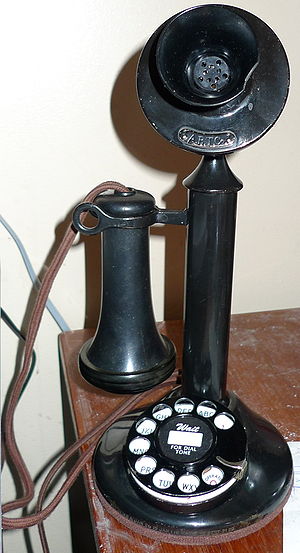

GigaOm reported this week that AT&T asked the FCC to eliminate regulatory requirements that it support a landline network and to provide a deadline for phasing it out. Essentially, they want to get out of the landline telephone business. Today, less than 20 percent of Americans rely exclusively on switched-access lines for voice service. So, essentially, they want to stop serving 1 in 5 Americans who haven’t switched.
Now, to some degree what they are asking for makes sense if they wanted to provide the same level of service digitally that they do over the old analog network. During the great Northeast blackout a few years back, the phone was one of the few things that still worked. Would that be the case if there was no copper network? Whatever you can say about copper telephone service…it has become very reliable, and AT&T’s profits from it, while reduced over the last few years, remain significant.
However, AT&T wants the federal government to seize power in this area away from the various state and local regulatory authorities and eliminate state requirements that a carrier serve all people in a geographic area. These are the areas where cellular service is spotty and internet service is nearly impossible to come by. Also, while Emergency 911 services on VoIP services have improved, it is still an issue. Every person should have the right to have a reasonably priced method of communication with the outside world available to them, be it telephone, internet, or a combination thereof.
If AT&T is expecting the government to force the elimination of traditional telephone service like they did analog broadcast television, we would hope the government response is for AT&T to come up with something just as reliable and deployable before any discussion can begin. Trying to make the government do their dirty work for them is ridiculous.
We still keep our landline service, despite dabbling in VoIP and owning cellphones. We have a hard time trusting big corporations, but oddly enough, trusting the telephone company to provide traditional telephone service is something we can do more than trusting the cable company. That is not to say the telephone company thrills us with their service either. It is just harder to mess up a traditional telephone.

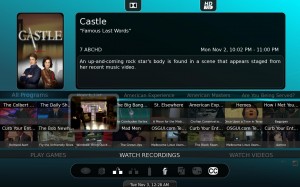
MythTV has had Internet video plugins before. MythStream was one of the earliest. We never could quite get it to work consistently, and it hasn’t been rewritten for MythUI, and those won’t work under MythTV 0.22. None of these have ever been included as part of the official MythTV package, which this has the potential to be.
From their description, it would have the following features:
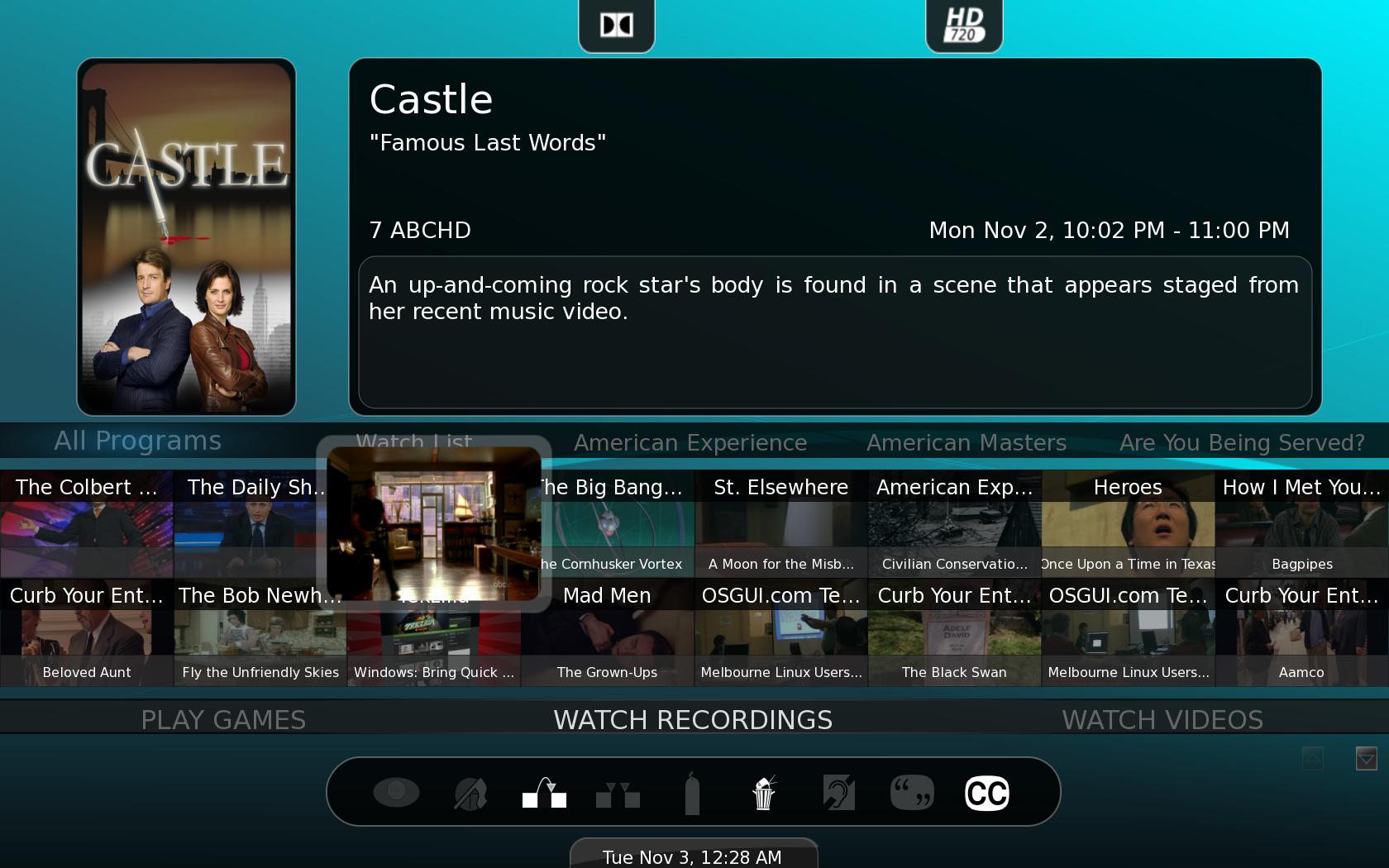
There is a screencast video that can be viewed here. They hope to release by MythTV 0.23, but possibly sooner.
McNamara used the following sites as Examples of sites that should be very easily (and legally) implemented: Comedy Central, The Escapist Magazine, Revision3, Recent Apple Movie Trailers, BBC iPlayer. They’ve already included Youtube, Vimeo, Blip.tv, MTV Video, and TMDB Trailers.
All of them are very interesting. The Escapist just recently unveiled its app in Boxee at the Boxee Beta unveil, for example.
Speaking of Boxee…it has shifted its focus from media stored on a local drive to online content. MythTV has to do the same. It is a DVR software, and should remain so. But with more and more online content becoming available, it needs to address it, and offer ways for that content to become a part of the interface.
MythNetVideo’s design seems to accommodate for that. It launches external programs, or imports video, whichever it can. MythTV doens’t need to be all-encompassing, it can hand off control to other programs. But having that option allows it to be easily extensible, and that is what it needs.

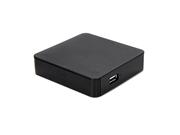
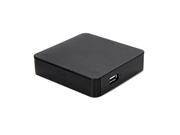

Recently, for a limited time, Newegg offered the Western Digital TV Mini Media Player for $40 including shipping. It is currently listed for $59.99.
The Mini is the little brother of the WD TV and the WD TV Live. The basic differences between the three is that the Mini is SD, and the WD TV Live includes networking capability.
The device has its pros and cons. It is very small, and can playback media from any USB drive formatted to FAT, FAT32, NTFS, or HFS. This makes it useful as a portable device, although the slightly larger WD TV and TV Live have much more functionality. The maximum resolution is 720 x 480 for most files. It doesn’t support MKV or H264 either. But it does support XviD, OGG, etc and a variety of other common formats.
It can playback not only video, but music and pictures.
This weekend, we field-tested it. It was able to playback everything within its defined parameters that we threw at it, including two movies, several Revision3 shows, and some audio podcasts.
Ultimately, this device is not something we’d have in our house. Quite franky we don’t need it. But it is a great device, for the price we paid, to stick in a bag and use to playback your digital media at whatever place you happen to be with a minimum of fuss. Reading reviews, two popular uses are to playback ripped movies and to hook into a car entertainment system.
We hope, however, that firmware updates bring additional features to this device in the future. Although we are not holding our breath.


After a lot of consideration between a dedicated hardware blu-ray player and a blu-ray drive, we prepared to take advantage of Newegg’s $49.99 Blu-Ray drive.
At the last minute, we changed to a $129.99 Blu-Ray burner, so we can experiment with blu-ray burning as well as play-back under Linux.
We installed it in a secondary computer, as opposed to our production system, and installed the MakeMKV beta for Linux. It compiled without incident, and was able to rip our test Blu-Ray video to a test drive.
Now, we want to emphasize this very clearly. WE HAVE NO INTENTION OF DISTRIBUTING ANY ILLEGAL VIDEO. Our intention is to be able to exercise our fair use and playback our legally purchased or legally rented videos.
It is a pain in the butt to have to spend this time ripping the Blu-Ray before we can play it. But that is the price we pay for our open-source lifestyle choice.
We figure, for our legally owned(not rented) Blu-Rays, we have two options.
Either of these, again, involve a fair amount of preprocessing and working space, however. In the meantime, however, we have a new movie to watch.
