Gadget Wisdom

1 Response

Converting Your Toilet to Dual Flush

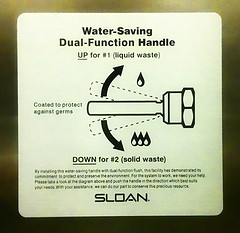
dual flush toilet
Image by drburtoni via Flickr

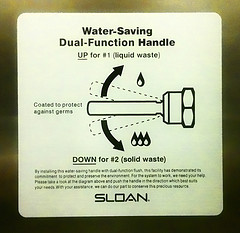
Lifehacker posted an article today about how to convert a toilet to dual flush, and we thought it was worth reposting.

We didn’t know you could retrofit an existing toilet for only a few dollars. For those of you who don’t know, a dual flush toilet offers two levels of flush. This could reduce your water bill significantly, as, to put it as succinctly as possible, liquid waste requires less flushing than solid waste. A regular toilet would use the same amount regardless.

A conversion unit could cost as low as $25-$30. Sounds like a project we might try in the future.

Published on April 25, 2010
Full Post
0 Responses

Turning off Your Lights Part 1 – Occupancy Sensors and Countdown Timers

Smarthome, Inc.

In the 70s, President Jimmy Carter told America it was time to turn off their lights. Not making this a political blog and discussing Carter overall, Jimmy Carter’s comments on energy are exactly what people are prioritizing today. Turning things off when they aren’t in use makes financial sense. Energy costs money, so why waste it?

We know someone who thinks Global Warming and such are a crock, but even they are pro energy efficiency for financial reasons. So, whether you are in it for the money, or the loftier planet-saving, or something in between, wasting less energy seems like a good thing. We have previously discussed energy saving power strips that shut things off when not in us(link).

Now, we’re going to cover some other switch types for shutting off your power. We’re focusing on lights, but there are other things that can be hooked up to such switches.

Let’s start with countdown timers. We use a countdown timer for the bathroom exhaust fan…which is coincidentally a good way to time limit your showers. You press a button, and the light/fan/etc is on for a period of time. The one we use has 10-20-30-60 minute buttons. Where can this feature be used to good effect elsewhere?

The other equivalent option is the occupancy sensor. It detects movement in the room. These things are often made fun of, because if you stay too still for a period of time, they tend to turn off. But as long as you move regularly, it should be fine. Positioning is important though, as the sensors have defined range.

These two options are the cheapest way, other than remembering to flick the switch, to turn off your lights. Sure, it costs money to get them…but remember the reward. Stay tuned.

Published on April 23, 2010
Full Post
1 Response

Android Should Separate Apps from OS

There is fragmentation in the Android market. Due to carrier approval delays on operating system updates, among other things, the Android marketplace is split between 1.5, 1.6, and 2.1. This means that going forward, unless you want to hack your phone, you may experience long delays in upgrades.

Engadget reported that Google has a solution(via Mobiputing). It plans to unbundle the apps from core operating system. And this makes sense. If a new update to the web browser comes, you don’t have to wait for it to go through the manufacturer and carrier approval process.  Carriers should approve and test the basic phone functionality…integration with the carrier’s network, reliability, etc…all the things we expect of them.

But if Google wants to push out an update to the alarm clock app, or something that won’t change its phone functionality(except at a very high level, ie appearance/organization), they won’t need approval. And customers will be happier. They’ve already done updates to Google Maps, for example, without needing to run that by the carriers and manufacturers.

By decreasing the amount of pieces of the puzzle that are part of the OS and rolling them into the Android Market for updates, we would all get a better experience. But that is just our opinion, we suppose.

Published on April 19, 2010
Full Post
2 Responses

The Android Market Needs Organization

The Android Market, it was reported, now has 38,000 applications for download. Of course, the problem being that many of them are not apps, per se. There are adult applications, soundboards, wallpaper, etc.

The problem with the Market is the organization. It isn’t intuitively designed. It has only basic filters, like Features, Latest, Top Paid, and Top Free. It only has one level of categorization. We call upon Google to subdivide the market further into more categories and add more advanced search options, perhaps separate the gaming, the wallpaper/soundboards, productivity apps, and adult entertainment into independent sections and allow categories to be automatically filtered from search if you are uninterested in them.

The Market is open and unrestricted, allowing a lot of duplicative and useless garbage to be entered into it. Without Google providing a superior hierarchy, we will have to defer to third party applications(which we might do anyway), such as AppBrain or Doubletwist. More on them in future posts.

How do you think the Android Market could be fixed? Comment below.

Published on April 16, 2010
Full Post
0 Responses

An Android Slate – A gPad if you Will – Thoughts on Tablets

Reports are that Google is exploring building a tablet of its own based on the Android OS. Google had been encouraging third-parties to build such items, but now they are exploring a model closer to the Nexus One, where they sell the device directly.

Details on the Neofonie WePad were released. It will run an Intel Atom N450 processor, with an 11.6″ 1366×768 touchscreen, and a running time of about 6 hours. It will support full HD playback. The 16GB version will cost 449 Euro(about $600). A 3G version with GPS and 32GB will be 569 Euro. It will be available this summer.

Supporting established standards and peripherals like USB and bluetooth are essential. These standards are there, why not use them? Then any device will work.

The truth is, we’d like to see the tablet combined with the netbook. Lenovo is set to release the IdeaPad U1 Hybrid, which is both tablet and netbook, is an example. The screen can be removed from the netbook assembly and turned into a slate running an embedded OS. But having two processors and a $1000 price tag is a bit much.

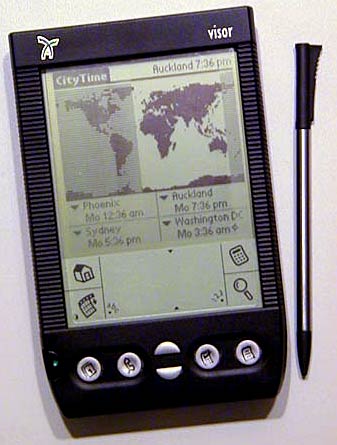
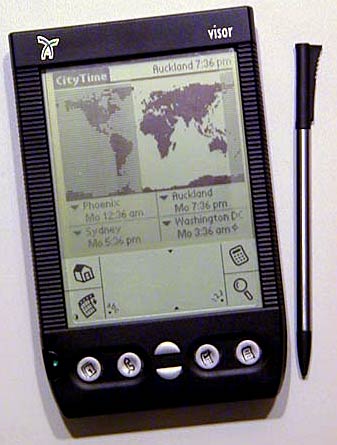
Many years ago, our editor spotted someone using a PDA with a Targus Stowaway Keyboard. After some deliberation, he rushed out and bought a Handspring Visor and its Stowaway Keyboard. In fact, several of the Gadget Wisdom team(long before it existed), did so. Not long after, Handspring ceased to exist, but that is another story. We picked the wrong horse to back there. But, the idea was sound. A portable device that could be used to do basic productivity events.

The Android phones we purchased have the same benefits for productivity as our old Handspring Visor…although built-in external keyboard support would be nice. The price for an iPad is $500. You can get a 10″ netbook for around $300.

The tablet/slate has yet to be proven successful. But a hybrid device that could serve multiple uses could be most useful. Someone just has to perfect it. We aren’t there yet.

In the meantime…anyone want to buy a Handspring Visor?

Published on April 13, 2010
Full Post
0 Responses

Celebrate National Library Week – Enjoy the Tech

National Library Week is this week. We here at Gadget Wisdom love to read, be it on our mobile devices, or traditional books. But the library is not just about reading.

Libraries offer DVD and video games you can borrow. They have e-books and digital media borrowing online. They offer free wi-fi. We hope the book itself, a piece of technology(if older tech), never dies, but the libraries are moving with the times. They have to, or they will cease to be.

So, support your local library.

Published on April 13, 2010
Full Post
0 Responses

Eee Keyboard May Finally Ship

http://www.youtube.com/watch?v=leTCKDmnnSQ

Liliputing, premiere site for netbooks and other compact computers, reports that Asus is finally set to ship the Eee Keyboard this month. We reported on the Eee Keyboard when it was first demoed at CES a year and a half ago.

It features wireless HDMI, and a built in touchscreen that can act as a small informational display.

The Eee Keyboard would make a compelling HTPC. It reminds us of our old Commodore 64, which had the entire computer within the keyboard enclosure. Of course, it would also, minus the computer power, make a nice keyboard by itself. We’re not sure of how this will take off. But we’ll be watching.

Published on April 12, 2010
Full Post
0 Responses

Revamping Gadget Wisdom

The keyboard, overall.
Image via Wikipedia

Recently, Gadget Wisdom moved to its new home, a new server that will hopefully be faster and more efficient, and give us the chance to add new features. As part of that, we’re revamping our offerings, trying to return to our roots. As part of that, we’re unveiling the following sections of our site, making it a bit easier to navigate and focus on what you are looking for.

  • Android – Since many of contributors have acquired Android phones, we’re adding a section to write about the Android OS.
  • Eco-Tech – Rededicating ourselves to our roots, which include our tag line of frugality, we’re hoping to bring back more stories on how to use new and more efficient technology to reduce waste and save money.
  • Home Theater PC – Not only Home Theater PCs, but Home Theater tech you can pair with it, and integrate with it.
  • Lifestyle – A long-standing part of Gadget Wisdom, Lifestyle covers tips, advice, and news on how you can live the sort of tech-savvy lifestyle.
  • Linux – The Linux section replaces the older Open Source Lifestyle section. We’re going to offer more of a focus on Linux and what you can do with it.
  • Mobile – Not just Cell Phones, but Mobile Technologies of all sort…Technology for People on the go.
  • News – All of our news stories.
  • Opinion – All opinion pieces.
  • Product Reviews – Product Reviews and New Product Developments
  • Security – Security News and How to Secure Your Data and Tech

All of these subjects have been here, in some form or another, but now we’re making it easier to sort through them. If anyone is interested in contributing an article to Gadget Wisdom, please Contact Us.

Reblog this post [with Zemanta]
Published on April 11, 2010
Full Post
0 Responses

The Other MythTV Rig

We recently did a review of our MythTV setup. But, we omitted the Other MythTV rig, where old MythTV parts come to their final resting place. Most of the parts here were once part of the primary MythTV rig, and have moved to this secondary location.

The rig in question, codenamed Glendale, is an AMD X2 BE-2400 low wattage processor, the same we use for one of the frontends in the main setup. But this one pulls double duty as both a frontend and a backend.

Inside are two old PVR-150s, as this location still has analog cable service, which has been eliminated at the primary location. There is also a Silicondust HDHomeRun, gotten inexpensively during a Black Friday sellout. The location has absolutely no broadcast reception. We figured, if the recorder ever goes out, any old system can stream from the Homerun, including a netbook.


The system has an old refurbished 250MB hard drive, which had failed in the primary backend and been replaced by the manufacturer. A recent addition is that of two E-Sata ports. Since this is a less frequently used location, we bring up video material to enjoy over recording it on location. E-Sata even would allow us to make the entire media drive for this system external with no loss of speed.

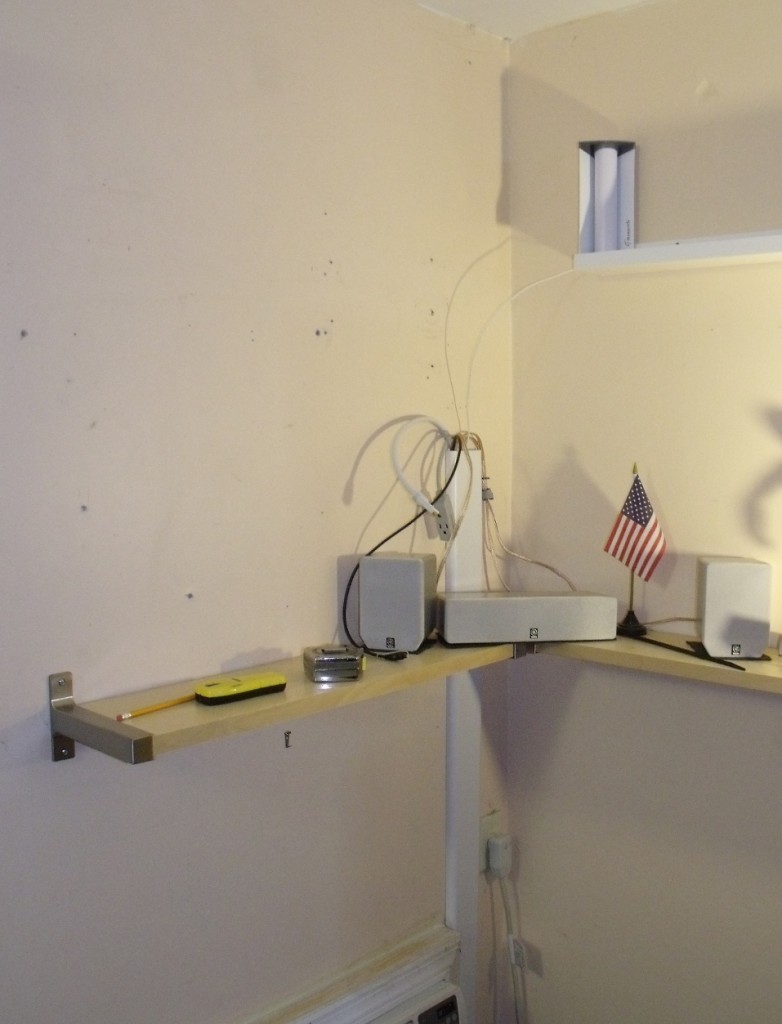
The stand is an audio stand we found one day on clearance at Staples, marked down to $10. On top of the Antec MicroATX cube is an old Radio Shack amplifier, hooked into some old speakers that used to be part of a Cambridge Soundworks speaker set. Next to it is a refurbished digital photo frame, and below it is a mini-keyboard and mouse.

The whole assembly is hooked into an APC power strip with a master control outlet, so when the computer shuts down, all the peripherals, including the monitor, shut down. This is useful, since this system takes advantage of a feature we don’t use at the primary site, ACPI wakeup. When there are no recordings, the system can be shut down and programmed to wake up in time for the next recording.

During the trip when these pictures were taken, we added VDPAU acceleration, so the system can encode the files recorded off the HD-PVR at our primary location.

As mentioned previously, we have hopes of upgrading our primary monitor to one that is HDMI capable, at which point we’ll net a widescreen monitor for this location to replace the current 19″.

The system runs Fedora, as is our custom. We have thought, as this is isolated from the rest of the systems, of switching to a MythTV distribution such as LinHES, MythDora, or MythBuntu. More on this if it happens.

Published on April 9, 2010
Full Post
1 Response

MythTV 0.23 Release Candidate 1 Released

Watch Recordings Menu under Graphite theme

Today, the MythTV Development team released the first release candidate for MythTV version 0.23. Highlights include:

  • Beta of MythNetVision, which we previously reported on. MythNetVision is a an official Internet video plugin being developed for MythTV. It uses user contributed scripts scripts to parse information so that it can be extended to additional sites as time goes by. When possible, it will download the video to the drive. Otherwise it will launch a browser(MythBrowser or otherwise) to view it.
  • Rewritten Audio System
  • A New Event System to trigger user specified actions when certain events occur in MythTV.

Looks good so far. We’ve been waiting for MythNetVision, and a lot of the fixes set to come with future versions. The best news is the more rapid release cycle. The gap between 0.21 and 0.22 was much longer than anyone preferred. Hoping to see more.

Published on March 24, 2010
Full Post

Get New Posts By Email